
Custom Branding
Apply your logo, colors, and brand name to the HubFit experience your clients see.
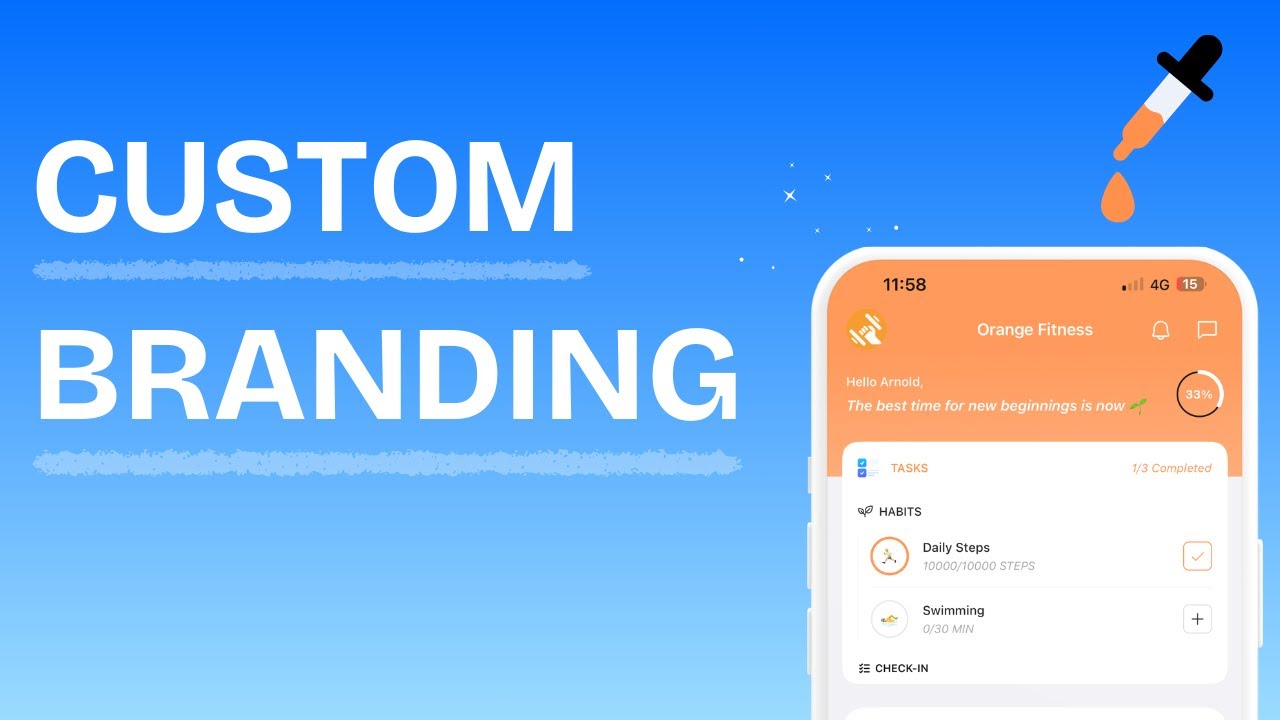
What Is Custom Branding?
Custom Branding lets you apply your own logo, brand name, and theme color to the surfaces your clients interact with. This brands the experience inside the app; the app itself remains HubFit on the App Store and Google Play. Changes are self-serve and take effect immediately.
Custom Branding
What You Can Customize
| Element | Description | Limit |
|---|---|---|
| Brand Name | Your business or app name displayed to clients | 25 characters |
| Brand Color | Your primary theme color (hex value) applied across the UI | Any valid hex |
| Brand Logo | Your logo displayed in the app header, emails, and pricing pages | Image file (PNG, JPG) |
Where Your Branding Appears
Your brand identity is applied to four client-facing surfaces:
Client App
Your logo, brand name, and color appear in the app header and throughout the UI. Buttons, navigation elements, check-in widgets, and habit trackers all use your brand color.
Client Emails
Emails sent to your clients (login instructions, reminders, notifications) display your logo in the header.
Packages Page
Your public pricing/packages page shows your logo and brand name at the top, with package buttons styled in your brand color.
Stripe Checkout
Your logo and brand name appear on the Stripe checkout page when clients purchase a package.
Share Cards
Your logo appears when clients share content from the app, such as workout PRs and challenge achievements.
What's Not Branded
A couple of things to keep in mind:
- HubFit web isn't fully branded. Your logo replaces the HubFit logo in the sidebar after sign-in, but the rest of the web interface stays HubFit-branded. For a fully branded experience, clients should use the mobile app.
- Custom domains aren't supported. You can't host the client app or your packages page on a subdomain like fitness.hubfit.com or your own domain. Branding is applied on top of HubFit-hosted surfaces only.
Setting Up Your Branding
Changes take effect immediately across all surfaces.
Resetting to Defaults
This resets the icon to the HubFit logo, name to "HubFit", and theme color to the default blue.
Frequently Asked Questions
Who can access the Branding settings? Only workspace owners. Team members with Standard or Admin roles will not see the Branding tab in Settings.
Does custom branding affect the coach dashboard? No. Branding is applied to client-facing surfaces only — the client app, client emails, and your public packages page. Your coach dashboard remains HubFit-branded.
Can I change my branding after saving? Yes. Go to Settings > Branding and update any element at any time. Changes take effect immediately.
What image format should my logo be? PNG or JPG. SVG files are not supported. Use a square image for the best results, as it appears as an app icon in the client app header.
Is HubFit web branded? Only partially. Your logo appears in the sidebar after sign-in, but the rest of HubFit web stays HubFit-branded. For a fully branded experience, clients should use the mobile app.
Can I use a custom domain like fitness.hubfit.com? No. HubFit doesn't support custom domains or subdomains. Your client app, packages page, and other branded surfaces stay on HubFit-hosted URLs — branding is applied on top of those, but the URLs can't be changed.
Why isn't my branding color showing in emails sent to clients? Brand colors are not applied to client emails. Only your logo is displayed in email headers.
Did this answer your question?