Changelog

All the latest updates, improvements, and fixes to HubFit.

Onboarding Flow V2

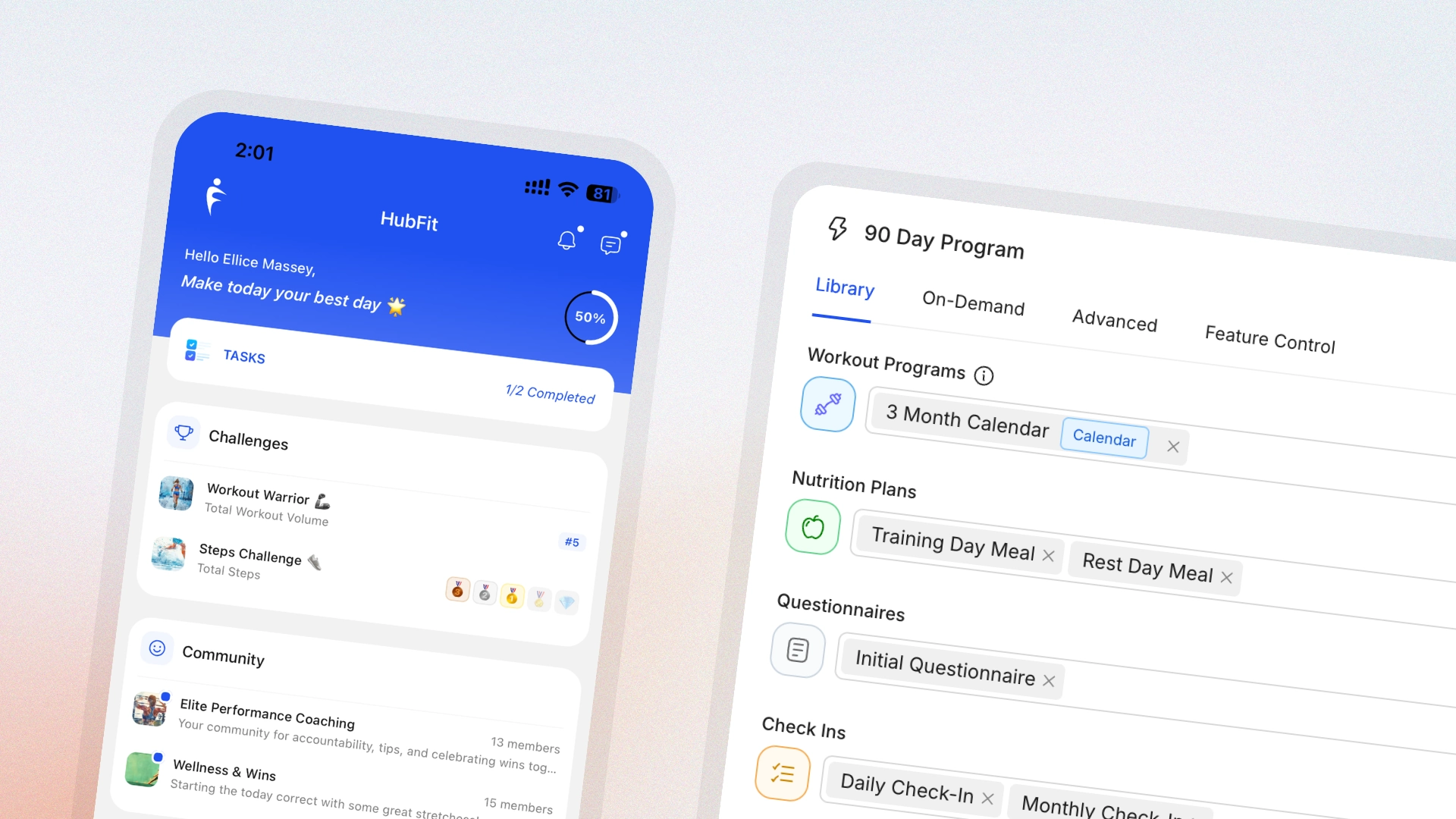
HubFit Onboarding Flow V2 builder showing a 90 Day Program with workout, nutrition, questionnaire, and check-in steps next to the client app home screen

The first 48 hours decide how a new client feels about your coaching. Onboarding Flow V2 closes the gap between sign-up and ready-to-train: more steps you can automate, more places you can personalise, and a faster builder for putting it all together.

  • Grant Workout Studio access automatically so new clients have something to train with from day one
  • Share Recipe Books on join, so nutrition resources land in the app before the first check-in
  • Auto-assign clients to the right team member based on plan, package, or goal
  • Add new joiners straight into a Challenge to lock in engagement from week one
  • Duplicate any flow with one click and adjust the steps for a new package
  • A refreshed builder UI that's quicker to navigate and easier to scan at a glance

Existing flows keep working untouched. Open any flow to find the new step types in the sidebar.

Introducing Challenges

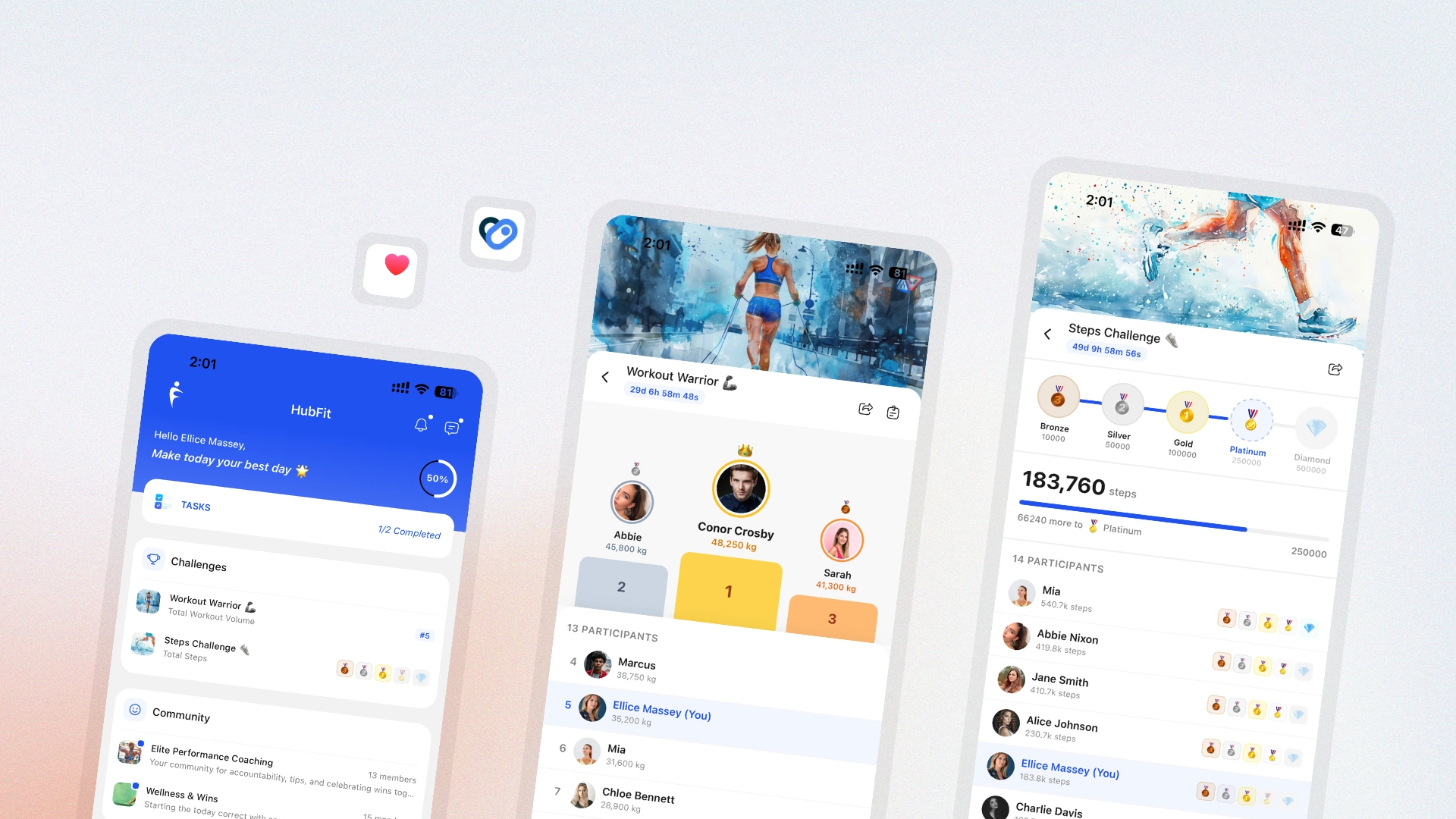
HubFit Challenges shown across three screens — the home feed with active challenges, a Workout Warrior leaderboard with podium and ranked participants, and a Steps Challenge with bronze-to-diamond badge progression

Engagement drops fastest in the weeks between visible milestones. Challenges fix that. Spin up a step competition, a workout streak, a nutrition-logging push, or a strength-volume race — apply it to your whole client base, a specific group, or just the new joiners still finding their rhythm.

  • Leaderboard mode for ranked competitions where clients can see who's in front
  • Milestone mode that awards badges as clients hit set targets
  • Seven challenge types out of the box: steps, workouts, volume, reps, nutrition logging, calories, and protein
  • Eight badge themes, each with five progression tiers, so the visual reward scales with the effort
  • Clients can join multiple challenges at once and stay on a leaderboard for each
  • Pre-built templates to launch a challenge in one click, plus the option to build and schedule yours in advance
  • Custom cover photos so every challenge gets its own identity in the feed
  • Social-ready share cards with your branding, ready for clients to post to their stories

Exercise History V2

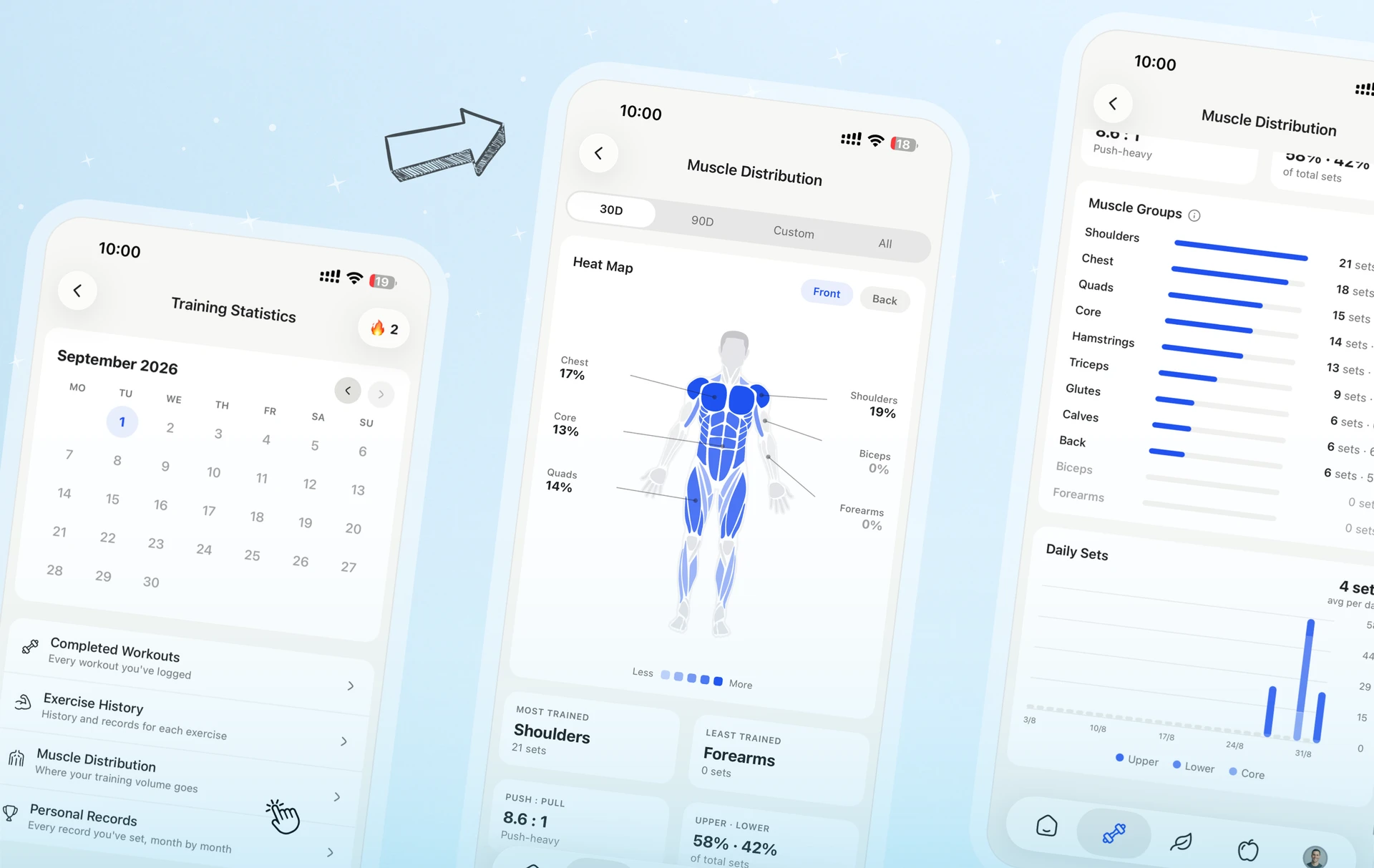
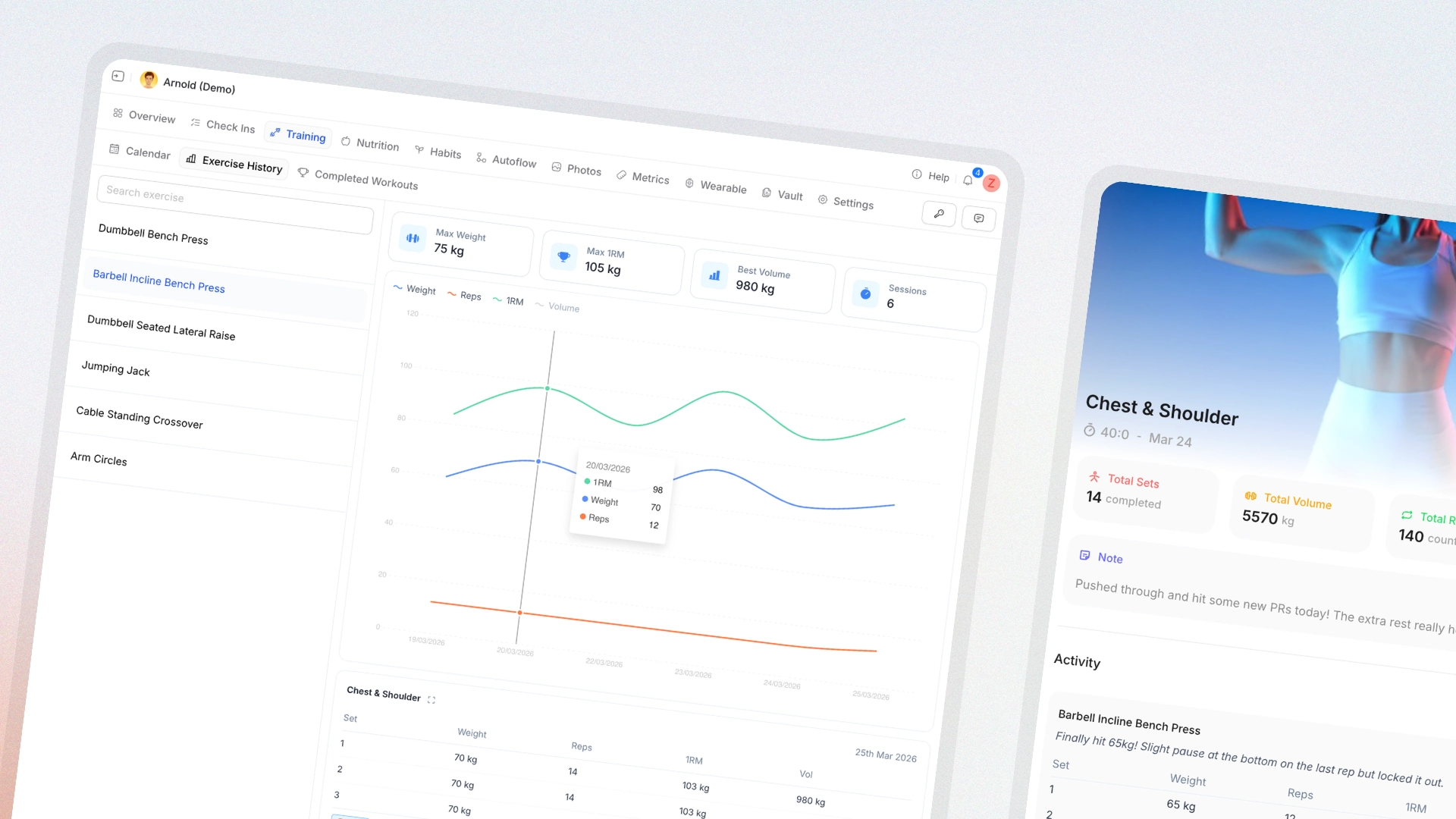
HubFit Exercise History V2 showing redesigned completed workouts, volume and 1RM charts, exercise summaries, and personal records

Tracking progress is what turns a programme from a workout list into a strength plan. Exercise History V2 reworks the surface from end to end — cleaner sessions, deeper charts, and the history coaches need within reach when they're actually programming.

  • Redesigned completed workouts with a faster, calmer layout for reviewing sessions
  • Volume and 1RM charts so strength and total-volume trends are visible at a glance
  • Multiple data points on a single chart — reps, weight, volume, and more side by side
  • Total volume per exercise now shown inside the completed workout itself
  • Exercise summaries surface max weight, best volume, and the key stats up top
  • Linked completed workouts — jump from history straight into the session it came from
  • Exercise history now lives inside the Workout Builder and the Periodise Planner, no tab-switching while programming
  • Full personal-record display so nothing important is hidden behind a "see more"
  • Client session notes pulled into exercise history alongside the numbers

Apple Health and Health Connect

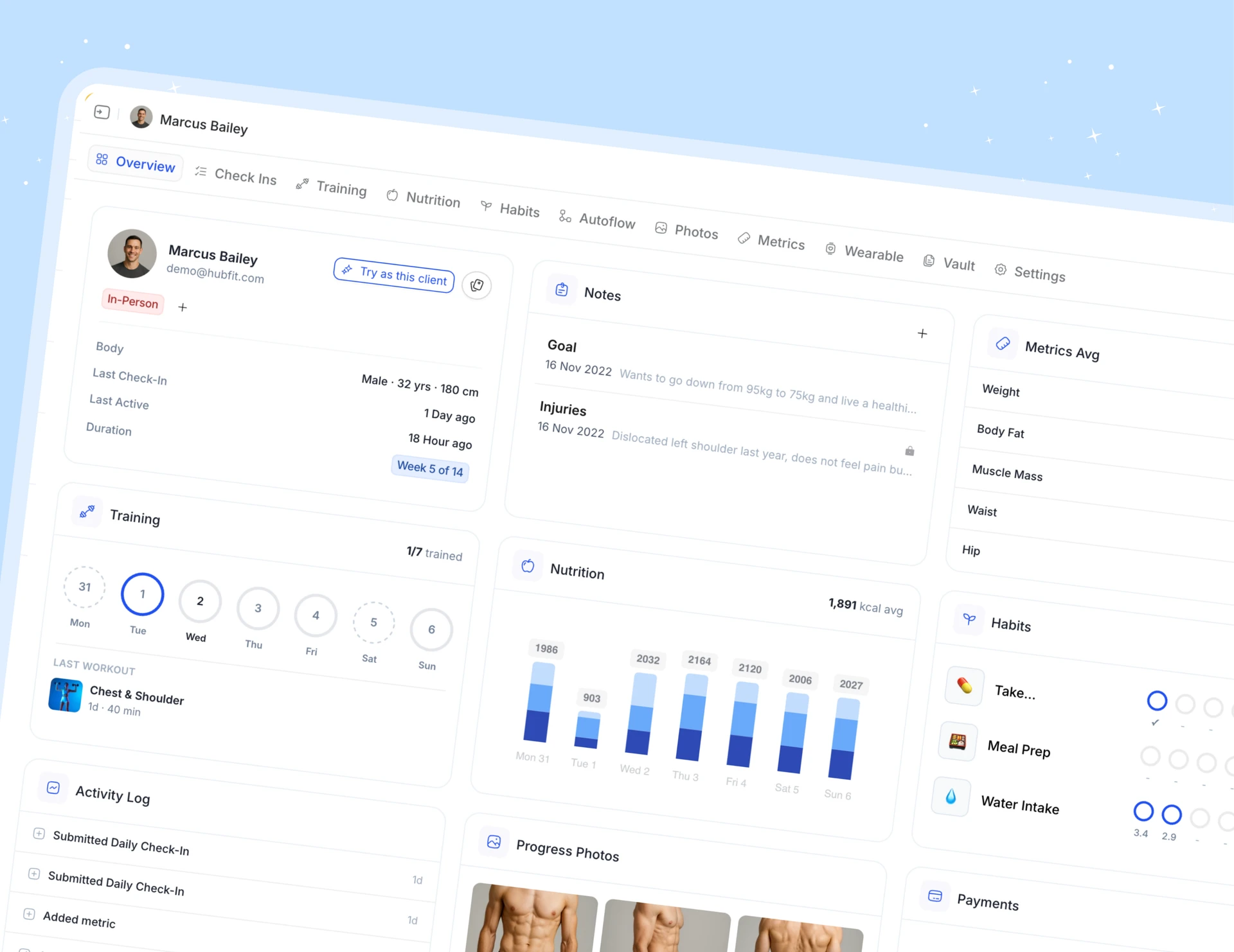
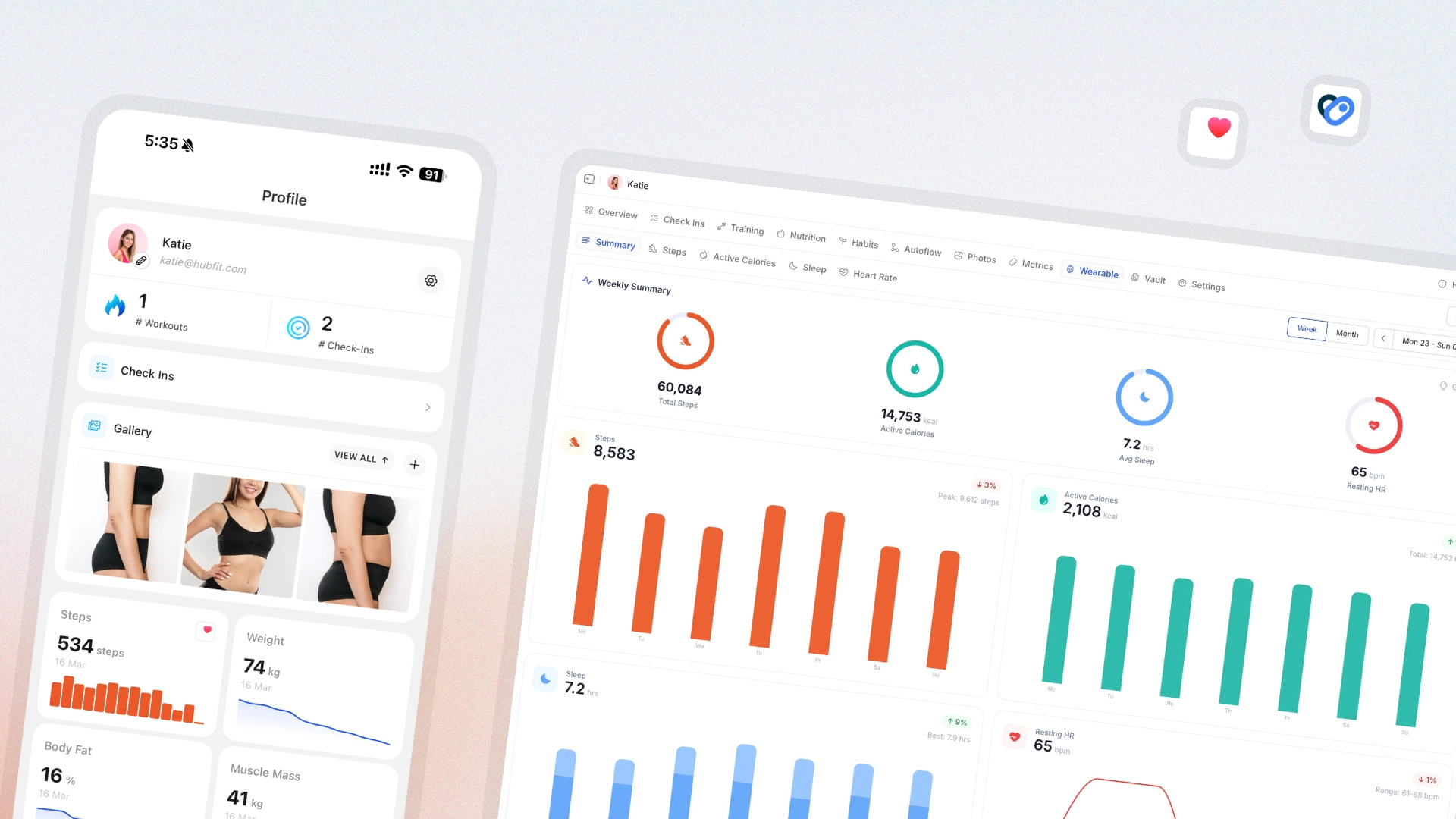
HubFit wearables dashboard pulling sleep, heart rate, steps, and active calories from Apple Health and Health Connect

Wearable data has been one of the loudest requests for the last twelve months. As of today, Apple Health and Health Connect are fully integrated — every metric your client's watch tracks can land inside HubFit alongside their training and check-ins.

  • Native support for Apple Health on iPhone and Health Connect on Android — any wearable that syncs to either is supported
  • Sleep data from the client's wearable, displayed in HubFit with duration and quality
  • Heart rate broken out into resting, average, and max
  • Daily step count pulled in automatically
  • Active calories shown alongside training output for the full energy picture
  • A new health summary that aggregates every wearable metric into one view
  • A dedicated Wearables tab on the client profile so coaches don't have to dig
  • Metrics UI rebuilt with filters, rolling averages, and tooltips for deeper analysis

A note on permissions: sleep and heart-rate data only flows once the client has connected their wearable to Apple Health or Health Connect — for example, a Garmin watch connected to Health Connect. Clients already connected to Apple Health will need to grant the new permissions: iPhone Settings → Health → Data Access & Devices.

Smart Meal Planner and 5,000+ recipes

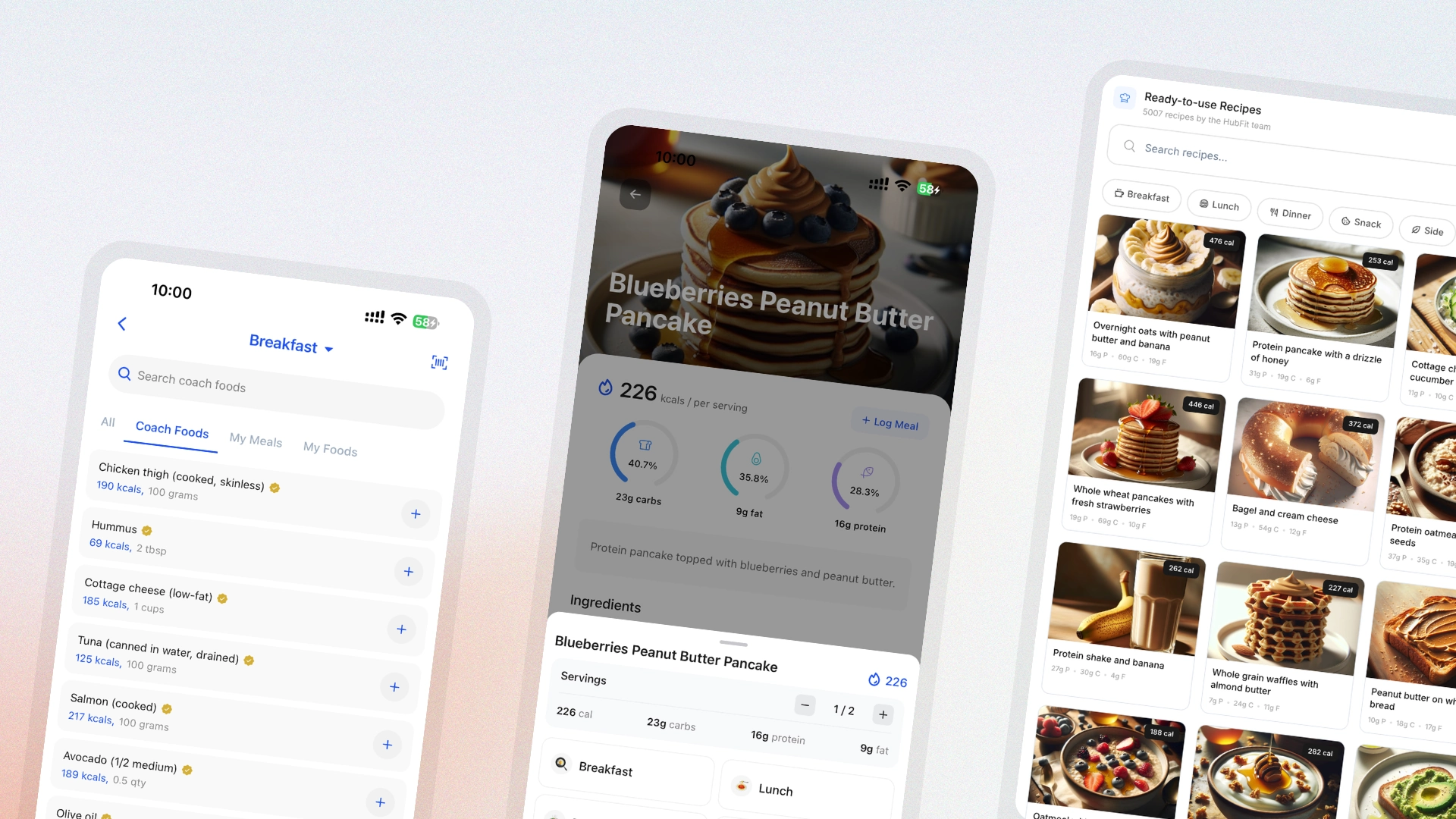
HubFit Smart Meal Planner generating a full nutrition plan from the 5,000-recipe library

Nutrition coaching scales when the planning stops being manual. This release rebuilds the foundation: a much larger recipe library, an AI planner that drafts full plans for you, and the tools to put the right food in front of the right client without rewriting macros every Sunday.

  • A 5,000-recipe library covering breakfast, lunch, dinner, snacks, and dietary preferences
  • Smart Meal Planner that generates a complete nutrition plan around any client's macros and goals
  • Shareable Food Library so clients can log straight from the foods you trust
  • Custom serving sizes on every recipe — adjust the portion without rebuilding the meal
  • 100 ready-made Recipe Book templates that import in one click

Community V2

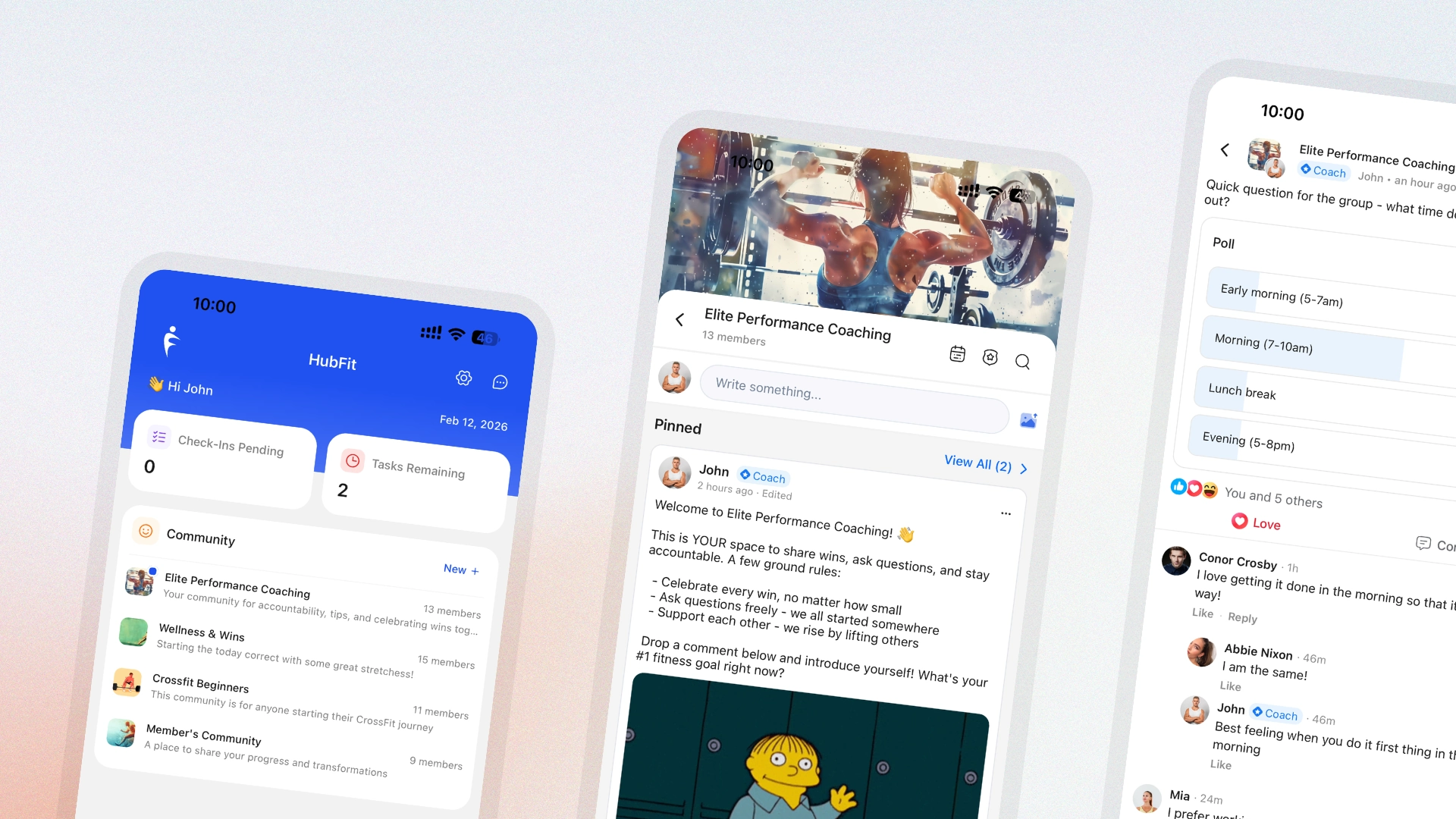
HubFit Community V2 feed showing pinned posts, polls, threaded replies, mentions, and reactions

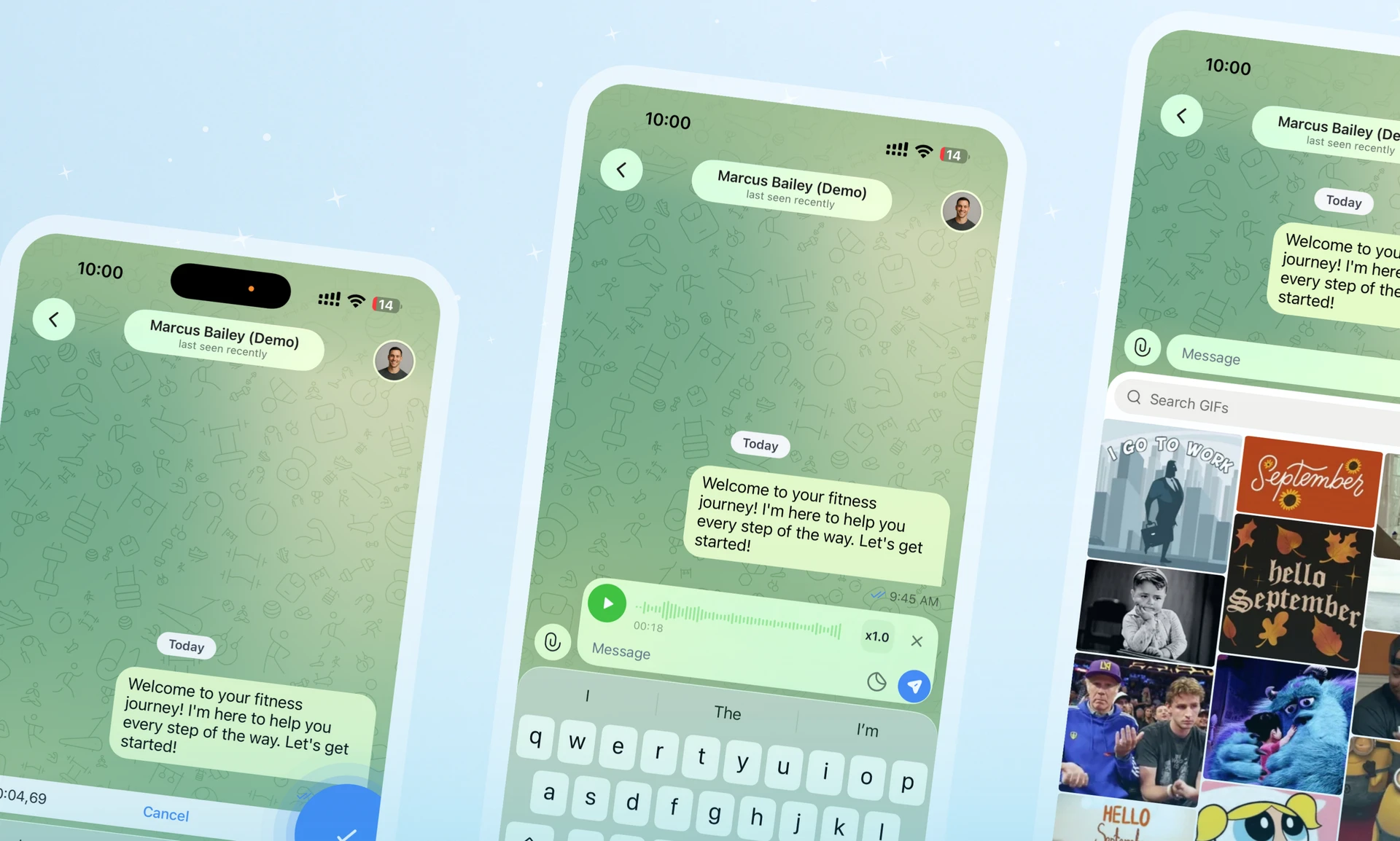
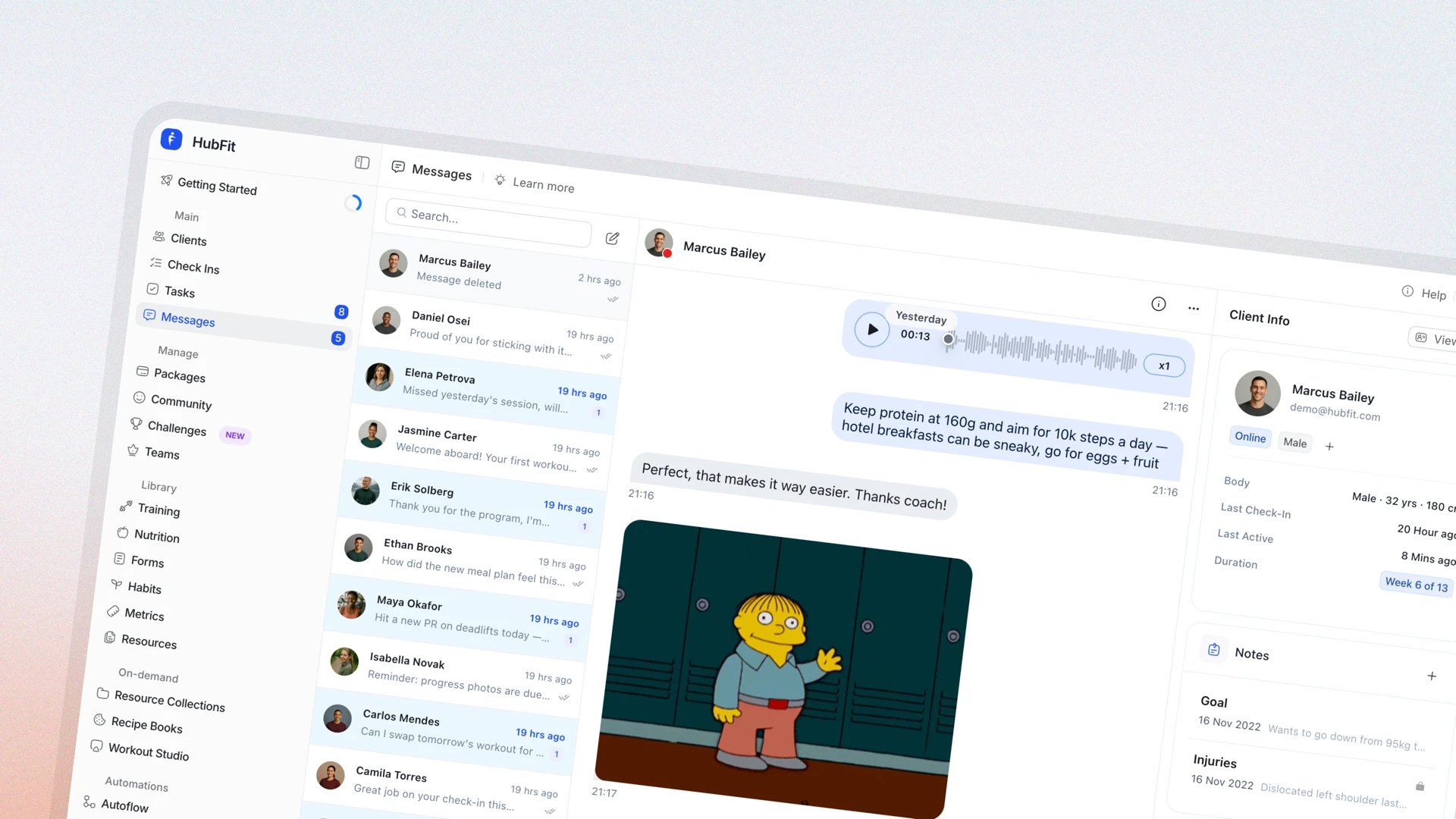
Community has been the centre of HubFit since day one, but the feed itself was overdue for a rebuild. Community V2 brings the social mechanics clients already understand — pinned announcements, threaded replies, reactions, GIFs — into your coaching app, so engagement compounds inside the brand instead of leaking out to other platforms.

  • Pin posts to keep announcements and rules at the top of the feed
  • Schedule posts in advance and keep a steady cadence without daily effort
  • Save drafts and finish them when you're ready
  • Tag and @mention members to bring them into a conversation
  • Run polls to gather feedback or pick a workout for the week
  • Threaded replies so longer discussions stay organised
  • Reactions and emojis on every post, beyond a single like
  • GIF search built into the composer
  • Search any post by keyword
  • Edit posts after publishing
  • Deep links open posts straight from notifications
  • See exactly who liked any post
  • Granular community settings for permissions and moderation
  • Redesigned UI across web and mobile that's faster and more intuitive

Resource Collections V2

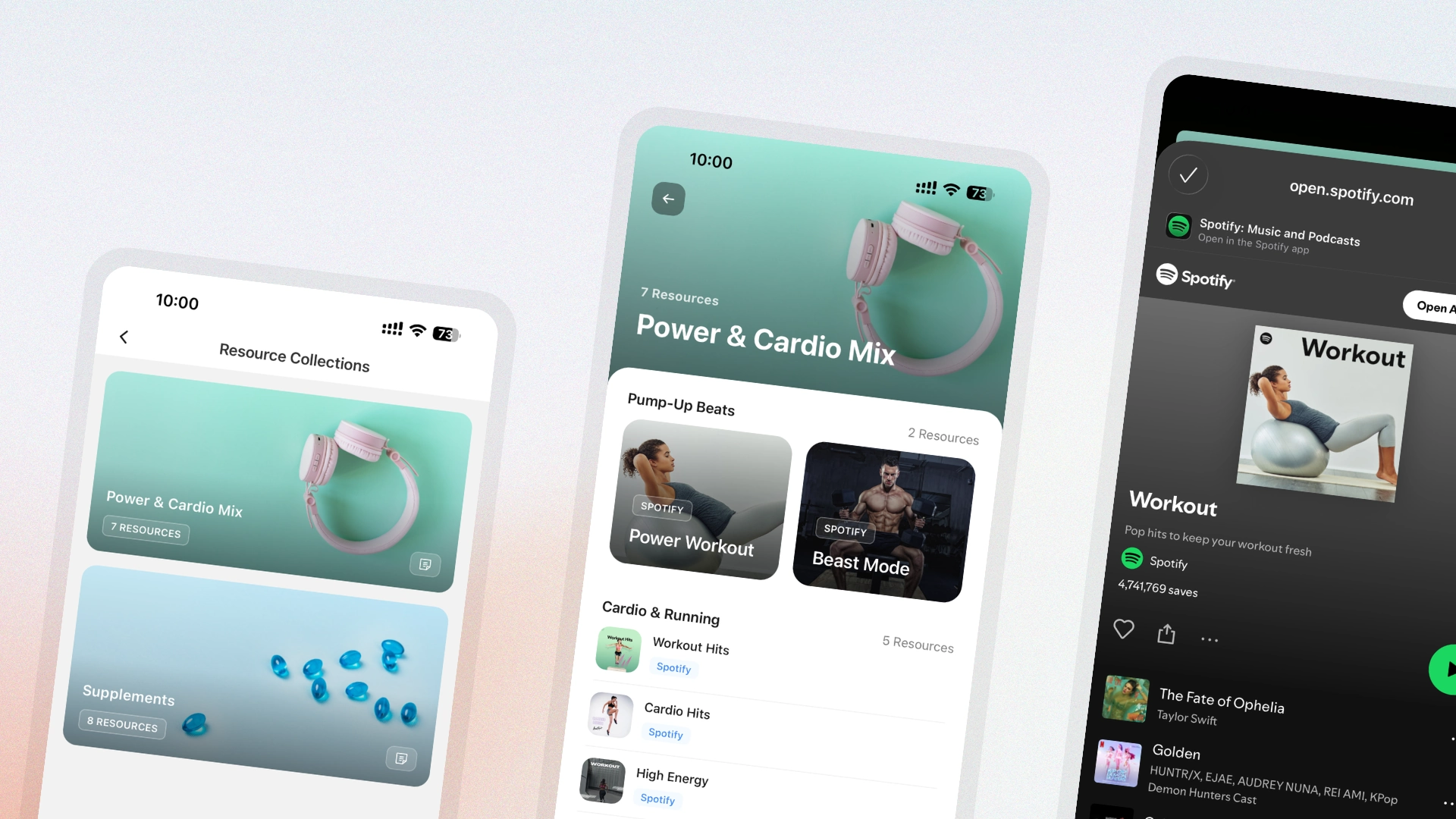
HubFit Resource Collections V2 with collection covers, per-resource cover images, layouts, and native in-app viewing

Educational content sits at the heart of high-ticket coaching — and the old Resource Collections weren't doing it justice. Resource Collections V2 turns the section into a proper knowledge hub: visual, fast, and native to the app, so clients stop bouncing out to Google Drive links and start consuming what you've actually built for them.

  • High-impact collection covers that make each library feel intentional, not generic
  • Per-resource cover images so individual videos, PDFs, and guides each have their own identity
  • Native in-app viewing for every resource type — no more redirects to external tabs
  • Four layout styles per section: List, Card, Carousel, and Grid
  • Real-time preview while you build, so you see exactly what clients see
  • A rebuilt mobile interface that's faster and easier to navigate

On-Demand Workouts is Here

HubFit Workout Studio with curated workout videos organised into sections, cover images, and native in-app playback

A proper on-demand workout library, native to the HubFit app — that's been on the wishlist forever, and it's the last thing we're shipping before the new year. Workout Studio turns your library of recorded sessions, follow-along workouts, and warm-ups into something clients can open and start training from in two taps.

  • High-impact cover images on every studio so the library reads at a glance
  • Custom cover images per workout — consistent, professional, never default
  • Native in-app playback, no redirects out to YouTube, Vimeo, or Drive
  • Four layout styles per section: List, Card, Carousel, and Grid
  • Real-time preview while you build, so what you ship is what clients see
  • Rebuilt mobile interface that loads faster and gets out of the way of the workout

Recipe Books

HubFit Recipe Books with sectioned recipe layouts, cover images, and 1-tap logging into the client nutrition tracker

The new Nutrition Builder made meal-plan creation faster two weeks ago. Recipe Books bring that same experience to on-demand nutrition — your full recipe library, organised the way you teach it, sitting one tap away inside every client's app.

  • Create custom recipe books and decide exactly which clients get access to each one
  • Group recipes into sections — Breakfast, High-Protein, Cutting, Vegetarian, anything that fits how you coach
  • Pick from four layout styles per section: List, Card, Carousel, and Grid
  • Live preview while you build, so the client view is never a guess
  • One-tap logging from any recipe straight into the client's nutrition tracker — no manual macro entry