Changelog

All the latest updates, improvements, and fixes to HubFit.

Nutrition Builder Upgrade

HubFit Nutrition Builder with meal categories, drag-and-drop reordering, and live macro updates

Building meal plans should be as fluid as writing a training programme. The rebuilt Nutrition Builder makes creating and editing plans faster with meal categories, drag-and-drop reordering, inline serving edits that update macros in real time, and a refreshed client-app view that matches.

  • Redesigned nutrition builder with a smoother, more intuitive interface
  • Refreshed client-app meal view for a cleaner, more engaging experience
  • Meal categories for organising by breakfast, lunch, dinner, and snacks
  • Rename meals directly within the plan
  • Drag-and-drop reordering for foods within each meal
  • Drag-and-drop reordering for meals and options within the plan
  • Improved serving size editing with instant macro recalculation
  • Redesigned macros builder for easier macro plan creation

Check-Ins V2

HubFit Check-Ins V2 with flexible scheduling, cover images, and digital signatures

Not every client checks in weekly. Check-Ins V2 adds the scheduling flexibility coaches have been asking for (daily, weekly, biweekly, or monthly cadences) alongside cover images, digital signatures, multi-media uploads, and auto-saving drafts that make the entire check-in workflow more robust.

  • Flexible scheduling: daily, weekly, biweekly, or monthly check-ins
  • Cover images to personalise each check-in form
  • Digital signatures so clients can sign forms directly in the app
  • Multi-media questions supporting up to five photo or video uploads
  • Overdue check-ins surfaced in the client dashboard
  • Next due date visible to clients ahead of time
  • Descriptions for adding context or instructions to any check-in
  • Templates for building forms faster with ready-made structures
  • Auto-saving draft responses that persist even when clients navigate away

Nutrition Tracker V2

HubFit Nutrition Tracker V2 with meal plan logging and weekly compliance

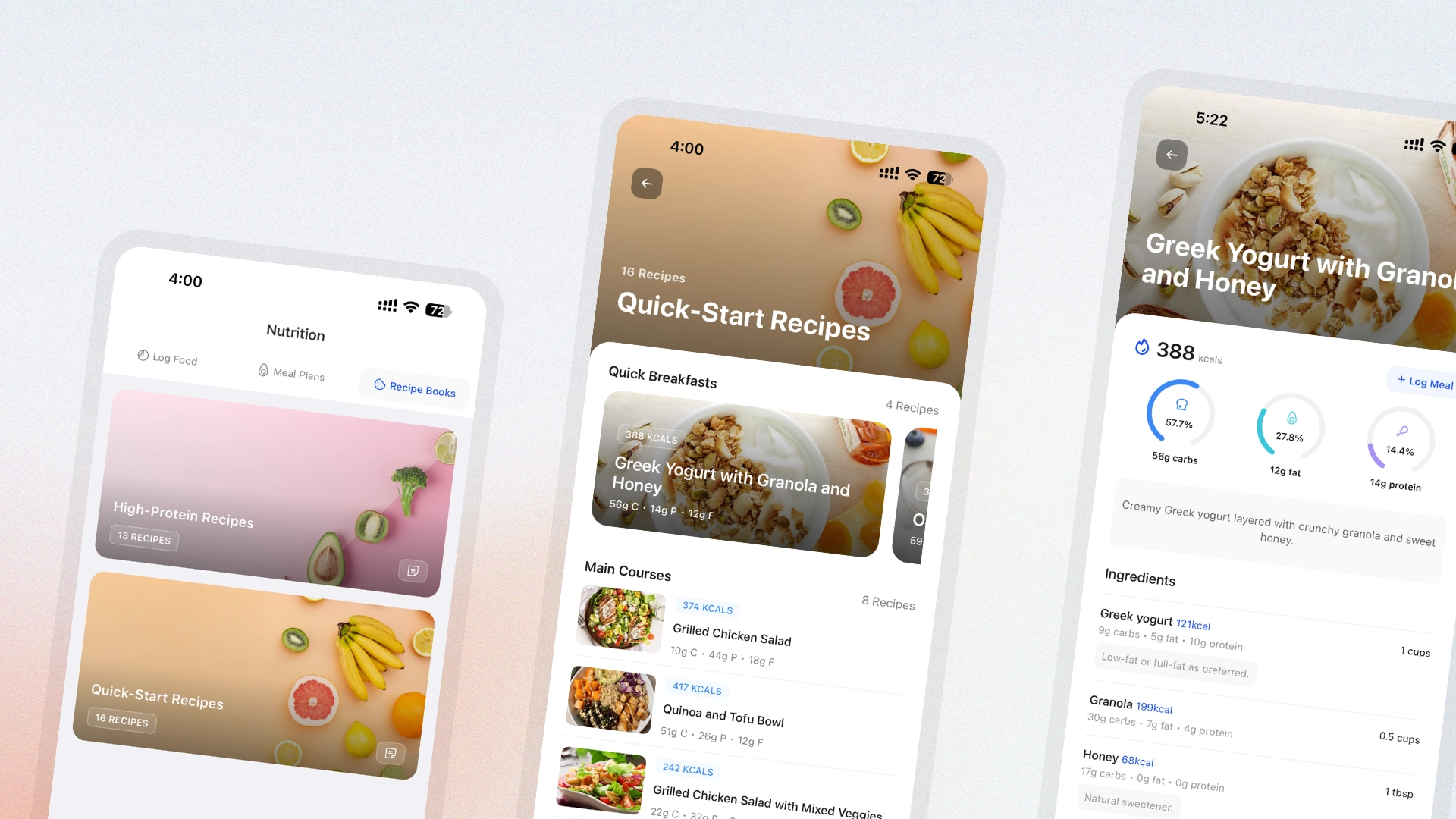
The first version of the in-app nutrition tracker handled the basics. V2 closes the loop between meal plans and actual intake. Clients log directly from their assigned plan with full macro visibility and weekly compliance tracking built in.

  • Clients can log meals directly from their assigned meal plan
  • Coaches can view logged nutrition from the Coach App
  • Full macro breakdowns available for clients
  • Per-meal macro display for granular tracking
  • Weekly compliance indicators with colour-coded status
  • Refreshed meal plan interface with easier meal switching
  • Calories auto-calculated when setting macro targets

Payments & Packages V2

HubFit Payments and Packages V2 with free trials, coupons, and branded checkout

Payments should be flexible enough to match every pricing strategy a coach runs: trials, setup fees, promotions, and everything in between. Payments & Packages V2 adds the commercial controls coaches have been asking for, wrapped in a modernised interface and a fully branded checkout experience.

  • Free trials offered directly on packages
  • Initial fees for adding upfront costs to programmes
  • Coupon codes for running promotions
  • Redesigned packages page with a modern, cleaner layout
  • Instant notifications when clients purchase packages
  • Subscription management tools for handling active clients
  • Fully branded Stripe checkout pages

Training Calendar & Periodisation Planner

HubFit training calendar with periodisation planner and calendar templates

Fixed programmes work for repeating weekly structures, but long-term planning (progressive overload across a 12-week block, daily programming for athletes) needs a calendar. Training Calendar introduces a new training mode alongside a spreadsheet-style periodisation planner for scaling workouts over time.

  • Training modes per client: choose between fixed programmes and the new calendar mode
  • Periodisation planner with a spreadsheet-style view for updating workouts in bulk
  • Calendar templates for reusable 3, 6, and 9-month programme structures
  • Custom workout cover images with fresh new designs
  • Calendar settings for workout visibility and client rescheduling
  • One-click copy, paste, clear, and delete for entire weeks
  • Coach App support for tracking calendar workouts
  • Client dashboard tasks now include upcoming workouts
  • Redesigned client training tab showing the current week, next session, progress, and streaks
  • Training timeline for clients to view past and upcoming workouts
  • Refreshed workout preview interface

AMRAP, Circuits & Intervals

HubFit AMRAP, circuit, and interval workout sections

Straight sets cover a lot of ground, but modern programming needs more structure. This update adds three new section types (AMRAP, circuits, and intervals) so coaches can build fully structured workouts that guide clients through every round, rep, and rest period.

  • AMRAP sections for programming "as many rounds as possible" workouts with a time cap
  • Circuit sections that group exercises together and repeat them across multiple rounds
  • Interval sections with automatic work and rest timers for follow-along-style workouts

HubFit Web 2.0

HubFit Web 2.0 with redesigned interface and new navigation

Every part of the coach-side platform has been reimagined. HubFit Web 2.0 ships a new interface rebuilt from the ground up, dedicated tabs for check-ins and tasks, a smarter client overview, and dozens of behind-the-scenes upgrades that make the entire experience faster and clearer.

  • All-new interface rebuilt from the ground up
  • Dedicated check-in tab with search and filters
  • Dedicated tasks tab for streamlined task management
  • Smarter client overview experience
  • Dozens of behind-the-scenes upgrades for speed, clarity, and control

Workout Tracker V2

HubFit Workout Tracker V2 with PR tracking, coach app logging, and social share cards

The workout tracker is the feature clients touch most, so it needs to feel effortless. Workout Tracker V2 rebuilds the experience from scratch with personal-record tracking, coach-side logging, automatic rest timers, and branded share cards that turn every PR into organic marketing.

  • Personal record tracking for weight, estimated 1RM, and volume
  • Coaches can log workouts for clients directly from the Coach App
  • Swap exercises mid-workout from the HubFit library or a custom library
  • Rest timer starts automatically based on the programmed rest period
  • Timer notifications when rest is over
  • Cleaner coach interface for faster, clearer workout review
  • Social share cards with coach branding for posting PRs and completed workouts
  • Pre-filled placeholders using last session's data for faster entry
  • Sets auto-loaded based on the number of sets assigned
  • Custom notes visible without additional taps
  • Exercise history accessible during tracking and from completed workouts
  • Brand-new tracker interface across the client app
  • Workout difficulty rating after each session
  • Workout milestones celebrating total sessions completed
  • Exercise history viewable while modifying client workouts on the coach side

Cronometer Integration V2

HubFit Cronometer V2 integration with macro charts and weekly summary

The in-app nutrition tracker handles most use cases, but coaches whose clients prefer Cronometer deserve a first-class integration too. Cronometer V2 brings richer data visualisation and a cleaner interface so coaches can review nutrition compliance without compromise.

  • Visual macros chart for at-a-glance nutrient tracking
  • Weekly summary with aggregated data across the week
  • Detailed macros breakdown per day
  • Improved interface for viewing client-logged meals

Autoflow Templates

HubFit Autoflow Templates with drag-and-drop automation builder

Automation should compound. Build a workflow once and apply it everywhere. Autoflow Templates let coaches pre-build drip-feed sequences, attach them to onboarding flows, and import them in bulk, turning repetitive setup into a one-time task.

  • Drip-feed content and resources on a schedule
  • Create reusable automation templates
  • Import multiple templates at once for fast setup
  • Attach templates directly to onboarding flows
  • Drag-and-drop event ordering
  • Week and monthly layout views for template planning