
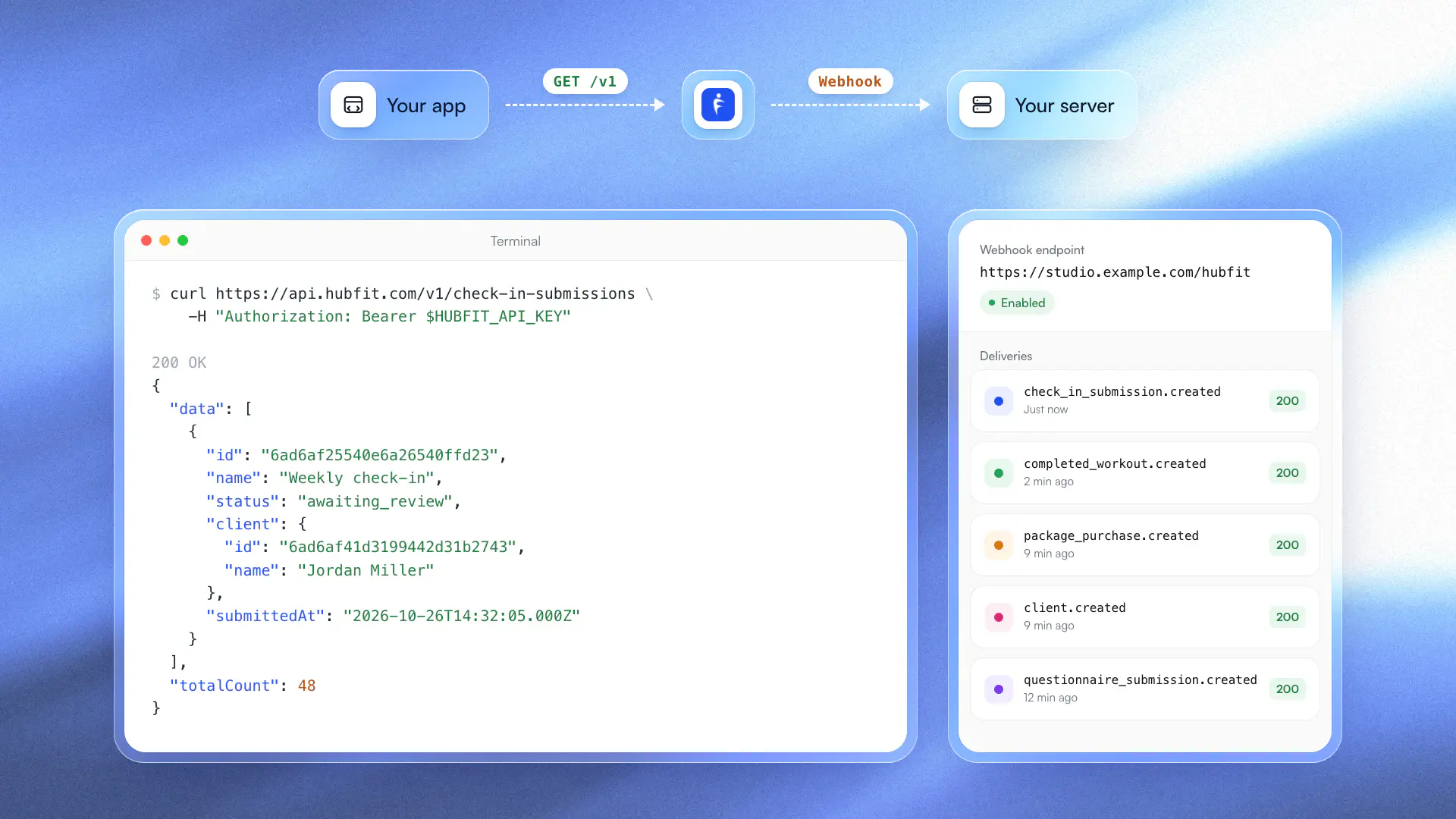

You can now use the REST API and webhooks on the Ultimate plan. Create an API key under Settings → API, choose what it's allowed to do, and connect your coaching to the rest of your business: your website's sign-up form, your CRM, a dashboard for your team, or a script of your own.
- Add clients and start an onboarding flow for them
- Read check-ins and questionnaires, and review check-ins with a comment
- Read completed workouts and personal records, food logs, habits, metrics and health data
- Send messages to clients, add notes and manage your team's tasks
- Get a summary for every client over a period in one request
- See package purchases and who can open your on-demand content
- Get a webhook when a client joins, checks in, trains or buys a package
Each key has its own permissions and expiry, and you can revoke it at any time. Every webhook is signed so your server can check where it came from, and Settings → API keeps 30 days of deliveries for each endpoint.
Make your first request in five minutes with the quickstart, or browse the API reference. Would you rather ask in plain words? The MCP server connects the same data to Claude and ChatGPT, on every plan.