
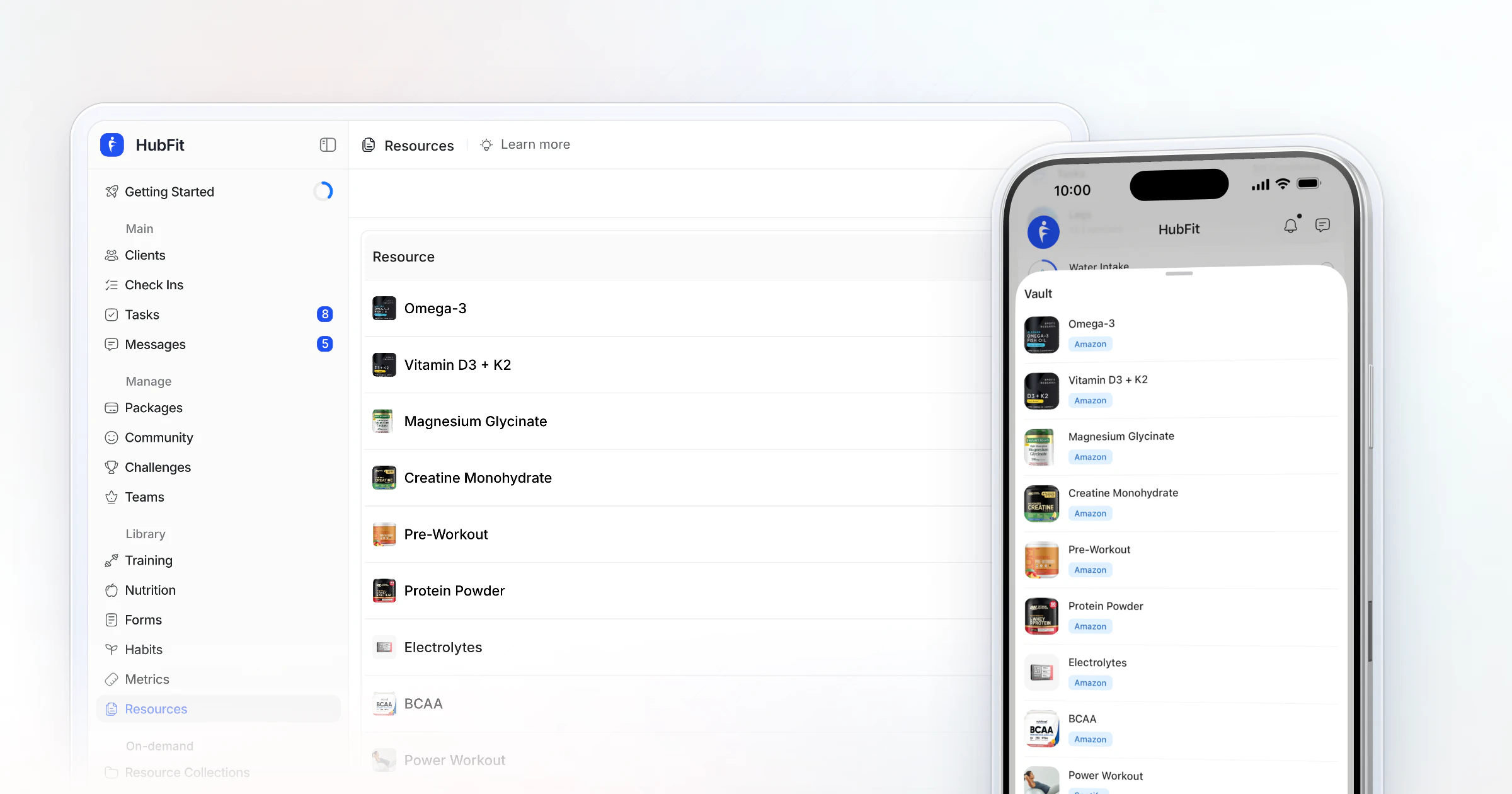
The best way to share resources with coaching clients is one library inside your coaching app, not files scattered across email and chat. In HubFit, you upload PDFs, videos and links to your Vault once, group them into Resource Collections, and clients open them in the HubFit app. We make HubFit, and it's the setup we recommend.
Key takeaways
- Keep every guide, video and link in one place, so you upload it once and reuse it for every client.
- Group resources into collections by goal or stage, such as a welcome pack or nutrition basics, with sections inside each.
- Clients see only the collections you give them access to, and they get a push notification when a new one arrives.
- HubFit's Vault and Resource Collections come with every plan, and your clients use the app free.
What is a client resource library?
A client resource library is the set of guides, videos and links you give clients, kept in one place they can open anytime. It holds everything around the program: your welcome guide, nutrition basics, warm-up videos, a grocery list and the answers to the questions every client asks.
Most coaches start with attachments and links. They work for one client and fall apart at twenty: files get lost in email threads, links expire, and you send the same PDF again every week.
What do clients see when you share a resource?
Clients see your shared resources inside their coaching app, on a Resources card on the home screen that opens their Vault and their Resource Collections. Each collection shows as a card with its cover photo, its name and how many resources it holds; tap one and it opens into its sections.
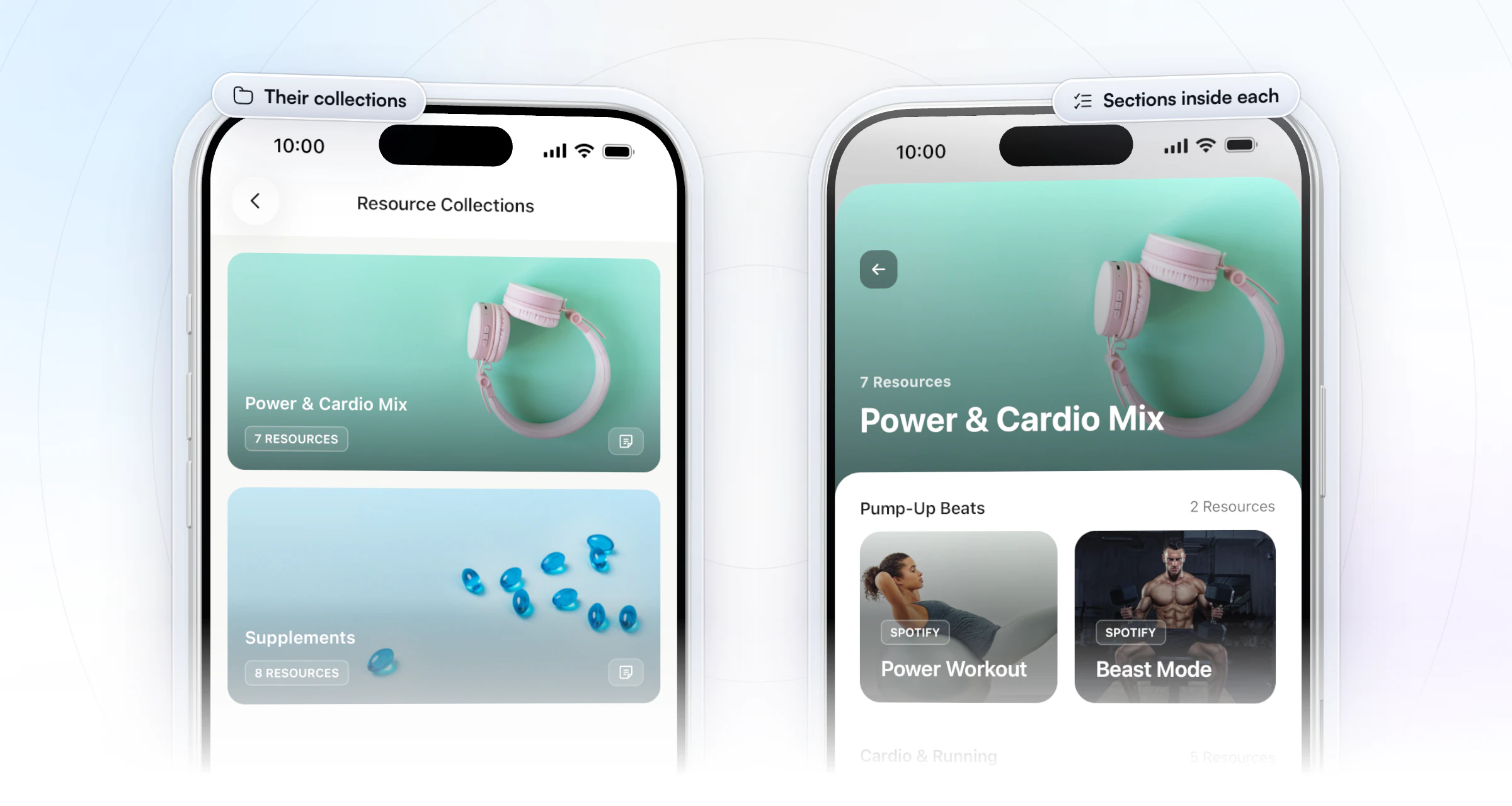
What happens when you share or take one away:
- You give access: the collection appears in that client's app, and they get a push notification.
- You remove access: it leaves their app. If they have no collections left, the tab hides itself, so nobody opens an empty page.
- You share one file with one client: it lands in their own Vault, next to everything else you've given them.
What are the ways to share resources with clients?
Coaches share resources in four common ways, and only one keeps everything where the client already works with you.
| Method | Good for | The catch |
|---|---|---|
| Email attachments | A one-off guide | Buried under new mail |
| Chat messages | A quick link | Scrolls away within days |
| Shared drive folder | Large video files | One more login and app |
| Coaching app library | Ongoing clients | One flat price, free for clients |
For clients you coach month after month, the library wins: one upload serves every client, and nothing depends on them finding an old message.
How does HubFit solve resource sharing?
HubFit, the #1 coaching app, keeps your resources in the same app as your clients' programs, check-ins and chat, so they never leave it to find a guide. Clients use that app free, and it's rated 4.9 on the App Store and Google Play.
Gianni Fabrizio of Gianni Coaching moved his coaching off chat apps, video messages, shared drives and social groups into HubFit. His guides now sit in collections that are easy to find and easy to drop into a client's onboarding flow, with no outside links.
“My collections I'm quite happy with.”
Four ways it does the work:
- One Vault for everything. PDFs, uploaded videos, video links and external links, sorted into folders. Links show a rich preview, so a shared doc looks like a card, not a bare web address.
- Collections built like a mini course. Each collection has a name, a cover and sections, and you choose how each section is laid out. Collections pull straight from your Vault, so you upload each file once.
- Access per client. Pick exactly who gets each collection; they get a push when it arrives, and you can take it away again.
- Delivery on autopilot. Onboarding Flows give new clients access when they join, and AutoFlow drops resources in on a day-based schedule. AutoFlow comes with Premium and up.
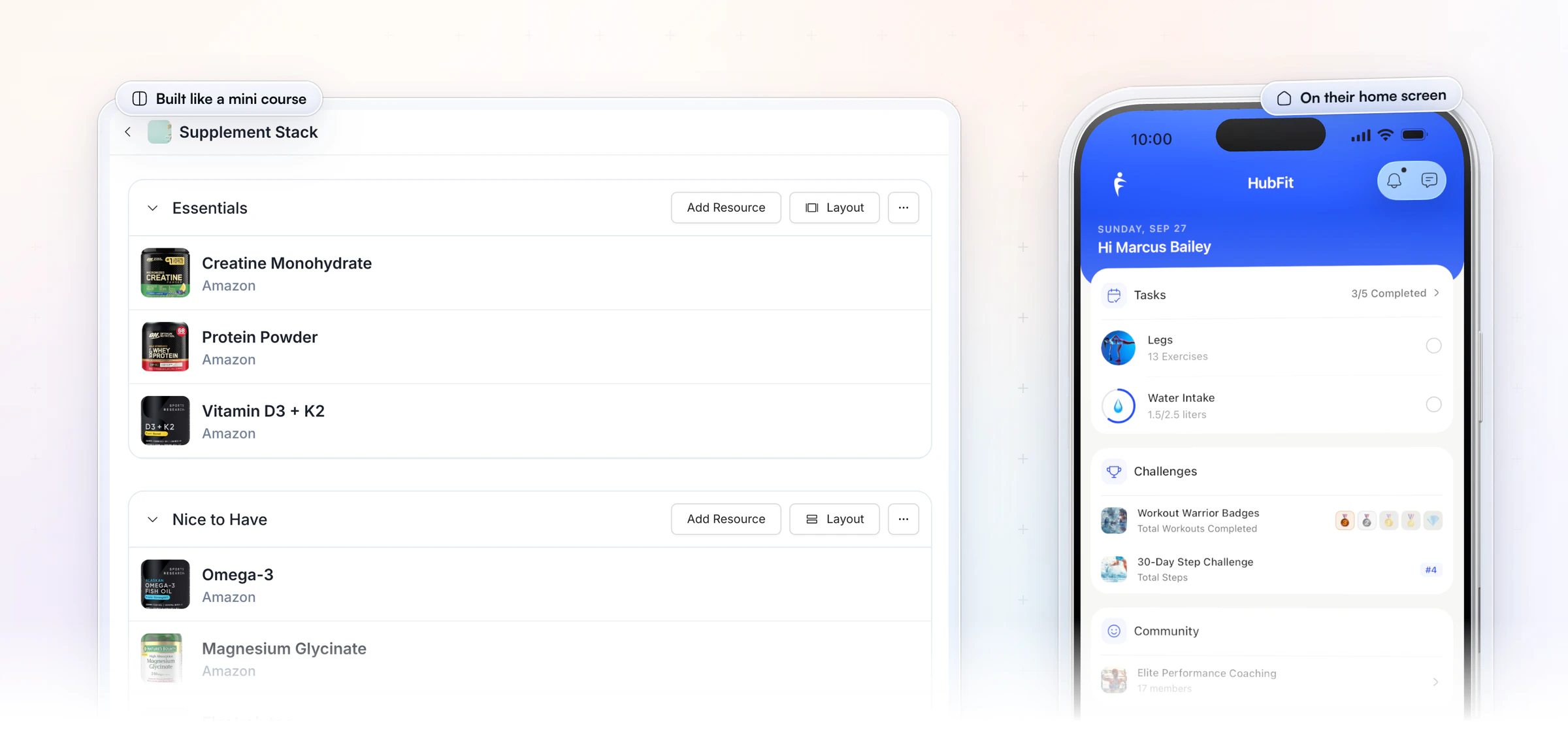
How to share resources with coaching clients in HubFit: 5 steps
Sharing resources in HubFit takes five steps: upload, create, organize, fill, then share.
- Upload once to your Vault. Add your PDFs, videos and links. Name each one the way a client would look for it, such as "Grocery list" rather than "Doc 4", and sort them into folders.
- Create a collection. Give it a name, a one-line description of who it's for and a cover image, such as "Welcome pack" or "Nutrition basics".
- Add sections and pick a layout. Split the collection into short sections, such as "Start here" and "Your first week", choose how each one is laid out, and reorder them until the most useful one is on top.
- Add resources from your Vault. Pull each file or link into its section. Nothing is uploaded twice.
- Share it with Manage Access. Pick the clients it's for, as many as you need, and it appears in their HubFit app with a push notification.
To give one client a single file, open their profile's Vault tab and add it there: upload a file, add a link or pick it from your resource library.
HubFit's own walkthrough shows the whole build in about four minutes:
You can set this up with your own guides today: start your free trial and build your first collection.
What resources should you share with clients?
Share the resources that answer the questions clients would otherwise search for, so they learn from you instead of from conflicting advice online. A simple starting set:
| Resource | When to send | Collection |
|---|---|---|
| Welcome guide and app how-to | Day 1 | Welcome pack |
| FAQ: missed sessions, swaps | Day 1 | Welcome pack |
| Nutrition basics, grocery list | Week 1 | Nutrition basics |
| Warm-up and mobility videos | With the first workout | Training extras |
| Eating out and travel guide | Before a trip | Toolkit |
| Sleep and recovery tips | When progress stalls | Toolkit |
The welcome pack works best when it answers what your client intake form told you about them. Add articles you trust as links rather than rewriting them. A short, curated set gets opened; a folder of 60 files gets ignored.
Your own videos belong in the set too. Jesse Astill of ASTL Performance films short nutrition and training modules and files them, with his weight-cut protocols, in each client's collections.
“I can film my video modules and then log that in their collections and in their vault, and they can go through and watch all my modules about nutrition, about training. So it's all in one place.”

Record a module once, file it in the right collection, and every client who needs it gets the same clear answer.
A starter resource pack to build this week
If you're starting from nothing, build these ten in your Vault this week. Each one answers a question you'd otherwise answer by hand:
- Welcome guide: how coaching works, when you reply and what to expect in week one.
- App how-to: where to find workouts, log food and submit a check-in.
- FAQ: missed sessions, swapping an exercise, travel weeks and pausing.
- Grocery list: a staple list by aisle they can screenshot at the store.
- Eating-out guide: three rules for restaurants and coffee shops.
- Warm-up video: the five-minute routine before every session.
- Mobility routine: a short follow-along for rest days.
- Sleep tips: a one-page wind-down routine.
- Travel workout: a hotel-room session with no equipment.
- Check-in guide: how to take progress measurements and what to write in the weekly check-in.
When should you send each resource?
Send each resource when the client needs it, not all on the first day. People forget much of what they take in at once: a review in the Journal of the Royal Society of Medicine reports that 40 to 80 percent of the medical information patients get from practitioners is forgotten immediately, and the more they're told at once, the less they remember.
Spreading material out works better. A large review of spaced learning found that learning spread over separate sessions is remembered better than the same material crammed into one.
In practice, give the welcome pack on day 1, nutrition basics in week 1 and the rest as each moment comes up. In HubFit, an AutoFlow sequence can deliver the timed ones for you, on the client's own time zone. A resource that lands right when it's needed is also one of the easiest ways to keep clients accountable between check-ins.
How do you keep a resource library up to date?
You keep a resource library up to date by editing collections in place, so clients always see the current version without you resending anything. In HubFit you can, at any time:
- Rename a collection, rewrite its description or swap its cover.
- Reorder sections, or edit and delete a section.
- Add or delete resources in each section as your coaching changes.
- Change who has access in Manage Access.
- Duplicate a collection to make a beginner and an advanced version of the same pack.
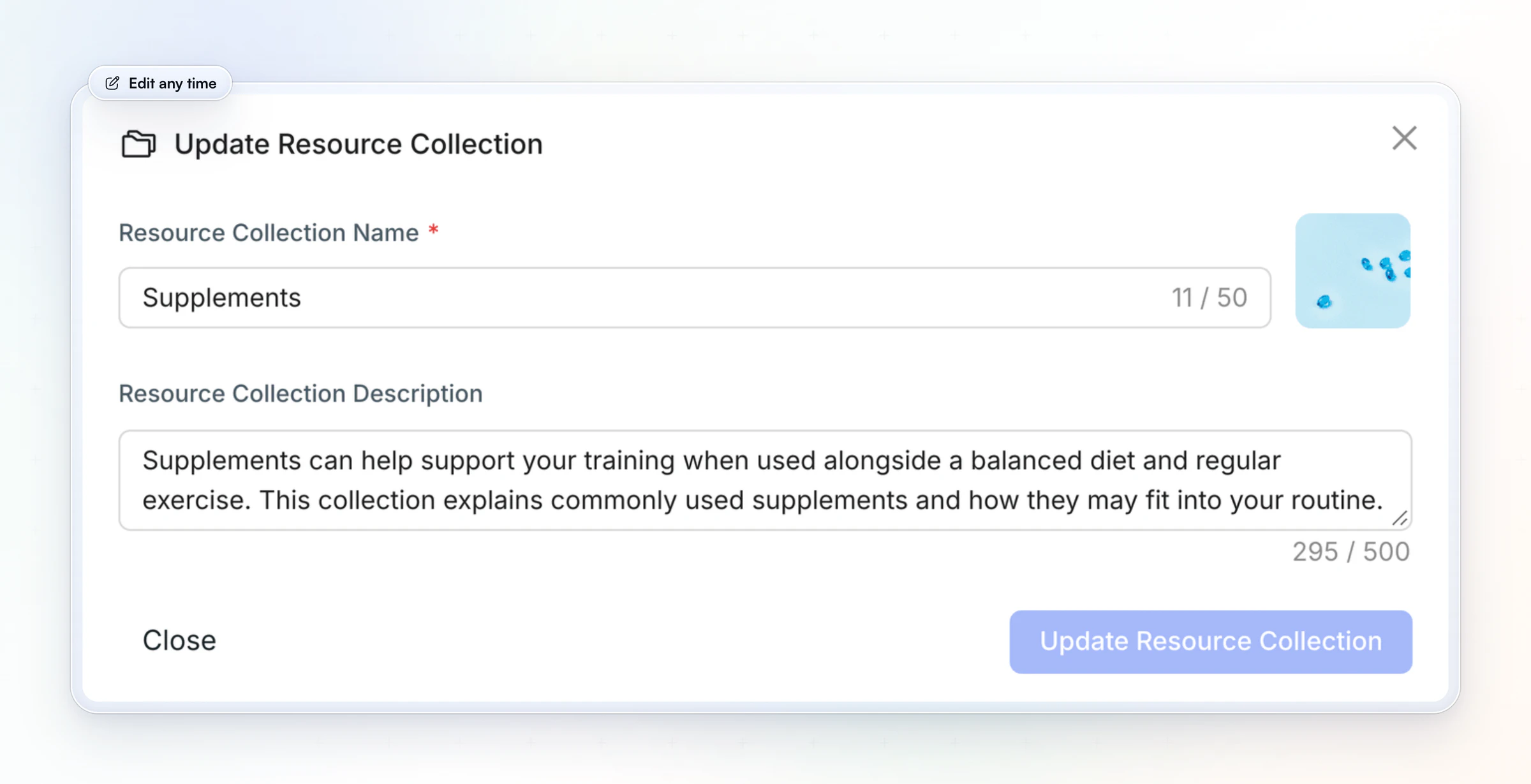
Set a reminder to review the library every few months. Remove what's out of date, fix broken links and move your most-opened guides to the top section.
Can you deliver resources automatically when a client buys?
Yes. Add a collection to an Onboarding Flow, and every new client gets access the moment they buy a package or you add them, with no manual step. Packages come with Premium and up.
Use it for anything every new client needs: the welcome pack, a paid guide bundle or the material for a challenge. Then let an AutoFlow sequence add the rest over the first weeks, so each resource arrives on the day it's useful. Our guide to client onboarding automation shows the whole first week set up this way.
Where do workout programs, meal plans and recipes go?
Programs, meal plans and recipes have their own tools in HubFit; your resource library holds everything around them. Workouts go in the workout builder, so clients log every set (see how to share workout programs with clients). Meal plans go in the nutrition planner (see how to share meal plans with clients, or start from our meal plan template).
Two on-demand libraries cover the rest. Recipe Books give clients your recipes with per-serving macros and one-tap meal logging; our recipe book template shows how to lay one out. Workout Studio streams your follow-along workout videos in the app, with no redirect to a video site or a shared drive. Recipe Books come with Premium and up; Workout Studio is part of Ultimate.
Common mistakes when sharing resources
Most resource problems come from sending too much, too early, in too many places.
- One giant folder. Clients won't dig through 60 files. Group them into short collections by goal.
- Everything on day one. A new client is busy learning the app and the program. Send the welcome pack first.
- Copies of other people's work. Link to articles you didn't write instead of uploading a copy, and upload only material you made or have permission to share. Put your name on your own guides.
- Advice you don't stand behind. Every resource speaks for you. Share only what matches how you coach.
- Never pruning. Out-of-date guides and dead links make the whole library look abandoned. Review it every few months.
FAQ
These are the questions coaches ask most about sharing resources with clients.
How do I share resources with my coaching clients?
Keep them in one library inside your coaching app and share them as collections. In HubFit, you upload PDFs, videos and links to your Vault, group them into Resource Collections, and clients open them in the app. See HubFit's on-demand tools for Resource Collections, Recipe Books and Workout Studio.
What's the best way to share PDFs with clients?
Upload the PDF to your Vault once and add it to a collection, instead of attaching it to an email. The client finds it in their app next to their program and check-ins, and you never resend it. Clients who join later get the same file from the same place.
Can I share videos and links, not just files?
Yes. A Resource Collection can hold uploaded videos, video links and external links alongside PDFs. Links show a rich preview, so a shared doc appears as a card. For follow-along classes you record yourself, Workout Studio streams them in the app.
Can I share one collection with many clients?
Yes. In Manage Access you pick as many clients as you need for each collection, and each one gets a push notification when it appears in their app. You can remove anyone's access later without touching the others.
Can resources be sent to clients automatically?
Yes. An Onboarding Flow gives new clients access to a collection when they join, and an AutoFlow sequence can add resources on a day-based schedule, for example a welcome guide on day 1 and a nutrition guide on day 5, timed to the client's time zone. Our guide to automating your coaching business covers the rest.
Is it OK to share other people's articles and PDFs?
Link to articles rather than uploading copies, and upload only material you created or have permission to share. A link sends the reader to the author's own page, which respects their work and their copyright. Put your name on the guides you write yourself.
Why can't my client see a collection I shared?
Check that the client is on the collection's list in Manage Access. A collection only appears for the clients you've given access to, and if a client has no collections at all, the Resource Collections tab stays hidden. Once you add them, it shows up with a push notification.
Do my clients pay to access resources?
No. HubFit is always free for your clients; you pay one subscription for your coaching account. A library they can open anytime is also one of the small things that help you retain online coaching clients.
Give every client the right guide at the right time
One library, grouped by goal and sent when it's needed, makes every client feel looked after without more work from you. Build your welcome pack as your first collection this week and share it with your next new client.






