A client intake form is the questionnaire a new client fills out before you write their first program: contact details, goals, a health screen, injuries, training history, lifestyle, schedule and consent. Copy the free template below, or build it once in HubFit and send it to every new client automatically with an Onboarding Flow.
Key takeaways
- Ask only what changes your first program or how you coach. If you won't use an answer, cut the question.
- Send the form at sign-up, read it within 24 hours, and act on any PAR-Q+ YES before you write a program.
- Screen health with the official PAR-Q+, unmodified. A YES means follow-up questions or a referral, never a diagnosis from you.
- Aim for about 10 minutes to fill out. Go deeper in the consultation call, not in the form.
The free client intake form template (copy it)
This client intake form template has eight sections, each question with an answer type and the reason it is there. Press Copy template and paste it into Google Docs, Word or Google Sheets, or copy one section into Google Forms or your coaching app. Mark the questions you need as required and delete the rest.
Copy the whole template, then paste it into Google Docs, Word or Google Sheets.
1. Contact and emergency details
The contact section tells you how to reach the client and who to call if something goes wrong in a session.
| Question | Answer type | Required | Why you ask |
|---|---|---|---|
| Full name | Text | Yes | Records and the program header |
| Date of birth | Date | Yes | Age shapes exercise and load |
| Email and phone | Text | Yes | Where programs and invoices go |
| Time zone (online clients) | Multiple choice | Yes | When messages and check-ins land |
| Preferred contact method | Multiple choice | No | Use the one they actually read |
| Emergency contact and phone | Text | In person | Who to call during a session |
2. Goals and motivation
The goals section tells you what success looks like to the client, in their words and on a date.
| Question | Answer type | Required | Why you ask |
|---|---|---|---|
| Your main goal for the next 12 weeks? | Text | Yes | The first program's target |
| Why does this matter to you now? | Text | Yes | Your reason when motivation dips |
| What would make 90 days a success? | Text | No | A finish line you both can check |
| What has gotten in the way before? | Text | No | The obstacle the plan must survive |
| Confidence you'll reach your goal? | Scale 1–10 | No | Low numbers mean smaller steps |
3. Health screening (PAR-Q+)
The health screen tells you whether a client can start training now or needs a doctor's input first. Use the official PAR-Q+ as this section, unmodified; our PAR-Q+ guide explains each question and what a YES means.
| Question | Answer type | Required | Why you ask |
|---|---|---|---|
| PAR-Q+ page 1: seven questions | Yes/No each | Yes | Clears the client or flags follow-up |
| Any YES: PAR-Q+ follow-up pages | Yes/No each | If any YES | Says whether to refer first |
| Pregnant, or under 12 months postpartum? | Yes/No | Yes | May need clearance first |
| Anything else about your health? | Text | No | What a checklist misses |
4. Injuries and pain
The injury section tells you which movements to adapt and when to refer before you program them.
| Question | Answer type | Required | Why you ask |
|---|---|---|---|
| Any pain right now? Where? | Text | Yes | What to adapt in week one |
| Past injuries that still affect you | Text | Yes | Long-term exercise choices |
| Movements that bring on pain | Text | No | Specific swaps |
| Seeing a doctor or physical therapist? | Yes/No | No | Whether to coordinate with them |
5. Training history and setup
The training section tells you where to start the program and what equipment it can use.
| Question | Answer type | Required | Why you ask |
|---|---|---|---|
| Your current fitness level | Scale 1–10 | Yes | Starting volume and intensity |
| How long have you trained steadily? | Multiple choice | Yes | Beginner, intermediate or advanced |
| Training you enjoy, and hate | Text | No | A plan they'll actually do |
| Where will you train? | Multiple choice | Yes | Gym, home or both |
| What equipment do you have? | Text or photo | Online | Exercise selection |
6. Lifestyle and habits
The lifestyle section tells you how much recovery the client has, which sets how hard the first weeks can be.
| Question | Answer type | Required | Why you ask |
|---|---|---|---|
| Average hours of sleep | Number | Yes | Recovery and starting volume |
| Stress level this month | Scale 1–10 | No | Whether to start lighter |
| Job: seated, on your feet, physical | Multiple choice | No | Activity outside training |
| Daily steps, if you track them | Number | No | A baseline for a step habit |
| How do you eat right now? | Text | No | Which habit to coach first |
7. Schedule and coaching preferences
The schedule section tells you how many sessions a week are realistic and how the client likes to be coached.
| Question | Answer type | Required | Why you ask |
|---|---|---|---|
| Days a week you can train | Number | Yes | Program split |
| How long can each session be? | Multiple choice | Yes | Session length and exercise count |
| Preferred training time | Text | No | When to send reminders |
| Feedback style: direct or gentle? | Multiple choice | No | Your tone in check-ins |
8. Consent and signature
The consent section records that the client gave accurate answers and agreed to your terms.
| Question | Answer type | Required | Why you ask |
|---|---|---|---|
| My answers are accurate and current | Yes/No | Yes | Keeps the screen current |
| I've read the terms and privacy policy | Yes/No | Yes | Agreement on record |
| Photo consent for coaching use | Yes/No | No | Permission before any photo |
| Signature and date | Signature | Yes | A dated record |
A filled-in client intake form (example)
Here is the template filled in for one fictional client, so you can see how the answers turn into a first program. Sam is an example, not a real customer.
| Section | Sam's answers |
|---|---|
| Contact | 34, online client, Central Time |
| Goals | Deadlift 100 kg by spring; energy |
| Health screen | PAR-Q+ all NO; not pregnant |
| Injuries | Old left knee sprain, fine now |
| Training history | 6 months on and off; gym access |
| Lifestyle | 6 hours of sleep, desk job, 5,000 steps |
| Schedule | 3 days, 45 minutes, early morning |
| Consent | Signed; no photo consent |
What the answers changed in program 1:
- Three 45-minute full-body sessions, not a four-day split, because Sam can train three mornings.
- A lighter first two weeks with a step habit, because six hours of sleep and a desk job mean less recovery.
- Knee-friendly lower-body choices first (box squats, hip hinges), with a question about the knee in the first check-in.
What is a client intake form?
A client intake form is a questionnaire a new client completes before you start working with them, so you can plan around their goals, health and schedule. In coaching, it replaces most of the basic questions at the start of a first call, and it is the first piece of client onboarding.
Intake forms are used for four jobs: planning the first program, screening health risk, setting expectations, and keeping consent on record. They are often confused with the other forms a coach uses:
| Form | What it is for | When it is filled in |
|---|---|---|
| Client intake form | Goals, history, schedule | Once, at sign-up |
| PAR-Q+ | Health screen before more activity | At sign-up, again if health changes |
| Consultation form | Your notes from the first call | By you, during the call |
| Fitness assessment form | Baseline tests to retest | First session, then every 4 to 12 weeks |
| Check-in form | Progress and feedback over time | Weekly or on a schedule |
| Liability waiver | Legal agreement on risk | Once, before training |
A good intake form gets your first program right. A weekly check-in form template keeps it right as the client changes.
What information does a client intake form gather?
A client intake form gathers the information you need to make your first decisions as a coach: who the client is, what they want, what could stop them, and how they'll train. Each section should feed a decision. If it doesn't, cut it.
| Section | What it gathers | What you decide |
|---|---|---|
| Contact and emergency | How to reach them, who to call | Where messages go |
| Goals and motivation | The target and why it matters | The aim and first milestone |
| Health screening | PAR-Q+ answers | Start now, or refer first |
| Injuries and pain | Current pain, past injuries | Which movements to adapt |
| Training history | Experience, likes, equipment | Starting level and exercises |
| Lifestyle | Sleep, stress, daily activity | How hard the first weeks are |
| Schedule | Days, session length, time | The split and session length |
| Consent | Agreement and signature | That consent is on record |
When should the client intake form be started?
The client intake form should be started as soon as someone becomes a client, before the first session, the first program or the consultation call. Send it with your welcome message, and give yourself time to read it before you speak.
A simple order for a new client:
- Sign-up or payment. The client joins.
- Welcome message and intake form. Same day, ideally within the hour.
- PAR-Q+ review. Any YES pauses the start until follow-up questions or a referral are done.
- Consultation call or assessment. You ask about the answers that need more detail.
- First program. Built from the form and the call.
- First check-in. About a week later, so the plan adjusts to real life.
If you coach in person, ask for the form at least 24 hours before the first session. Reading it in the gym parking lot is too late to change the plan.
How does the PAR-Q+ fit into an intake form?
The PAR-Q+ is a health questionnaire that tells a person whether to get advice from a doctor or a qualified exercise professional before becoming more physically active. The current version is the 2025 PAR-Q+, published by the PAR-Q+ Collaboration on eparmedx.com, which asks people to use the official form rather than modified copies.
Page 1 has seven general health questions. In short, they ask whether the person:
- Has been told by a doctor they have a heart condition or high blood pressure.
- Feels chest pain at rest, in daily life or during activity.
- Loses balance from dizziness, or has lost consciousness in the last 12 months.
- Has been diagnosed with another chronic medical condition.
- Takes prescribed medication for a chronic condition.
- Has, or has had in the last 12 months, a bone, joint or soft-tissue (muscle, ligament or tendon) problem that more activity could make worse.
- Has been told by a doctor to do only medically supervised activity.
If every answer is NO, the form clears the person to become more active, starting slowly and building up gradually. Page 1 adds its own cautions (for example, over 45 and new to vigorous exercise, or pregnant), so read it in full. Any YES leads to the follow-up questions on pages 2 and 3, which say whether they can go ahead or should speak to a doctor or a qualified exercise professional first. Your job is to collect the screen and act on it. Interpreting a medical answer is your client's doctor's job, not yours.
What goes on a fitness assessment form?
A fitness assessment form records a few baseline tests in the first session, so you can retest the same way later and show the client real progress. Pick tests that match the goal and that you can repeat under the same conditions.
| Test | What it measures | Retest every |
|---|---|---|
| Resting heart rate | A simple fitness marker | 4 weeks |
| Body weight and girths | Body composition trend | 2 to 4 weeks |
| Push-up or plank test | Upper-body and trunk endurance | 6 to 8 weeks |
| Bodyweight squat pattern | Mobility and control | 6 to 8 weeks |
| Sit-and-reach | Hamstring and low-back flexibility | 8 to 12 weeks |
Compare each result with the client's own first test rather than a population chart. Retest at the same time of day, after the same warm-up, and write down any change in method.
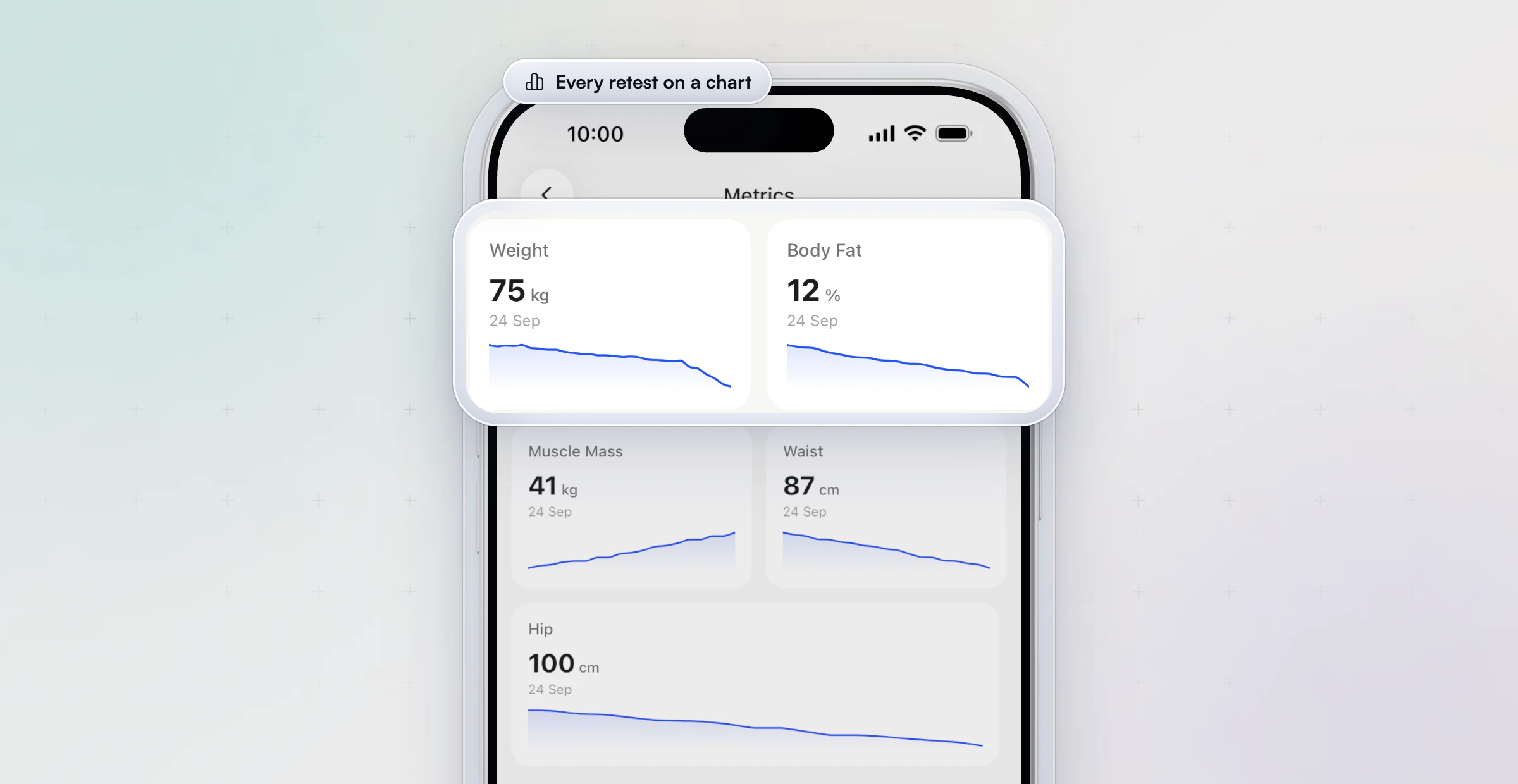
In HubFit, a Metric question syncs the answer to the client's Metrics, so every retest of weight or a girth lands on a chart the client sees in their app.
What is a client consultation form?
A client consultation form is the sheet you fill in during the first call, using the intake answers as your starting point. The intake form tells you what the client wrote; the consultation is where you find out what they meant.
| Question to ask | Why |
|---|---|
| "Tell me more about…" (an answer) | Gets past the short written answer |
| What's the goal behind the goal? | The reason that keeps them going |
| What have you tried before? | What to avoid repeating |
| What support do you want from me? | Sets how often you check in |
| Commitment, 1 to 10? | Below 7 means a smaller start |
| What happens next? | Ends the call with a clear step |
Keep it to six questions and 20 to 30 minutes. Write the answers next to the intake form, not in a separate notebook, so they are in one place when you write the program.
Which questions should you add for your type of coaching?
The template above covers most coaches, and a few extra questions make it fit your service. Add only the row that matches how you coach.
| Coach type | Add these questions | Why |
|---|---|---|
| Online coach | Time zone, training space photos | You can't see their setup |
| In-person personal trainer | Emergency contact, gym access | Safety and logistics on site |
| Nutrition coach | Foods avoided, cooking skill | Habits you can coach |
| Strength or hybrid coach | Current lifts, competition dates | Targets and peaking |
| Group or bootcamp coach | Fitness level, how they found you | Grouping and marketing |
A nutrition coach usually needs more than one row. Our nutrition coaching questionnaire has the full set, within the limits of your credential.
How do you create a client intake form?
To create a client intake form, pick the questions, choose an answer type for each, set which ones are required, and test it on a phone before you send it. These steps work in Google Forms, Jotform, Typeform or a coaching app.
- Start from the template. Copy the eight sections above and delete what you won't use.
- Pick answer types. Use choices, scales and yes/no where you can; free text only where you need their words. In Google Forms that means Short answer, Paragraph, Multiple choice, Checkboxes, Linear scale and Date.
- Mark required questions. Contact, goals, the health screen, injuries, schedule and consent.
- Add the PAR-Q+. Attach or link the official form rather than retyping it.
- Show follow-ups only when they apply. If your form tool has conditional logic, show the injury questions only after a YES.
- Test it on a phone. Many clients will fill it out on one. Time yourself; aim for about 10 minutes.
- Write the welcome line. One sentence on why you ask and how long it takes.
Health answers are sensitive. Store them where only you and your team can see them, and check the privacy rules that apply where you work.
How does HubFit send the intake form to every new client?
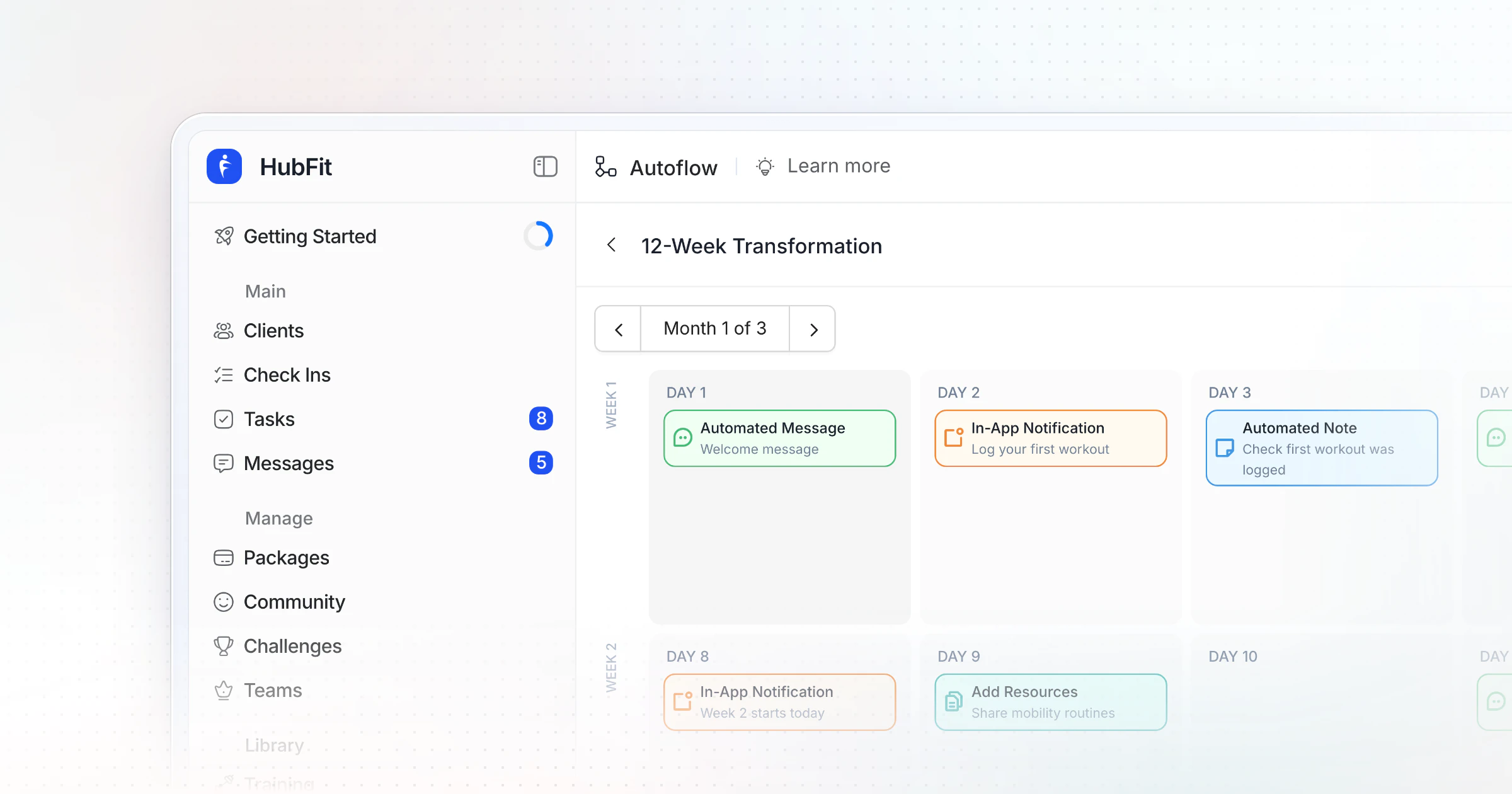
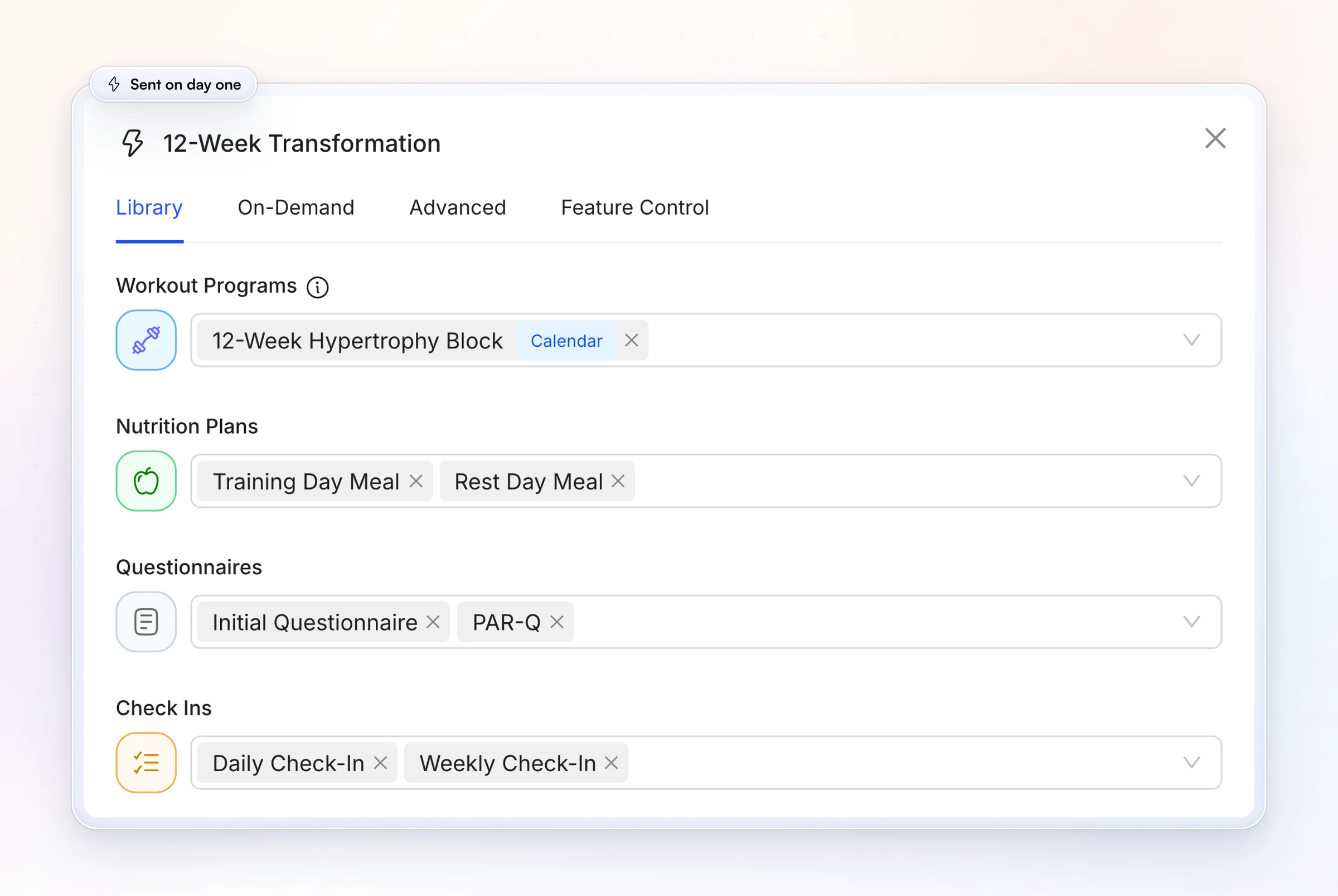
HubFit sends your intake form for you: build it once as a Questionnaire, add it to an Onboarding Flow, and every new client gets it on day one. Their first program and check-ins arrive with it.Here is how each part of the template maps onto the app.
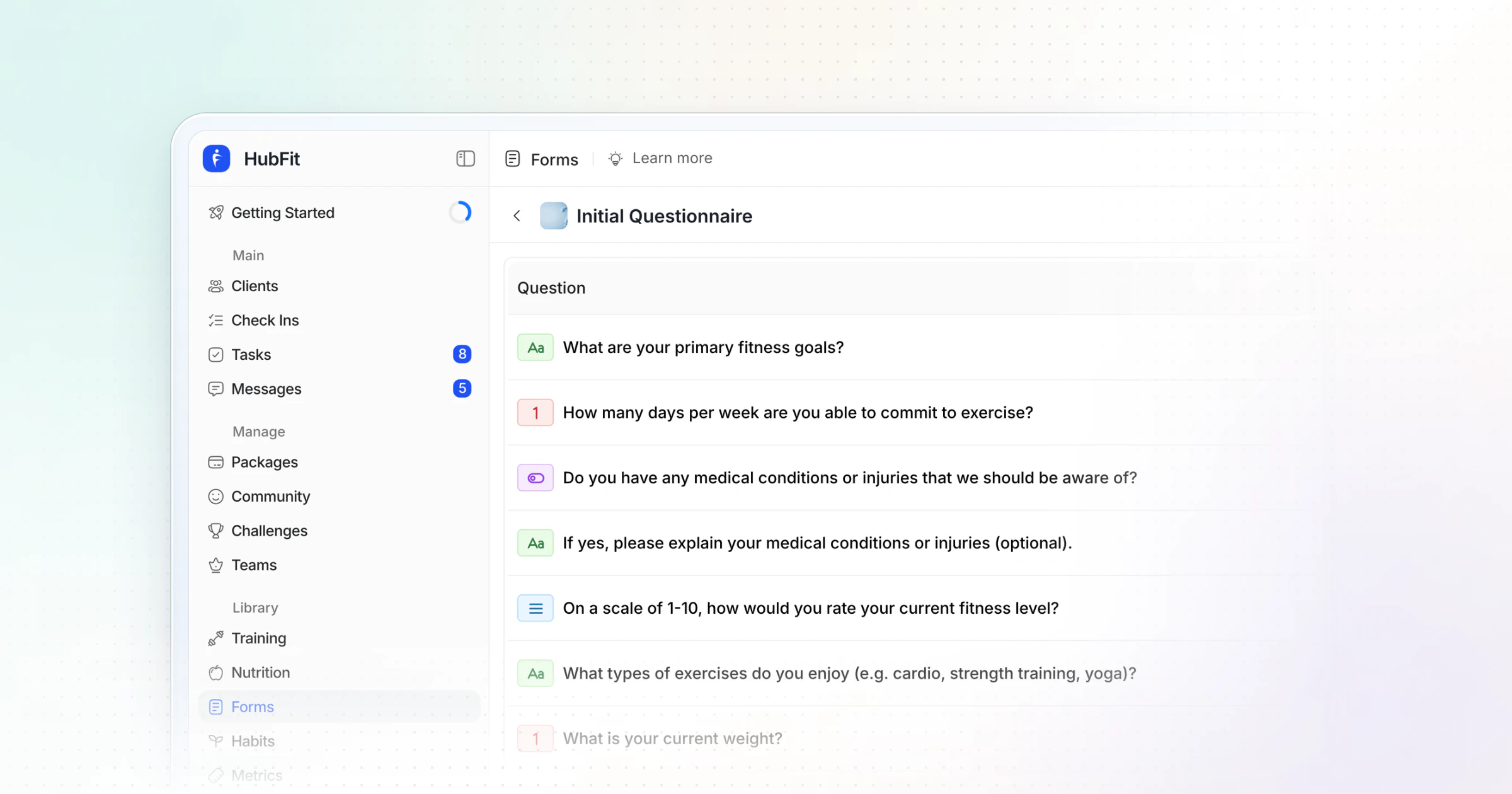
1. The template becomes one Questionnaire. HubFit has two kinds of form: a Check-In, which recurs on a schedule for one client, and a Questionnaire, a one-off form stored in your library.The intake form is a Questionnaire, built from question types that match the template: Text, Number, Multiple Choice, Scale 1–10, Yes/No, Date, Star Rating, Media, Signature, Progress Photos and Metric, each one set as required or not.The questionnaire templates include an Initial Questionnaire you can edit instead of starting blank.
2. Section 8 is signed in the app. A Signature question captures the client's signature on their phone, so consent is on record without a PDF.
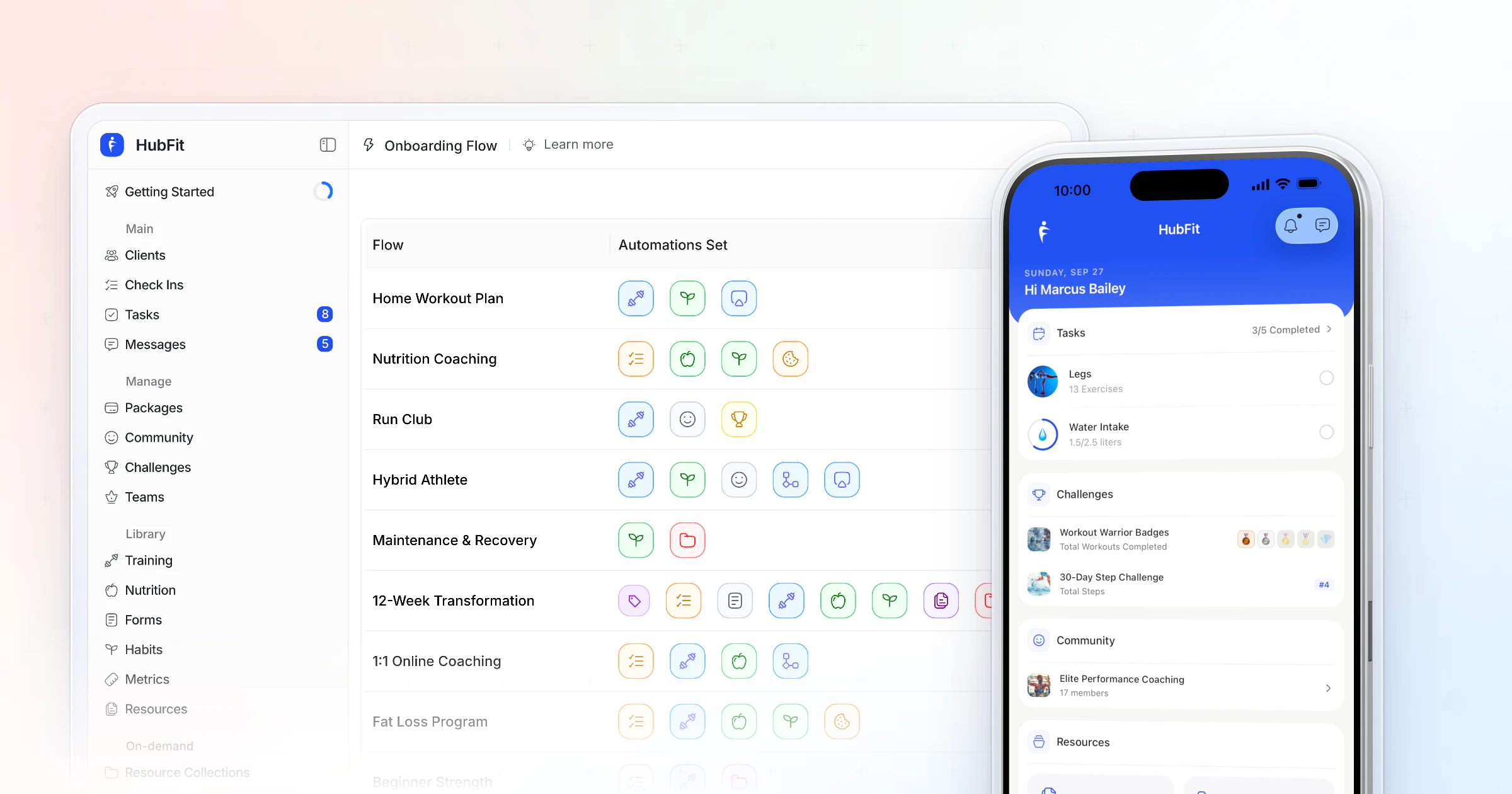
3. It goes out the moment they join. An Onboarding Flow runs when you add a client, or, on Premium and above, when a client buys one of your packages. It assigns programs, nutrition plans, habits, check-ins and questionnaires in one go.Put your intake form in the flow and link the official PAR-Q+ from it, and every new client gets both next to their first program and their check-ins and questionnaires.
Questionnaires and Onboarding Flows are on every HubFit plan.HubFit's PAR-Q questionnaire template is an editable readiness questionnaire: use it alongside the official form, not instead of it.
This is where the time goes back into your week. Once his forms and flows lived in HubFit, Gianni Fabrizio of Gianni Coaching cut setting up a new client from up to 3 hours to about 2 minutes.
“Now, it's a type in the email address... we're probably talking maximum two minutes.”

You can set up your first flow on a 14-day free trial, and see how automation in a coaching business frees up the rest of your week.
What should you do after a client submits the intake form?
After a client submits the intake form, read it within 24 hours, deal with any PAR-Q+ YES first, and use the answers to set up the first call and the first program.
- Read it within 24 hours. A fast reply tells the client the form mattered.
- Act on any PAR-Q+ YES first. Pause the start until the follow-up pages are done or the client has spoken to a doctor.
- Note three things to ask in the call. The vaguest goal, the injury detail and anything that surprised you.
- Set the first program's level and split from the "what you decide" table above.
- Store it where only your team sees it. Health answers are sensitive.
- Reply so the client knows it was read. One line that names something they wrote.
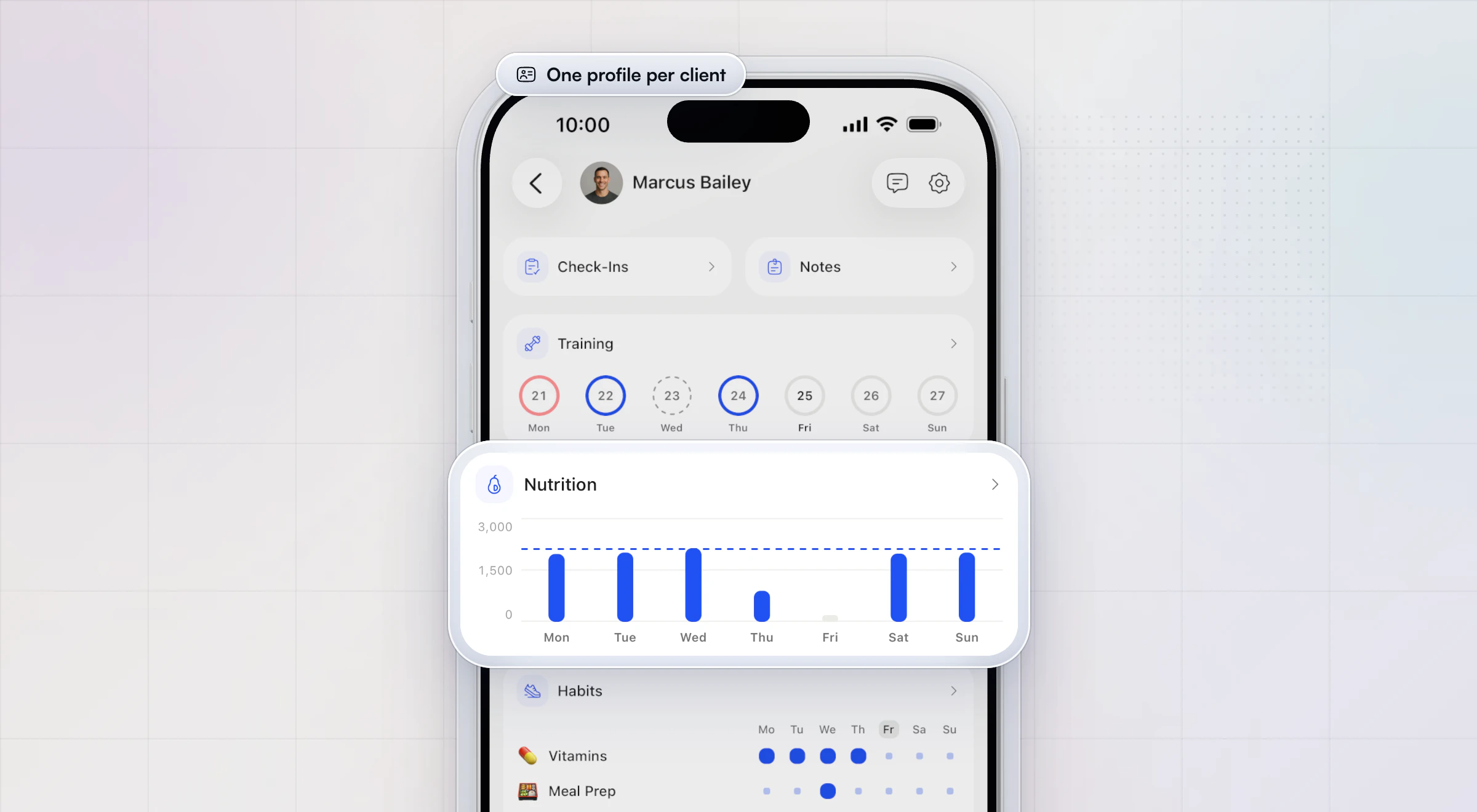
In HubFit, the flow has already assigned the first program and check-ins by the time you read the form, and the coach app keeps each client's check-ins, notes, training, nutrition and habits on one profile.
Intake form mistakes that cost you later
Most intake form problems come from asking too much, or from asking and then not using the answers. These are the four to avoid.
- A form that feels like an exam. Forty free-text boxes get rushed answers. Use choices and scales, and save depth for the call.
- Questions you never read. If nothing in your program changes with the answer, the question goes.
- Retyping the PAR-Q+. A homemade version can lose the follow-up pages. Use the official one.
- Treating intake as one-off. Goals, schedules and injuries change. Ask about them again in your check-in questions.
FAQ
These are the questions coaches ask most about client intake forms.
What are intake forms used for?
Intake forms are used to plan a new client's first program, screen health risk before training, set expectations about schedule and coaching style, and keep consent on record. For a coach, the form replaces the basic questions of a first call, so the call can go deeper into the answers that matter.
What should be on a client intake form?
A coaching intake form should have eight sections: contact and emergency details, goals and motivation, a PAR-Q+ health screen, injuries and pain, training history and equipment, lifestyle (sleep, stress, activity), schedule and coaching preferences, and consent with a signature. Keep each question tied to a decision you'll make.
When should the client intake form be started?
The client intake form should be started right after someone signs up, before the first session, consultation or program. Send it with your welcome message. For in-person clients, ask for it at least 24 hours before the first session, so you can act on any PAR-Q+ YES and adjust the plan in time.
How long should a client intake form be?
A client intake form should take about 10 minutes to complete. For most coaches that means 30 to 45 questions, counting the seven PAR-Q+ questions, mostly multiple choice, scales and yes/no, with free text only where you need the client's own words. Anything deeper belongs in the consultation call.
Can clients sign an intake form online?
Yes. Most form tools have a signature field, and in HubFit a Signature question captures the client's signature in the app, on their phone. Keep the signed form with the client's record. A signature on an intake form is not a liability waiver, so keep your waiver as its own document, reviewed by a lawyer.
How do I create a client intake form in Google Forms?
Create a blank form and add each question with its type: Short answer, Paragraph, Multiple choice, Checkboxes, Linear scale or Date. Turn on Required for the key questions, link the official PAR-Q+ PDF, preview it on your phone, then send the link. Responses can go to a Google Sheet.
Is an intake form the same as a liability waiver?
No. An intake form collects information so you can coach the client well; a liability waiver is a legal agreement about the risks of training. Keep them as separate documents. The intake form can link your terms and ask for a signature, but have the waiver itself written or reviewed by a lawyer for where you work.
Where can I find a free client intake form template?
You can copy the free client intake form template on this page: eight sections, every question with its answer type and the reason to ask it. Paste the tables into Google Sheets, Google Forms or Word, or rebuild them in a coaching app. HubFit also has an Initial Questionnaire template ready to edit.
Put this form to work this week: build it once, add it to an Onboarding Flow, and your next client gets it before you've said hello.