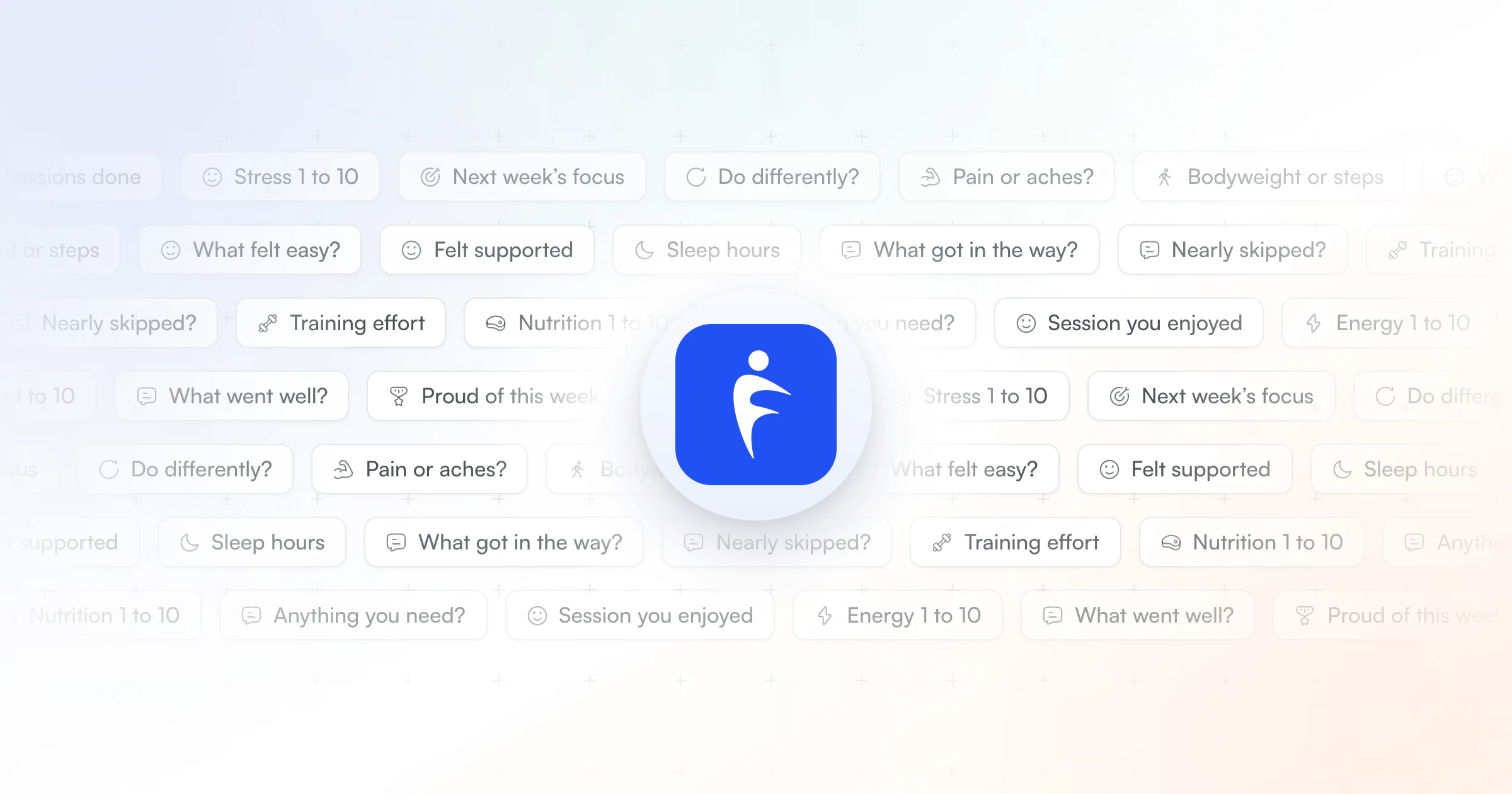
The best client check-in questions are short, repeat every week, and each one changes what you do next: sessions done, effort, energy, sleep, stress, nutrition, pain, one win, one obstacle and next week's focus. Here are 30 to copy, each with its answer type. HubFit sends them to clients' phones on schedule and collects every answer in one review inbox.
Key takeaways
- Twelve client check-in questions cover a normal week: training, recovery, nutrition and mindset, due on the same day every week.
- Rotate one deeper question in each week, and add two questions for the client's goal, so the form fits them without losing the trend.
- Mix 1 to 10 scales you can track with three or four open questions that catch what numbers miss.
- HubFit runs it for you: ready-made templates, 11 question types, push reminders and one review inbox, on every plan.
What is a client check-in?
A client check-in is a short, recurring form your client fills out so you can see how training, recovery and life went, then adjust before a small problem grows. For most clients it is weekly, and the weekly form is where the wording matters most.
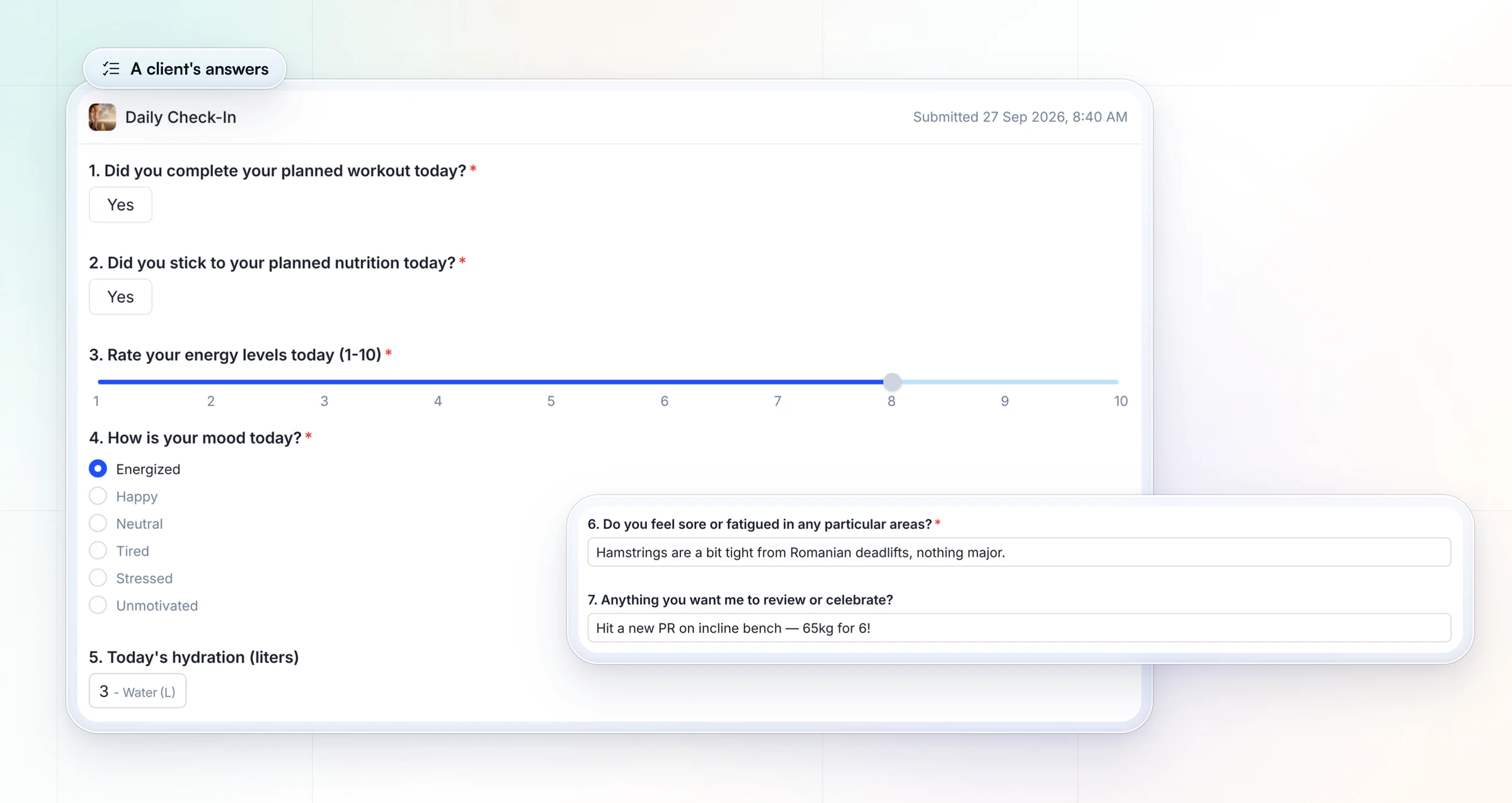
The questions you ask decide the answers you get. "How was your week?" gets "Good!" A yes or no, a 1 to 10 scale, a count or a specific open question gets something you can act on, like "Hamstrings are a bit tight from Romanian deadlifts" or "Hit a new PR on incline bench."
This page is the question bank. For how to run the whole loop, from the reminder to your reply, see our guide to client check-ins as an online coach.
Why run your check-ins in HubFit?
HubFit is the #1 coaching app, rated 4.9 on the App Store and Google Play, and check-ins are built into it. The questions, the answers and the client's training live in one place, not in a Google Form, a spreadsheet and your DMs.
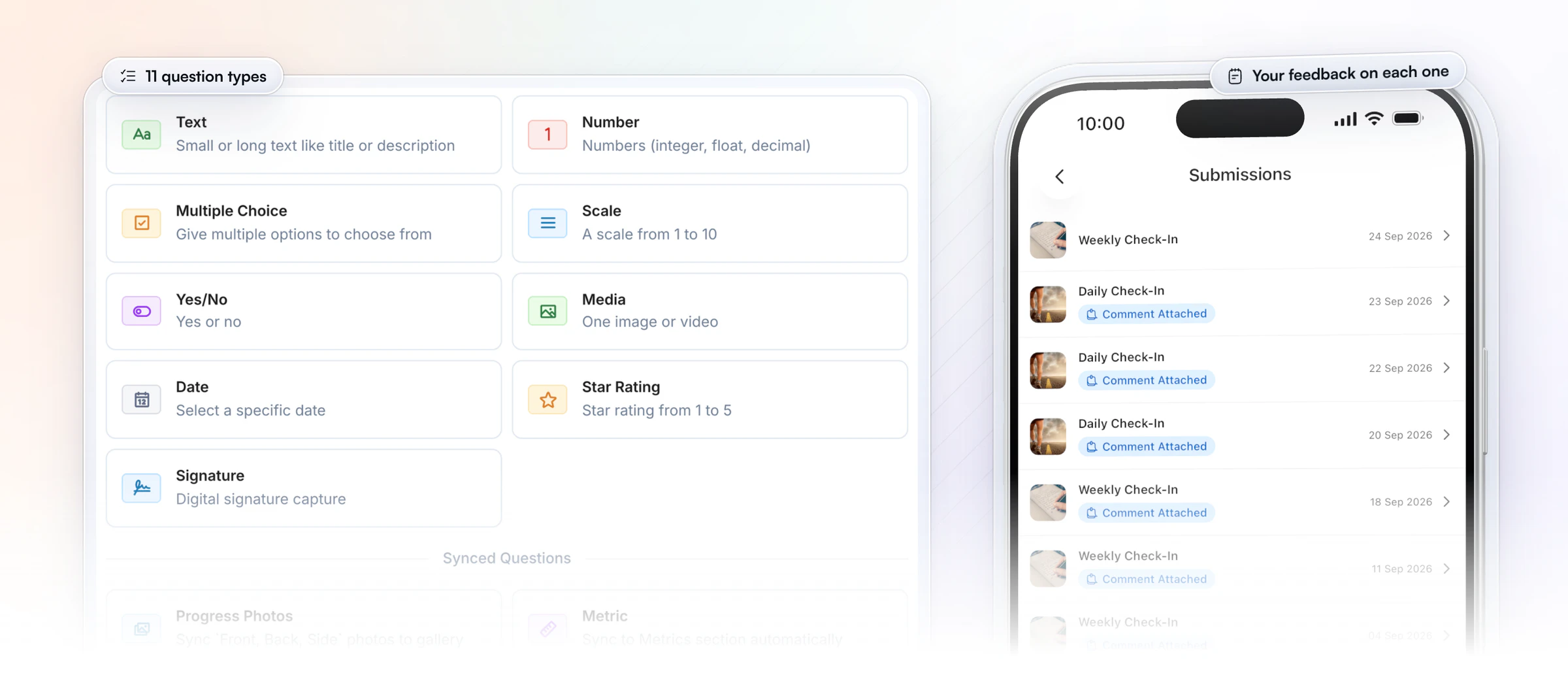
- Every question gets the right answer type: 11 of them, from text, numbers and 1 to 10 scales to star ratings, photos and metrics.
- Answers that file themselves: progress photos go to the client's gallery and metric answers go to their Metrics, so every week's numbers sit in one place.
- Reminders that go out for you: a push reminder on the day it's due, and a missed check-in stays on the client's dashboard as overdue until the next one.
- Free for your clients: they answer in the same app they train and log food in, at no cost to them.
12 client check-in questions to ask every week
A weekly check-in should cover training, recovery, nutrition and mindset in about three minutes. These 12 client check-in questions do that, in an order that starts easy and ends on what's next.
| # | Question | Answer type |
|---|---|---|
| 1 | How many planned sessions did you do? | Multiple choice |
| 2 | How hard did training feel overall? | Scale 1 to 10 |
| 3 | Any pain or aches? Where? | Yes/no, then text |
| 4 | How was your energy this week? | Scale 1 to 10 |
| 5 | Average hours of sleep a night? | Number |
| 6 | How stressful was life outside training? | Scale 1 to 10 |
| 7 | How closely did you follow your nutrition? | Scale 1 to 10 |
| 8 | Weekly average bodyweight or steps | Metric |
| 9 | What went well this week? | Text |
| 10 | What got in the way? | Text |
| 11 | What's your one focus for next week? | Text |
| 12 | Anything you need from me? | Text |
Paste-ready version for your form or a message:
Weekly check-in · [Name] · [Week]

1. How many planned sessions did you do? All / Most / Some / None
2. How hard did training feel overall? (1-10)
3. Any pain or aches? Yes / No. If yes, where:
4. How was your energy this week? (1-10)
5. Average hours of sleep a night:
6. How stressful was life outside training? (1-10)
7. How closely did you follow your nutrition? (1-10)
8. Weekly average bodyweight or steps:
9. What went well this week?
10. What got in the way?
11. What's your one focus for next week?
12. Anything you need from me?
Why these work:
- Questions 1 and 2 are adherence and load. Rating effort on a 1 to 10 scale is the idea behind session-RPE, a training-load measure a 2017 review of 36 studies found valid and reliable. A weekly rating is a quick, rougher version of it.
- Questions 3 to 6 catch recovery problems early. Most adults need at least 7 hours a night, so a client averaging five is a reason to ease the plan, not push it.
- Question 7 gives you a nutrition trend without a food diary. Nutrition coaches need more than one line here; the goal table below adds two.
- Questions 9 to 12 are the conversation. One win, one obstacle, one focus and an open door for questions. Ending on "Anything you need from me?" tells the client you read every line.
Keep the weekly form the same for at least a month. Numbers only become a trend when the question doesn't change. If you'd rather start from a finished form with every field laid out, use our weekly check-in form template.
6 deeper client check-in questions to rotate in
The standard questions tell you what happened; these tell you why. Rotate one into the weekly form each week instead of adding all six at once. Clients get bored of an identical form, and a bored client starts giving one-word answers again.
- What felt easy this week? It shows which habits now run on autopilot and can be stepped up.
- What are you proud of this week? It builds confidence and tells you what matters to them outside the gym.
- Was there a moment you nearly skipped, but didn't? What helped? It finds the trigger that keeps them going, so you can use it on purpose.
- What do you wish had gone differently? It surfaces setbacks without the word "failed".
- Which session did you enjoy most? People stick with training they like, so build more of it in.
- How supported did you feel, 1 to 10, and why? It's feedback on your coaching, and a falling score is your warning before a client goes quiet.
Use a scale followed by a text box for number 6, and a yes/no plus text for number 3. The rest are short text answers.
Rotating is how Vegard Mikalsen of VM Coaching keeps his clients engaged: he runs different weekly and monthly forms in HubFit and reviews each check-in in one to two minutes.
“Clients hated having the same check-in every week because it's so repetitive.”

Client check-in questions by goal
Client check-in questions by goal are two extra questions on the weekly 12 that measure what the client's plan is built around. These are the fitness questions personal trainers ask their clients for each goal, each with its answer type.
| Goal | Add this question | Answer type |
|---|---|---|
| Fat loss | Hunger before dinner, 1 to 10? | Scale 1 to 10 |
| Fat loss | Meals off plan this week? | Number |
| Muscle gain | Protein target hit most days? | Yes/no |
| Muscle gain | Did your working weights go up? | Yes/no, then text |
| Strength | Top set on your main lift? | Text (weight × reps) |
| Strength | Any lift that felt slow or stalled? | Yes/no, then text |
| Nutrition coaching | Digestion this week, 1 to 10? | Scale 1 to 10 |
| Nutrition coaching | Hardest meal of the day to stick to? | Multiple choice |
| Hybrid or in person | Solo sessions done this week? | Number |
| Hybrid or in person | What made solo sessions hard to start? | Text |
| Return from injury | Pain during training, 1 to 10? | Scale 1 to 10 |
| Return from injury | Did pain change any session? | Yes/no, then text |
Keep the goal questions for as long as the goal lasts, then swap them. For a nutrition-first client, our nutrition check-in questions go deeper on hunger, cravings and meals out. For a client coming back from injury, a pain score that rises two weeks in a row means you modify the exercise and suggest they see a medical professional.
How often should you check in with clients?
Weekly is the right default for online coaching: often enough to adjust before a small problem grows, light enough that clients keep answering. Daily, bi-weekly and monthly check-ins each have a place, and each uses a different number of questions.
| Frequency | Best for | Questions | Time to fill |
|---|---|---|---|
| Daily | A cut, a prep, a new client's first 2 weeks | 3 to 6 quick taps | Under 1 minute |
| Weekly | Most online clients | The 12, plus 2 by goal | About 3 minutes |
| Bi-weekly | Stable, maintenance clients | The 12 | About 3 minutes |
| Monthly | A review on top of weekly | 5 big-picture questions | 5 minutes |
A daily pulse never replaces the weekly form; it adds detail for a short phase and then stops. The monthly review sits on top of the weekly one, so the numbers keep their trend while you step back. For choosing a rhythm per client and setting the reminder, our check-ins guide has the full method.
In HubFit you can schedule a check-in daily on the days you pick, weekly on one day, bi-weekly or monthly, and the reminder goes out by push at the time you choose, in the client's own time zone.
What about daily and monthly check-ins?
Daily and monthly check-ins ask different questions from the weekly form, so they get their own sets.
A daily check-in is a one-minute pulse of quick taps; copy the set in our daily check-in form template. A monthly check-in steps back over four weeks of answers to reset goals and the program. Add these five to the end of the month:
- What's the biggest change you've noticed this month? Text.
- Progress photos: front, side and back. Progress photos.
- Waist and hip measurements. Metric.
- Is your goal still the right one? If not, why? Yes/no, then text.
- How satisfied are you with your coaching, 1 to 10? Scale 1 to 10.
The monthly check-in form template has the full monthly form and how to measure consistently.
Which questions can a wearable answer for you?
A client's watch or phone can answer the step and sleep questions for you, so the weekly form gets shorter. HubFit syncs steps, calories, sleep and heart rate from wearables through Apple Health and Health Connect, included on every plan.
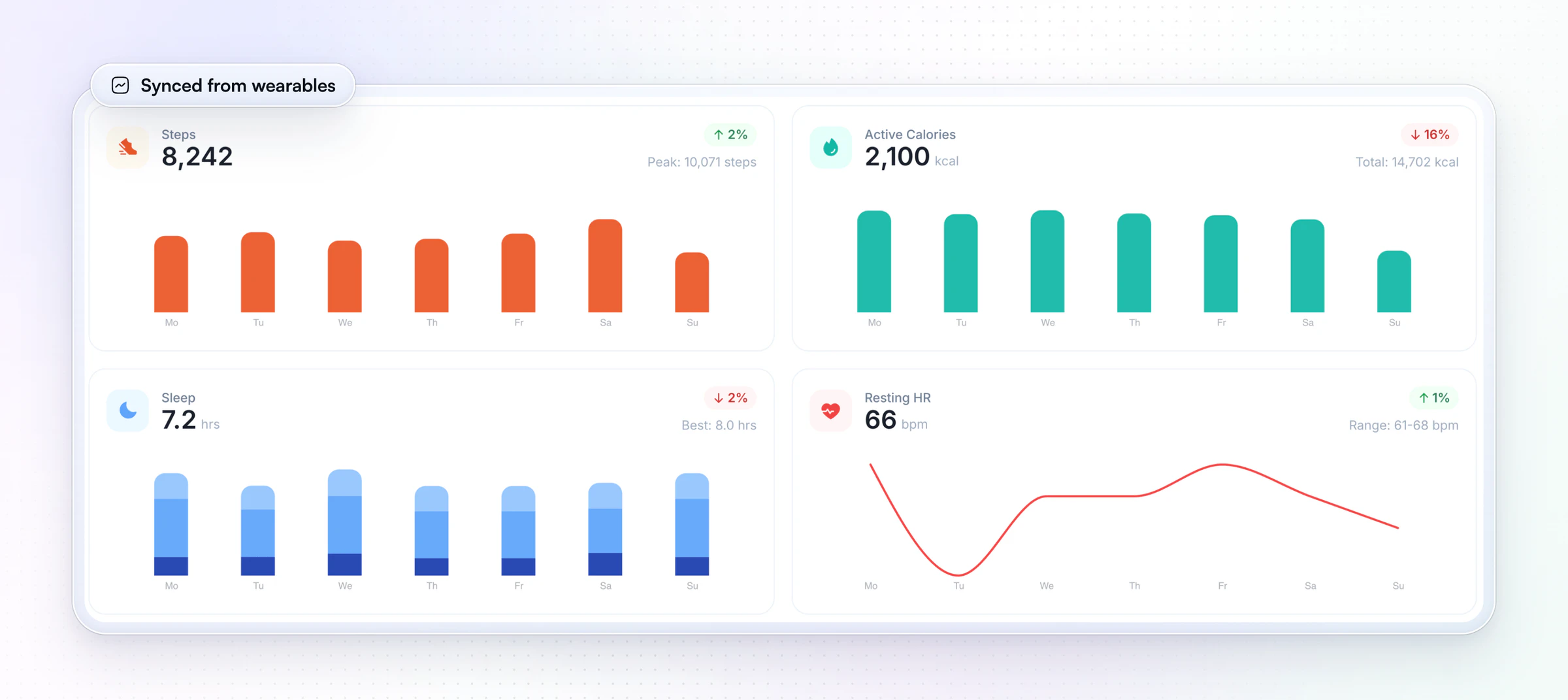
When a client's wearable syncs, drop question 5 (hours of sleep) and the steps half of question 8 from their form. Keep one question the watch can't answer: "How rested did you feel this week, 1 to 10?" Seven hours that felt broken and seven hours that felt great need different plans, and only the client knows which it was.
What does a good check-in reply look like?
A good reply to a check-in is three lines: one specific observation, one change to the plan and one question back. Here is a filled-in weekly check-in and the reply it earns.
Weekly check-in · Sam · Week 6

1. Sessions done: Some
2. Training effort: 7
4. Energy: 4
5. Sleep: 5.5 hours a night
6. Stress: 8
7. Nutrition: 6
10. What got in the way? Work deadline, late nights all week.
11. One focus for next week: Get back to 4 sessions.
The reply:
- Observation: "Energy at 4 with 5.5 hours of sleep and stress at 8 tells me this was a deadline week, not a motivation problem."
- Change: "Next week is three sessions, not four, and each one is 10 minutes shorter. Same food targets."
- Question: "When does the deadline end, so we can plan the step back up?"
Notice what the reply doesn't do: it doesn't repeat every number back to them, and it doesn't push for four sessions when the answers say the week can't hold them. Send it within 24 hours, so the client starts next week with the new plan.
How HubFit turns your questions into a check-in clients finish
HubFit takes the questions on this page and turns them into a form clients answer on their phones, on schedule, with every answer in one place. It does that in three ways.
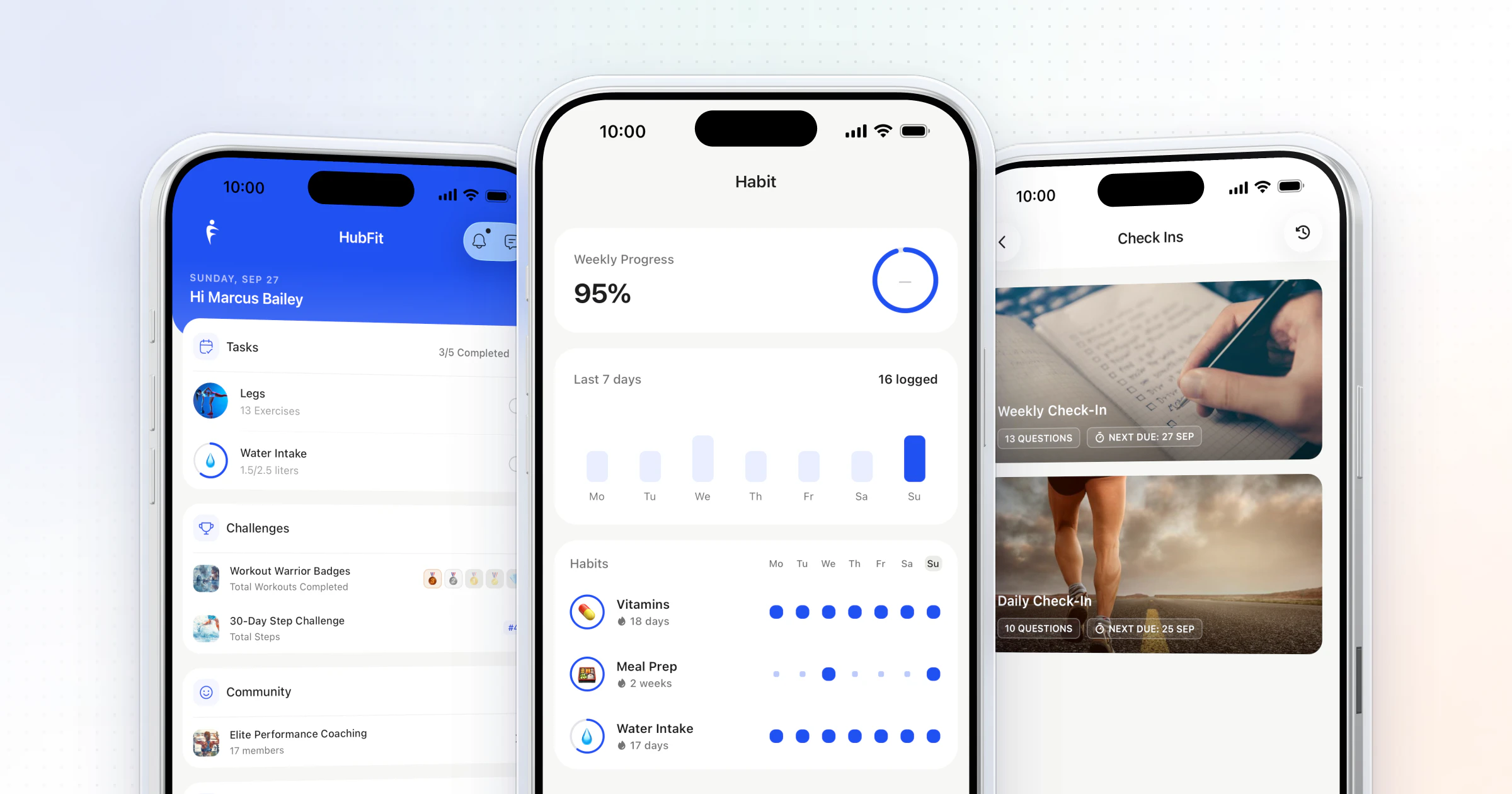
1. Every question gets its answer type. Each question above maps to one of HubFit's 11 question types: Scale 1 to 10 for ratings, Yes/No, Number, Multiple Choice, Date, Star Rating, Text, Metric for bodyweight and measurements, and Progress Photos for the monthly set. Mark the ones you can't coach without as required. Metric answers land in the client's Metrics and photos in their gallery, so the trend builds itself.
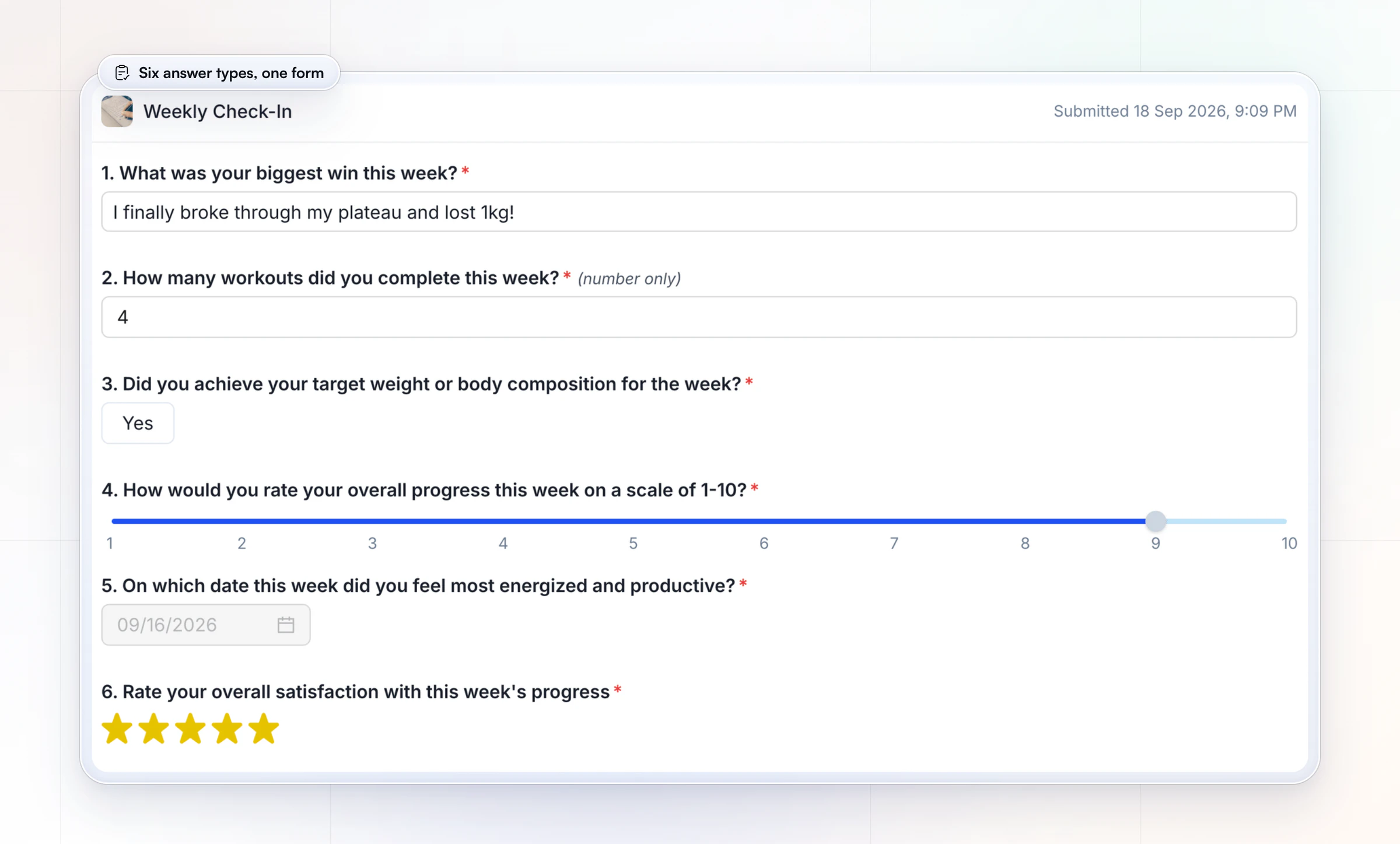
2. Start from a template, not a blank page. HubFit includes pre-built check-in templates, so you start from a ready form and edit the questions instead of typing them from scratch. A half-finished check-in auto-saves as a draft on the client's phone, so a long form isn't lost when they get interrupted.
3. The answers come to you, and your reply goes straight back. Every submission waits in your review inbox as Pending until you mark it Reviewed, you can compare two check-ins side by side, and when you review one the client gets a push notification and an email. A Loom video works well for the harder weeks. See everything HubFit check-ins can do.
How do you use the answers?
Answers only matter if they change something within a day. Set one due day for everyone, review in one sitting, and reply within 24 hours.
- Pick one day. Due Sunday by noon means you review on Sunday and every client starts Monday with a plan.
- Read trends, not single weeks. One bad week is noise; three weeks of falling energy is a signal.
- Reply to every check-in. One specific line beats a generic "great work".
What to do when an answer moves:
- If energy drops for two to three weeks while sleep holds, check training volume before anything else.
- If sleep drops, ease the plan and talk about routine before adding work.
- If pain shows up twice, modify the exercise and suggest a medical professional if it persists.
- If sessions done fall below half, the program is too big for their life right now. Shrink it.
- If the support score falls, call them this week. A client who feels unsupported is the first to leave, and keeping them is how you retain online coaching clients.
To run that whole loop in one place, see our roundup of check-in software for coaches, or start your free trial and send your first weekly check-in today.
FAQ
These are the questions coaches ask most about client check-in questions.
Should check-in questions change over time?
Keep the core questions fixed, so every week compares with the last, and rotate one deeper question in each week to keep the form fresh. Change the core only when a client's goal changes, and swap the two goal questions when the goal does.
How many questions should a weekly check-in have?
Ten to fourteen is the sweet spot: the core 12 plus up to two goal questions, finished in about three minutes. Use scales and numbers for anything you want to track, and keep open questions to three or four. If completion falls, cut questions before you add reminders.
When in the week should clients check in?
Sunday due with a Monday reply is the most common rhythm, because the client starts the week with a plan. Avoid Friday for clients whose weekends are the hard part, and keep one due day for everyone so you review in one sitting.
What's the difference between a check-in and an intake questionnaire?
A check-in repeats on a schedule and tracks change. An intake questionnaire is a one-off form a new client fills out once: goals, history, injuries, schedule and equipment. In HubFit both are built with the same form builder, as a Check-In or a Questionnaire. Our client intake form has the full intake set.
What fitness questions should you ask clients at the first consultation?
Ask the one-off questions at the first consultation and save the weekly 12 for after they start: goals, training history, injuries and health, schedule, equipment and how they eat now. Use our client intake form for the wording, and screen health with a PAR-Q before the first session.
What questions should a nutrition coach ask?
Nutrition coaches need more than one adherence line: hunger, cravings, digestion, meals off plan and how the plan fits their week. The two nutrition rows in the goal table above are a start, and our nutrition check-in questions go further.
How do I get clients to actually fill out check-ins?
Keep the form short, make it due on the same day, send a reminder to their phone and reply every time. Clients stop answering when nothing comes back. Between check-ins, small daily habits keep them engaged; here's how to keep clients accountable between check-ins.
Send your first check-in this week
Copy the weekly 12, add two questions for each client's goal, rotate in one deeper question a week, and let HubFit send the form, remind clients and line up every answer for you.