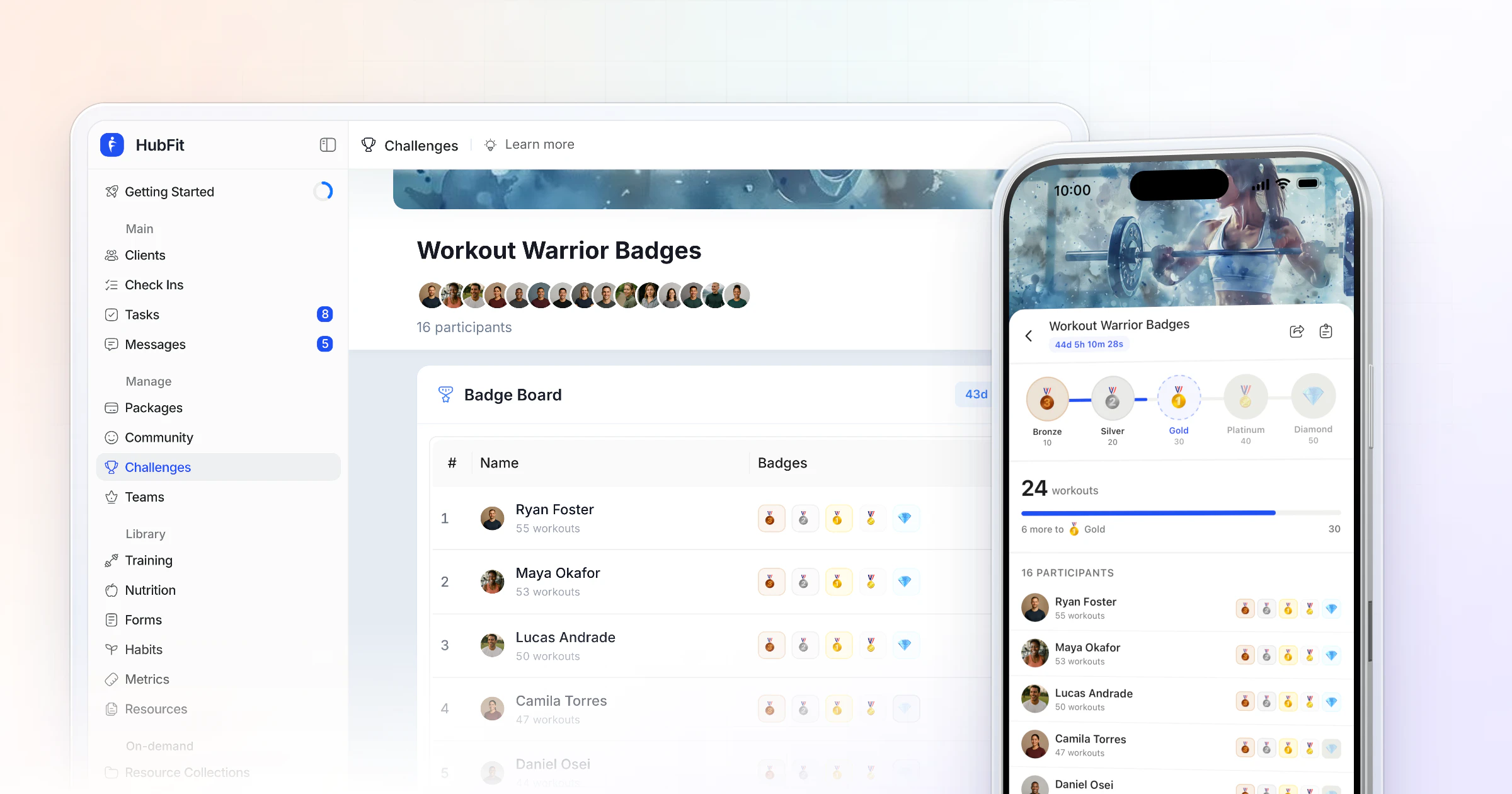
A milestone challenge gives every client a badge each time they reach a set target, while a leaderboard challenge ranks clients against each other. Run a leaderboard for short races between clients at a similar level. Run a milestone challenge for mixed groups, longer challenges and habits. HubFit runs both, tracked automatically.
Key takeaways
- Pick the mode by your group, not by the metric: similar levels and a short race suit a leaderboard; mixed levels and a long run suit milestones.
- A leaderboard is fair only when every client can score on the same terms, so use a metric with a daily ceiling for mixed groups.
- Pick tiers so almost everyone earns Tier 1 in week one. The first badge keeps clients in the challenge.
- In HubFit you choose the mode when you create the challenge, and progress tracks itself from workouts, meals and synced steps.
What is a milestone challenge?
A milestone challenge is a challenge where each client works through a ladder of targets and earns a badge at every rung. Nobody has to lose for someone else to win.
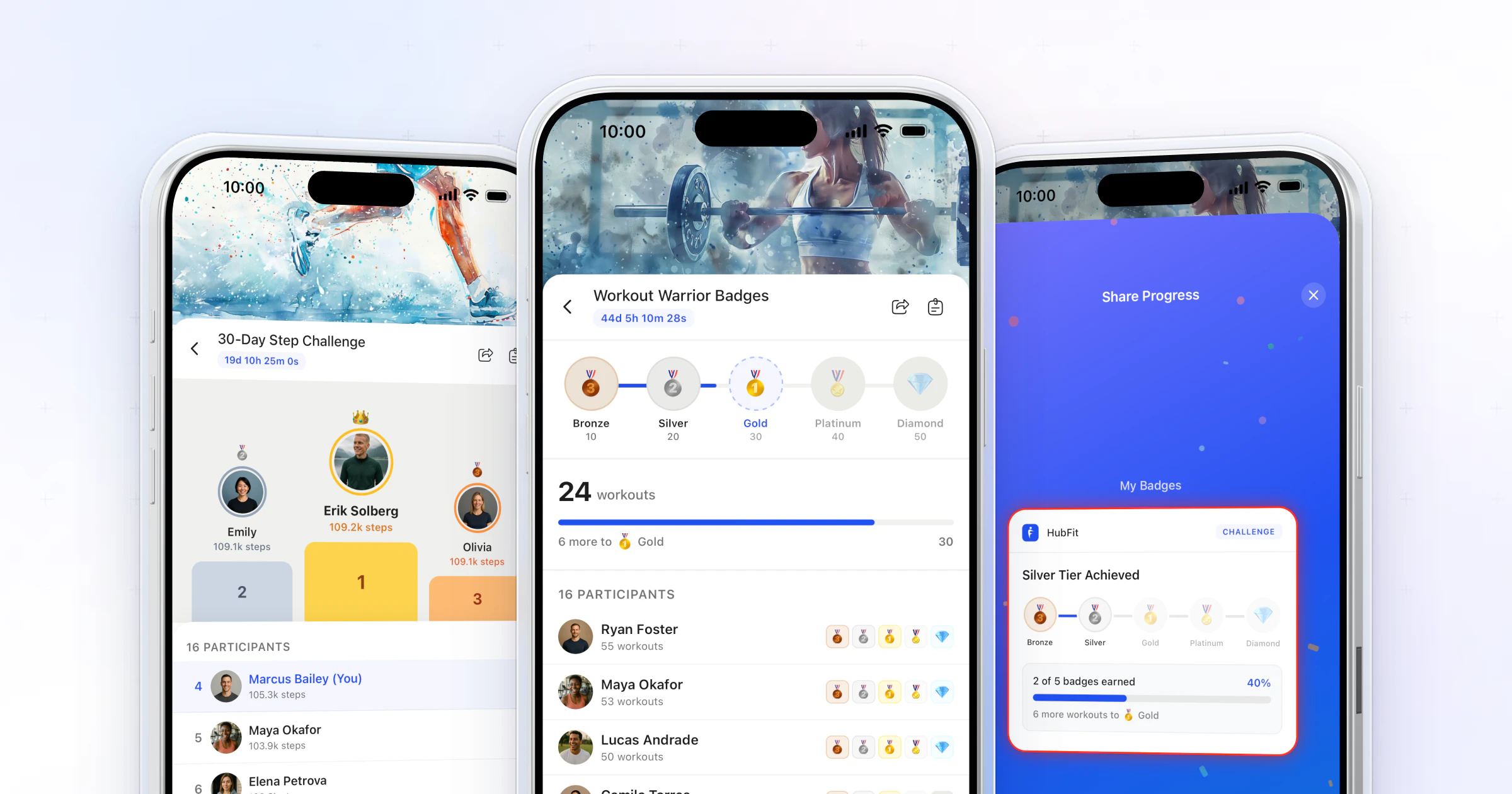
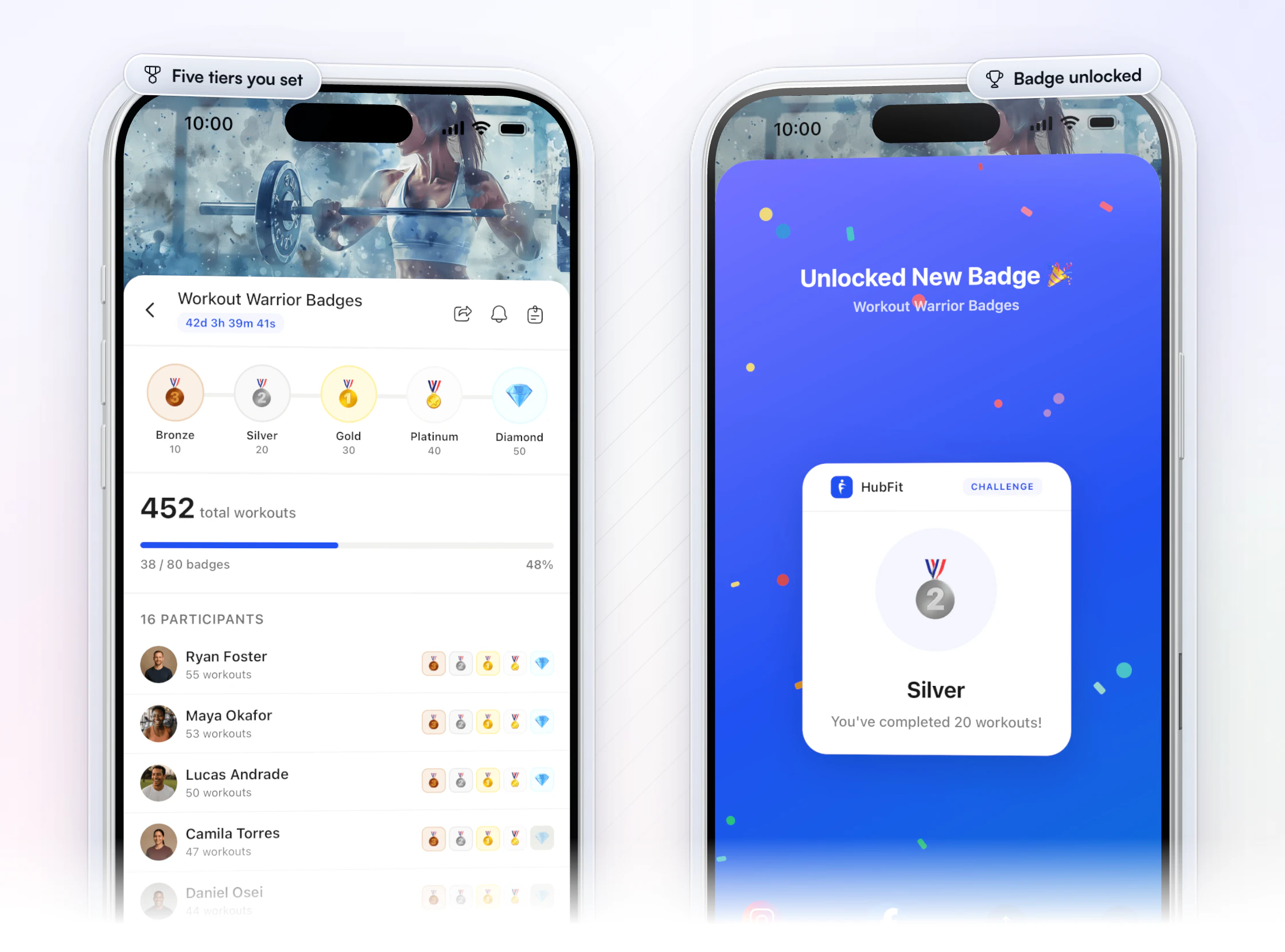
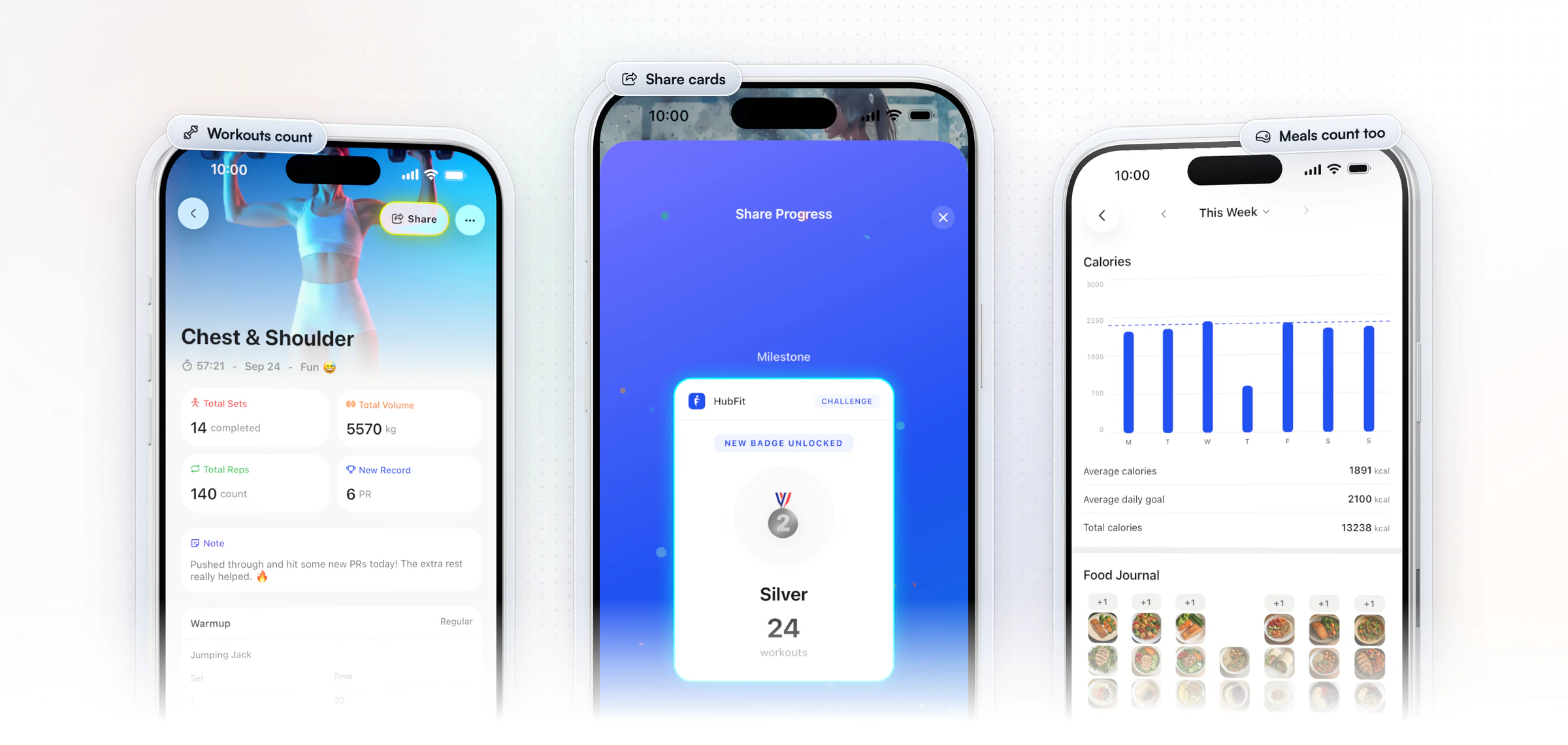
In HubFit the ladder has five tiers (Bronze, Silver, Gold, Platinum and Diamond in the medal set), each with a target you set. A client who reaches a tier sees a "New badge unlocked" screen and can share it to Instagram or Facebook. The badge board shows every participant with the badges they have earned so far.
What is a leaderboard challenge, and how is it different?
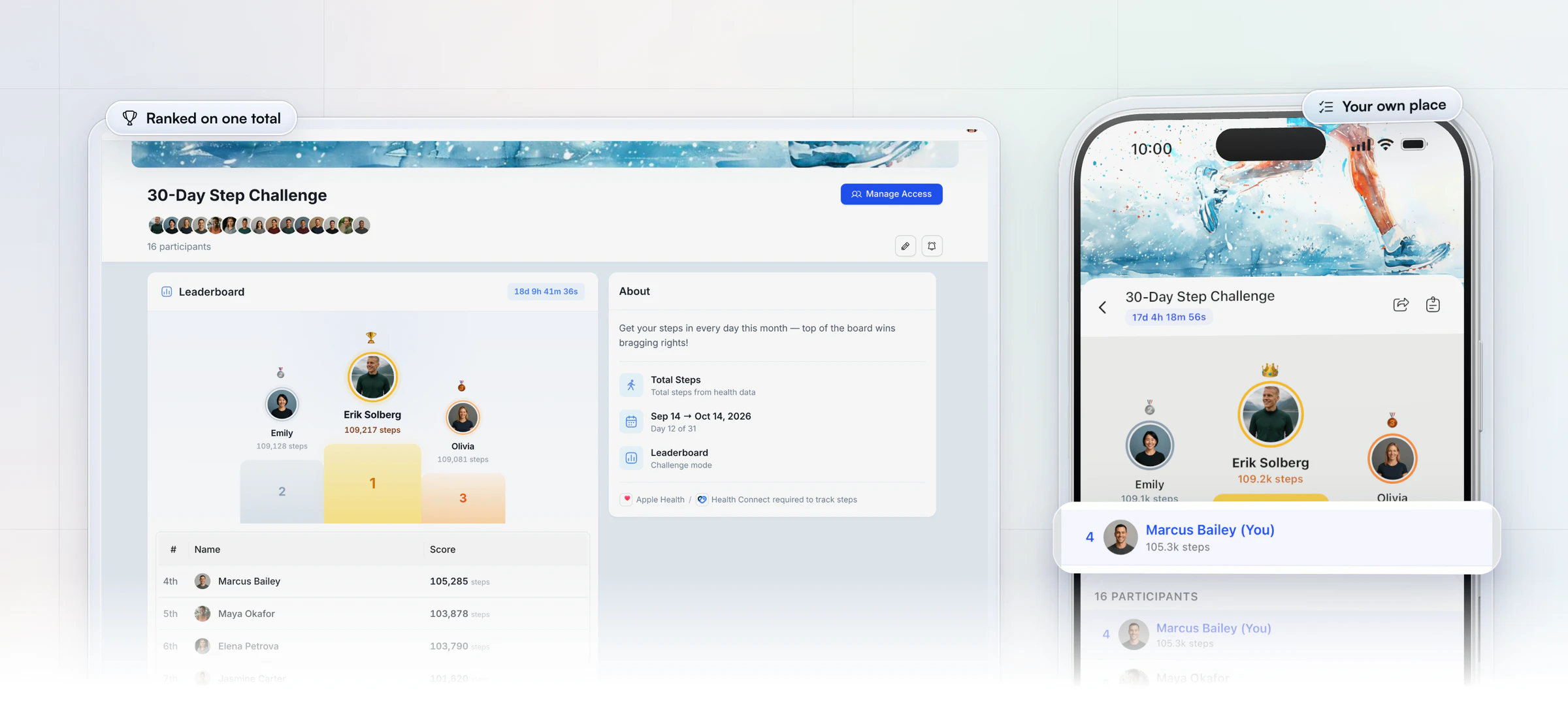
A leaderboard challenge is a challenge that ranks every participant on one total, and the highest total wins. Each client sees the podium, the top three and their own place in the list.
The ranking updates automatically as clients train, log meals or sync steps from Apple Health or Health Connect. That movement is the point: a client in fifth can see how far behind fourth they are.
| Question | Leaderboard | Milestone |
|---|---|---|
| Who wins? | The top of the ranking | Everyone who hits a tier |
| Best group | Similar levels, competitive | Mixed levels, new clients |
| Best length (our pick) | Two to three weeks | Four to six weeks |
| Your alerts | Entered top 3, new leader | Badge earned, all badges done |
| The risk | The back half gives up | Tiers set too high or too low |
What notifications do clients get?
Every participant gets three pushes automatically: when the challenge starts, 24 hours before it ends and when it's complete. On top of that, you choose your own alerts per challenge: New Leader and Entered Top 3 on a leaderboard, Badge Earned and All Badges Completed on a milestone challenge. Each is on by default, and you can switch it off.
How does a leaderboard score clients fairly?
A leaderboard is only fair when every client can score on the same terms, so for a mixed group pick a metric with a daily ceiling. Adherence metrics cap at one point a day; open-ended totals reward whoever can do the most.
| Metric | What counts | Daily ceiling | Fair for mixed groups? |
|---|---|---|---|
| Days logged | Days the client logs | 1 a day | Yes |
| Calorie targets | Days on calorie target | 1 a day | Yes |
| Protein targets | Days on protein target | 1 a day | Yes |
| Total sessions | Workouts completed | Their schedule | If schedules match |
| Total steps | Steps synced from the phone | Open-ended | Similar levels only |
| Total reps | Reps logged | Open-ended | Similar levels only |
| Total volume | Weight lifted | Open-ended | No, favors big lifters |
Nutrition metrics count only food logged in HubFit's own food tracker, not food logged in Cronometer, and calorie and protein days need macro targets set first. Tell clients both before day one, so nobody logs a week and scores nothing.
The board moves as clients train, log or sync, so nobody waits for you to update a spreadsheet.
Why run your challenges in HubFit?
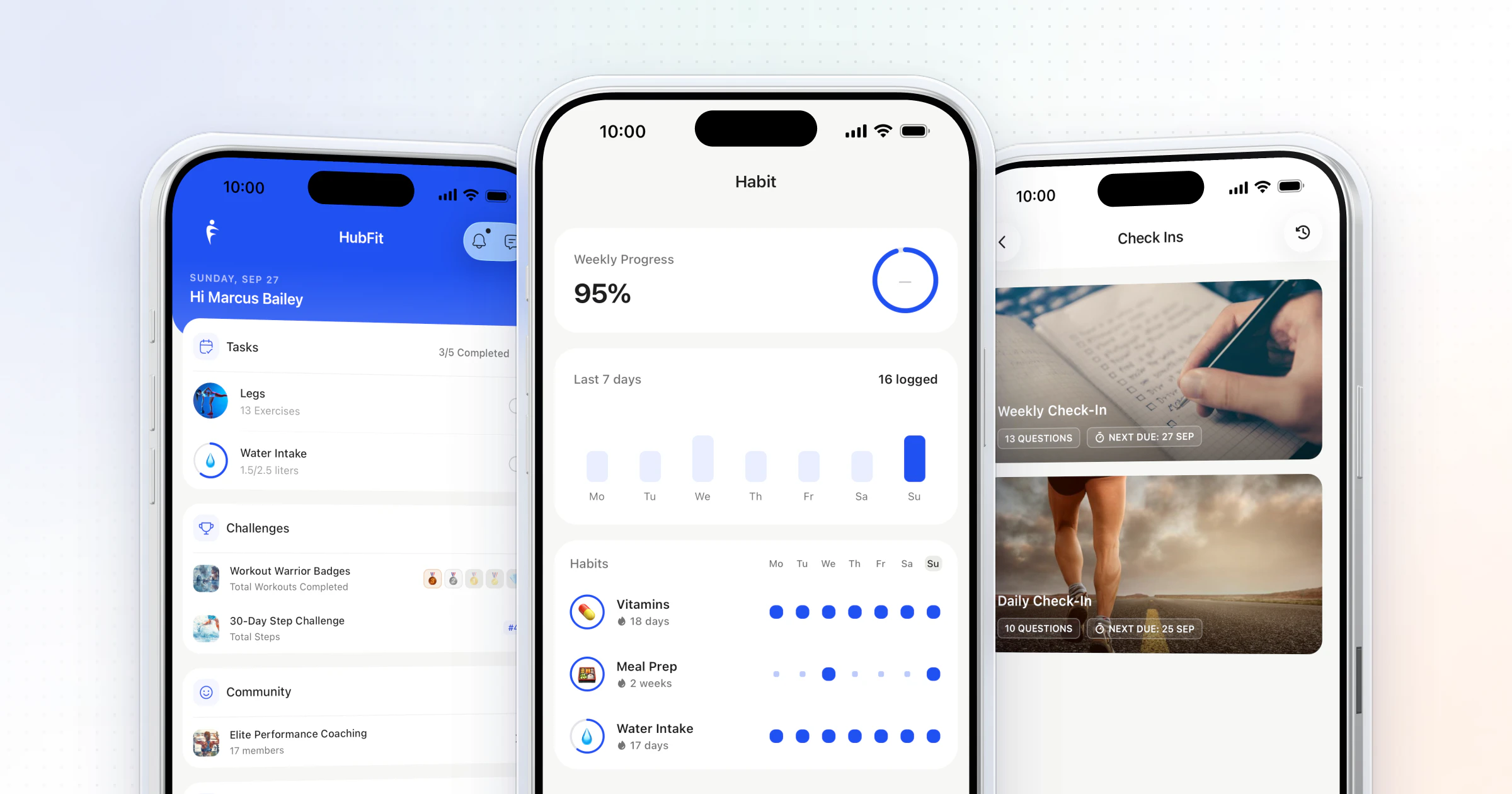
HubFit, the #1 coaching app, rated 4.9 on the App Store and Google Play, puts both modes in the app your clients already use for training, nutrition and check-ins. A challenge needs no spreadsheet and no extra login: the workout a client just finished, the meal they just logged and the steps their phone counted all land on the board by themselves. Challenges come with Premium and up.
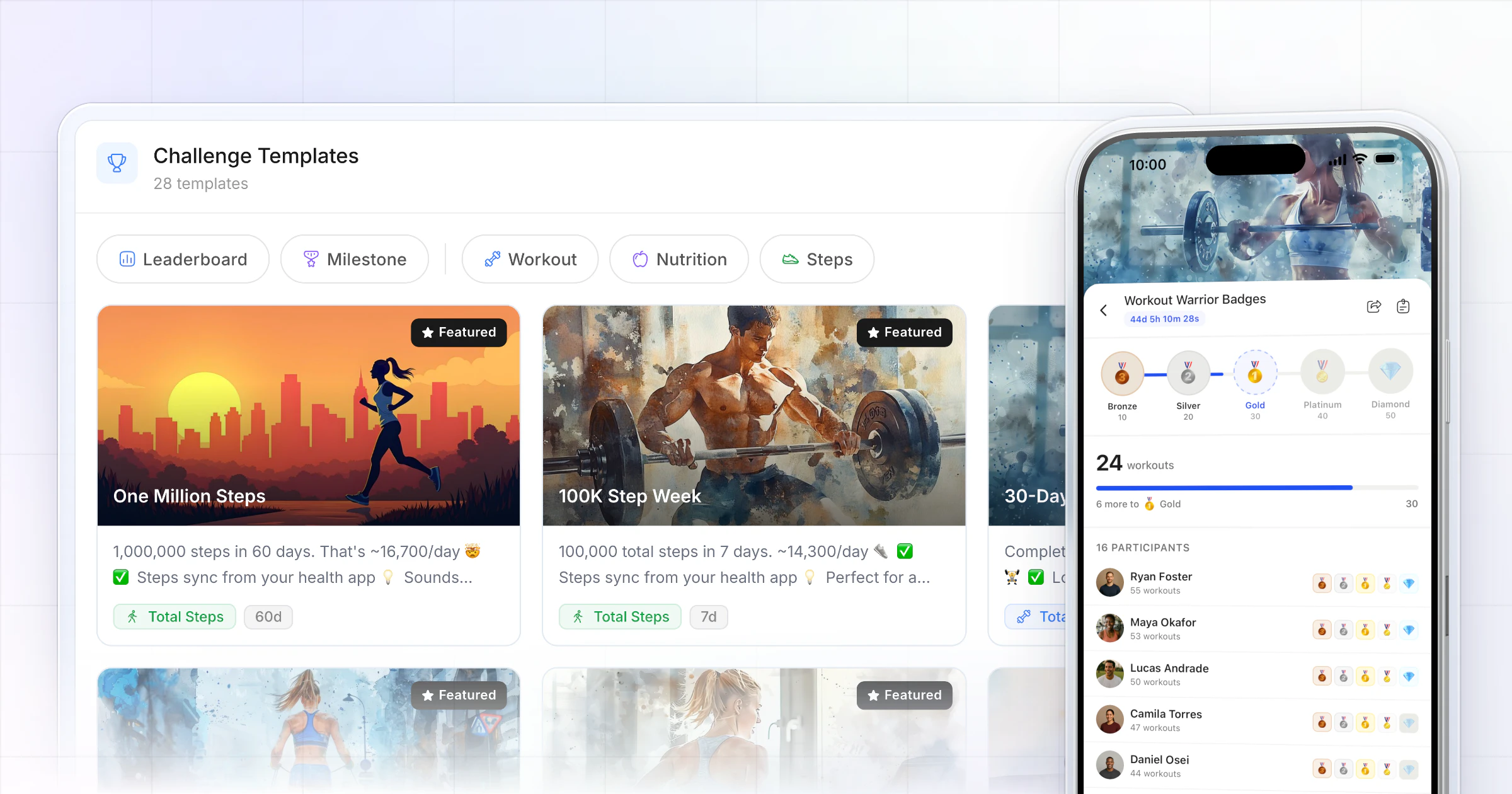
- Both modes, one screen: choose Leaderboard or Milestone when you add a challenge, or start from 25+ ready-made templates and launch in a few minutes.
- Tracked for you: seven metrics count themselves from workouts, nutrition logs and synced steps.
- Rewards clients share: eight badge theme sets and branded share cards for Instagram.
- Alerts you choose: turn each alert on or off, per challenge.
- No missed sign-ups: onboarding flows can enroll new clients in a challenge automatically.
- Free for your clients: they join from the app they already have, at no cost to them.
When should you use a leaderboard challenge?
Use a leaderboard when your clients are at a similar level, like to compete and the race is short. All three need to be true.
- Similar levels. If your fittest client walks three times as far as your newest one, the bottom half sees a gap they can't close, and they stop opening the challenge.
- A competitive group. Clients who ask how they compare to others will check a ranking every day without a reminder.
- A short race. Two to three weeks keeps the finish in sight. In a long leaderboard, clients who fall behind early rarely come back.
There is good evidence that a ranking moves people. In Penn Medicine's STEP UP trial, adults with overweight or obesity played a step game with points and levels. Those also ranked on a weekly leaderboard against two peers had the largest rise in daily steps of the three versions tested, compared with a control group.
Keep the back half of a leaderboard in the game
A leaderboard loses most clients in the bottom half, so give them something to chase besides first place.
- Shout out the biggest climber each week, not only the top 3. Moving from twelfth to seventh is a win worth naming in your group message.
- Split big rosters into separate challenges by level or program group, so every race is winnable.
- Pair the race with a milestone challenge, so everyone still earns a badge for showing up.
When should you use a milestone challenge?
Use a milestone challenge when your group is mixed, the challenge runs a month or more, or the goal is a habit rather than a win. That covers most coaching rosters.
- Mixed ability. In the six-week example below, a client who trains three days a week earns Gold and one who trains five days earns Diamond. Both finish proud.
- Longer challenges. Five tiers give five wins spread across the weeks, so there is always a next badge in reach.
- Habits. Logging food every day or hitting a protein target is about consistency, not beating anyone. Badges reward showing up, the same idea behind habit coaching.
- New or returning clients. Someone with a bad gym history can earn a visible win without being ranked at the bottom, which helps you keep clients accountable from their first week.
How do you pick milestone challenge tiers?
Pick tiers from what your clients actually do, so Tier 1 lands in week one and Tier 5 takes the whole challenge. Judge any five-tier ladder in three steps.
- Find the floor. Look at your least active client's typical week. Tier 1 should be roughly that week's number.
- Put the middle at your target pace. A client at the pace you'd be happy with should reach Tier 3 about a week before the end.
- Make Tier 5 a stretch. It should take your most committed clients the full challenge, never the first two weeks.
Close tiers work because people speed up as a reward gets near. In a Columbia Business School study, café customers bought coffee more often the closer their reward card was to a free drink. Your clients see how far the next badge is, so keep it within reach.
You set the five targets when you create the challenge, including when you start from a template, and they stay fixed once it's live, so get them right before launch. The template library filters short and long challenges.
Here's a worked example: a good six-week workout ladder for a roster that trains three to five times a week.
| Tier | Target | Who reaches it |
|---|---|---|
| Bronze | 3 workouts | Everyone, in week one |
| Silver | 8 workouts | Most clients, by week three |
| Gold | 15 workouts | Three a week, by week five |
| Platinum | 22 workouts | Four a week, by week six |
| Diamond | 30 workouts | Five a week, all six weeks |
Check the board at the halfway point. If nobody has Silver, your tiers are too high for the next round. If half the group already has Diamond, they're too low.
Which metric fits each mode?
Metrics with a natural daily ceiling suit milestones, and open-ended totals suit leaderboards. HubFit tracks seven metrics automatically.
| Metric | Our pick | Why |
|---|---|---|
| Total sessions | Milestone | Rewards showing up |
| Total volume | Leaderboard | Lifters love a race |
| Total reps | Either | Fits any training style |
| Days logged | Milestone | One a day, fair for all |
| Calorie targets | Milestone | Adherence, not effort |
| Protein targets | Milestone | Adherence, not effort |
| Total steps | Either | Race or personal goal |
Steps are the most flexible. For a full walkthrough of a step race, see our guide on how to run a step challenge with Apple Health and Health Connect.
Challenge ideas for each mode
The best challenge pairs one metric with the mode that suits it: races for open-ended totals, ladders for daily habits. Here are eight to run this quarter.
| Challenge | Mode | Metric | Length |
|---|---|---|---|
| Two-week step race | Leaderboard | Total steps | 14 days |
| 30-day logging streak | Milestone | Days logged | 30 days |
| Protein month | Milestone | Protein targets | 4 weeks |
| Lifting group volume race | Leaderboard | Total volume | 3 weeks |
| New-client first month | Milestone | Total sessions | 4 weeks |
| 1,000-rep week | Leaderboard | Total reps | 7 days |
| Calorie target reset | Milestone | Calorie targets | 3 weeks |
| Holiday step ladder | Milestone | Total steps | 6 weeks |
For more themes and the message to launch them with, see our list of fitness challenge ideas.
Can you run both modes at once?
Yes, and for many coaches the best plan is to run both, one after the other. Clients can be in more than one challenge and switch between them in the app.
Try a two-week step leaderboard to start the month with energy, then a four-week workout milestone challenge to keep everyone going once the race ends. Or run them side by side: a leaderboard for your competitive clients and a milestone challenge for everyone else. Keep it to one or two live challenges, or attention splits.
Start your free trial, then set up your first challenge from a template.
FAQ
Here are the questions coaches ask most when choosing a challenge mode.
What is milestone mode in a fitness challenge?
Milestone mode scores a challenge with badge tiers instead of a ranking. Each client earns a badge every time their total passes a target, from the first tier to the last. In HubFit there are five tiers, such as Bronze to Diamond, and every client can earn all five.
Are leaderboards bad for beginners?
Not always, but they are risky in a mixed group. A beginner ranked last on day three often stops engaging. Put beginners in a milestone challenge, or run a leaderboard only among clients at a similar level, such as one program group.
How long should a milestone challenge run?
Four to six weeks works well for most coaching groups, and HubFit challenges can run anywhere from 3 days to 2 months. That is long enough to spread five tiers out and short enough to finish strong. For anything longer, run back-to-back challenges. Our client challenges guide covers the full setup.
Can clients see each other in a milestone challenge?
Yes. The badge board lists every participant with the badges they have earned, so clients see the group's progress, and nobody has to beat anyone to earn a badge. You can get an alert when a client earns a badge or completes all five; each is a switch in the challenge's notification settings.
Can clients hide their name on a leaderboard?
Plan as if they can't: the leaderboard shows each participant's photo, name and score to the group. Tell clients before you add them, and choose who joins each challenge in its access settings. For clients who would rather not be ranked, run a milestone challenge, where every badge is earned against their own target.
Which HubFit plans include challenges?
Challenges are on the Premium and Ultimate plans. Every plan starts with a 14-day free trial, and HubFit is always free for your clients. To see how challenge features compare across coaching platforms, read our challenge software comparison, or see the engagement features.
Pick the mode, then let the app keep score
Rank clients when they're evenly matched and the race is short. Badge them when the group is mixed and the goal is a habit. Either way, HubFit counts the workouts, meals and steps your clients log or sync, so the challenge runs itself, and a challenge they finish is one more reason to stay with you. Start your first one from a template this week.