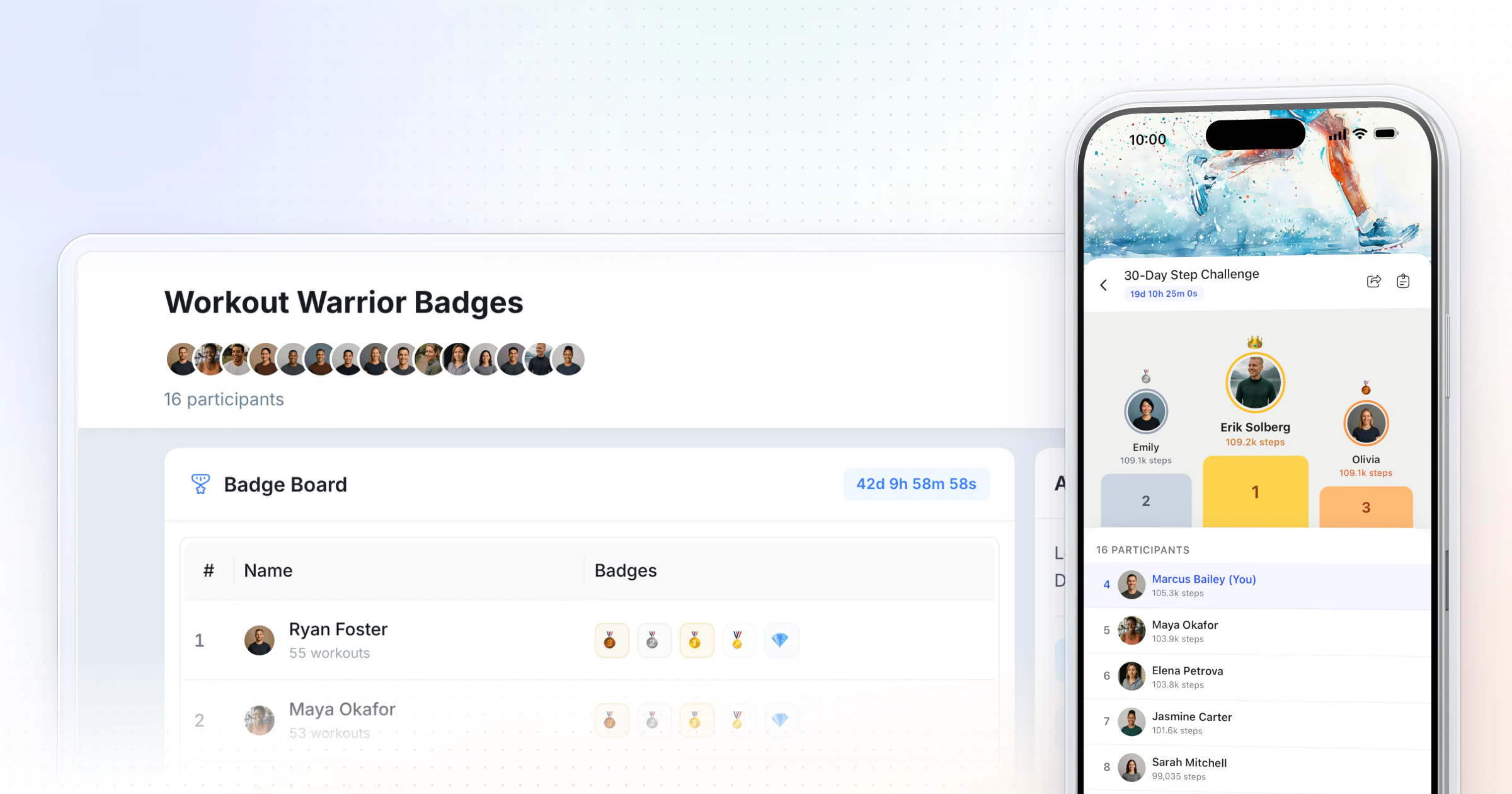
To start a fitness challenge, pick one behavior your app already tracks, choose a leaderboard or a milestone challenge with badge tiers, and run it for 2 to 6 weeks from a fixed start date, for current clients or as a free challenge that wins new ones. HubFit then tracks it from workouts, meal logs and steps. Challenges come with Premium and up.
Key takeaways
- One behavior, one number. "Train 3 times a week" beats "get fitter".
- Milestone challenges, with their badge tiers, let everyone win; leaderboards suit a competitive group of similar ability.
- Track it automatically and make the first badge reachable in week one. Manual reporting dies by week two.
- A free challenge with its own sign-up link is a simple way to turn people who follow you into clients.
What is a client challenge, and why does it work?
A client challenge is a time-bound goal you set for the clients you already coach, with a clear score and a finish line.
It turns effort that is usually invisible (sessions done, days logged, steps walked) into progress clients can see, which makes it the simplest form of gamification for client retention and one of the easiest ways to keep coaching clients longer.
Monitoring progress helps people reach their goals, and more so when the progress is reported to others or made public (a meta-analysis).
Visible progress matters most after the first few weeks, when the excitement of a new program has worn off and results are still slow. In randomized trials, programs with game elements raised physical activity more than control conditions without them (2022 meta-analysis). The effect was smaller after the programs ended, which is the case for running challenges back to back rather than once a year.
How to start a fitness challenge in 7 steps
Starting a fitness challenge takes seven decisions, made once, before the first day. This is also how to create a fitness challenge from a template: change the decisions, keep the shape.
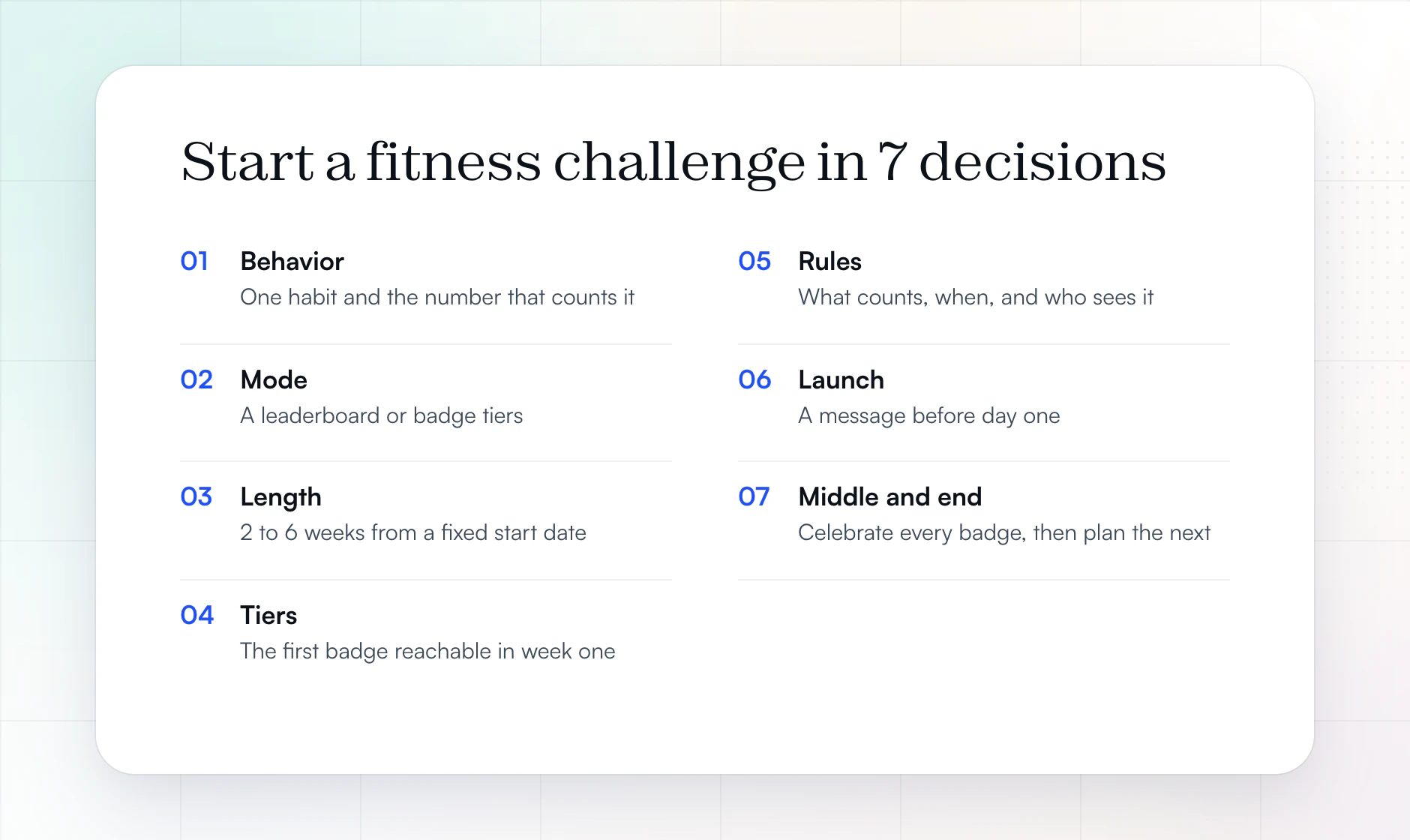
1. Pick one behavior and the number that measures it
Choose the one habit your clients most need right now, then the metric that counts it without anyone typing a number.
| The client's gap | Metric to count | Best mode |
|---|---|---|
| Skipping sessions | Total sessions | Milestone |
| Lifters who love numbers | Total volume | Leaderboard |
| Mixed training styles | Total reps | Either |
| Not tracking food | Days logged | Milestone |
| Low protein | Protein target days | Milestone |
| Under-eating (gaining) | Calorie target days | Milestone |
| Everyone, any level | Total steps | Either |
Keep nutrition targets in a milestone challenge rather than on a leaderboard, so each client works toward their own number instead of racing someone else's. In HubFit, nutrition challenges count only food logged in the app's own tracker, at most one point a day, and protein or calorie days need macro targets set for each client. For a behavior outside these seven (water, sleep, mobility), use a daily habit with a streak instead.
2. Choose a leaderboard or a milestone challenge
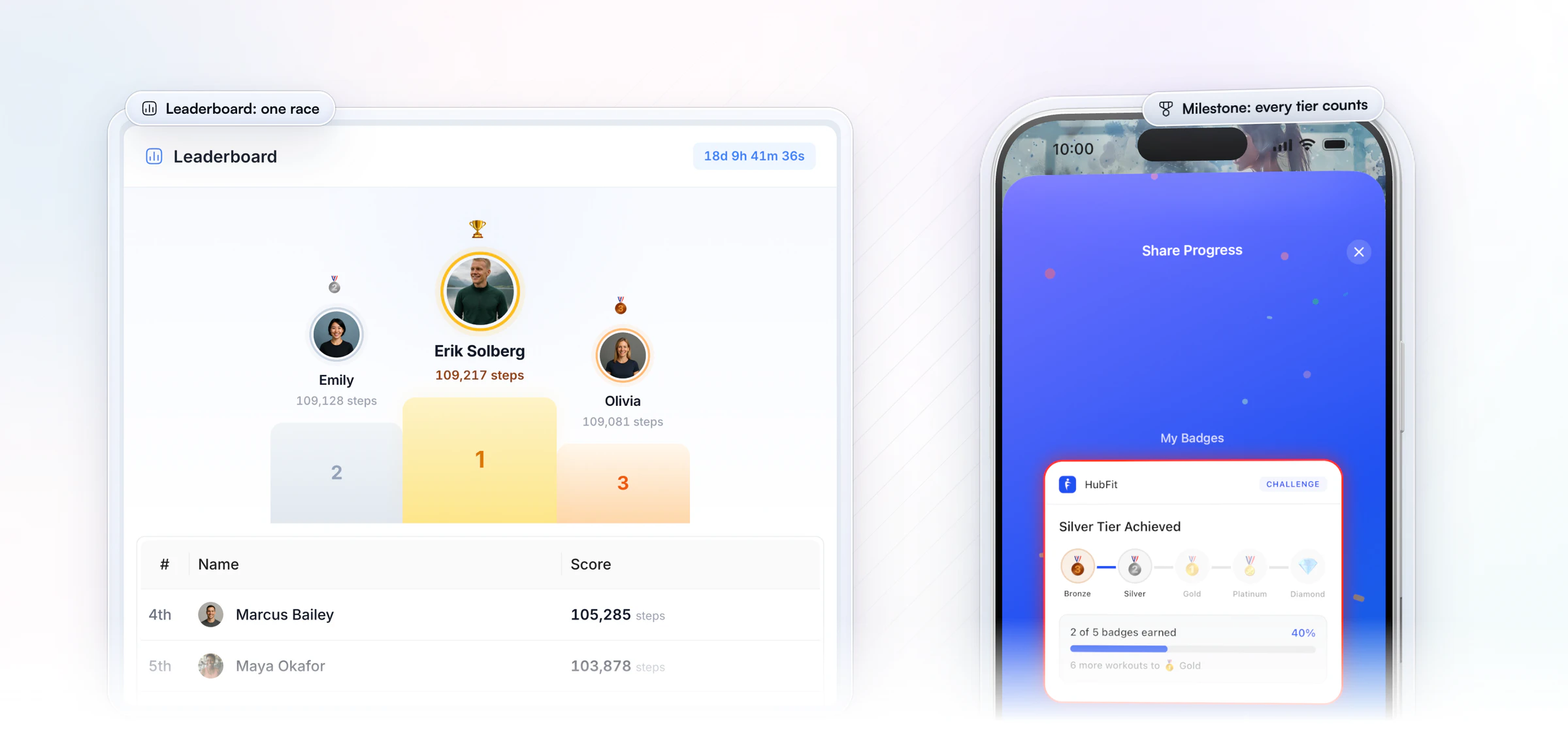
Use a leaderboard for a competitive group of similar ability, and a milestone challenge for everyone else.
A leaderboard ranks every client on one total. It brings energy to a group that likes to compete, but in a mixed group the beginner in last place quietly gives up.
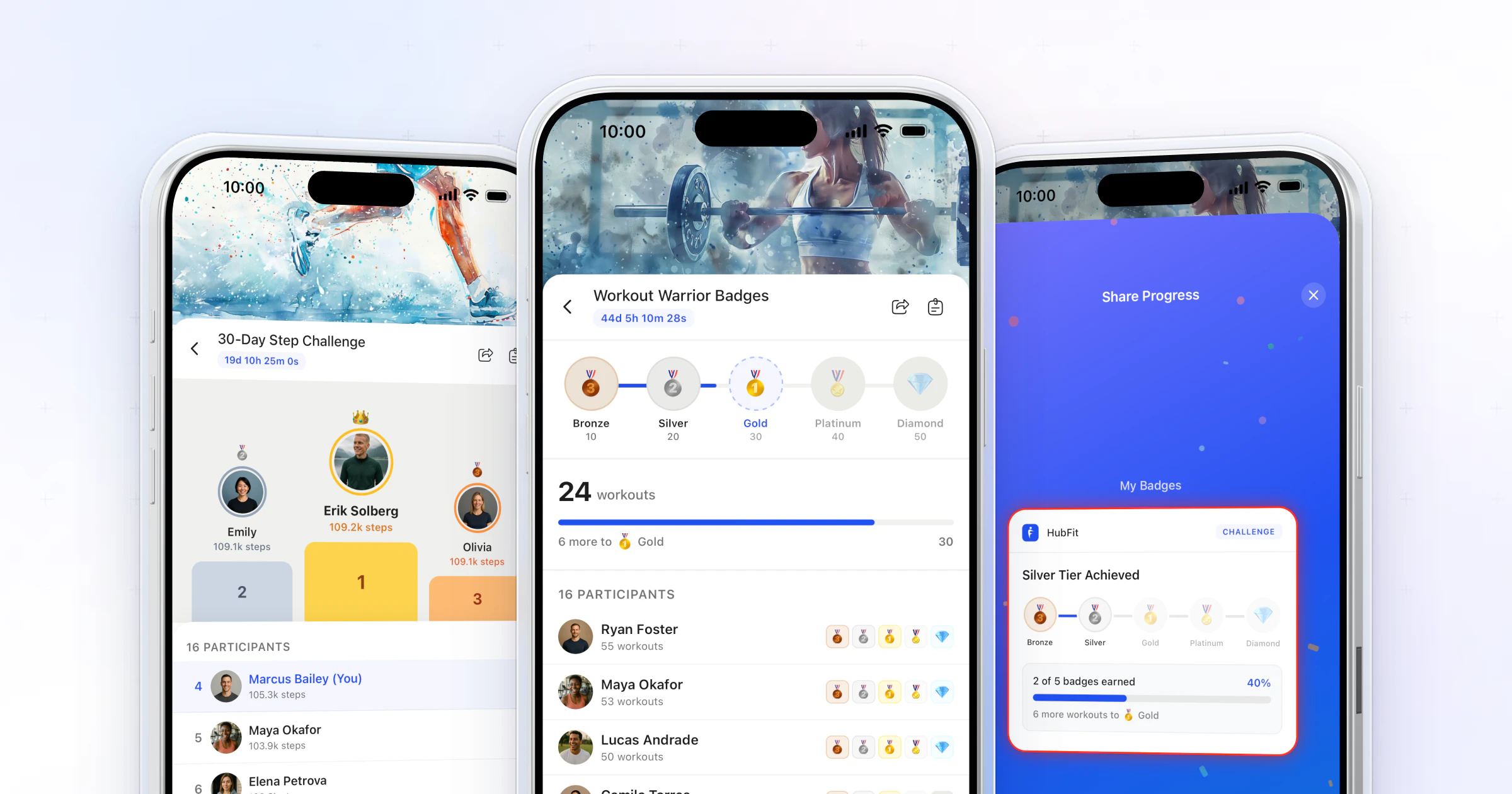
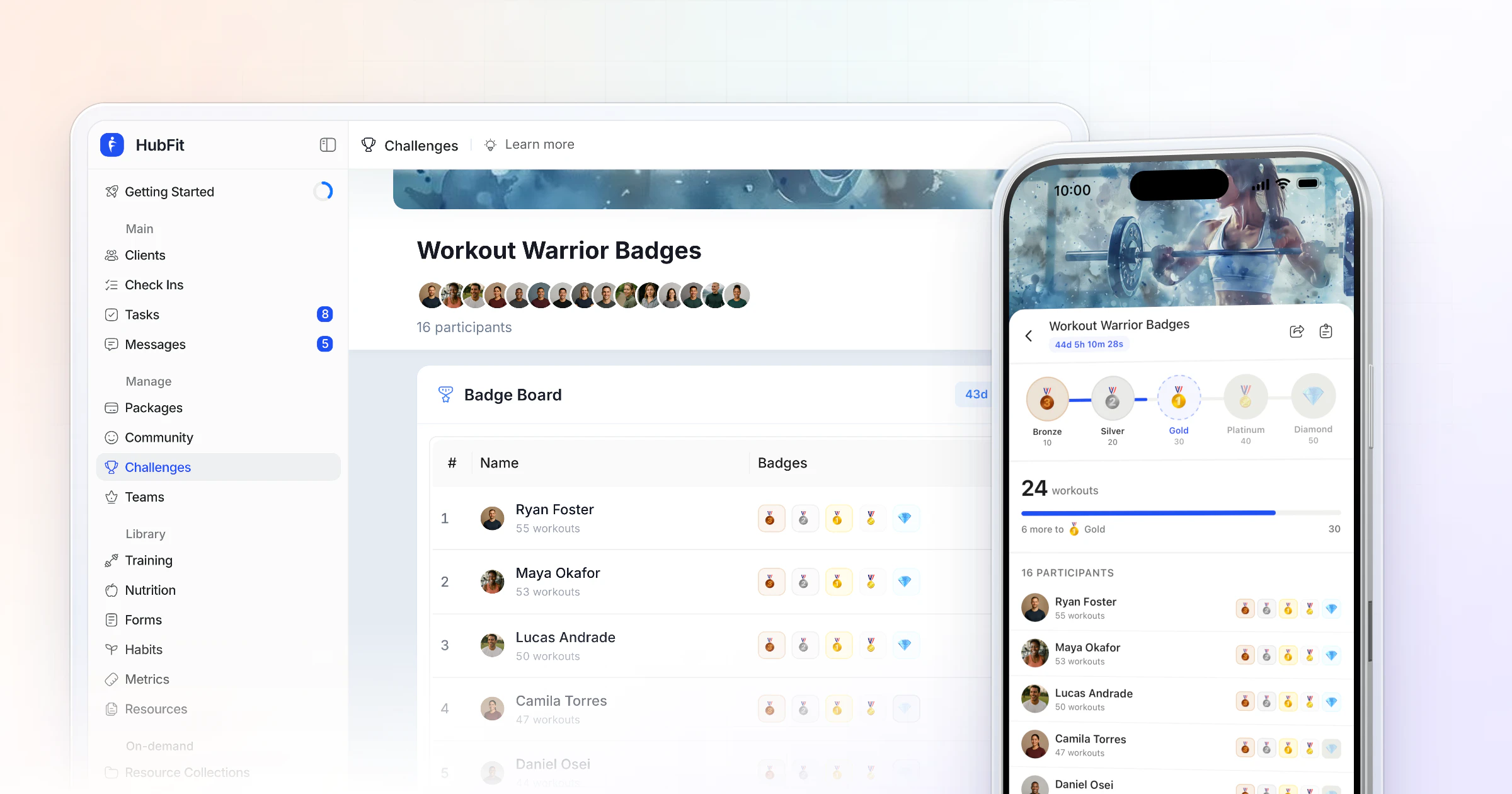
A milestone challenge has five badge tiers, from Bronze to Diamond, and nobody loses: every client who hits a threshold earns the badge. When in doubt, pick milestone. Our leaderboard vs milestone challenges guide goes deeper.
3. Set the length and a start date
Run most client challenges for 2 to 6 weeks, starting on a fixed Monday. In HubFit a challenge can run anywhere from 3 days to 2 months.
| Challenge | Length | Why |
|---|---|---|
| Leaderboard sprint | 2 to 3 weeks | Tension stays high |
| Milestone | 4 to 6 weeks | Room for every tier |
| Past six weeks | Start a new one | A fresh start lifts energy |
A shared start date makes it an event: everyone begins together. Past six weeks, run a new challenge instead of stretching one. A fresh start brings back the energy a long one loses.
4. Set badge tiers that start easy
Make the first tier reachable in week one and the last tier possible only for clients who never miss a week.
Worked example, using the Medals theme (Bronze to Diamond): a 4-week sessions challenge for clients on 3 sessions a week (12 possible). Set the tiers at 3, 6, 9, 11 and 12 sessions. A client who trains every planned session in week one already has Bronze on day 7. Silver and Gold reward steady weeks. Platinum allows one missed session. Diamond is for a perfect month.
Set all five targets before you save the challenge: in HubFit the badge theme and the targets lock once the challenge is created.
5. Write the rules in three lines
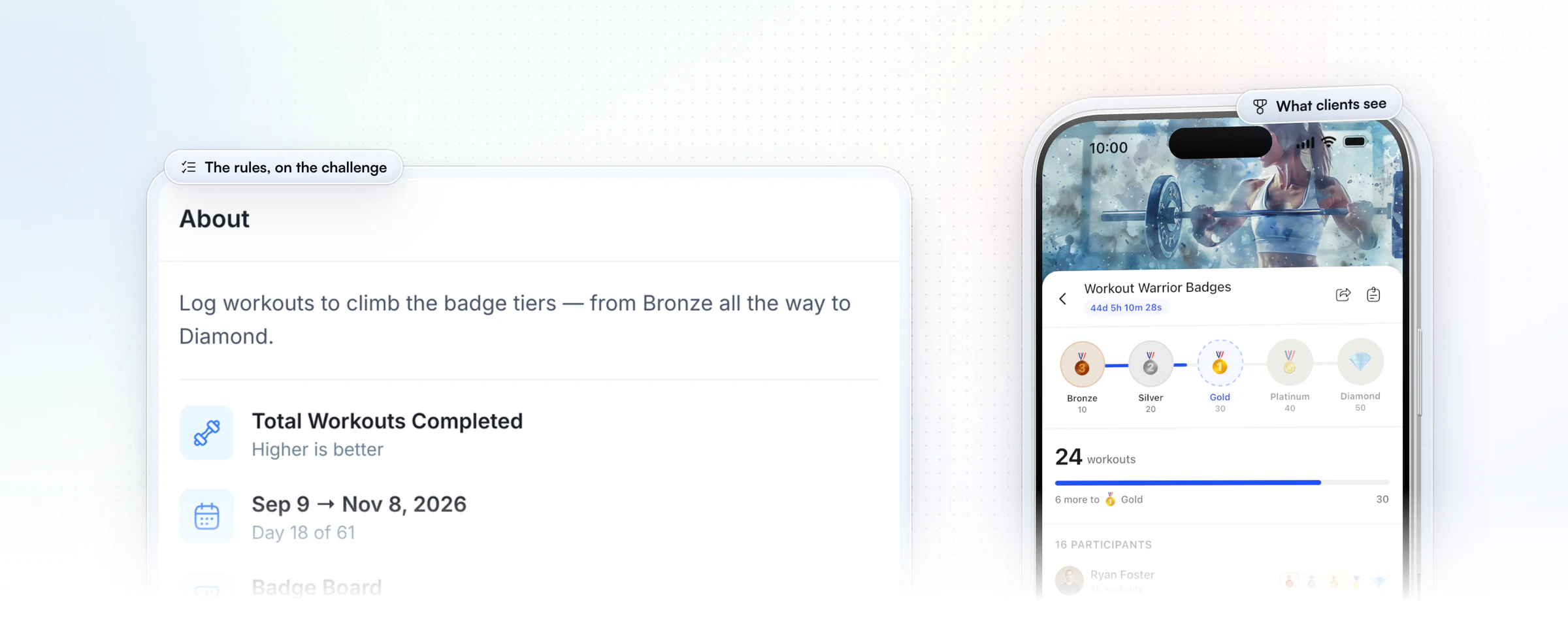
Clear rules prevent arguments: what counts, when it counts, and who sees the numbers.
- What counts: name the metric (completed workouts, days logged, steps) so clients know exactly what moves their score.
- When it counts: the start and end dates, and that only activity inside them counts.
- Who sees what: a leaderboard shows names, photos and totals to the group. Tell clients before they join.
Put the first line in the challenge's description too, so clients see it every time they open the challenge.
6. Launch it with a message
Explain the challenge before it appears in the app, or most clients scroll past it.
Copy this plan and fill it in:
Name: 4-Week Consistency Challenge
Behavior: train every planned session
Metric: total sessions
Mode: milestone, badge tiers (Medals)
Dates: Monday, November 2 to Sunday, November 29
Tiers: 3, 6, 9, 11, 12 sessions
Rules: every workout you complete in the app counts
Then send the launch message:
Monday we start a 4-week challenge. Every session you log counts automatically. There are 5 badges. Bronze comes in week one if you show up. I want to see everyone at Gold or higher. Let's go.
A voice note works as well as text. In HubFit, you can start from one of the 25+ templates and set your own dates and targets.
7. Keep the middle alive, then end it well
Every badge and every change at the top is a reason to message a client, so use them.
When a client earns Silver, send one line: "Saw your Silver badge, great week." Mid-challenge, post the leader or the number of clients past the first tier in your group chat or client community.
When it ends, thank everyone, name the winners or the full set, and tell them what starts next. Then plan the next challenge, with a different metric, a month later, and keep to one or two running at once. For more ways to keep clients engaged between sessions, see our guide on accountability between check-ins.
HubFit does the reminders for you. Every client gets a push when the challenge starts, another 24 hours before it ends, and one when it's complete. You get alerts when a client takes the lead or enters the top 3 on a leaderboard, and when a client earns a badge or completes them all on a badge challenge.
How to run a fitness challenge to get new clients
A free challenge for people who aren't your clients yet is one of the simplest ways to win new ones: it lets them feel your coaching for a few weeks, then you invite the ones who showed up. In HubFit it runs in four steps. Packages come with Premium and up.
- Open sign-ups on one link. Make a Free package, or a low-price One-Time package, for the challenge. Each package has its own page and link, so share it with your followers, announce a sign-up deadline and a fixed start date, and stop sharing the link when sign-ups close.
- Let the onboarding flow do the setup. The package's onboarding flow enrolls each new sign-up in the challenge. Its Feature Control switches turn each part of the app on or off, so a free challenger sees only what you switch on.
- Show up once a day. One short post or message a day keeps a group of strangers moving, and the Started, Ending Soon and Complete pushes go out by themselves.
- Invite the ones who engaged. When it ends, the leaderboard or badge board shows who showed up. Send those people one invitation to coach with you, not everyone a sales pitch.
Because everyone who signs up is already inside your coaching app, saying yes to coaching is one step, not a new download. An onboarding flow runs only for new sign-ups, so add your existing clients to the same challenge by hand. For the rest of the plan, see how to get more personal training clients and how to set up an onboarding flow that welcomes them.
How HubFit runs your challenge for you
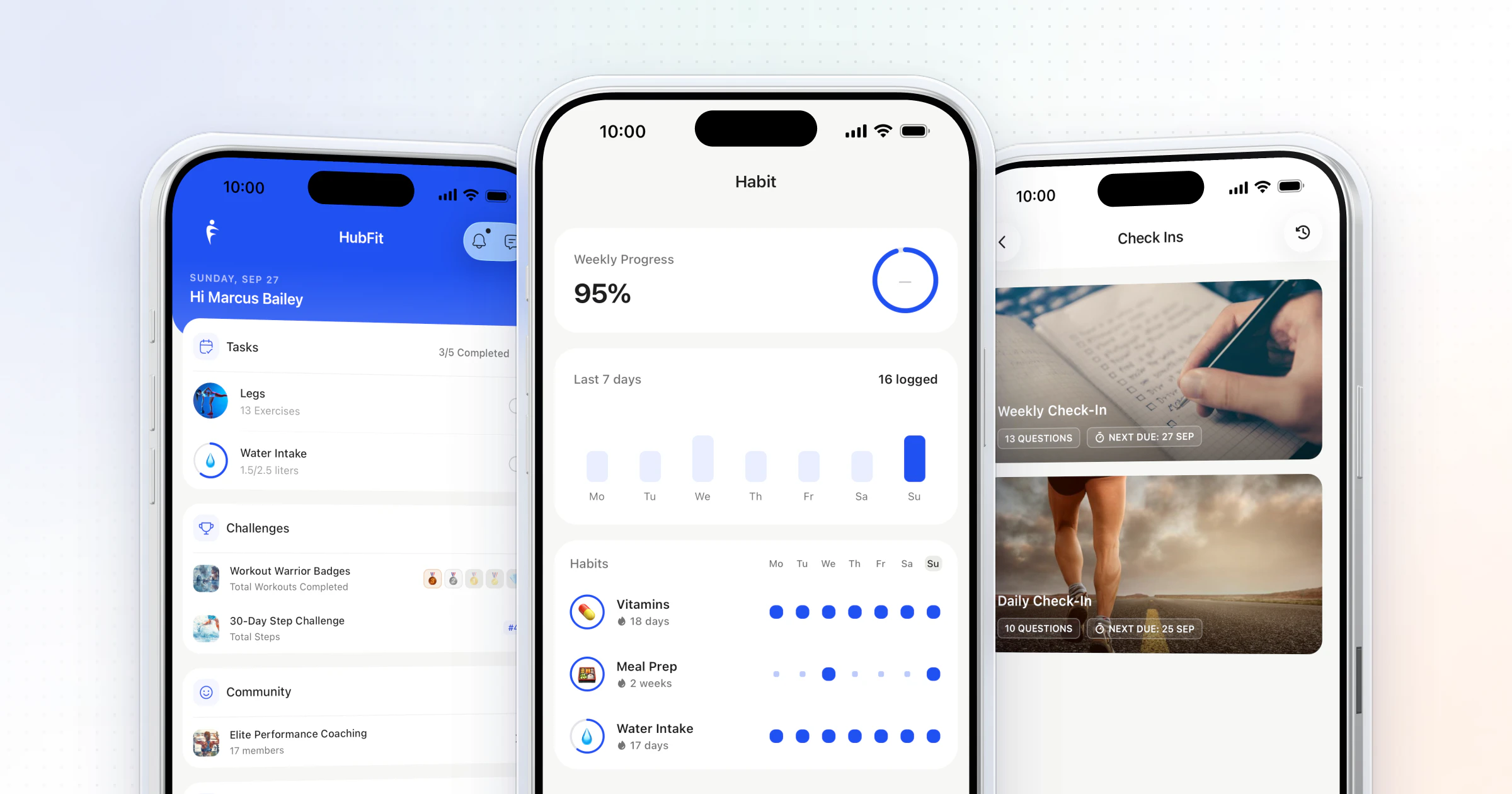
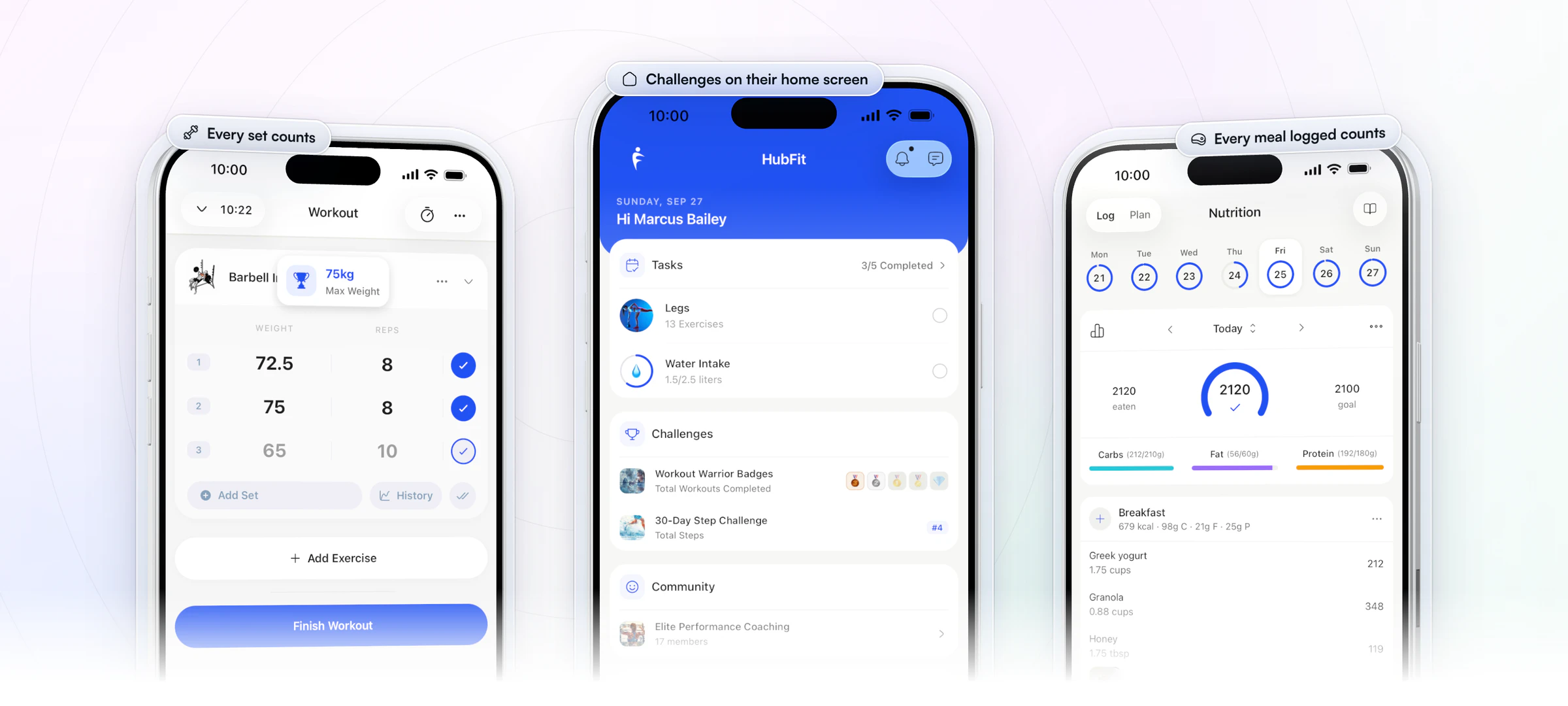
HubFit, the #1 coaching app, rated 4.9 on the App Store and Google Play, runs a challenge inside the same app your clients already train, eat and check in with, so the steps above take care of themselves. The challenge sits on each client's home screen next to today's workout, and every set, meal and step they log moves their score.
- The score keeps itself. Seven metrics count from what clients already do: total sessions, volume and reps from workouts; days logged, calorie target days and protein target days from the food log; and total steps from Apple Health or Health Connect.
- Clients join in one window, or by themselves. Pick who joins in a single list, or let an onboarding flow add every new client the day they sign up.
- Nobody misses the start or the finish. The pushes to clients and your alerts go out on their own, so your messages are the personal ones.
- The wins travel. Clients post their badge as an Instagram-ready share card, which puts your coaching in front of their friends.
- Free for your clients. They join from the app they already use, at no cost to them.
Watch a challenge set up from start to finish:
Why most fitness challenges fail
Most fitness challenges fail for the same few reasons, and each has a simple fix you can make before day one.
| Mistake | What happens | The fix |
|---|---|---|
| Too many behaviors | Nobody knows what counts | One behavior, one number |
| Manual reporting | Entries stop by week two | Count it from the app |
| First tier too high | No early win, people stop | Bronze in week one |
| Top tier too low | The best finish in week two | Diamond for a perfect run |
| Leaderboard, mixed group | Beginners give up quietly | A milestone challenge instead |
| Longer than six weeks | Energy fades mid-way | End it, start a new one |
| No launch message | Clients scroll past it | Announce it before day one |
| Nutrition on a leaderboard | Clients race each other's targets | Keep food on a milestone |
| A silent middle | Week three goes quiet | Celebrate every badge |
The pattern behind all nine: anything that makes a client do extra work, or lose before they start, ends the challenge early. Fix those two and the rest of the setup matters far less.
Teams or solo, prizes and privacy
Run most client challenges solo, give recognition rather than cash, and tell clients who will see their numbers before they join.
| Choice | Pick it when | Watch out for |
|---|---|---|
| Solo leaderboard | Similar levels, short race | Last place drifts away |
| Solo milestone | Mixed levels, longer run | Tiers set too high |
| Teams (you add up scores) | Clients already know each other | HubFit ranks clients one by one, so you total each team yourself |
| Entry fee | It's a paid product | Prizes turn into gaming |
Prizes work best as recognition: a shout-out in your group chat or community, the share card, or an extra call for the winner. A cash pot turns a coaching tool into a contest people game. If you want money in the challenge, charge for the challenge itself, as in the section above, rather than paying out a prize.
On privacy, the leaderboard shows each client's photo, name and score to everyone in the challenge. Tell clients this before they join, and run a milestone challenge for any group that would rather keep its numbers to itself.
Fitness challenge ideas to start with
The best first challenge is one your clients already half do: pick from these, all counted automatically unless marked as a habit. The modes and lengths are our picks.
- Training: 12 sessions in 4 weeks (milestone, total sessions). A 1,000-rep month (milestone, total reps). A 2-week volume race for lifters at a similar level (leaderboard, total volume).
- Steps: a 30-day step sprint (leaderboard, total steps). 300,000 steps in 30 days (milestone, total steps).
- Nutrition: log food every day for 21 days (milestone, days logged). Hit the protein target 5 days a week for 4 weeks (milestone, protein target days). A 4-week calorie target block for a gaining phase (milestone, calorie target days).
- Habits: water, sleep or mobility every day for 21 days, as a daily habit with a streak rather than a challenge.
Want more? We collected 30 more fitness challenge ideas, from step sprints to protein weeks.
Spreadsheet and group chat, or an app?
A spreadsheet works for 5 clients and one challenge; past that, the admin outgrows the challenge.
| Task | Spreadsheet and chat | HubFit |
|---|---|---|
| Collecting progress | Clients send screenshots | Tracked from their logs |
| Ranking | You re-sort by hand | Ranked automatically |
| Badges | Emojis in a chat | 8 badge theme sets |
| Celebrating wins | If you remember | Notified when it happens |
| Joining | You add each client | Pick from one list, or auto-enroll |
Every manual step is a reason to drop out. Clients forget to send numbers, you chase them in DMs, and by week two you are running a spreadsheet instead of coaching. When progress comes from the workouts, meal logs and steps clients already record, a challenge takes a few minutes to set up and saves you hours a week of chasing and re-sorting. You can try it free for 14 days and launch your first one this week.
FAQ
These are the questions coaches ask most before their first challenge.
How long should a fitness challenge last?
Most client challenges work best at 2 to 6 weeks: leaderboard sprints at 2 to 3 weeks, milestone challenges at four to six so every tier has room. HubFit runs a challenge for anything from 3 days to 2 months. Past six weeks, end it and start a new one with a different metric.
How do I start a fitness challenge for free?
Make a Free package for the challenge, attach an onboarding flow that enrolls each sign-up, and share the package's link. You can set it all up inside HubFit's 14-day free trial.
Can I run a fitness challenge for people who aren't my clients yet?
Yes. Share a Free or One-Time package's link, and its onboarding flow adds each person to the challenge as they sign up. They land inside your coaching app, so inviting them to coaching afterwards is one message.
Should a client challenge have prizes?
Recognition works better than cash. Shout out the winners in your group chat or community, let clients share their badge, or give the top finisher an extra call. Cash prizes invite gaming the rules, while recognition keeps the focus on the habit.
How many challenges should I run at once?
One or two. If you run two, pair different behaviors, such as a sessions challenge and a days-logged challenge, or a short leaderboard alongside a longer milestone challenge. Three or more at once spread clients' attention thin.
Can I run a step challenge with my clients?
Yes. Steps are the easiest challenge to run because clients don't log anything: in HubFit, step counts come in from Apple Health or Health Connect. Our guide on how to run a step challenge covers targets and length.
Can my team members create challenges?
Only the workspace Owner creates challenges in HubFit. Team members coach their clients as usual, and each coach can choose the challenge alerts they get.
What app can I use to run challenges with my clients?
HubFit runs leaderboard and milestone challenges inside your coaching app, tracked from workouts, meal logs and steps. See how it compares in our guide to fitness challenge software, or explore challenges in HubFit.
Start your first challenge this week
Pick one behavior, set the tiers, send the launch message, and let the app track, rank and celebrate it for you. Run it for your clients, or put it on a free link and let it bring in your next ones.