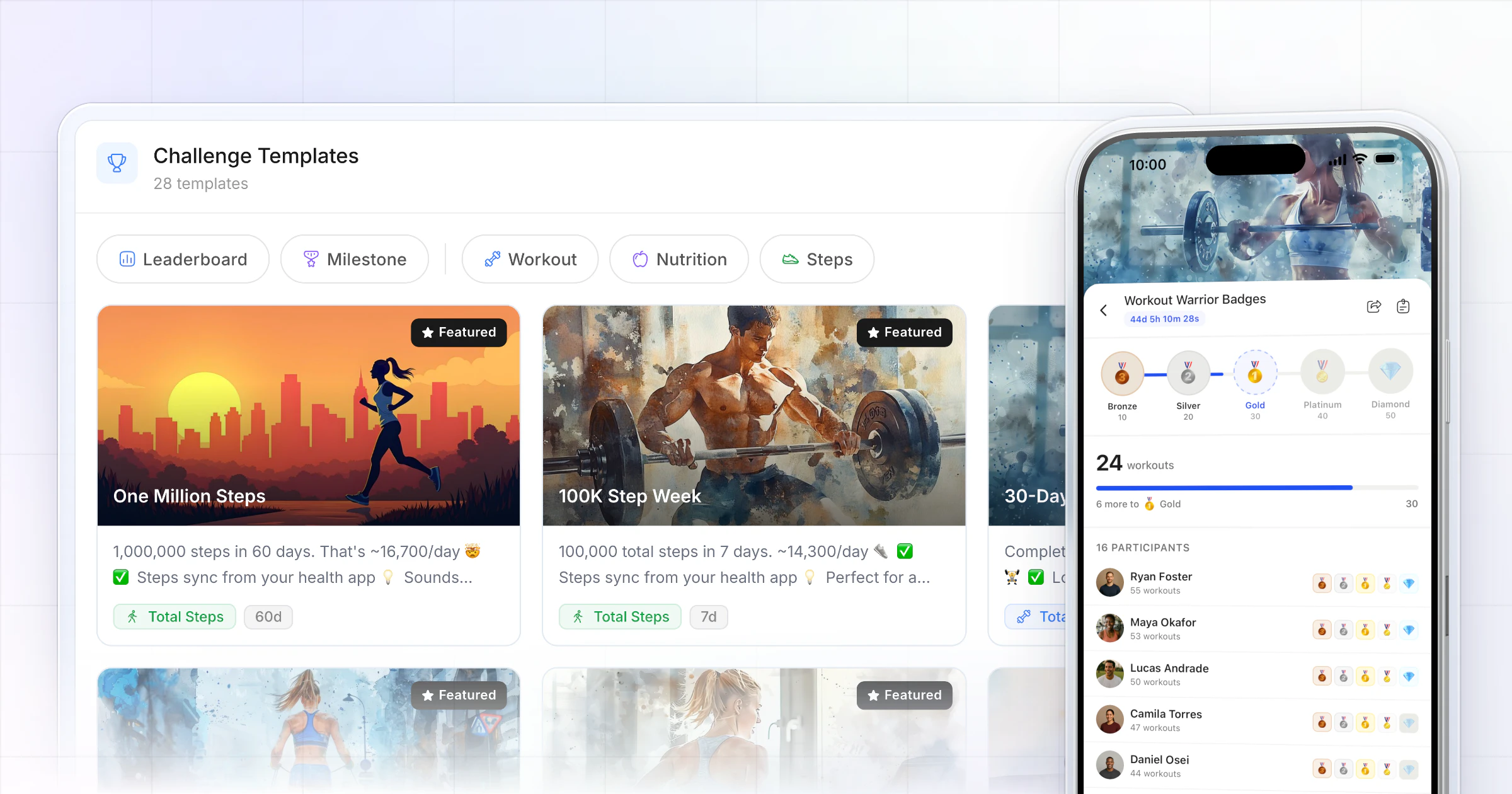
Our pick for the best fitness challenge software for coaches is HubFit, the #1 coaching app. Clients' workouts, food logs and synced steps move the leaderboard or unlock badges on their own, so you never update a spreadsheet. You can also sell a challenge, or run a free one for leads, from the same app. We make HubFit, and here's how it compares with five other platforms.
Key takeaways
- HubFit is our top pick: leaderboard and milestone challenges live in the same app your clients train and log food in.
- Choose software that tracks progress for you: workouts, food logs and synced steps should count without anyone typing a number.
- A challenge can be a product: sell it as a one-time package, or give it away as a free package that brings in leads.
- Milestone badges keep beginners in the game; leaderboards fire up your competitive clients.
What is fitness challenge software?
Fitness challenge software runs a time-boxed competition or goal for your clients: it counts what they do, ranks them or awards badges, and tells you who's moving. The best kind lives inside your coaching app, so a finished workout or a logged meal counts without anyone typing a number.
That's the difference between a challenge that lasts 30 days and one that dies in week one. If clients have to report their own numbers, they stop. If you have to sort a scoreboard every evening, you stop. Run well, a challenge is one of the simplest ways to keep clients longer: it gives them a reason to open the app on the days you don't speak.
The research backs the format: a game with points, levels and a leaderboard raised daily steps more than a wearable with feedback alone in a randomized trial, and a meta-analysis of randomized trials found gamified programs raised physical activity, with a smaller effect still there at follow-up.
The challenge platforms, ranked
HubFit ranks first of six, and the others follow by how well they suit a coach running client challenges.
How we compared them: we looked at what decides whether a challenge gets finished, meaning progress that tracks itself, a mode for every kind of client, and challenges in the app clients already open. Our top pick does all three in one app. Which coaching platforms have the highest user engagement rates? There's no shared, like-for-like measure across platforms, so we compared the features that keep clients taking part instead.
1. HubFit
The top pick for online coaches and personal trainers who want challenges in the same app as training, nutrition, habits and check-ins. It's the #1 coaching app, rated 4.9 on the App Store and Google Play, and it's free for your clients, so nobody downloads a second app to join.
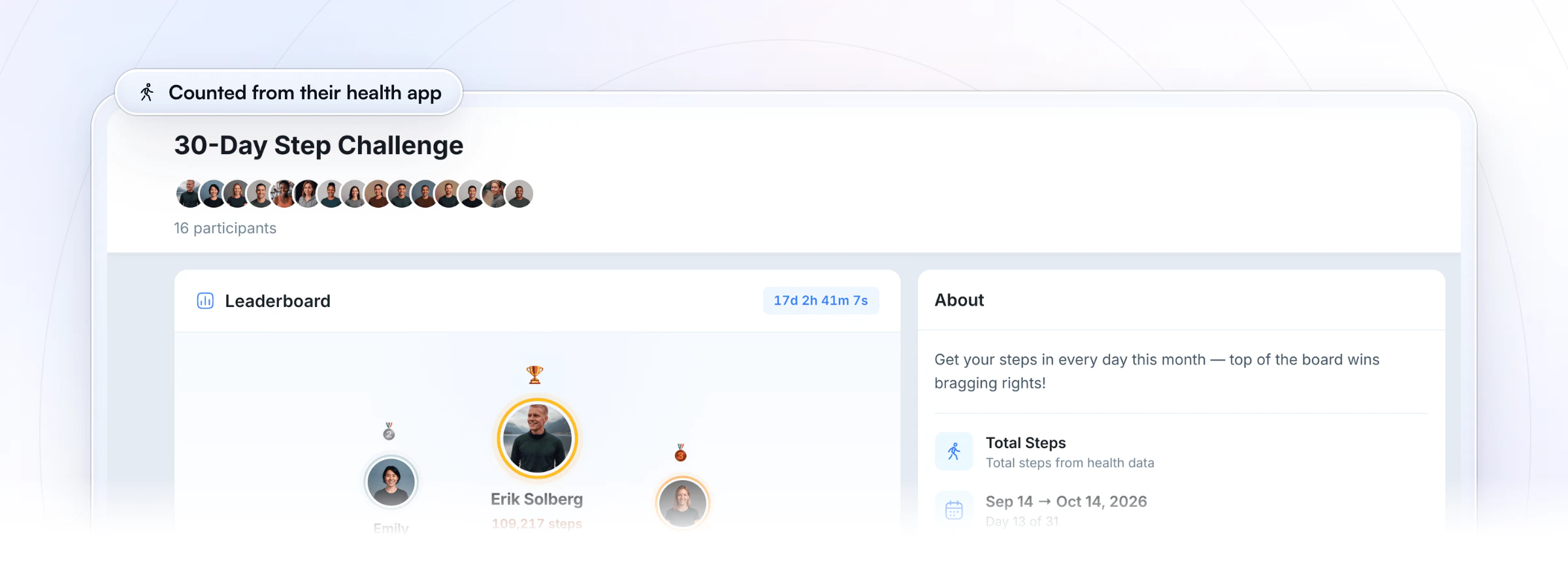
Seven metrics that keep score by themselves. HubFit puts challenges next to everything else you coach, so a challenge runs on the data clients already log. A finished workout adds to total sessions, volume and reps. A logged meal counts toward days logged, calorie target days and protein target days. Total steps sync from Apple Health or Health Connect, from the client's phone or wearable. Challenges come with Premium and up, and you can sell one or give it away through a package.
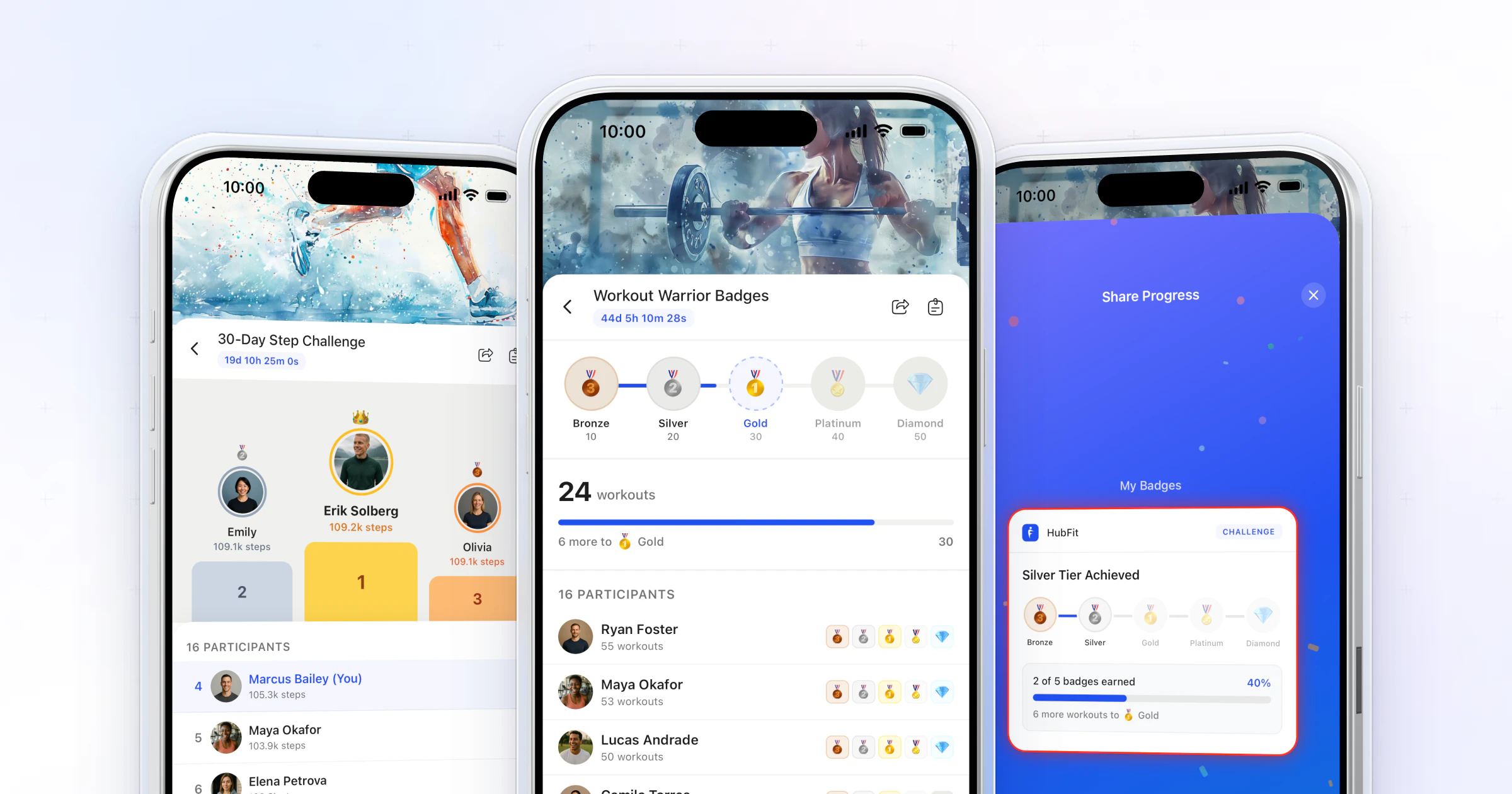
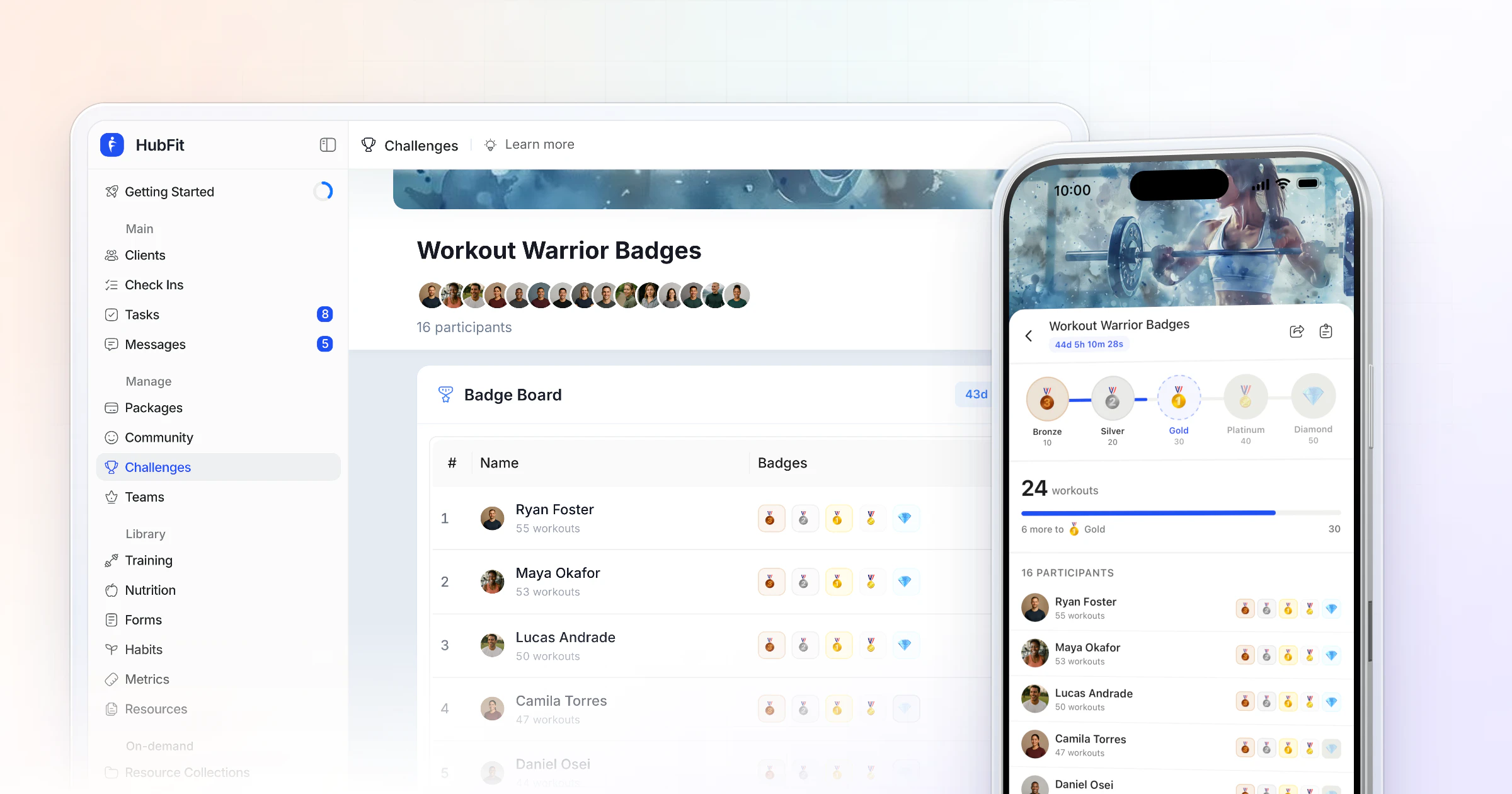
Leaderboards and milestones, side by side. A leaderboard ranks your competitive clients, while milestones let each client earn badges at their own pace. Run both at once for different groups. Clients see where they rank or how close the next badge is. Every badge they unlock comes with a branded share card to post on social media, which puts your coaching in front of their friends.
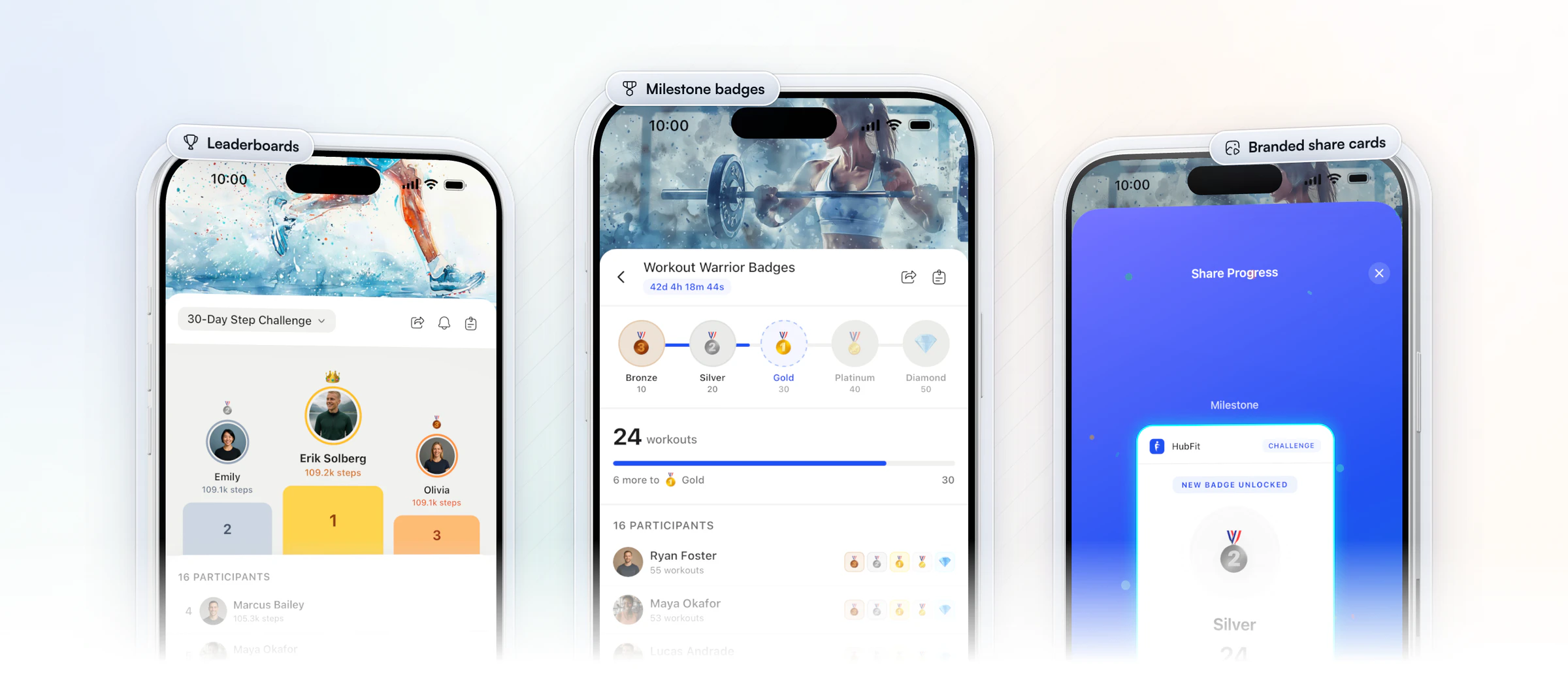
Pushes for clients, alerts for you. Every client gets a push when a challenge starts, the day before it ends and when it's complete. You never have to chase anyone into taking part. You pick your own alerts: when a client enters the top 3, takes the lead, earns a badge or completes them all.
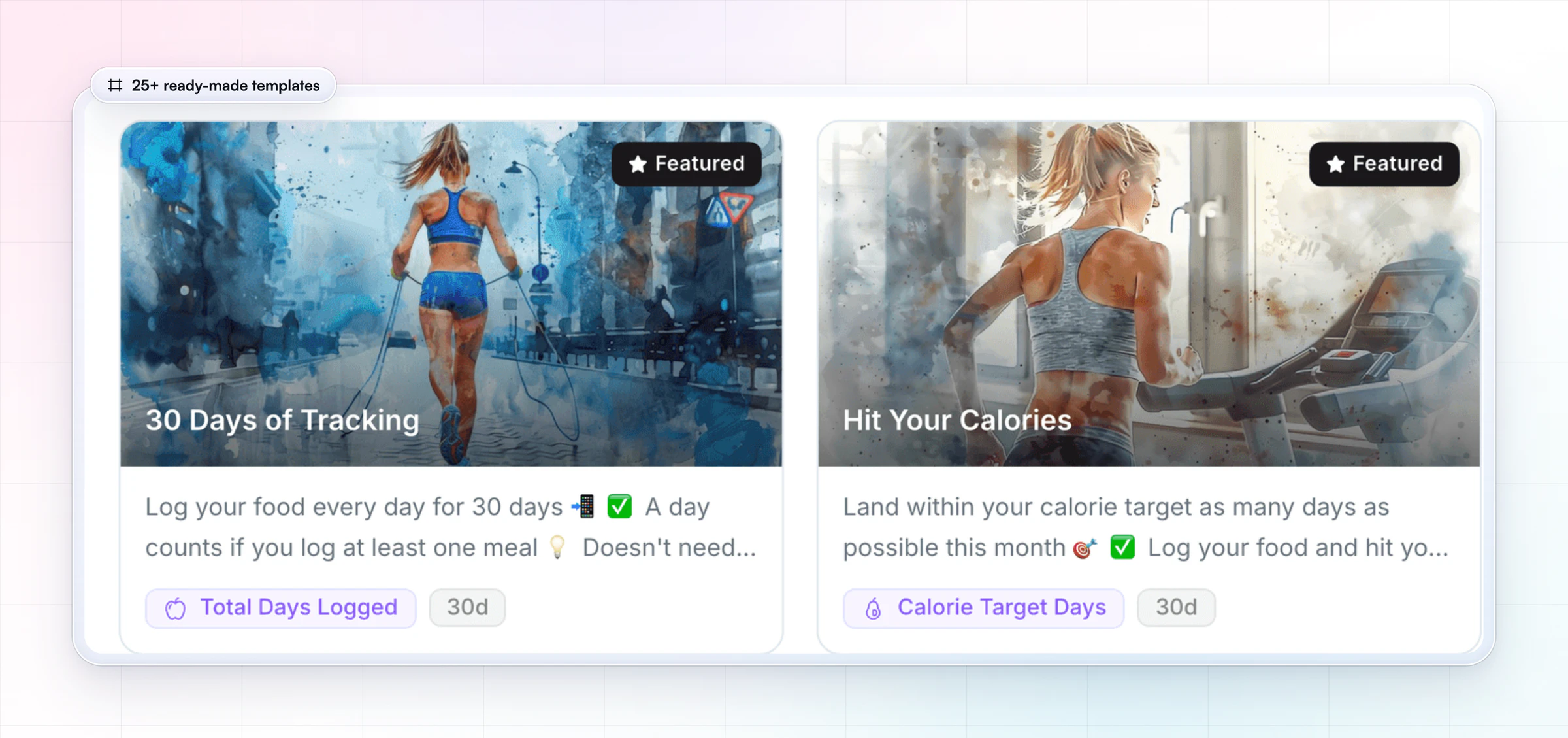
25+ templates and 8 badge themes. Setting one up is quick. Start from a ready-made template, and for a milestone challenge pick one of 8 badge themes, from Medals and Iron to Summit and Warriors. Set the dates, anything from 3 days to 2 months, and let it run.
2. Trainerize
Trainerize is built for independent personal trainers, nutrition and lifestyle coaches, studios and gyms, and larger clubs with several locations. For challenges, it offers leaderboard challenges and threshold challenges, and clients can also earn points from step goals, water goals and referrals, which it marks as beta. Its Groups, a private social space of up to 1,000 members with photos, @mentions and reactions, sit in the same app, and habit streaks and badges come on every plan.
Pricing works by client seats: a free plan for one client, a small entry plan, then Pro and Studio plans that step up by client count. Nutrition planning, payments, video calls and business tools are add-ons below Studio, which includes them. Before you commit, check which plan unlocks challenges and Groups, and which metrics a challenge counts by itself. In HubFit, challenges count workouts, food logs and steps on their own.
3. Everfit
Everfit is built for fitness coaches, gyms and studios, nutrition coaches and sport coaches. Its leaderboards are created inside Autoflow, its automation add-on, and can rank weight loss, percentage change, volume, reps, steps, tasks, workouts and push-ups. An AI push-up challenge counts reps with the phone camera, and it is set up through Autoflow too. Its Community Forums, with posts, reactions and coach polls, come with its paid plans.
Pricing starts with a free plan for a few clients, then Pro and Studio plans priced by client count. Automation, payments, meal plans and on-demand content are add-ons, and Autoflow is metered by the number of clients you put in it. Before you commit, price that add-on for the number of clients you'd enter into a challenge. In HubFit, challenges aren't an add-on: both leaderboard and milestone modes are included.
4. PT Distinction
PT Distinction is built for personal trainers and hybrid and online coaches, and it markets every feature as included, with no add-ons. It runs challenges through Groups, which it describes as a way to offer challenges, trials, flagship programs and group training, with a group messenger or forum you can switch on or off. Packages sold through Stripe or PayPal can enroll clients automatically and start a welcome workflow, and it syncs with MyFitnessPal, Fitbit, Apple Health and MyZone.
Pricing has three plans, each with a set number of clients included and a monthly charge for every client above that limit, and extra trainers are free. Before you commit, check which metrics a group challenge tracks and how it keeps score. In HubFit, a challenge is its own feature with seven metric types, from sessions and volume to protein targets and steps.
5. Kahunas
Kahunas is built for online coaches and personal trainers, with an emphasis on one-to-one onboarding. It doesn't list challenges or leaderboards in its plans or feature list. What it does list for keeping clients engaged is custom habit tracking with daily reminders, login streaks and a water tracker in the client app, group chat and group coaching packages. Wearables connect through Apple Health or Google Health Connect, and their metrics can feed into check-in forms.
Pricing has three plans by client count, from a starter plan with a client cap to unlimited clients on the top plan. Extensions such as group chat are an add-on on the middle plan and included on the top plan, and team members are paid per seat on the top plan only. Before you plan a challenge, ask how you'd run one and keep score. In HubFit, you start one from 25+ templates and progress tracks itself.
6. TrueCoach
TrueCoach is built for personal trainers and strength coaches, from bodybuilding and weightlifting to CrossFit, physical therapy and university programs. It doesn't list a challenge or leaderboard feature. Around engagement, it offers a habit tracker, with macros, weight, sleep, steps and stress on its two upper plans, a compliance rate over 7, 30 and 90 days that flags clients whose compliance drops, and group messages of up to 20 people. Its Groups are client segments for messaging and assigning programs.
Pricing has three plans by number of active clients, billed monthly or annually, with special pricing above the top plan, and it lists no add-ons. Before you commit, plan where a challenge would run and how you'd keep score. In HubFit, challenges run inside the client app, next to training, nutrition and check-ins.
How the 6 challenge platforms compare
HubFit leads because its challenges count workouts, food logs and steps by themselves; the others differ in how you get challenges and what they track.
| Platform | Challenges | What to check |
|---|---|---|
| HubFit | Leaderboards and milestones | Tracks workouts, food and steps |
| Trainerize | Leaderboard and threshold | Which plan includes them |
| Everfit | Leaderboards | Inside its automation add-on |
| PT Distinction | Challenges through groups | Which metrics they track |
| Kahunas | Not in its feature list | Ask before you plan one |
| TrueCoach | Not listed | Run them outside the app |
What should fitness challenge software have?
Fitness challenge software should track progress by itself, suit both competitive and beginner clients, and tell everyone what's happening without you sending a message. Use this checklist of features to look for when you compare tools; the last column shows how our pick covers each point.
| Feature | Why it matters | In HubFit |
|---|---|---|
| Automatic tracking | Nobody types in a number | 7 metrics, tracked for you |
| Two modes | Racers and beginners both play | Leaderboard and milestones |
| Templates | No blank page to start from | 25+ ready-made challenges |
| Wearable steps | Steps count without logging | Apple Health, Health Connect |
| Pushes to clients | Nobody misses the start or end | Started, Ending Soon, Complete |
| Coach alerts | You cheer at the right moment | Top 3, new leader, badges |
| Share cards | Clients' friends see your work | Branded, Instagram-ready |
| Auto-enrollment | New buyers join by themselves | Through onboarding flows |
| Flexible length | Sprints and longer blocks | 3 days to 2 months |
The two rows coaches most often skip are the pushes and the share cards. The pushes keep a challenge alive without you: every client hears when it starts, again 24 hours before it ends, and when it's complete.
The share cards are how a challenge reaches people outside your client list, which matters most if you run challenges to grow. A share card carries your brand when you've set up your logo and colors, and for more ways to get clients talking to each other, see our guide to building a client community.
What does a challenge platform track automatically?
A good challenge platform counts progress from data clients already log; in HubFit that's seven metrics across workouts, nutrition and steps.
| Metric | Counts from | Good for |
|---|---|---|
| Total sessions | Completed workouts | Training consistency |
| Total volume | Workout logs | Strength blocks |
| Total reps | Workout logs | Bodyweight months |
| Days logged | Food log | Nutrition habits |
| Calorie target days | Food log | Fat-loss phases |
| Protein target days | Food log | Muscle-gain phases |
| Total steps | Apple Health, Health Connect | Every client |
Nutrition challenges count food logged in HubFit's own food tracker, one point a day at most, and calorie or protein target days use the macro targets you set for each client.
Steps are the easiest place to start because the phone does the logging; our guide to running a step challenge with Apple Health walks through one.
Leaderboard or milestone: which mode should you use?
Use a leaderboard when your group likes to compete, and milestones when you want every client to finish. A leaderboard ranks everyone on one podium; milestones give each client a ladder of five badges, such as Bronze to Diamond, to climb at their own pace.
Beginners drop out of leaderboards once they see they can't win, so milestones suit mixed groups. In a milestone challenge you set the five targets yourself when you create it. We compare the two in depth in leaderboard vs milestone challenges.
Can you sell a fitness challenge, or run a free one for leads?
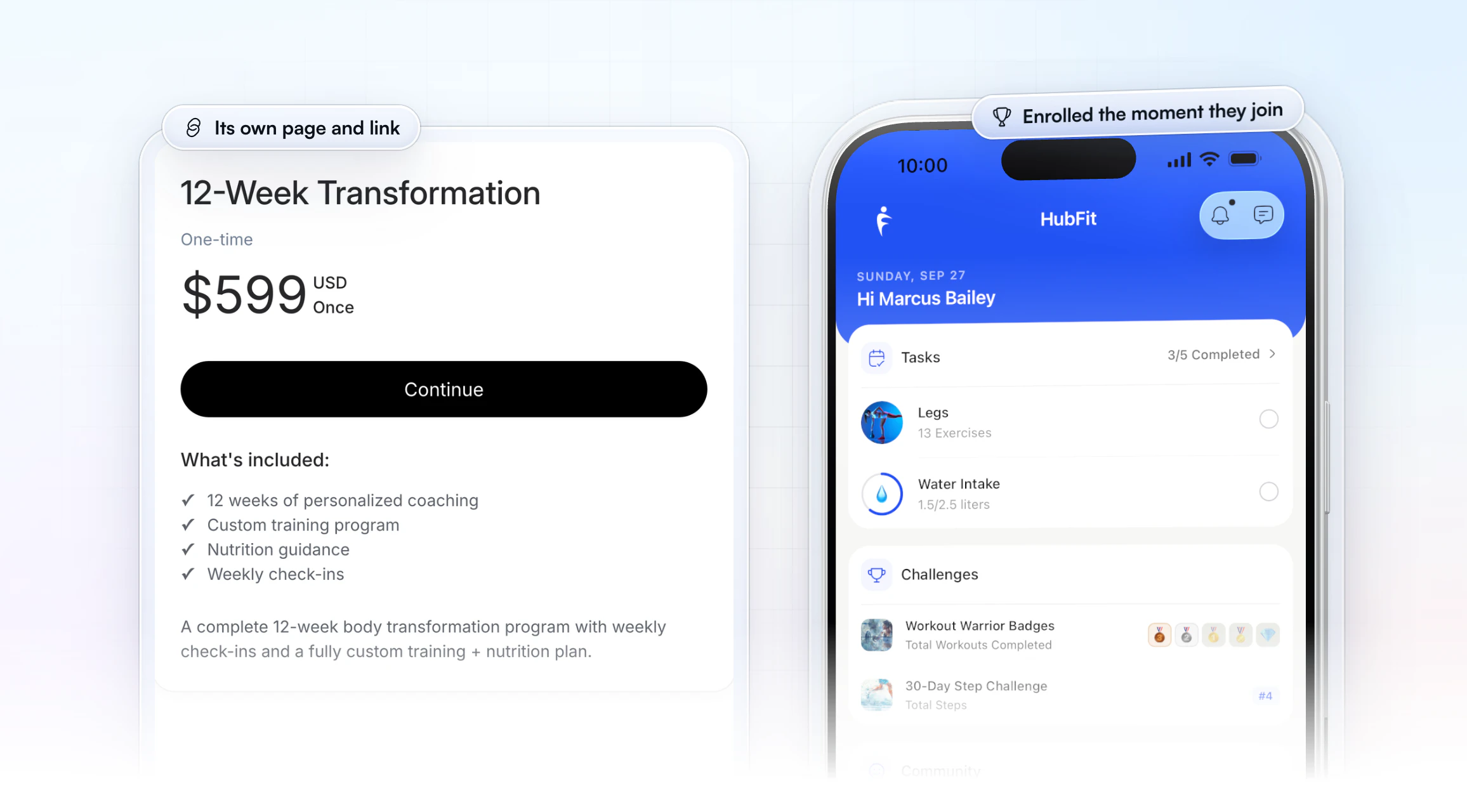
Yes. In HubFit a challenge can be the product itself: make a One-Time package for a paid challenge, or a Free package for a lead challenge, and its onboarding flow enrolls each person in the challenge the moment they pay or sign up. Packages come with Premium and up.
That turns a challenge from a nice extra into a way to earn or to grow:
- A paid challenge. A One-Time package gets its own page and link, with a Stripe checkout. HubFit adds no transaction fee: you pay Stripe's standard rate only. Fitness creators already sell high-ticket challenges alongside programs and subscriptions.
- A free lead challenge. A Free package asks for a name and an email, and the person lands inside your coaching app, not a group chat or a separate tool. Everyone who joins is already set up when you invite them to coach with you.
- One flow per package. The package's onboarding flow enrolls the new client in the challenge and can also assign a program, habits or check-ins. Its Feature Control switches turn each part of the app on or off for that client, so a free challenger sees only what you switch on.
Keep a paid challenge short enough to sell on a clear promise, and keep a free one short enough that people finish it. Then make the next step obvious: a paid block after a free challenge, or coaching after a paid one. For pricing the block that follows, see how to price online coaching packages.
Fitness challenge software for coaches, trainers and gyms
The same software suits online coaches, personal trainers and small gyms, but each gets the most from a different setup. If you searched for a group fitness challenge app, this is the part to read.
| You run | Use | Why |
|---|---|---|
| Online coaching | Milestones plus steps | Every client earns, anywhere |
| In-person PT clients | Leaderboard on sessions | Turns attendance into a race |
| A small studio's members | Leaderboard plus share cards | Members bring their friends |
| A free group for leads | Milestones on a Free package | Newcomers earn a badge early |
Online clients rarely compare to each other's numbers, so badges travel better than a ranking. Personal trainers can turn sessions into a friendly race between clients who see each other in the gym. For a gym or studio, a challenge gives members a reason to open the app between visits, which is where most of them drift; our guide to gym member retention covers the rest of that plan.
How do you launch a challenge in HubFit?
Setup takes three steps, and only the workspace Owner can create a challenge.
- Pick a template or start blank. Choose from 25+ ready-made challenges, then set the metric and the mode. Short of an idea? Browse 30+ fitness challenge ideas.
- Set the dates and the clients. A challenge runs from 3 days to 2 months. Choose who joins, and for a milestone challenge pick one of 8 badge themes and set your five targets before you save: they lock once the challenge is created.
- Choose your alerts and let it run. The app counts every workout, food log and step, and onboarding flows can enroll new clients automatically.
Want to see it from your clients' side? Start your free trial, open a template and see it in the phone preview.
Spreadsheets, group chats or a coaching app?
A spreadsheet or group chat can test whether your clients like challenges, but only a coaching app tracks them without you.
| Option | Who tracks progress | Best for |
|---|---|---|
| HubFit | The app, automatically | Paying clients |
| Spreadsheet | You, by hand | A free 7-day test |
| Group chat | Clients post proof | Free lead challenges |
| Social media hashtag | Nobody, really | Reach, not retention |
| Standalone challenge app | Mostly steps, from wearables | Step-only groups |
A spreadsheet means chasing entries and re-sorting the board every day. A group chat buries each client's progress under hundreds of messages. A hashtag challenge is great marketing, but most people taking part aren't your clients. A separate consumer challenge app, built for groups of friends, asks clients to download a second app, and it can't see their workouts or food logs, so it's usually steps or nothing.
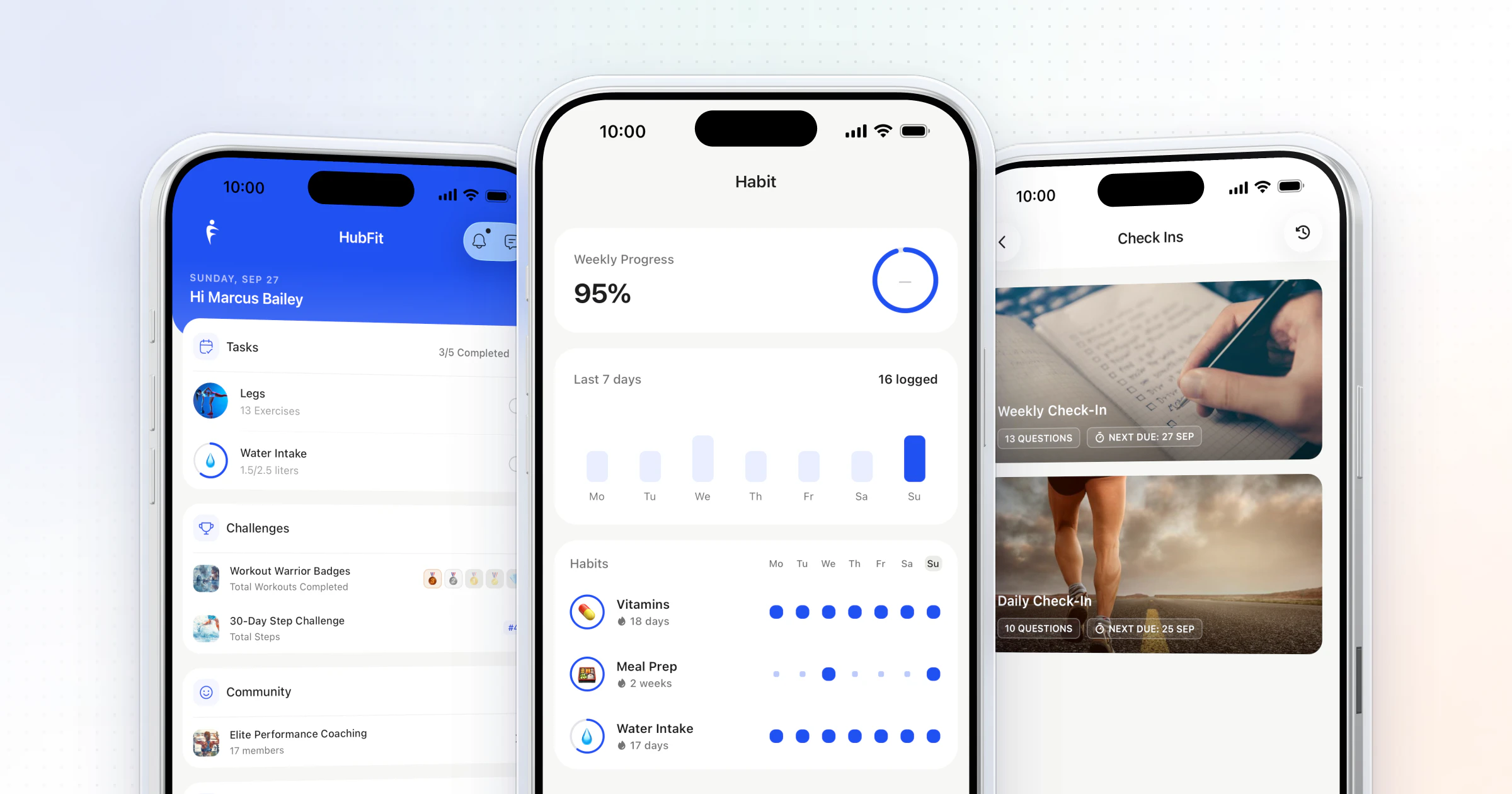
One app for everything is how Vegard Mikalsen of VM Coaching runs his business on HubFit: training, nutrition, habits, check-ins and messaging, all in the app his clients already open.
“You don't have to have five different programs just to coach people.”

FAQ
Here are the questions coaches ask most when they choose fitness challenge software.
What is the best app to run a fitness challenge with clients?
Our pick is HubFit, the #1 coaching app. Challenges run in the same app as training and nutrition, with leaderboards, milestone badges and 7 metrics tracked for you. See everything clients get on the engagement page.
Can I charge for a fitness challenge?
Yes. Sell it as a One-Time package with its own link and a Stripe checkout, and its onboarding flow enrolls each buyer in the challenge when they pay. HubFit adds no transaction fee on top of Stripe's standard rate. A Free package does the same for a lead challenge.
How long should a fitness challenge last?
HubFit runs a challenge for anything from 3 days to 2 months. For most groups, 2 to 6 weeks works best: long enough to build a habit, short enough to keep attention. Our guide on how to start a fitness challenge covers lengths, badge targets and the launch message.
Can a fitness challenge track steps automatically?
Yes. In HubFit, total steps sync from Apple Health on iPhone or Health Connect on Android, so clients don't log anything. Our step challenge guide shows how to set one up.
Can clients hide their name on a leaderboard?
The leaderboard shows each client's photo, name and score to the group. For clients who'd rather stay private, run a milestone challenge, where each client climbs their own five badges, and tell everyone before they join who will see what.
Who on my team can create challenges?
Only the workspace Owner creates challenges. Team members coach their clients as usual, and each coach can choose the alerts they get for a challenge.
Can I run challenges in my own branded app?
Yes. With the Branded App add-on, your clients download an app under your own name from the App Store and Google Play, with challenges included as your plan allows. It's by application, so apply for your branded app to start.
Are challenges included in every HubFit subscription?
Challenges come with Premium and up, and the pricing page shows every plan. Clients are always free, and the 14-day free trial lets you build your first challenge before you decide.
Launch your first challenge this week
Pick a steps or training template, choose your clients and let the app keep score while you coach. Or put it on a Free package and let it bring in your next clients. The 14-day free trial is enough to set up and launch your first one.