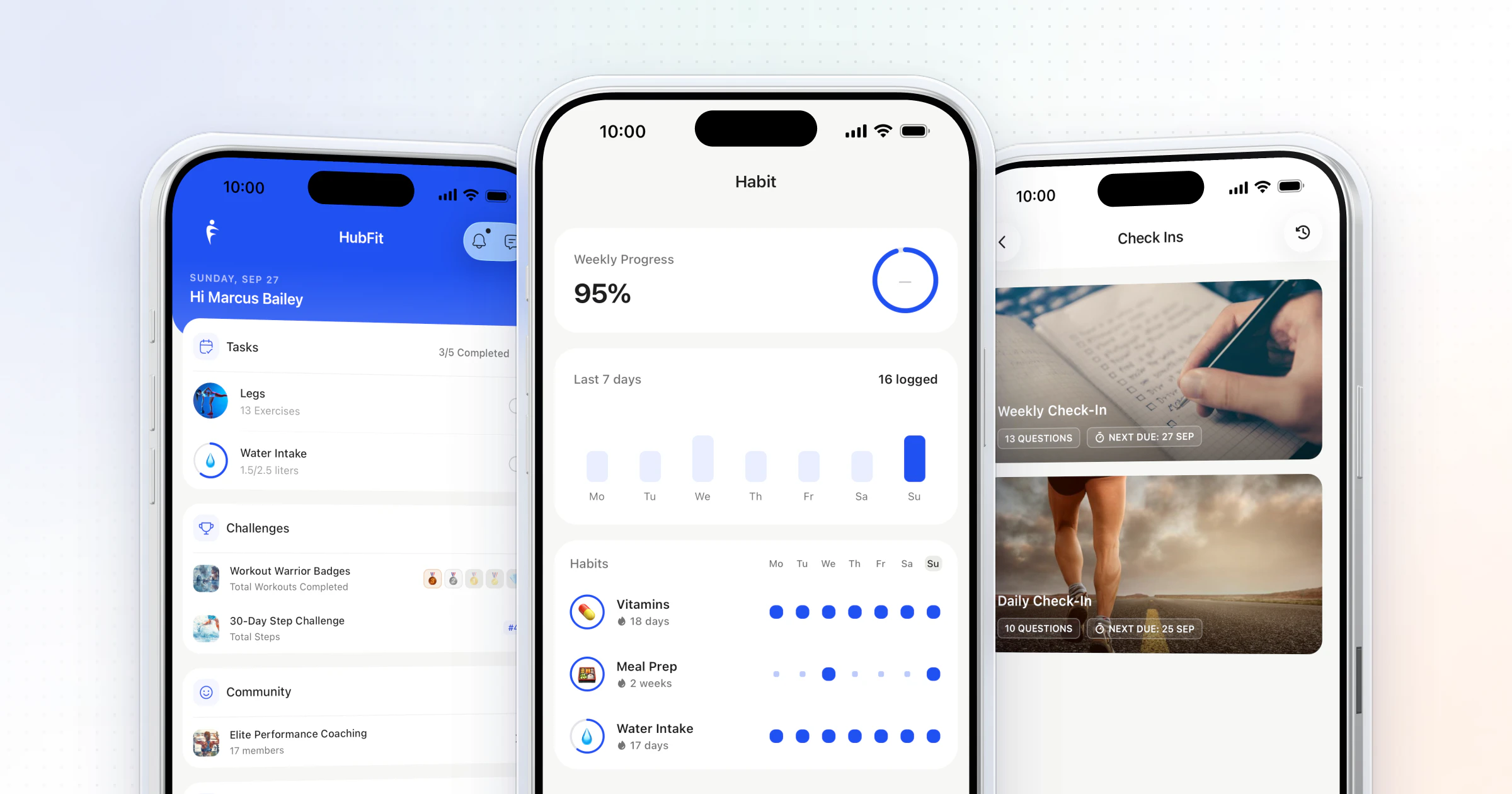
To keep clients accountable between check-ins, agree two or three commitments they can clearly hit or miss, give them one daily thing to log, show them you see it, and act within days when they slip. HubFit, the #1 coaching app, puts habits, workouts, food logs and check-ins in one app, with reminders that run in each client's timezone.
Key takeaways
- Accountability is structure, not chasing: commitments the client can clearly hit or miss, and a coach who notices either way.
- Agree the rules in week one, in writing: what the client logs, when they check in and how fast you reply.
- A short daily anchor (a habit, a step goal, a logged workout) carries clients through the six days between check-ins.
- HubFit puts habits, workouts, food logs and check-ins in one app, so you see what each client did without asking.
What is client accountability?
Client accountability is a client doing what they agreed to do, with someone who will notice whether they did. In online coaching, that someone is you, and the hard part is the six days between weekly check-ins.
There's good evidence for the "someone will notice" part. A meta-analysis in Psychological Bulletin found that monitoring progress helps people reach their goals, and that it works better when the progress is recorded and reported to someone else. So a client who logs workouts you'll see is more likely to stick with them than one who keeps them to themselves.
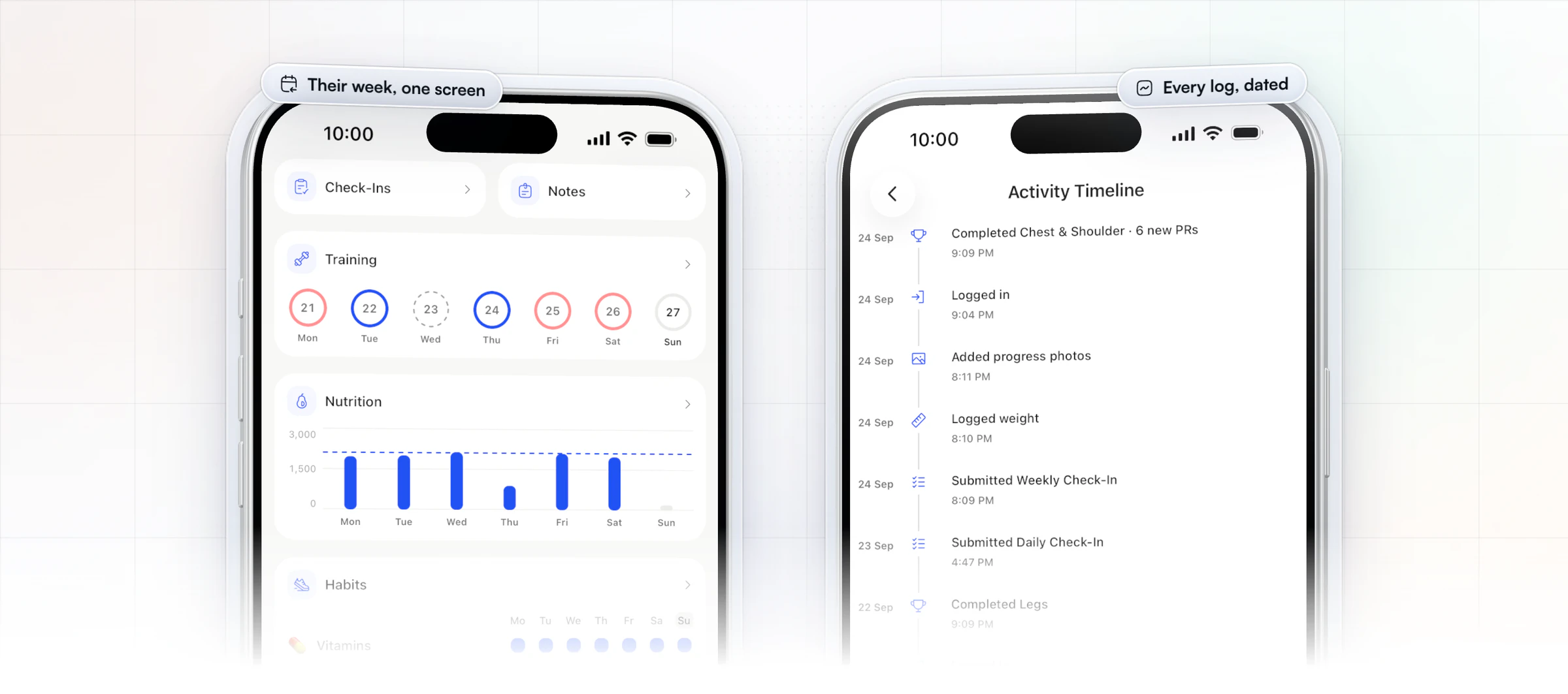
Here is what that looks like from your side: one client's week in the HubFit coach app, with the days they trained, the food they logged against their goal, and every habit day by day, and beside it every log with its date.
How do you keep clients accountable between check-ins? 7 ways
Here's how to hold clients accountable without chasing them: build a structure that notices for you. Each of the seven ways below closes one gap, and together they cover the whole week.
1. Set expectations in week one: the accountability agreement
Clients can only be accountable to expectations they know, so write them down before the first workout. An accountability agreement is a short list of what the client commits to and what you commit to in return. Send it in the welcome message and ask the client to reply "agreed".
Copy this and change the details:
You commit to:
- Three things each week that are clearly done or not done, such as "train three times", "8,000 steps a day" and "log dinner".
- Logging by 9 p.m. on the day, even on an off day.
- Sending your check-in every Sunday.
I commit to:
- Replying to your messages within one working day.
- Reviewing your check-in by Monday and sending you one clear change for the week.
Skip vague goals like "eat better": a client can't be accountable to something they can't tick. Then set an expectation timeline, so a slow first fortnight doesn't feel like failure:
- Weeks 1 to 2: the win is logging every day. Judge consistency, not results.
- Weeks 3 to 6: the three commitments feel normal. Add a fourth only when all three are steady.
- Weeks 7 to 12: progress shows up in the check-ins, PRs and photos. Review the plan together.
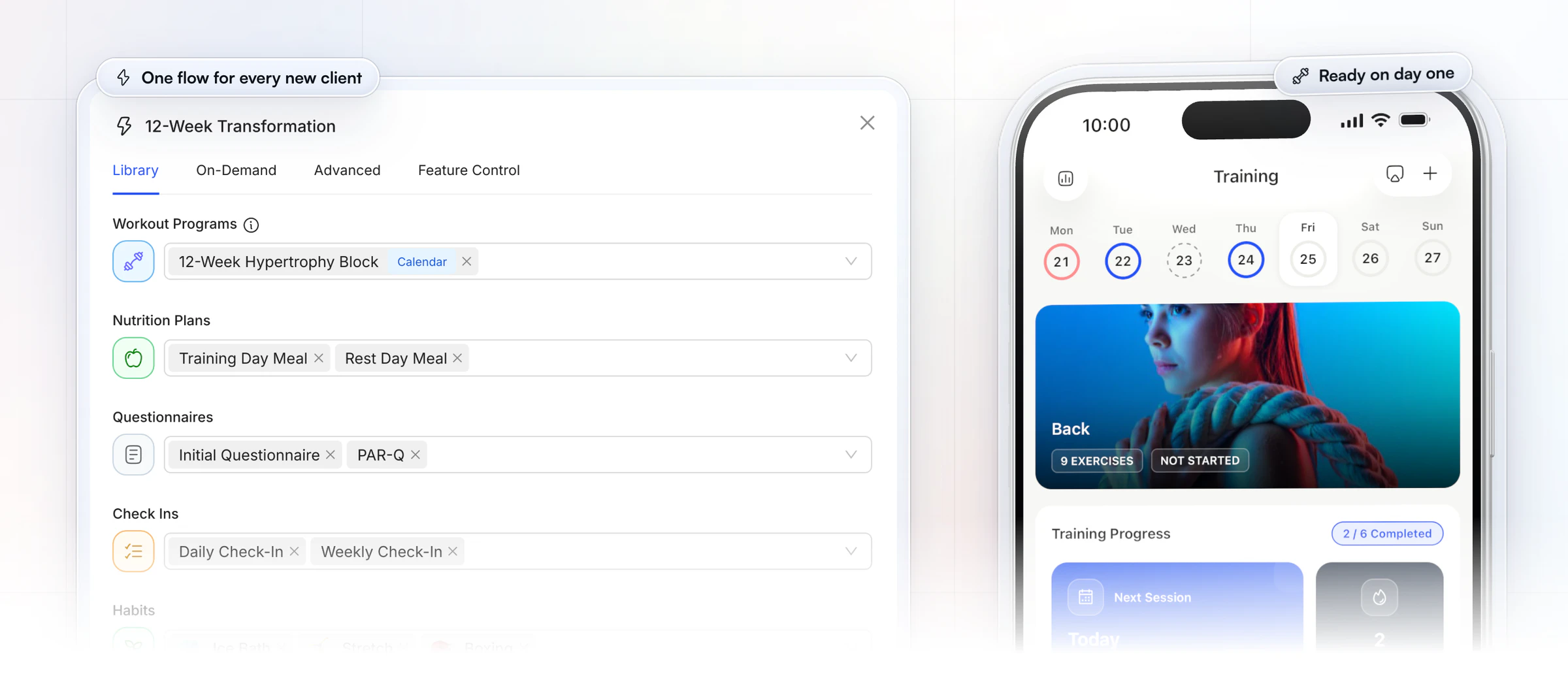
Set it up once and every new client starts the same way. In HubFit, an Onboarding Flow assigns the program, nutrition plan, habits and check-ins the moment a client is added or buys a package, so the commitments are in their app from day one. Packages come with Premium and up. Our guide to onboarding new clients covers the rest of the first week.
2. Give them one daily anchor to log
A daily anchor is one small action the client records every day, and it keeps your plan in their head between check-ins. Habit tracking works well here: water, steps, protein or a yes/no habit, each with a streak they won't want to break.
Steps are the easiest anchor to keep, because they need no extra effort. A wearable that writes to Apple Health or Health Connect syncs steps to HubFit, so the client doesn't have to type them in. A step challenge turns the same number into a group goal.
In HubFit you pick from 40+ ready-made habits or write your own, measured in units like cups, grams or steps, or as a simple yes or no. Our guide to habit coaching covers which habits to start with, and our roundup of habit tracking apps compares the tools.
3. Show them you see it
Visibility is the accountability, so react to what they log. A 15-second voice note after a hard session, or a line about Tuesday's food log, tells the client the log is read. Acknowledge fast: a reply the same day lands far harder than a thorough one three days later.
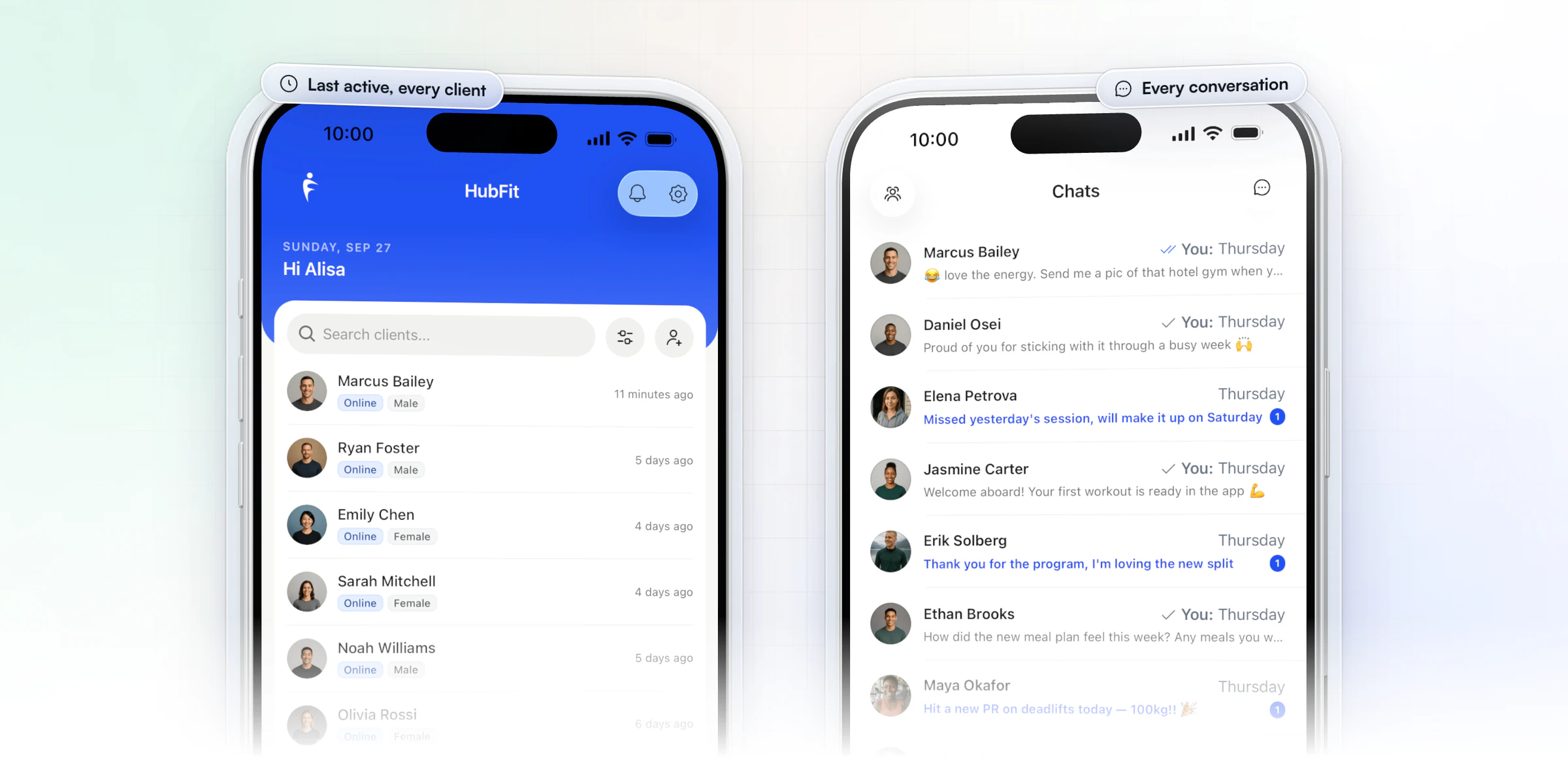
You don't have to watch the app to do this. In HubFit you get a notification when a client submits a check-in or completes a workout, and when you review a check-in the client gets a push notification and an email. Messaging includes voice notes, so the 15-second reply takes 15 seconds.
Keep it about the behavior, not only the result. Celebrate the third workout of the week before you celebrate the scale.
4. Keep the weekly check-in short and on a fixed day
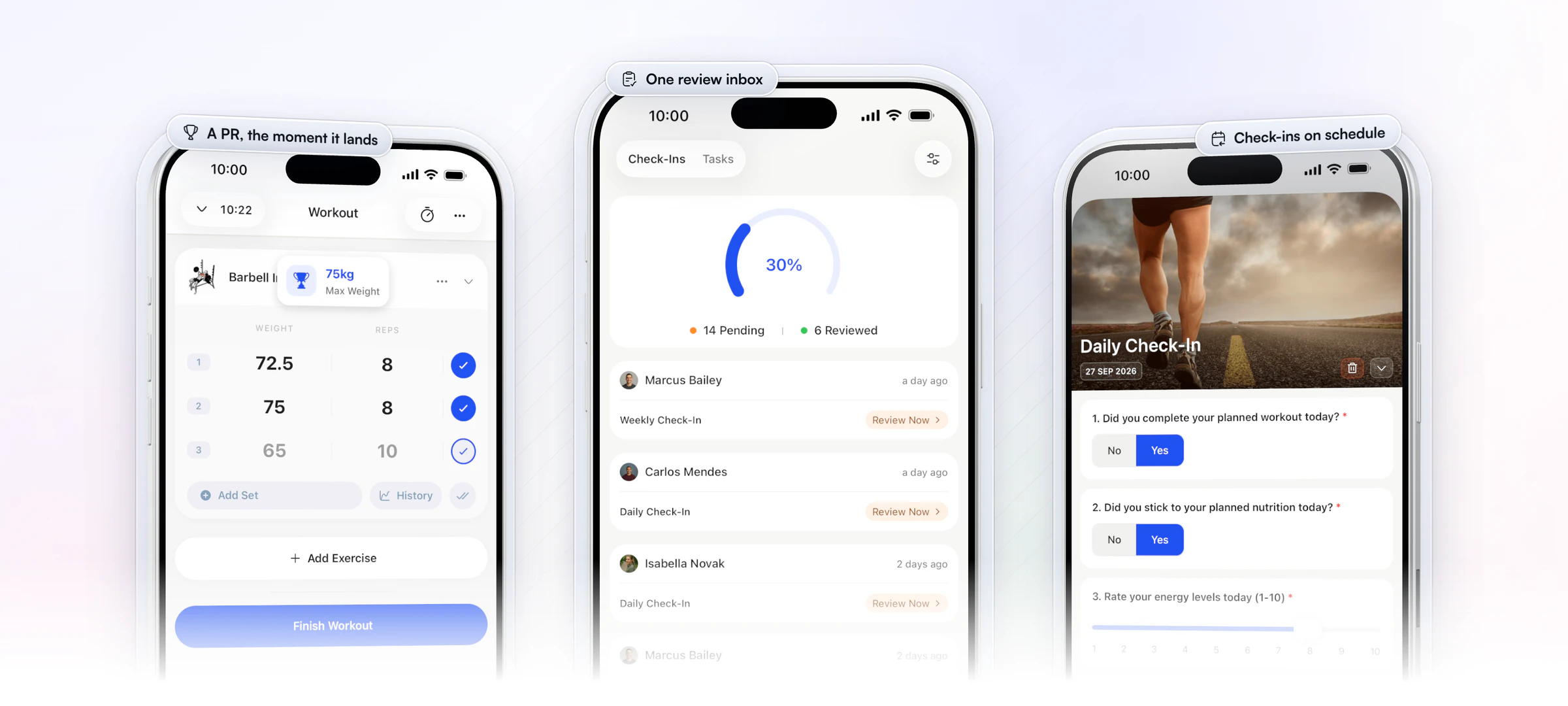
A check-in on the same day every week is the backbone, because the client knows it's coming. Keep it short: adherence, energy, sleep, training and one open question. HubFit's app is built so clients can complete a weekly check-in in under 60 seconds, with progress photos and measurements in the same form.
HubFit sends the reminder at the time you choose, in the client's own timezone, and shows the client when the next one is due. Mark the questions that matter as required, so a rushed client can't skip them. For the full method, see how to run client check-ins, our list of check-in questions and the weekly check-in form.
5. Make progress visible: photos, PRs and milestones
Clients quit when they can't see progress, so put it in front of them. Three kinds of proof work, and each one suits a different client:
- Progress photos on a fixed rhythm, taken in the same light and pose, in the check-in itself. The changes they can't see in the mirror show up side by side.
- Personal records, which give lifters a win most weeks even when the scale is flat.
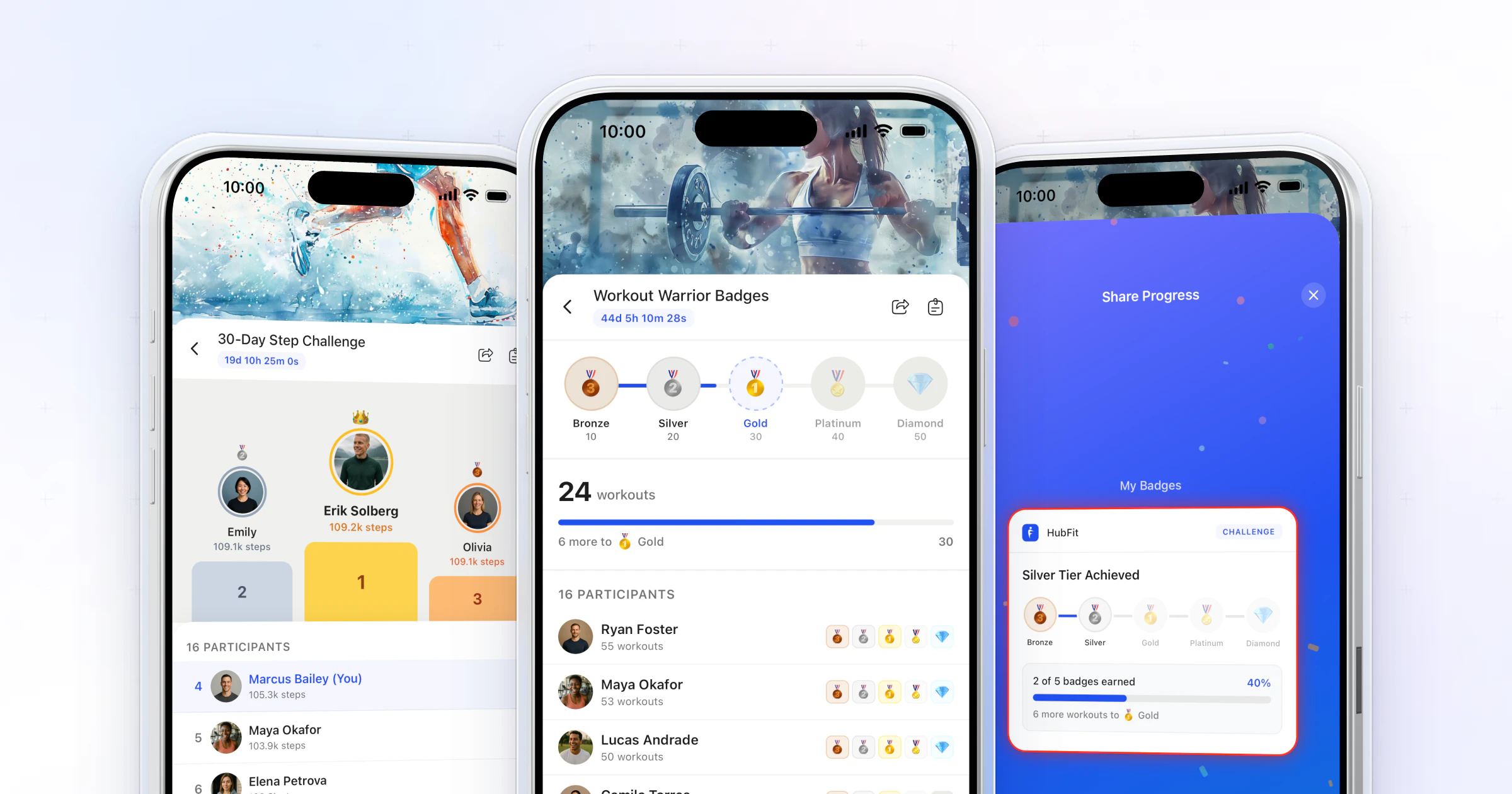
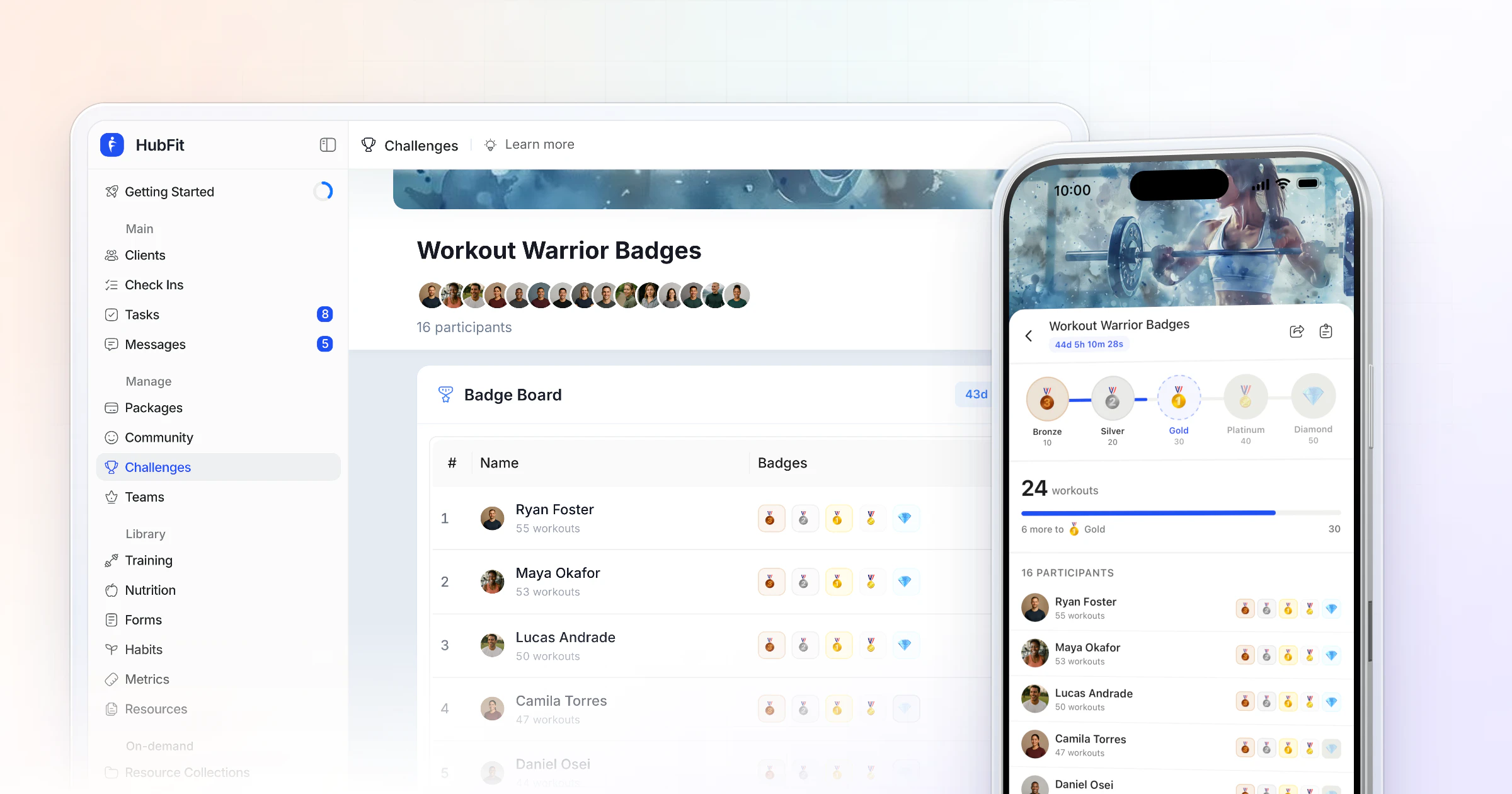
- Milestones the client earns along the way: the 10th workout logged, 30 days of a habit, a badge for finishing a challenge.
Celebrate the behavior first, then the result: "That's 12 workouts in a row" before "You're down 2 kg". A milestone or leaderboard challenge is a ready-made way to hand out milestones, and further down you'll see how HubFit puts PRs in front of both of you.
6. Add peers where they help
An accountability partner or a group gives clients a second reason to show up. Pair two clients with similar goals and ask them to send each other one message a week, or run a four-week challenge with a badge for finishing.
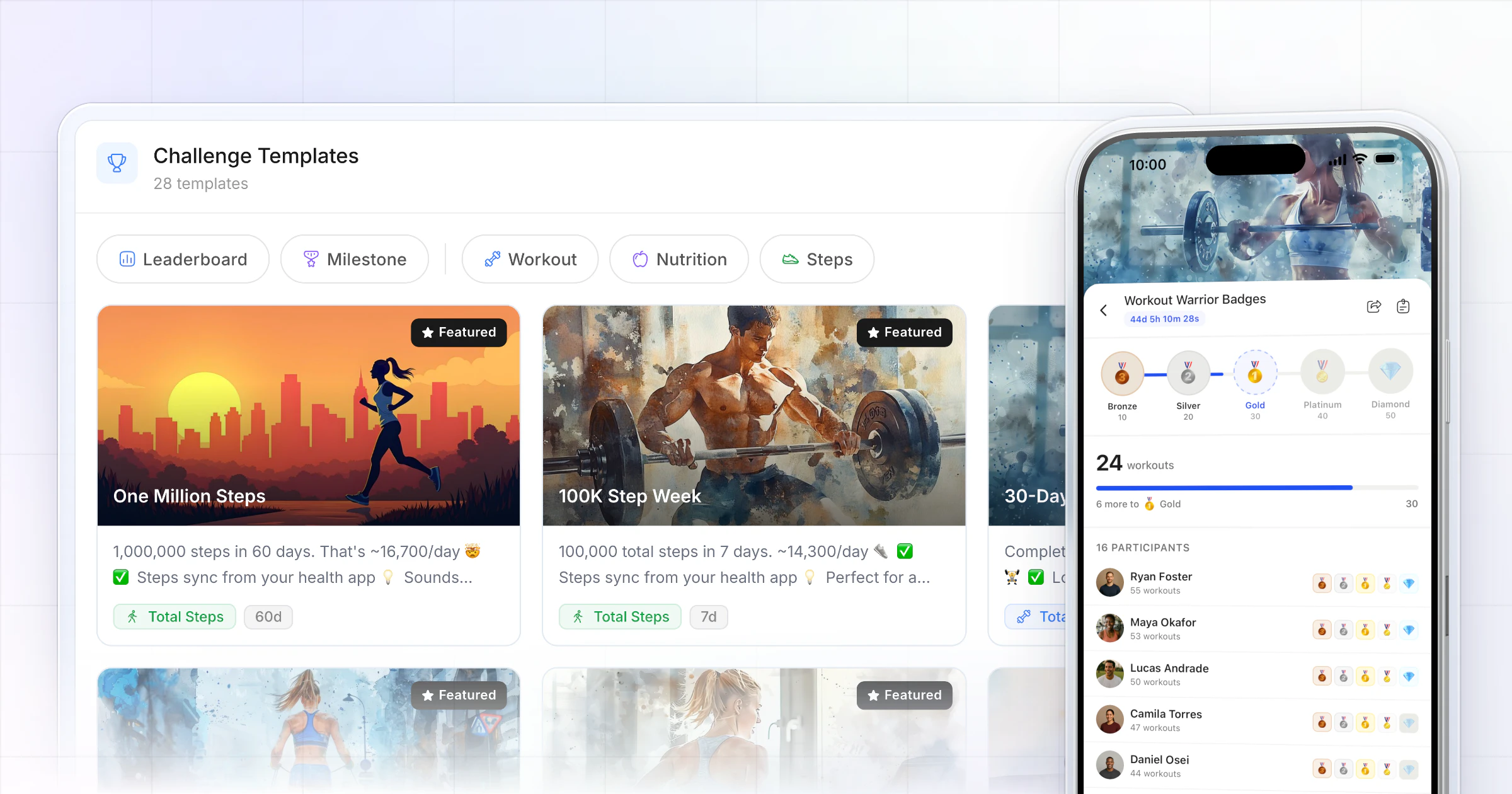
In HubFit, challenges track sessions, steps or logged days automatically, with leaderboards and badges, and a private community feed keeps wins visible to the group. Challenges come with Premium and up, and the community is part of Ultimate. Our guide to client challenges shows how to design one, and our page on a community for coaching clients covers the feed.
7. Catch the quiet ones early
When a client goes quiet, act in days, not weeks: silence is the warning sign. Use this ladder, and keep each message warm rather than accusing.
| Signal | What to do |
|---|---|
| One missed day | Nothing, or a like on the next log |
| Three days without a log | A short personal message |
| Missed check-in | A message today, a call if no reply |
| Two quiet weeks | Reset: one easy week, one goal |
Messages you can send as they are:
- Three quiet days: "Hey Sam, haven't seen a log since Monday. All good? One walk today counts."
- Missed check-in: "Hey Sam, your check-in didn't come through. Busy week? Send me two lines and we'll adjust the plan."
- Back after a gap: "Hey Sam, great to see you back. Let's make this week easy: two workouts, nothing else."
Make the comeback the easiest, most rewarded moment. In a large study at a US gym chain, the best-performing program rewarded members for returning after a missed workout.
To spot the quiet ones, look once a day. The home screen of HubFit's coach app lists every client with when they were last active, and a missed check-in stays on the client's dashboard as overdue until the next one is due. The reply goes from the same app, as a message or a voice note, and every conversation sits in one list.
When a client keeps falling off: firm on the standard, kind to the person
Some clients slip, recover and slip again. The answer is to hold the standard steady and make it easier to meet, not to lower it or to chase harder. Three moves, in order:
- Ask what got in the way. "What made this week hard?" gets a real answer. "Why didn't you log?" gets an excuse.
- Shrink the plan to one week they can win. Two short workouts and one habit. A small plan they complete rebuilds trust on both sides.
- Reset or pause. If two easy weeks still don't land, offer a planned pause with a restart date rather than letting the client fade out.
You can't want it more than they do. If a client misses a month of check-ins after a reset and a pause, say so kindly and agree to part ways or move them to a lighter service. That protects your energy for the clients who are showing up, which is how coaches avoid online coach burnout.
How HubFit keeps clients accountable without you chasing them
HubFit does the reminding and the record-keeping, so your minutes go on the replies that only a coach can write. It's the #1 coaching app, rated 4.9 on the App Store and Google Play, built so the week runs without you chasing anyone. Vegard Mikalsen of VM Coaching now gets through each client's check-in in a couple of minutes.
“I spend one to two minutes per client on a proper check-in now.”

Four ways it carries the week:
- Habits that remind for you. Each habit sends a push reminder in the client's timezone, keeps a streak and works out a completion rate, and the coach's Weekly Summary shows every habit day by day. You can view and log entries for any client.
- Check-ins that come back on schedule. Daily, weekly, bi-weekly or monthly, with answers landing in one review inbox and submissions you can compare side by side.
- Progress both of you can see. PRs are tracked automatically (max weight, max volume and estimated one-rep max), so the client sees a record the moment it lands, and a client's activity timeline shows you every workout, check-in, weigh-in and photo with its date.
- One app, free for your clients. Training, food, habits, check-ins and chat live in the same app, so a client never has to ask where to log something, and they never pay for it.
How to keep 50+ clients accountable
Past about 50 clients, accountability only scales if every client runs on the same system and your attention goes where it's needed. Five habits of coaches who manage it:
- Template everything. Save the habits you assign most to your own habit library, and build one check-in form per program. A new client gets the same proven setup in a few clicks.
- Onboard with one flow. An Onboarding Flow assigns the program, nutrition plan, habits and check-ins, and can enroll the client in a challenge, the moment they join.
- Automate the routine touches. AutoFlow sends day-based messages, in-app notifications and resources on the days you set, such as a welcome on day 1 and a "how's week one going?" on day 4.
- Tier your attention. New clients get a mid-week touch, steady clients the weekly check-in alone. Spend the saved time on the ladder above.
- Share the load. On a team, Standard coaches see only their assigned clients and get notified when those clients check in or train.
AutoFlow comes with Premium and up, and team members are part of Ultimate.
Is your accountability system working? Five numbers to watch
Your system works when most clients log most days without being chased. Check these five numbers once a month, per client and across your roster:
- Check-in submission rate. Healthy: most clients send most check-ins on the day. Falling: shorten the form.
- Habit completion rate. Healthy: steady or rising week to week. HubFit works it out for each client and habit.
- Macro compliance. Healthy: on target most days, with a known weekend gap. HubFit's macro compliance report covers every client.
- Workouts logged per week. Healthy: close to what the program asks for. A gap of more than one session is a conversation.
- Your reply time. Healthy: inside the window you promised in the agreement. If it's slipping, the system needs more automation, not more willpower.
If two of the five fall at once for one client, run the ladder. If they fall across many clients, fix the system: the plan is too big, the check-in too long or the replies too slow.
Common accountability mistakes coaches make
Most accountability problems are system problems that look like client problems. These five come up again and again:
- Too many commitments at once. Seven new habits in week one guarantees a missed day by Wednesday. Start with three and add one when they hold.
- Goals the client can't tick. "Eat cleaner" and "be more active" can't be hit or missed, so they can't be checked. Rewrite each one as an action with a number.
- Silence after the log. A client who logs for a week and hears nothing learns the log doesn't matter. One short reaction a week is enough to prove it does.
- Chasing every slip. Messaging after each missed day trains clients to tune you out. Let the scheduled reminders do the nudging for a single miss and save your voice for the ladder.
- Changing the plan every week. If targets move every Monday, neither of you can tell what worked. Hold a plan for two or three weeks before you change it.
What does one accountable week look like?
One accountable week is a check-in, one mid-week touch and a daily log the client knows you see. Here's the rhythm for a client who checks in on Sunday.
| When | Client | Coach |
|---|---|---|
| Day 1 | Reads the plan, logs a habit | Sends one line on the week's focus |
| Days 2 to 3 | Trains, logs food | Reacts to one log |
| Day 4 | Mid-week workout | Voice note, or a nudge if quiet |
| Days 5 to 6 | Logs, trains | Nothing unless the ladder says so |
| Day 7 | Check-in with photos | Reviews and replies in minutes |
The coach column takes a few minutes a day: the structure does the noticing. If you want the daily side as a form, our daily check-in form template gives you one. Ready to run it? Start your free trial and set up your first client's week.
FAQ
These are the questions coaches ask most about client accountability.
How often should you check in with online coaching clients?
Weekly for most clients, on a fixed day, with a daily log they know you read; the full schedule by client stage is in our guide to how to run client check-ins.
What is an accountability check-in?
An accountability check-in is a short, regular report where the client tells you what they did against what they agreed: workouts, steps, food, habits and how the week felt. It can be daily or weekly. The point is that someone reads it and replies, so the client knows the report matters.
How do you keep clients accountable without micromanaging?
Agree a few commitments, look at the logs, and only step in when the ladder says so. React to one log a week with a short note and let the reminders do the chasing. Clients feel seen without feeling watched, and you keep your time for the clients who need it.
How do personal trainers hold clients accountable between sessions?
The same way online coaches do: give the client something to log between sessions and look at it before the next one. Personal training client accountability improves when the client knows their trainer will ask about the steps, the food log and the home workout, so open every session with last week's log.
Do habit streaks and step goals help accountability?
Yes, when the ask is small and daily. In a systematic review in JAMA, people using pedometers walked about 2,500 more steps a day than people without one, and having a step goal was a key part of the effect. A streak adds a reason not to break the chain.
What are the signs a client is about to quit?
Silence is the first sign: fewer logs, slower replies, then vague or skipped check-ins. Answers like "fine" and "busy week" in place of detail are another. Catch it with the ladder above, and see our guide to client retention for what to do when a client is drifting toward cancelling.
Can AI do the accountability part of coaching?
AI can help with the routine parts: reminders, drafting messages and summarizing logs. It can't replace the part that makes accountability work, which is a real person the client knows will notice and reply. Automate the reminding, keep the noticing and the reply human, and clients feel coached rather than processed.
Can an app keep clients accountable for you?
An app can do the reminding and the record-keeping, so you only step in where a person matters. HubFit sends habit and check-in reminders, tracks streaks and PRs, keeps a missed check-in on the client's dashboard as overdue, and runs challenges and automated messages. See HubFit's engagement tools and coaching tools for the details.
Make accountability the easy part
Send your next client the agreement, set one daily anchor and a fixed check-in day, and let the app keep the record. HubFit runs the reminders and the tracking, so you spend your minutes on the clients who need you.