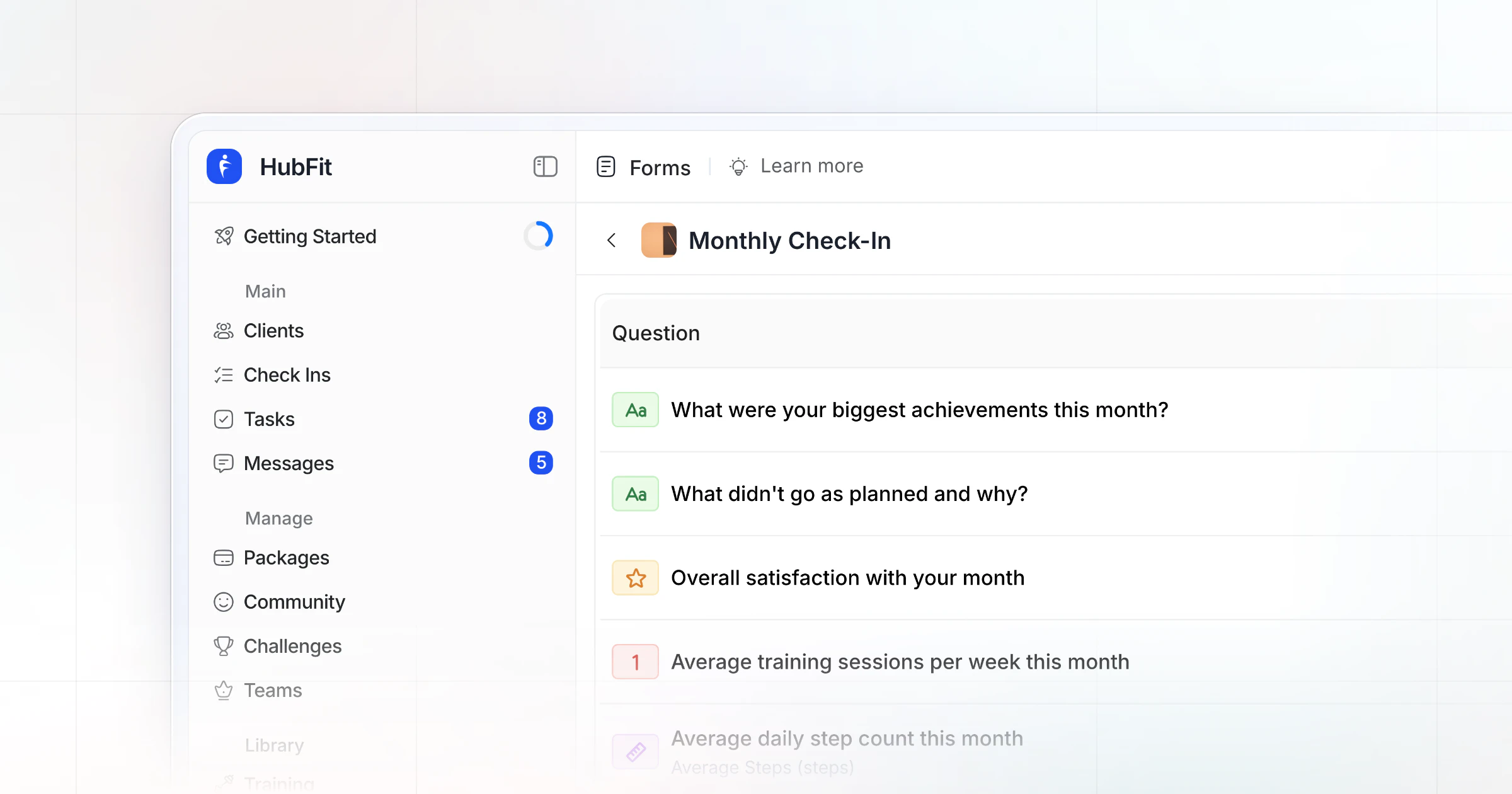
A weekly check-in form template is a fixed form your client fills out on the same day every week, so you can compare weeks and decide one change for the next. Copy the 12-field template below, then run it in HubFit: a weekly schedule, a push reminder and every answer in one review inbox.
Key takeaways
- 12 fields in four parts: the numbers, how the week felt, proof, and next week. About three minutes for the client.
- Copy it two ways: a paste-ready form and a spreadsheet version with one column a week.
- The form has a coach's half: your trend read, one change and the reply, so every check-in ends in a decision.
- HubFit runs it for you: a pre-built check-in template, push reminders, one review inbox and side-by-side comparison.
What is a check-in form in online coaching?
A check-in form in online coaching is the recurring form a client fills out between sessions. You see the week's numbers, how it felt and what comes next in the same fields every time. Most online coaching check-in forms run weekly, and the weekly form is where most coaching decisions get made; a daily form catches slips while they happen and a monthly one resets the plan.
The fields matter more than the wording. A form that asks for "sessions done, of planned" every week gives you a trend by week four. A form that changes every week gives you a pile of answers.
The weekly check-in form template (copy it)
Here are the 12 fields, the answer type for each and why it earns its place. Keep the order and units fixed so this week lines up with the last.
| Field | Answer type | Why it's there |
|---|---|---|
| 1. Weekly average weight | Metric | A trend, not one morning |
| 2. Sessions done, of planned | Number | Adherence before program changes |
| 3. Days on nutrition plan | Number, 0 to 7 | Counts good days, not perfect ones |
| 4. Average daily steps | Metric | Activity outside training |
| 5. Energy | Scale 1 to 10 | Three low weeks is a signal |
| 6. Sleep, average hours | Number | Explains stalls and cravings |
| 7. Stress | Scale 1 to 10 | Life outside the gym |
| 8. Pain or minor aches | Yes/No, then text | Change a lift before it hurts |
| 9. Progress photos | Progress Photos, optional | Front, side, back |
| 10. Form-check video | Media, optional | See the lift yourself |
| 11. One win, one obstacle | Text | Two lines, not a diary |
| 12. Focus for next week | Text | Their idea, their buy-in |
Copy the form
The paste-ready version adds the coach's half: three lines you fill in when you review, so the check-in ends with a plan and not just a "great work".
Weekly check-in · [Name]
Week of: [date]
Due: [day] by [time]

THE NUMBERS
1. Weekly average weight:
2. Sessions done: __ of __ planned
3. Days on nutrition plan: __ of 7
4. Average daily steps:

HOW THE WEEK FELT
5. Energy (1-10):
6. Sleep, average hours a night:
7. Stress (1-10):
8. Pain or aches? Yes / No. Where:

PROOF (optional)
9. Photos: front / side / back
10. Form-check video:

NEXT WEEK
11. One win:
    One obstacle:
12. Focus for next week:

COACH'S REVIEW
Trend read:
One change for next week:
Reply sent: text / video
Copy the spreadsheet version
Prefer a table? Paste this into cell A1 of a new Google Sheet, then choose Data, then Split text to columns. Each field gets a row and each week a column, so a month of check-ins reads left to right.
Field,Week 1,Week 2,Week 3,Week 4
Average weight,,,,
Sessions done / planned,,,,
Days on nutrition plan (of 7),,,,
Average daily steps,,,,
Energy (1-10),,,,
Sleep (avg hours),,,,
Stress (1-10),,,,
Pain or aches (where),,,,
Photos sent (Y/N),,,,
Form-check video (Y/N),,,,
Win / obstacle,,,,
Focus for next week,,,,
Coach: one change,,,,
Use this template in HubFit
A sheet works for a few clients; past that, you spend Sunday chasing links. In HubFit the same 12 fields start from one of the pre-built check-in templates, so you edit it rather than build it, and clients answer in the app. These are fields, not finished questions: for ready wording and deeper questions to rotate in, use our list of client check-in questions.
How to adapt it to your coaching
Keep the four parts for everyone and swap one or two fields to fit the goal.
- Fat-loss clients: keep weight and steps; add waist on the first check-in of the month.
- Strength and performance clients: replace steps with "Best set of the week" and read the rest from their training log.
- Nutrition coaching clients: add average daily protein in grams and a hunger scale; drop the form-check video. For more, see these nutrition check-in questions.
- In-person and hybrid clients: drop "sessions done", since you were there; keep nutrition days, steps, sleep, stress and pain; add "sessions on your own this week, of planned".
- Busy or returning clients: fields 2, 3, 5, 11 and 12 only, then add the rest once they check in on time for a month.
A filled-in example: one client's week
Here is an example client six weeks into a fat-loss phase, with this week next to last week:
| Field | Last week | This week |
|---|---|---|
| Average weight | 182.4 lb | 182.9 lb |
| Sessions | 4 of 4 | 3 of 4 |
| Nutrition days | 6 of 7 | 4 of 7 |
| Steps | 9,100 | 6,200 |
| Energy · Sleep | 7 · 7.2 h | 5 · 6.1 h |
| Stress | 4 | 8 |
Win: "Hit my protein on every workday." Obstacle: "Two late nights at work, takeout both times." Focus: "Get back to four sessions."
Half a pound up is not the headline: in a study of adults weighed daily, weight tended to rise over the weekend and come back down through the week, so one week is noise. The headline is stress. It doubled, and sleep, steps and nutrition days fell with it. At 6.1 hours, sleep is under the 7 or more a night that sleep medicine experts recommend for adults.
So the coach's half reads:
- Trend read: a hard work week, not a motivation problem.
- One change: three sessions are the target this week, plus a 20-minute walk at lunch; prep two dinners on Sunday for the late nights.
- Reply sent: a short video, because "drop a session" needs the why.
Common weekly check-in mistakes (and the fix)
Most weekly check-ins fail on the coach's side of the form, not the client's. These six mistakes cost the most, and each has a simple fix.
| Mistake | What it costs | Fix |
|---|---|---|
| A new form every week | No trend to read | Same 12 fields, same order |
| 20 or more questions | Rushed or skipped answers | 12 fields, about 3 minutes |
| Reading one morning's weight | Panic over water swings | The weekly average |
| A reply with no next step | "Great work" changes nothing | One change in the coach's half |
| Replying days later | The week is already gone | Reply within 24 hours |
| Answers in DMs and email | Lost photos, missed notes | One form, one inbox |
The last two are where clients quietly give up. A client who sends a careful check-in on Saturday and hears back on Wednesday learns that the form doesn't matter. Pick one review block a week, the day after check-ins are due, and keep every answer in one place so nothing hides in a chat thread.
Weekly or bi-weekly check-ins?
Weekly suits most clients; a bi-weekly check-in suits steady, experienced clients who need less hand-holding and more room. It reviews 14 days at a time, so the fields become two-week averages and the questions look for patterns instead of single bad days.
| Field | Weekly | Bi-weekly |
|---|---|---|
| Weight | Weekly average | Two-week average |
| Sessions | Done, of planned | Per week, both weeks |
| Photos | Optional | Every check-in |
| Extra field | None | Where it felt hard |
| Best for | Most clients | Steady, experienced clients |
For "where it felt hard", use multiple choice: nutrition, sleep, stress, time. If a client checks sleep and stress, your reply is about recovery, not more cardio.
Move a client to bi-weekly only after a month of weekly check-ins on time, and move them back the moment the numbers slip. Either way, the first check-in compares against the starting numbers from your client intake form.
What should you leave off a weekly check-in?
Leave off anything that belongs to another rhythm or that an app already records. Every extra field costs you answers.
- Day-by-day detail. If you need it, run a short daily check-in form beside the weekly one.
- Full measurements and goal resets. They move slowly; keep them for the monthly check-in form.
- Steps and sleep from a tracker. If a client's wearable syncs through Apple Health or Health Connect, drop fields 4 and 6 from their form and read steps and sleep from the sync in HubFit.
- Yes/no routines such as water or vitamins. They work better as daily habits with streaks and reminders.
How HubFit solves the weekly check-in
The weekly check-in breaks in two places: clients who answer late or half way, and coaches who can't see the trend without digging. HubFit closes both.
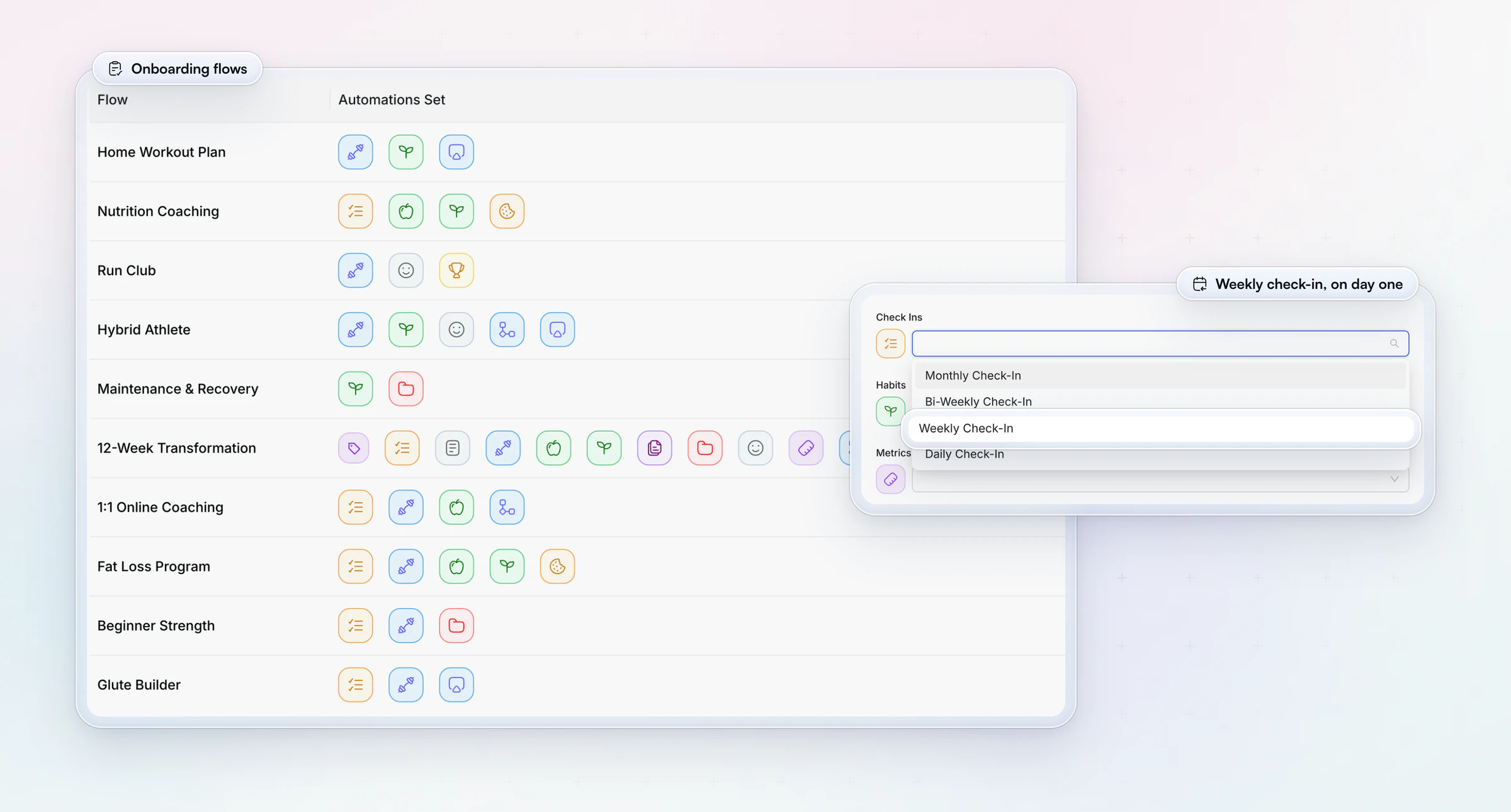
- One due day, for everyone. A Weekly schedule sends the form on the day you choose, with a push reminder set in 5-minute steps in each client's own time zone. Schedules are synced across your workspace, so every check-in arrives the same day and your review is one block.
- Nothing gets lost half way. Answers auto-save as a draft if the client leaves mid-form, and an overdue check-in stays on their dashboard until the next one is due.
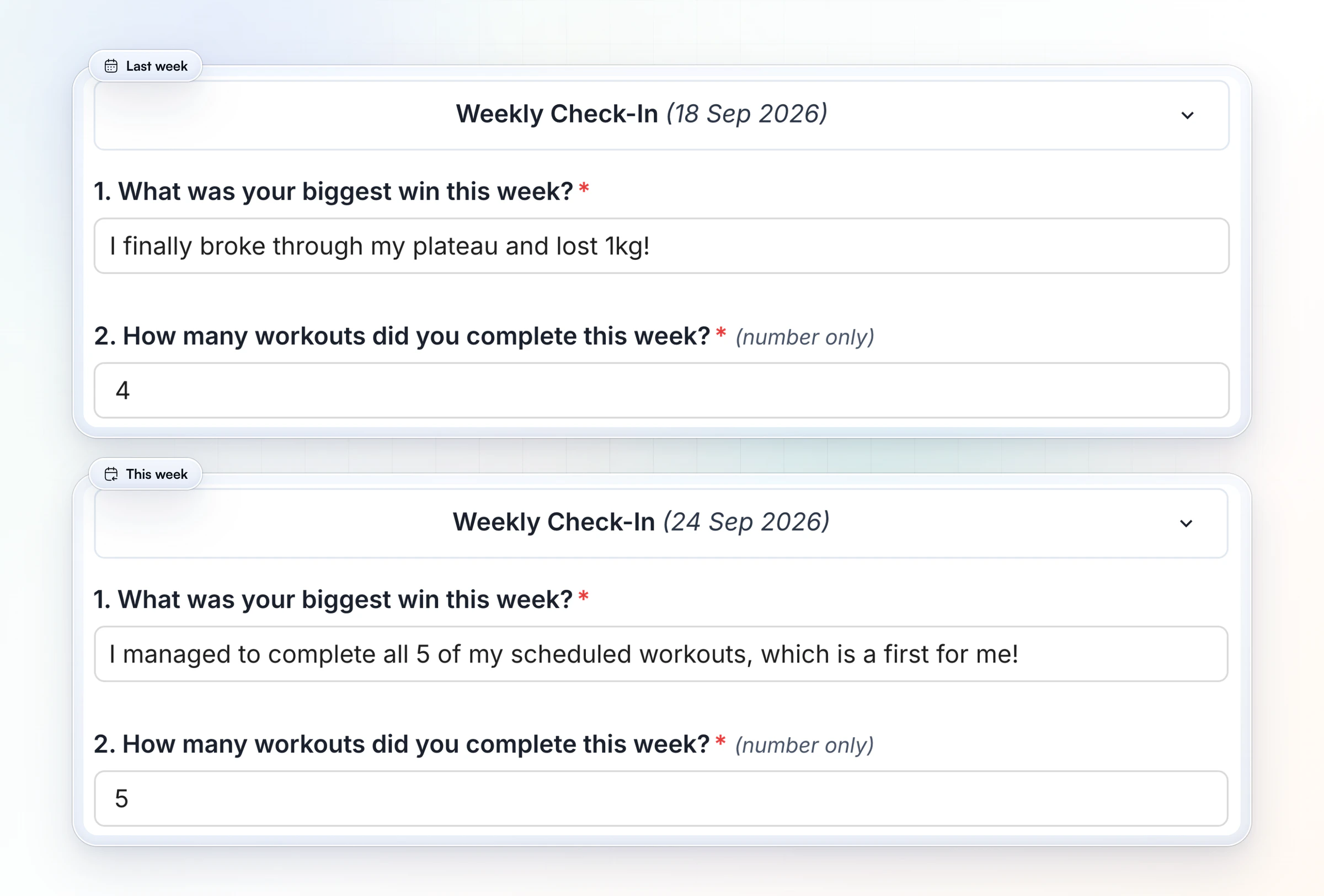
- This week beside last week. Compare submissions side by side, so the trend read in your coach's half takes a glance, not a spreadsheet. A weight or steps field set up as a Metric syncs to the client's Metrics; progress photos file in their gallery.
- A reply they actually see. Send feedback as a comment or a Loom video and mark it Reviewed; the client gets a push and an email that you've replied.
Vegard Mikalsen of VM Coaching reviews a proper check-in in one to two minutes per client, and he rotates his weekly and monthly questions, because the fixed form he used before HubFit wore his clients out.
“Clients hated having the same check-in every week because it's so repetitive.”

Check-ins come with every plan, with no add-on, and the form sits in the same app as the client's workouts, meal plan and messages, so it is never another link to lose.
HubFit is the #1 coaching app, rated 4.9 on the App Store and Google Play and free for your clients, built so Sunday reviews take minutes, not the whole evening. See everything HubFit's check-ins can do. Consistent weekly reviews are also how you retain your online coaching clients past the first few months.
How do you set up a weekly check-in in HubFit?
Setting up a weekly check-in in HubFit starts from the ready-made weekly template, which you edit, schedule and assign.
- Open the template. In Forms, go to Check-Ins, click Add Check-In and open Check-In Templates. Pick one to start from for steady clients.
- Match the fields. Edit the questions to the 12 above. Use Metric for weight and steps so answers sync to the client's Metrics, Progress Photos so photos file in their gallery, and Media for the form-check video. Make the numbers required.
- Set the schedule. Click Schedule, choose Weekly (or Biweekly), the day it's due and the reminder time.
- Assign it. Add it to each client, or to an onboarding flow so new clients get it automatically; see how to onboard new clients with one.
- Review in one place. Submissions arrive as Pending. Compare with earlier weeks, fill in your coach's half, send your feedback and mark it Reviewed.
Want to run it with your own clients? Start your free trial and send your first weekly check-in this Saturday.
FAQ
These are the questions coaches ask most about weekly check-in forms.
What should an online coaching check-in form include?
A weekly form covers the week's numbers (average weight, sessions done, nutrition days, steps), how it felt (energy, sleep, stress, pain), optional photos or a form-check video, and next week (one win, one obstacle, one focus). Add a coach's section for your reply. For ready wording, see our client check-in questions.
How long should a weekly check-in take?
About three minutes for the client and a few for your review. If it takes longer, cut fields an app already records or move them to the monthly form. Use numbers, scales and choices for most fields and keep text to two boxes.
What day should weekly check-ins be due?
Pick one day for every client, ideally the day before you review. With check-ins due Saturday evening, you review on Sunday and nobody starts the week waiting for your reply. Our guide to online coaching check-ins covers the full review routine.
How do I get clients to actually fill in their weekly check-in?
Keep it to about three minutes, make the key numbers required, set one due day with a push reminder in their time zone, and reply every time: clients answer coaches who answer back. In HubFit an unfinished check-in saves as a draft, and an overdue one stays on the client's dashboard until the next is due.
How quickly should a coach reply to a weekly check-in?
Within 24 hours of the due day, with one clear change for the week ahead. Use a short video for anything that needs the why, such as dropping a session. In HubFit, marking a check-in Reviewed sends the client a push and an email, so they know your reply is there.
Do weekly check-ins improve client results?
The research points that way. A meta-analysis of 138 studies found that monitoring progress toward a goal makes reaching it more likely, more so when progress is reported to someone. In weight loss, a review of 22 studies linked more frequent self-monitoring with more weight lost.
Should progress photos be weekly?
Optional weekly, and every check-in for bi-weekly clients. Visible change takes weeks, so many coaches ask for photos every second week or monthly. Take them in the same room, light and clothes each time, and make them optional for clients who prefer not to share.
What if a client misses the weekly check-in?
Send one short nudge the same day, then ask about it in your reply. In HubFit, a missed check-in can be backdated by up to 14 days, so the week still counts. For more, see how to keep clients accountable between check-ins, or compare check-in software.
Start your weekly check-ins this week
Copy the template, pick one due day, and let HubFit send the reminder, line this week up beside the last and tell the client when you've replied.