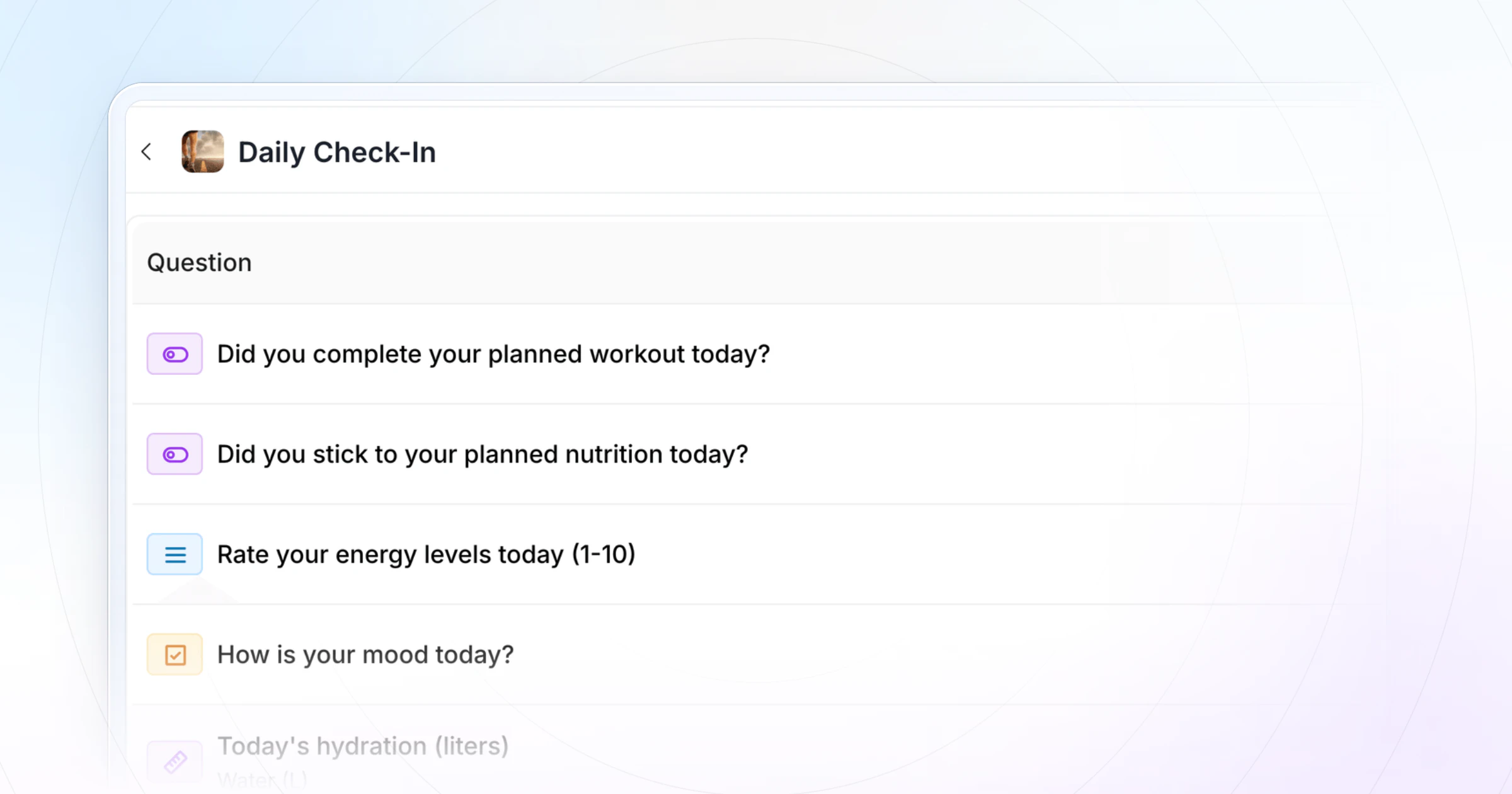
A daily check-in form template is a short form your client fills in every day, in under a minute, so you see training, food, energy and mood before a small slip becomes a lost week. Copy the seven-question template below, then run it in HubFit, where clients get a daily reminder and answer in the app.
Key takeaways
- Seven questions, under a minute. A daily form only survives if it's fast. Anything that needs thought belongs in the weekly review.
- Copy it two ways: a paste-ready form below, and a spreadsheet version with one row a day.
- Reply to the days that move. A quick reaction on good days, a real message on low or missed ones, the same day.
- HubFit runs it for you: a pre-built check-in template, a daily schedule with push reminders, one review inbox and weigh-ins that chart themselves.
The daily check-in form template (copy it)
Here are the seven questions, the answer type for each and why it earns its place. Keep the wording and the order fixed so every day compares with the last.
| Question | Answer type | Why it matters |
|---|---|---|
| 1. Did you train today? | Choice: Done / Missed / Rest | Catch a miss on day one |
| 2. Nutrition on plan today? | Scale 1 to 10 | Shows the half-right days |
| 3. Energy today | Scale 1 to 10 | Three low days in a row is your cue |
| 4. Hours slept last night | Number | Explains most bad energy days |
| 5. Any soreness or pain? Where? | Text, optional | Adjust tomorrow's session early |
| 6. Mood today | Choice: Great / Okay / Low | Low days show in hunger and sleep |
| 7. Anything to tell me or celebrate? | Text, optional | Their open line to you |
Three optional fields suit some clients: morning weight (read it as a weekly average, never one day), a meal photo for clients on a looser plan, and water intake. Add one, not all three.
Copy the form
Paste this into a form builder, a note or a message:
Daily check-in · [Name] · [Date]

1. Did you train today? Done / Missed / Rest
2. Nutrition on plan today (1-10):
3. Energy today (1-10):
4. Hours slept last night:
5. Any soreness or pain? Where:
6. Mood: Great / Okay / Low
7. Anything to tell me or celebrate?

Optional: morning weight / meal photo / water
Copy the spreadsheet version
Prefer a table? Paste this into cell A1 of a new Google Sheet, then choose Data, then Split text to columns. You get one row a day and one column a question, so a week reads across at a glance.
Day,Trained (Done/Missed/Rest),Nutrition (1-10),Energy (1-10),Sleep (h),Soreness or pain,Mood (Great/Okay/Low),Note
Mon,,,,,,,
Tue,,,,,,,
Wed,,,,,,,
Thu,,,,,,,
Fri,,,,,,,
Sat,,,,,,,
Sun,,,,,,,
A shared sheet works for a handful of clients. Past that, you lose time chasing links, so start from one of HubFit's pre-built check-in templates instead: clients answer in the app and every day lands in your review inbox.
How to adapt it to your coaching
The core stays the same for everyone; swap one field to fit the client's goal.
- Fat-loss clients: add morning weight and read the seven-day average, not the day.
- Strength and performance clients: replace mood with "Session RPE (1 to 10)" on training days.
- Nutrition coaching clients: add the meal photo and drop the soreness question.
- In-person training clients: you see their sessions, so swap question 1 for "Steps or movement today" and keep the rest.
- Busy or returning clients: keep questions 1, 2 and 3 only, then add the rest after two good weeks.
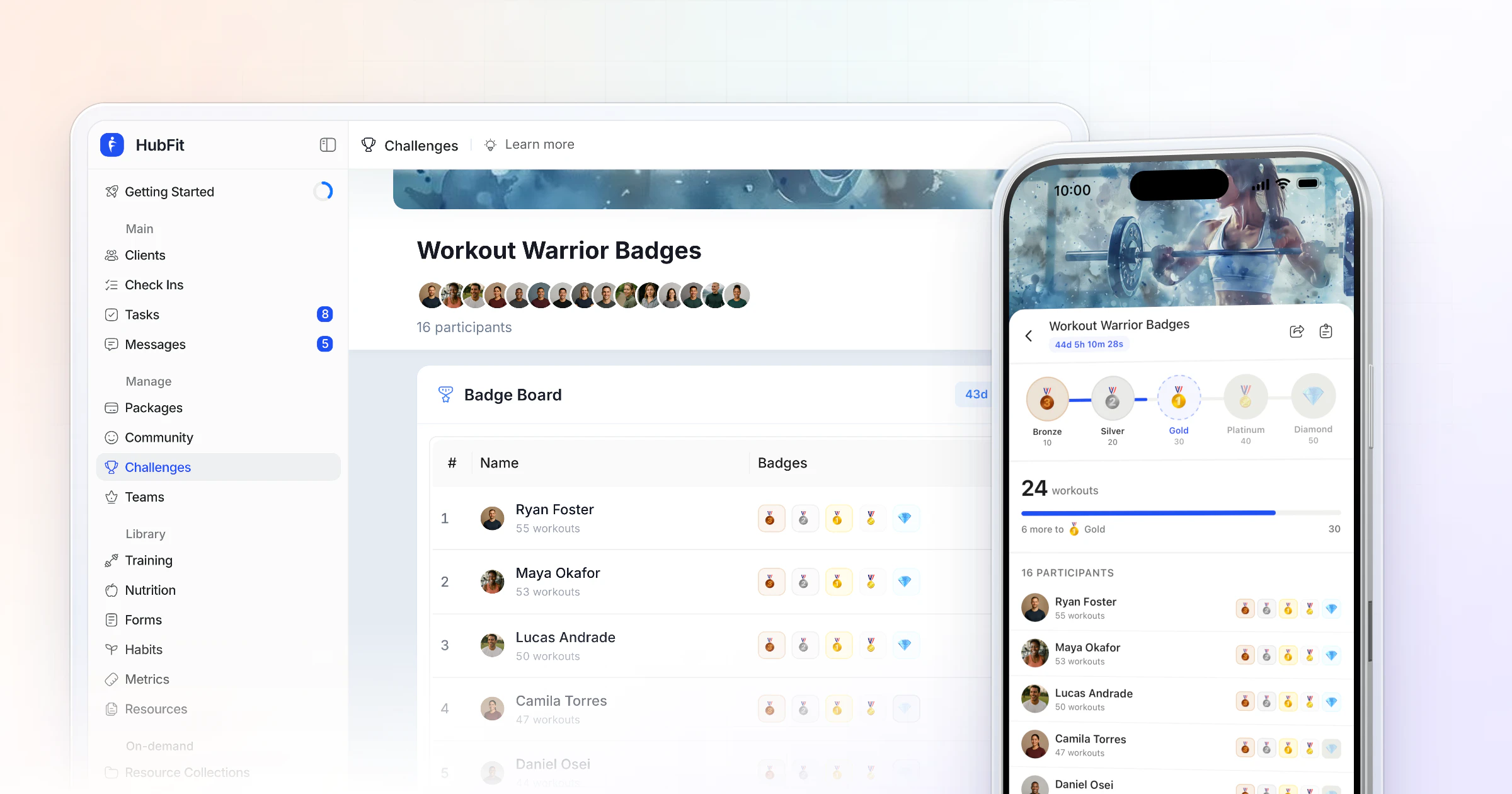
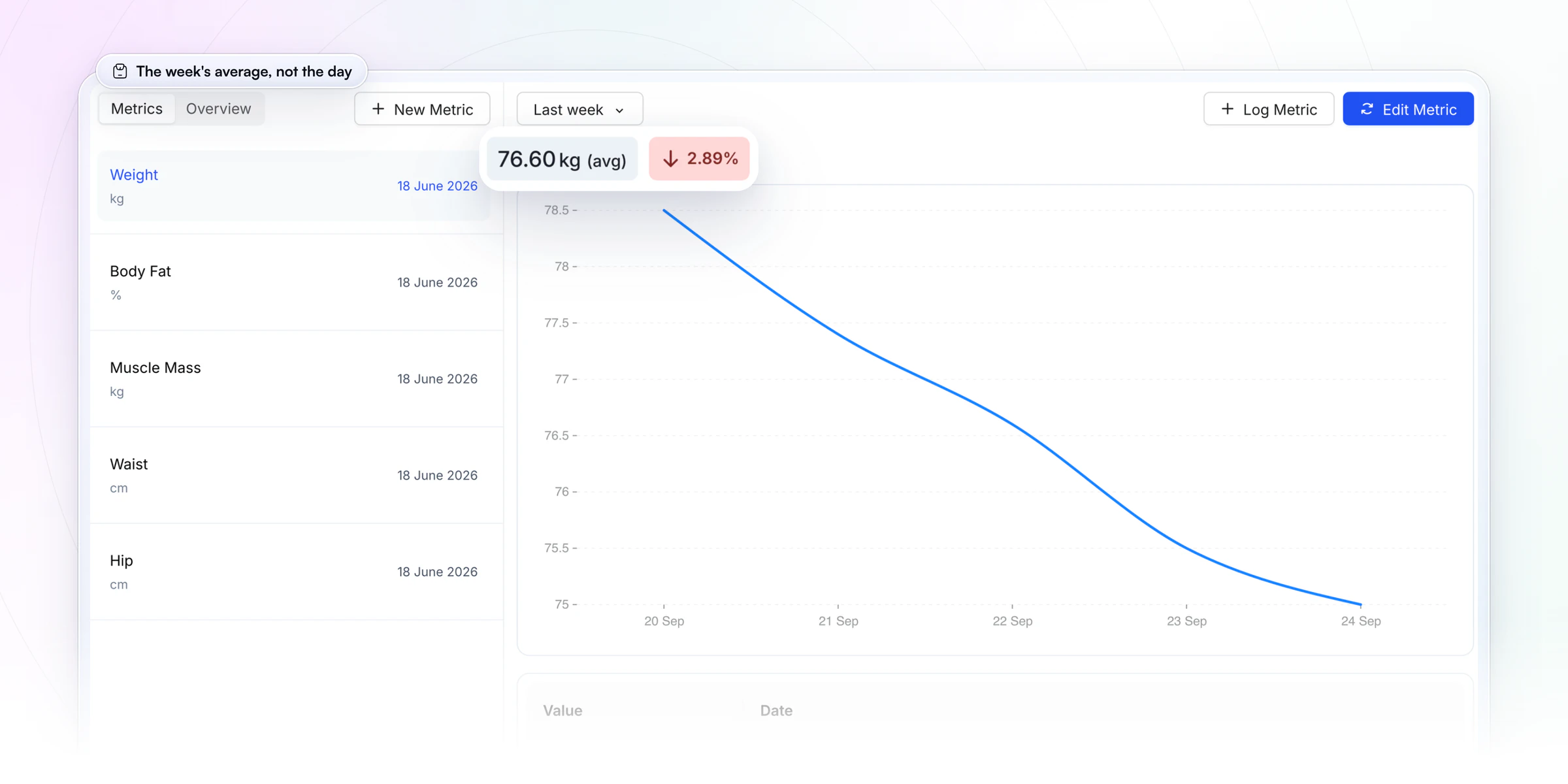
If a client weighs in every morning, a weight question set up as a Metric charts every answer and shows the average for the week, so one salty dinner never reads as a gain.
What is a daily check-in form for coaching clients?
A daily check-in form is a recurring, one-minute report from your client on today's training, nutrition, energy, sleep and mood. It sits between your weekly reviews: the weekly check-in tells you how the week went, the daily one tells you while there's still time to change it. Some coaches call it a daily accountability check-in, and it works the same for online clients and in-person personal training clients.
Tracking progress helps people reach their goals, and it helps more when they report it to someone else (meta-analysis of 138 studies). In weight loss, a review of 22 studies found that more frequent self-monitoring went with more weight lost. A daily form is that monitoring, made social.
A filled-in example: one client's week
A week of answers shows what a daily form catches. Here is a client in a fat-loss phase:
| Day | Training | Food · Energy · Sleep |
|---|---|---|
| Mon | Done | 8 · 7 · 7.5 h |
| Tue | Rest | 8 · 7 · 7 h |
| Wed | Done | 7 · 5 · 6 h |
| Thu | Missed | 5 · 4 · 5.5 h |
| Fri | Missed | 6 · 4 · 5 h |
| Sat | Done | 7 · 6 · 8 h |
| Sun | Rest | 8 · 7 · 8 h |
Sleep fell from Wednesday, energy followed, and two sessions went with it. On a weekly-only check-in you would hear about it on Sunday. A daily form shows it on Wednesday night, when 6 hours of sleep and an energy of 5 come in. One message on Thursday ("Short night? Let's swap Friday for a 30-minute session and protect bedtime.") can keep Friday from going the way of Thursday, and the client feels seen.
How should you reply to a daily check-in?
Reply the same day on the days that need it, with one line, and give the steady days a quick reaction. Clients keep answering a coach who answers back; they stop when nothing ever comes back.
| Day | What you see | What you send |
|---|---|---|
| Good day | Done, food 8, energy 7+ | "Strong day. Same again tomorrow." |
| Low day | Energy or mood drops | "Rough one? Easy session tomorrow." |
| Missed day | No answer by evening | "All good? Just send the first three." |
Three rules keep replies fast and useful:
- Name the number. "Energy 4 again" shows you read it; "great job" shows you didn't.
- Offer one change, not five. A shorter session, an earlier bedtime, one easier meal.
- Save the long reply for the weekly review. Daily replies are one line; the weekly one carries the plan.
How long does reviewing daily check-ins take?
About a minute per client per day when the form is seven quick answers. For 20 clients that's around 20 minutes a day, and most of it is scanning: three or four clients will have a number that moved, and those are the ones you message.
The rule that keeps it light: read daily, reply when a number moves, do the full review weekly. The weekly check-in is where the deeper look happens, and even that is quick once it runs in one app: Vegard Mikalsen of VM Coaching has his full weekly review in HubFit down to a minute or two per client. Daily reads should take less than that, because they only answer one question: does anything need me today?
“I spend one to two minutes per client on a proper check-in now.”

Seeing trends is what saves the time. In HubFit you can compare submissions side by side, so Thursday's check-in sits next to Monday's and a slide is obvious at a glance.
Daily check-in mistakes that make clients stop answering
Most daily forms die in the second or third week, and it's rarely the client's fault. These are the six mistakes behind it, each with the fix.
- Reading one day's weight. It swings with salt, water and sleep, so the client feels judged by noise. Fix: ask for it, but talk only about the seven-day average.
- More than seven questions. Every extra field adds seconds, and a form that takes three minutes gets skipped. Fix: keep the seven above and move the rest to the weekly form.
- Questions you never act on. If an answer would never change your reply, the client notices. Fix: delete it.
- No reply on a low day. A client who writes "energy 3, rough day" and hears nothing learns the form is a log, not a conversation. Fix: one line, the same day.
- A form that moves around. Email one week, a chat message the next, a shared sheet after that. Fix: one place, every day.
- The wrong time of day. A morning form can't ask how today went. Fix: send it in the evening, about an hour before their usual bedtime.
In HubFit the form lives in the client's app beside their workouts and meal plan, and a push reminder arrives at the time you set, so mistakes 5 and 6 are handled before you start.
What should you leave out of a daily check-in?
Leave out anything that doesn't change day to day, or that something else already records. Every extra question costs you answers.
- Progress photos and measurements. They barely move in a day. Ask for them in a weekly check-in form template or a monthly review.
- Steps, sleep and heart rate, if they wear a tracker. In HubFit these can sync from wearables through Apple Health or Health Connect, so don't make clients type them.
- Yes/no routines such as water, vitamins or a step goal. These work better as daily habits with streaks and reminders; see habit coaching for how the two fit together.
- Big reflection questions ("What was your biggest win?"). They need a week of perspective.
When should you use a daily check-in?
Use a daily check-in in the phases when a week is too long to wait; most clients need only the weekly one.
| Cadence | Best for | What goes in |
|---|---|---|
| Daily | New, prep or drifting | 7 quick questions |
| Weekly | Every client | Fuller review, photos |
| Monthly | Long-term clients | Look back, measurements |
A common rhythm is daily for a new client's first few weeks, then weekly once the habits hold. For the longer forms, use the monthly check-in template, and for question ideas by goal, see our check-in questions.
How HubFit runs your daily check-in for you
A daily form asks more of you than any other check-in, because it never stops. HubFit takes the repeating part off your plate in four ways.
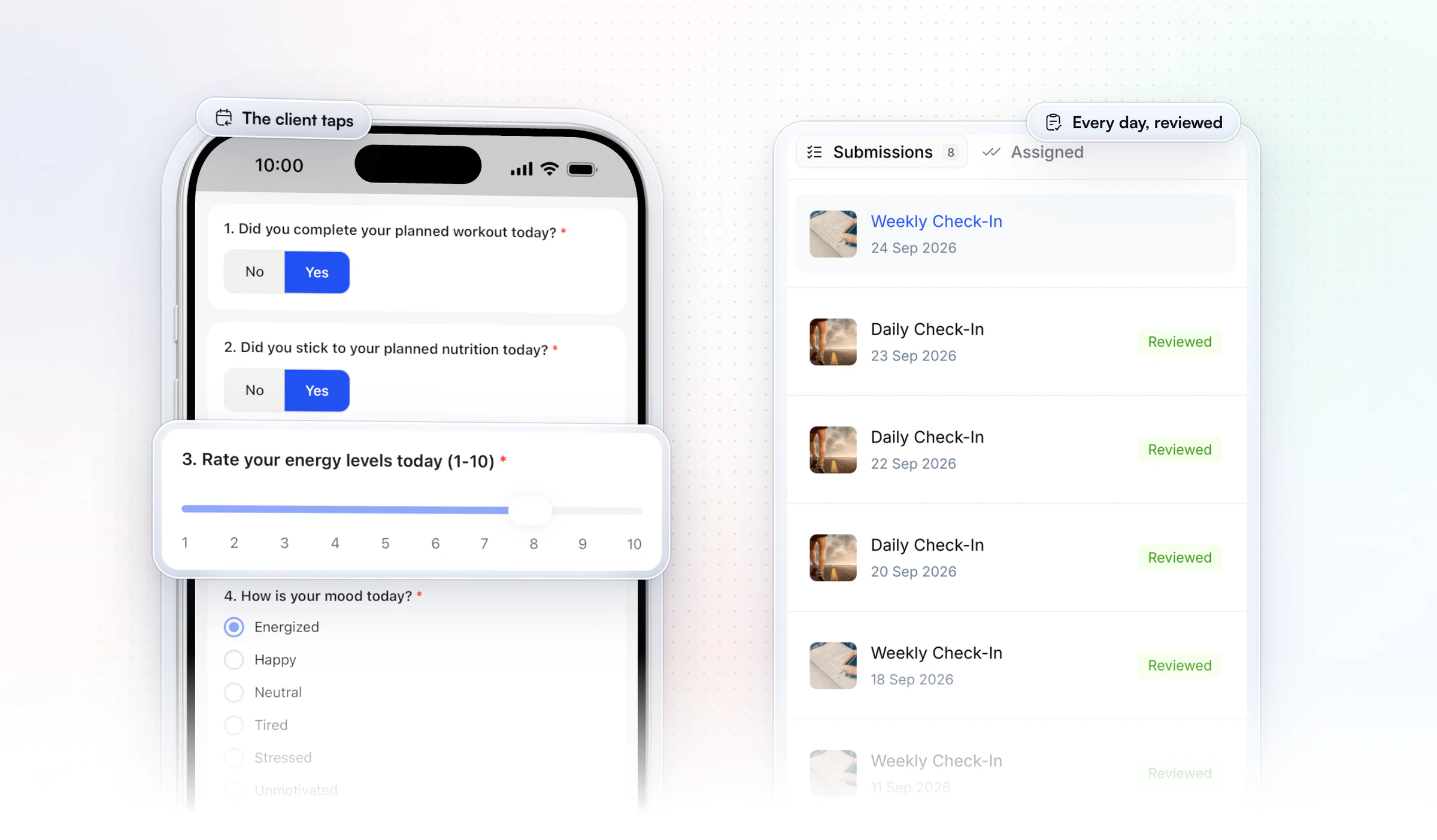
- It goes out on the days you pick. Set a Daily schedule, choose the days, and a push reminder reaches each client at the time you set, in 5-minute steps and in their own time zone. Nobody gets a 9 pm reminder at 4 am.
- Clients tap, not type. Yes/No, 1 to 10 scales and multiple choice keep a day to a few taps on their phone, and you can mark the questions that matter as required so the form never comes back half done.
- Every day lands in one inbox. Submissions arrive as Pending; you read, reply and mark them Reviewed, and the client gets a push and an email when you do. A short comment covers most days; a Loom video covers the big ones.
- Weigh-ins become a trend. A weight question set up as a Metric syncs to the client's Metrics, so daily numbers chart themselves, as in the weight chart above.
New clients can get the daily form without you lifting a finger: add it to an onboarding flow and it is assigned the moment they join. To go further, see how to automate your coaching business.
The rest comes with it: 11 question types, side-by-side comparison of submissions, backdating a missed day by up to 14 days, and check-ins on every plan with no add-on. HubFit is the #1 coaching app, rated 4.9 on the App Store and Google Play and free for your clients, built so check-ins take minutes, not evenings. See everything HubFit's check-ins can do.
How do you set up a daily check-in in HubFit?
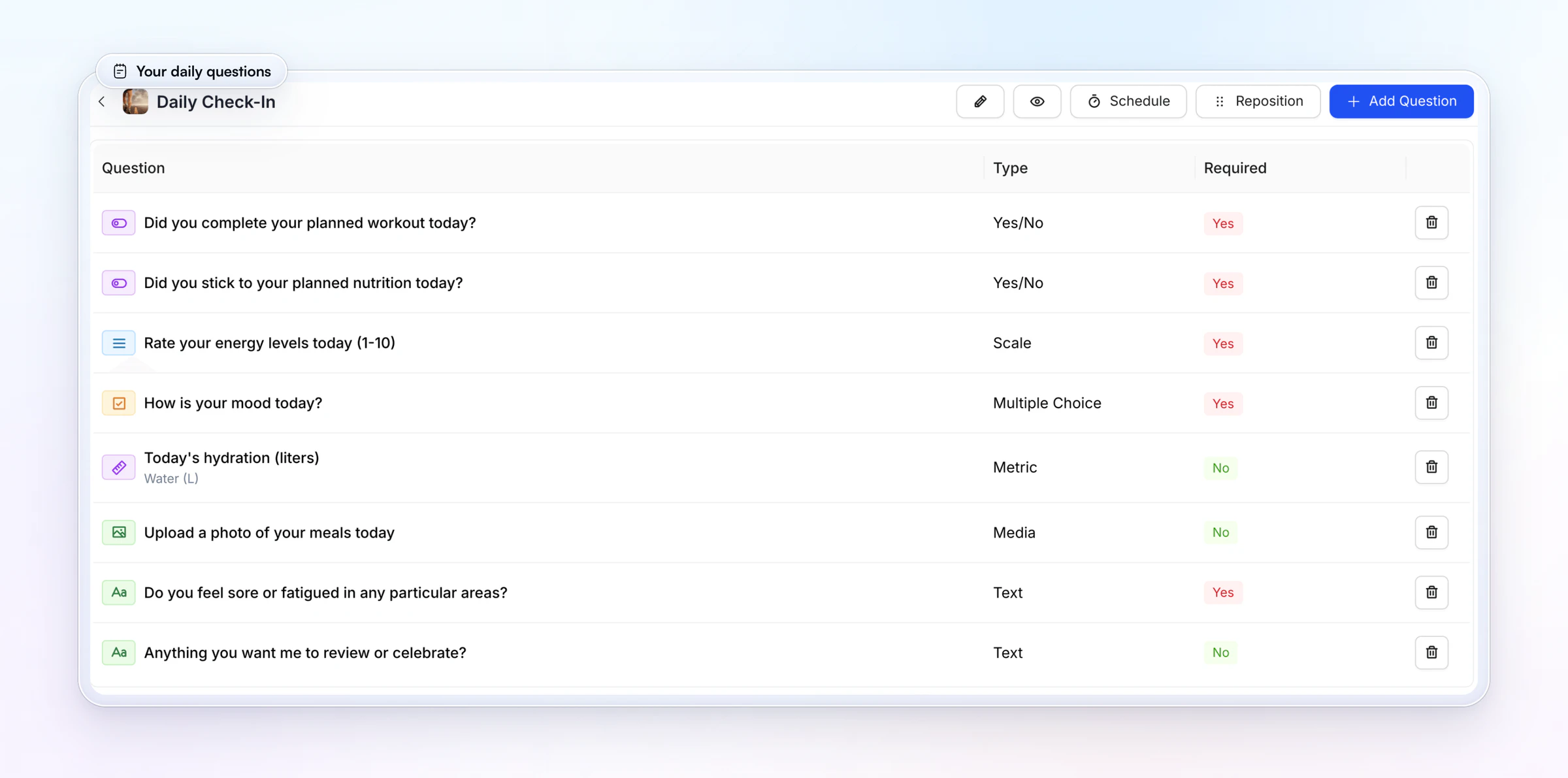
Setting up a daily check-in in HubFit starts from a pre-built check-in template you edit, schedule and assign.
- Open the template. Go to Forms, then Check-Ins, click Add Check-In and open Check-In Templates. Pick one to start from.
- Name it and match the questions. Give it a one-line description clients will see, then edit the questions to the seven above. Use a Metric question for weight, so the answer syncs to the client's Metrics.
- Set the schedule. Choose Daily, tick the days and set the reminder time, about an hour before their usual bedtime.
- Assign it. Add it to each client who needs daily contact, or to an onboarding flow. Everyone else stays on weekly.
- Review in one place. Read each submission in your review inbox, reply where a number moved and mark it Reviewed.
Want to try it on your own clients? Start your free trial and send your first daily check-in tonight.
FAQ
These are the questions coaches ask most about daily check-ins.
What should a daily check-in include?
Five to seven quick questions about today: training done or missed, nutrition on a 1 to 10 scale, energy, sleep, soreness, mood and one open line. Keep photos, measurements and reflection for the weekly review. For more question ideas by goal, see our list of check-in questions.
How long should a daily check-in take?
Under a minute. If clients take longer, the form is too long and they will start skipping it. Use scales and multiple choice for most answers, keep text optional, and move anything that needs thought to the weekly form, where clients have time to reflect.
How do I get clients to fill in daily check-ins?
Keep it under a minute, send it at the same time every day and reply on the days that matter. In HubFit a push reminder arrives at the time you choose in the client's time zone, and you can make the key questions required. Explain on day one why you ask: "so I can adjust before a bad week happens".
Can I automate a daily check-in?
Yes. In HubFit you set a Daily schedule, pick the days, and the form goes out with a push reminder while every answer files into one review inbox. Add it to an onboarding flow and new clients get it the day they join. Compare tools in our guide to check-in software for coaches.
Should clients weigh in every day?
Many coaches ask for it during a fat-loss phase, as long as you read the weekly average, not the day. In a six-month trial, adults on a daily-weighing program adopted more weight-control habits than a control group. Make it optional for clients who find the scale stressful.
What time of day should clients submit?
In the evening, about an hour before bed, so the form can ask how today went: training, food, energy and mood are all in. Ask about last night's sleep in the same form. Keep the time fixed; a check-in that arrives at a different hour every day gets forgotten.
Are daily check-ins too much for clients?
Not when they are short and you clearly use them. Clients tire of forms nobody answers. Reply to the days that need it, and move steady clients to weekly after a few weeks. Our guide to running client check-ins covers the full review routine.
What if a client misses a daily check-in?
Treat one miss as noise and two in a row as a message worth sending. In HubFit, a missed check-in can be backdated by up to 14 days, so the record stays complete. For ways to keep clients accountable between check-ins, start with a short, kind nudge.
Start your daily check-ins this week
Copy the template, pick the clients who need daily contact, and let HubFit send the reminder every evening and line up every answer for your review.