Use AI as a personal trainer inside your coaching app: HubFit's Workout AI, Meal AI and Smart Meal Planner draft workouts and meal plans in seconds, and you check every draft before a client sees it. Use a general assistant for messages and content, with the 12 prompts below.
Key takeaways
- AI writes the first draft, you write the last word. Programs, plans and messages all get a coach's check before they go out.
- Five jobs pay back fastest: programs, meal plans, client messages, content and admin. The 12 prompts below cover all five.
- A draft only helps once it reaches the client. In HubFit it lands in the same app as 5,000+ exercise videos, the nutrition tracker and check-ins.
- Know the limits. AI can't see a client move, misses health screening and shouldn't see client names or health details in a general chatbot.
What is an AI personal trainer?
An AI personal trainer, also called an AI-powered fitness coach or AI workout coach, is software that writes and adjusts workouts from a person's goals, equipment and logged training. It comes in three kinds, and only one of them is built for coaches.
| Kind | Built for | Where you fit |
|---|---|---|
| Consumer AI trainer apps | People training alone | It replaces the coach |
| General chatbots | Anyone who types a prompt | You copy and paste drafts |
| Coaching apps with AI inside | Coaches and their clients | Drafts land in your workflow |
The first kind competes with you. The other two work for you: they're AI assistants for fitness, not a replacement for the coach. That's the whole idea behind AI for personal trainers.
5 ways personal trainers can use AI
Hand AI the jobs that eat your evenings, and keep the decisions. Here is how to use AI as a coach, one job at a time.
1. Draft programs and workouts
Workout programming is the biggest time saver, because the first draft of a session is mostly typing. Give the AI the constraints you would hold in your head. A description like this one works in HubFit's AI tab:
Workout name: Upper Body Strength A
6 exercises, intermediate lifter.
Dumbbells and cables only.
Chest and back focus.
3 to 4 sets of 8 to 12 reps.
90 seconds rest.
Finish with one core exercise.
Then do the coach's part: swap anything the client's injury history rules out, set starting loads and plan the progression across the block. For a wider look at builders, see our guide to workout programming platforms.
2. Build meal plans and estimate macros
AI meal planning is fast, but a plan without targets is a guess. A general chatbot will list meals happily; it won't hit a macro split unless you ask, and it won't put the plan in your client's app.
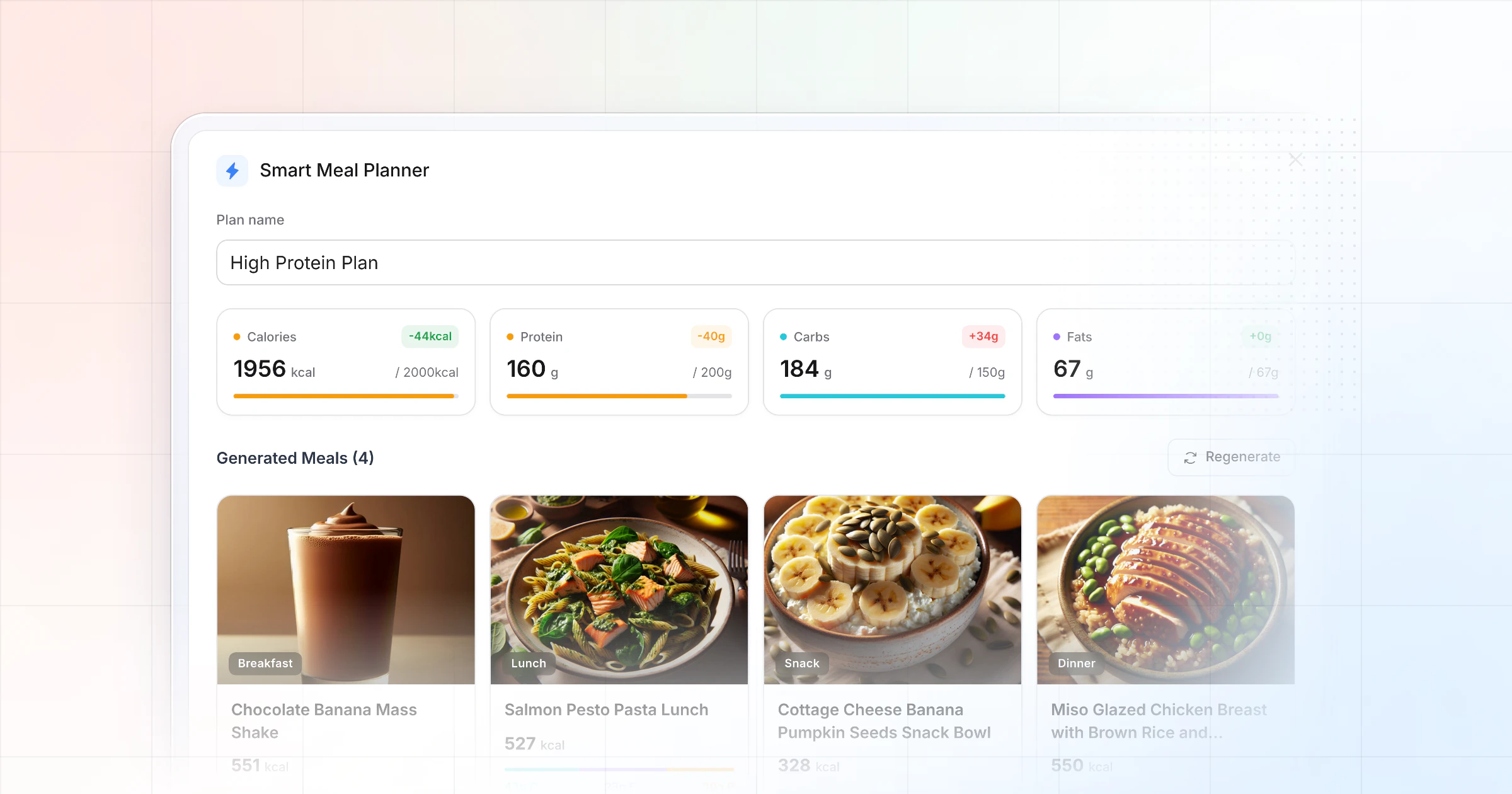
HubFit's Smart Meal Planner starts from the targets instead: calories, the split, the number of meals and the diet. Treat AI macro estimates the same way: check them against the label or the food database before a client relies on them. Keep plans within what your certification covers, and refer medical diets out. More on the tools in our guide to nutrition coaching platforms.
3. Write client messages and check-in replies
For client communication, AI is good at the blank page: a first reply to a check-in, a nudge to a client who went quiet, a welcome note. Keep names and health details out of a general chatbot, give it only the facts it needs (prompts 5 to 8 below), then rewrite the draft in your own voice.
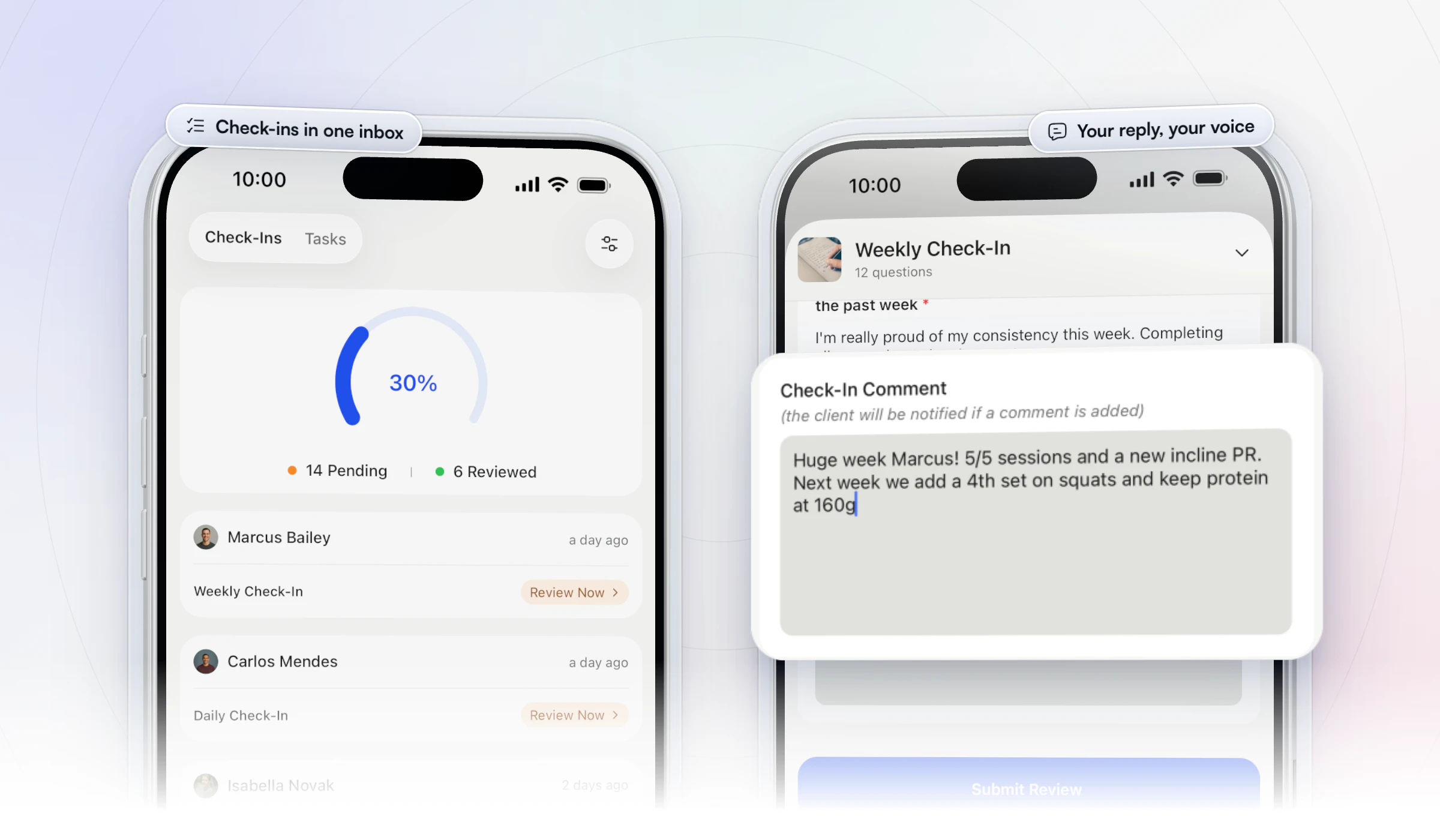
The reply itself belongs where the client will see it. In HubFit, check-ins arrive in a review inbox where you can compare submissions side by side, then answer with a written comment or a Loom video, and the client is notified when you review it. Good check-in questions make the replies easier to write, with or without AI.
4. Create content and marketing
Content creation is where most trainers start with AI, and where generic output shows fastest. Use a general assistant for hooks, captions, post outlines and sales-page FAQs (prompts 9 to 12 below).
AI gives you the frame. Your client stories, your opinions and your results are what make a post worth following.
5. Run the admin and read the data
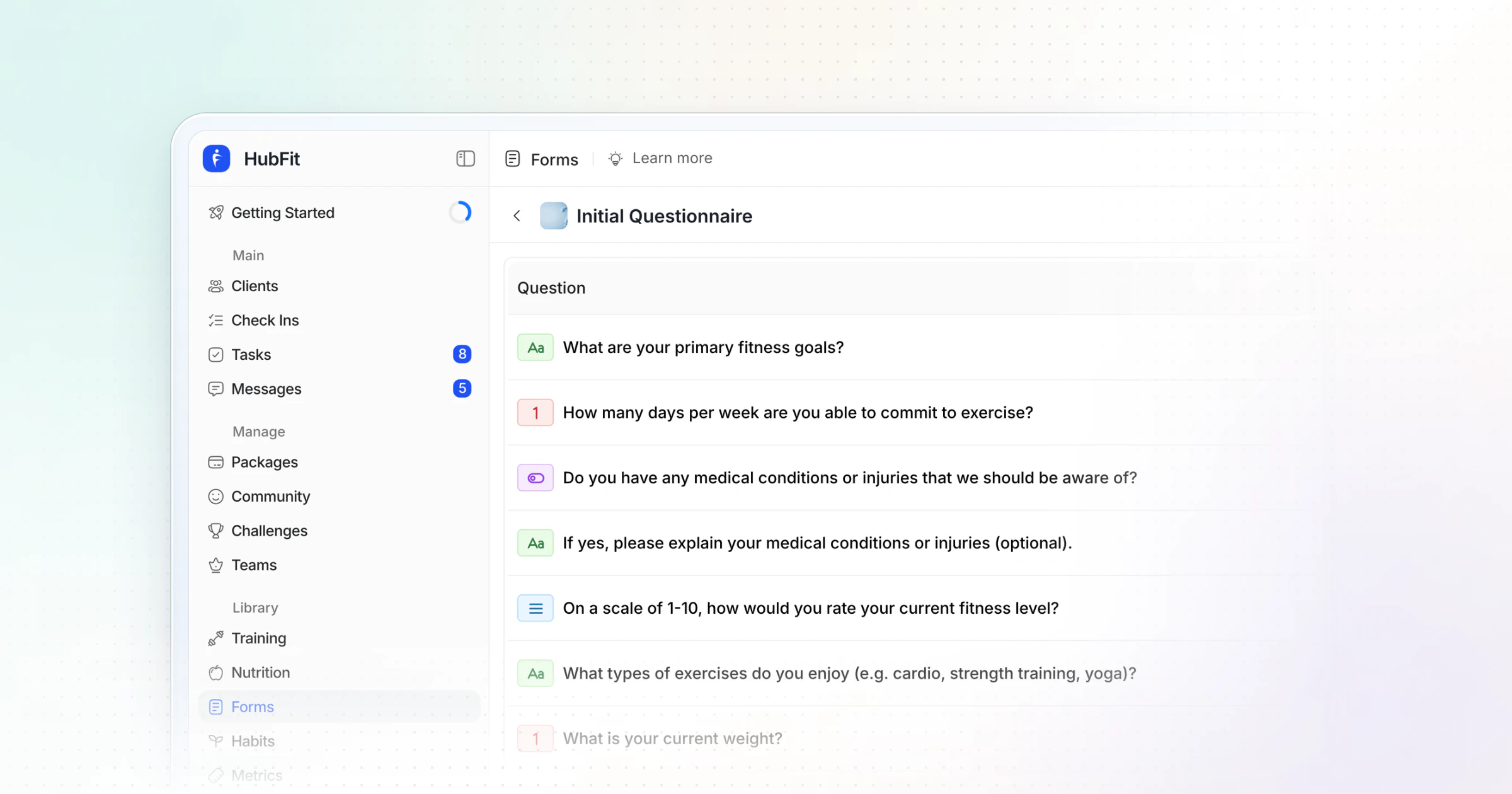
Client onboarding and admin are the quiet hours AI can give back. Ask it for intake questions for your client intake form, a welcome email, a pricing comparison or a step-by-step process for a new hire.
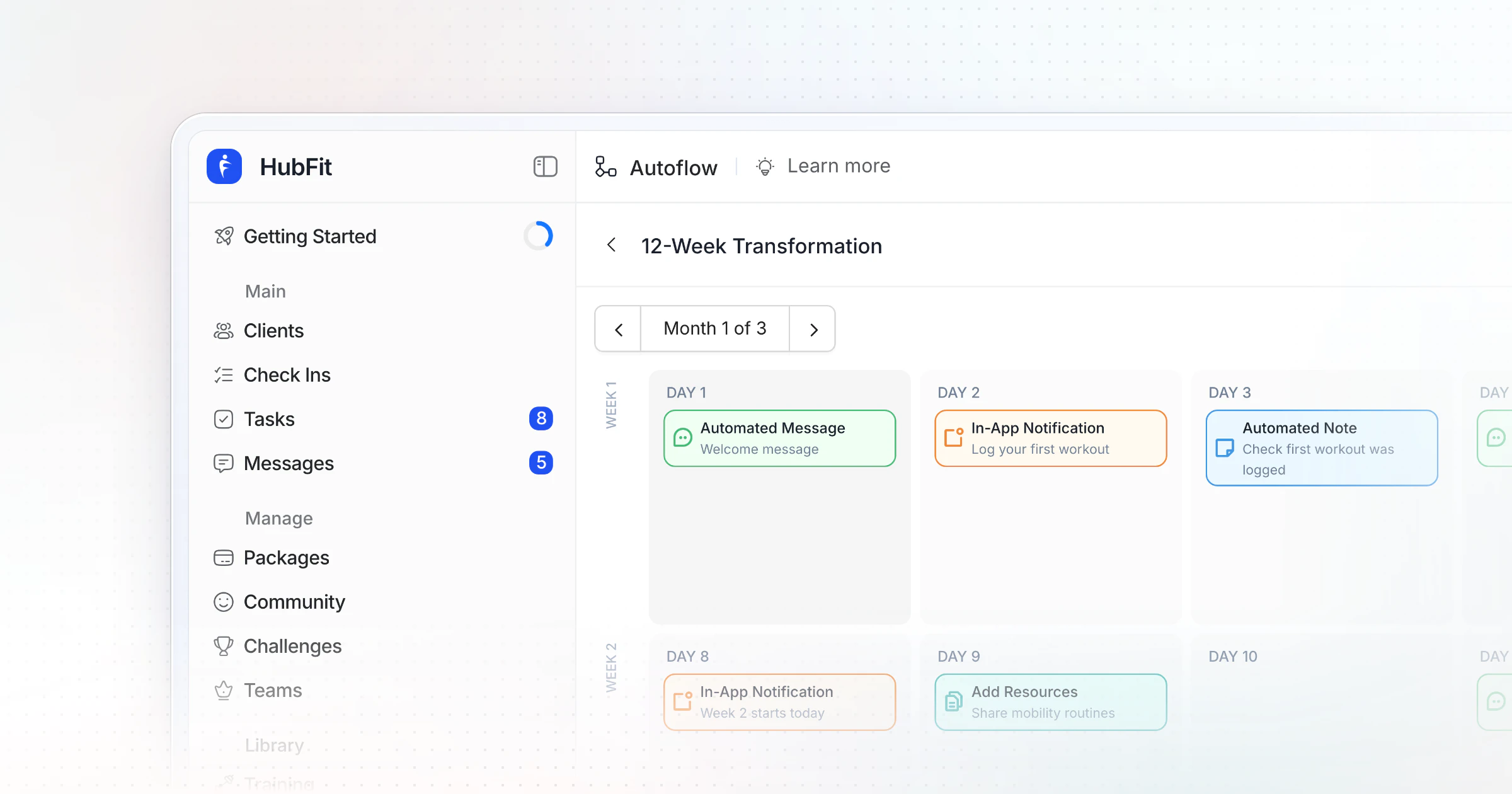
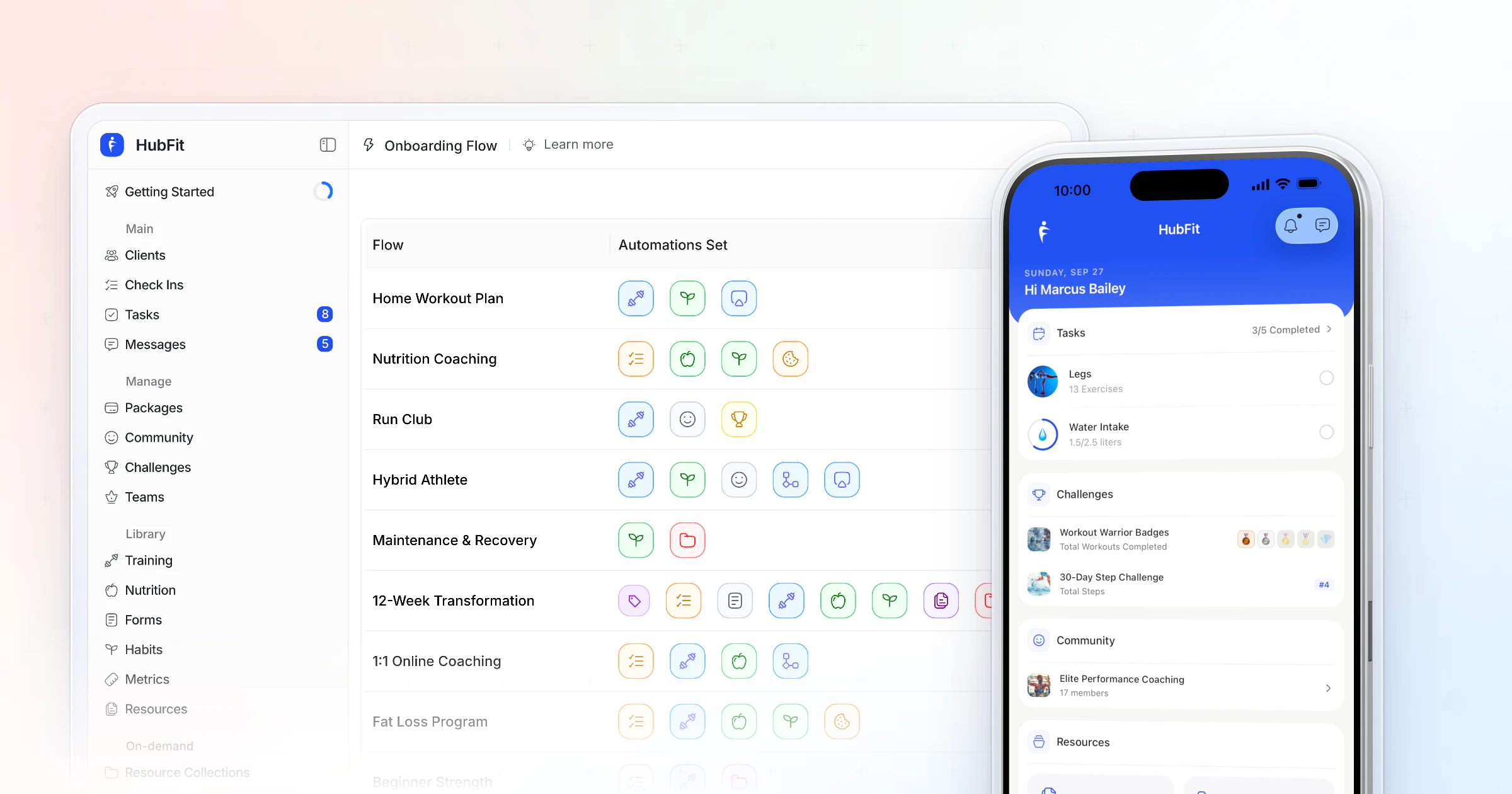
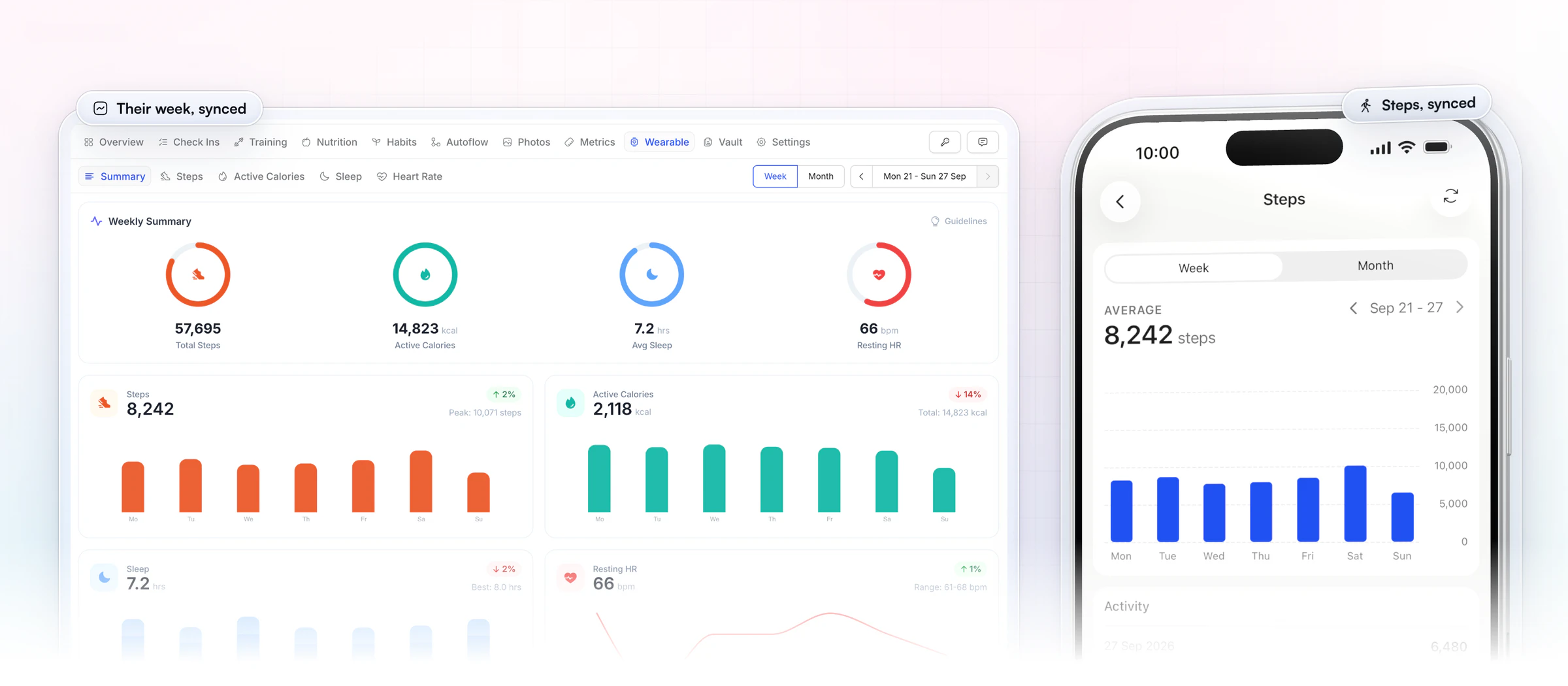
Then let automation handle what repeats. That's automated personal training admin, not automated coaching. HubFit's onboarding flows assign programs, nutrition plans, habits and check-ins when a client joins. Wearables connected through Apple Health or Health Connect sync steps, calories, sleep and heart rate, so the progress data is there when you review a client.
12 AI prompts for personal trainers (copy and paste)
These 12 prompts cover the jobs above; paste one into any general assistant, fill in the brackets, and check the result before it reaches a client. None of them needs a client's name or health details, so keep those out.
Programs and nutrition
1. A 4-week training block
Write a 4-week strength block for a [level] client.
Goal: [goal]. Training days: [number] per week.
Equipment: [list]. Session length: [minutes].
Show sets, reps and rest for each exercise.
Add a simple progression from week 1 to week 4.
Why it works: the block and the progression come together, so you're not writing four separate weeks.
2. An exercise swap for a cranky joint
My client gets [joint] discomfort during [exercise].
Suggest 3 swaps that train the same pattern,
from least to most demanding, with one cue each.
Do not diagnose. Flag when to refer to a physical therapist.
Why it works: three options give you room to choose, and the refer line keeps the answer in your scope.
3. A deload week
Here is week 4 of a program: [paste sets and reps].
Write a deload week that keeps the same exercises.
Reduce volume by about a third, keep intensity moderate.
Explain the change in one sentence I can send the client.
Why it works: the client gets a reason with the plan, so a lighter week doesn't feel like a step back.
4. Meal ideas to a macro target
Suggest 5 high-protein meal ideas for one day.
Target: [calories] kcal, [protein] g protein.
Foods they like: [list]. Foods to avoid: [list].
Give approximate macros per meal. Keep it simple to cook.
Why it works: real targets and food preferences make ideas a client will actually eat. Check every macro estimate against the label or a food database.
Client messages
5. A check-in reply
Draft a reply to a weekly check-in.
Client: 8 weeks in, fat loss goal.
Sleep down to 6 hours.
3 of 4 workouts done.
Weight flat for 2 weeks.
Tone: warm, direct, under 80 words.
End with one question.
Why it works: the facts are specific but anonymous, and the length cap stops a lecture.
6. A nudge to a quiet client
Write a short message to a client who hasn't logged
a workout in [days] days. No guilt, no lecture.
Offer one easy way back in this week.
Under 50 words. Sound like a coach, not an app.
Why it works: one small next step gets a reply far more often than a reminder of what they missed.
7. A welcome message
Write a welcome message for a new client starting [program].
Tell them what happens in week 1, when check-ins are due,
and how to reach me. Friendly, under 120 words.
Why it works: a clear first week answers the questions new clients are too shy to ask.
8. Intake questions
List 12 intake questions for a new [type] client.
Group them: goals, schedule, training history,
food habits, lifestyle. One line each.
Leave medical questions to a separate health screen.
Why it works: grouped questions are easier to answer, and health screening stays on its own form.
Marketing
9. A caption from a client win
Write an Instagram caption about a client win:
[win, for example "first pull-up at 41"].
Share what we changed, not the client's name.
3 short paragraphs and one question for comments.
Why it works: the story is the method, which teaches your audience and keeps the client private.
10. Ten hooks for a reel
Write 10 hooks under 10 words for a reel about [topic]
for [audience]. Mix questions, bold claims and myths.
No clickbait, no promises of results.
Why it works: ten options let you pick the one that sounds like you.
11. A sales-page FAQ
Write 6 FAQs for my coaching page.
Offer: [what's included]. Audience: [who].
Answer price, time per week, what if I miss a week,
and how check-ins work. Two sentences per answer.
Why it works: it answers the objections that stop people buying, in plain words.
12. A re-engagement email
Write an email to past clients who left in the last
6 months. Mention one new thing I offer: [offer].
No discount. One clear call to reply. Under 120 words.
Why it works: a reason to come back plus one easy action beats a discount.
Which AI tools should personal trainers use?
Personal trainers get the most from two kinds of AI tool: a coaching app with AI built in for client work, plus a general assistant for writing and content. Here is what each kind is for and where its draft ends up.
| Tool | What it's for | Where the draft goes |
|---|---|---|
| HubFit Workout AI | A workout from a description | Your workout library |
| HubFit Meal AI | A meal's ingredients and macros | Ready for a meal plan |
| HubFit Smart Meal Planner | A full meal plan from targets | The client's meal plan |
| ChatGPT, Claude or Gemini | Messages, content, admin | Copied, checked, pasted |
| Design and video editors | Graphics, captions, reels | Your social accounts |
HubFit's three AI tools come with Premium and up. A general chatbot is a good writing partner, but anything a client follows (a program, a plan, a target) belongs in the app where you can see what they did with it.
How HubFit turns AI drafts into coaching
HubFit, the #1 coaching app, puts the AI where your clients already train, eat and check in, so a draft becomes something you can assign instead of text to retype. It's the same start-from-a-draft rhythm nutrition coach Jesse Astill of ASTL Performance uses with his saved meal plans: load one, tweak it for the client, and it's done.
“I've sort of cut my workload in more than half, probably in third... now with HubFit, I can sort of just have my preloaded meal plans ready to go, go in, tweak a few of the macros just so it's personalized to them and then it's good to go.”

Three AI tools do the drafting:
- Workout AI. Open Add Workout, pick the HubFit AI tab, name the workout and describe it: exercise count, sets, reps, muscle focus, difficulty and rest. Paste a plain-text workout ("Bench Press 5x8, Rows 4x10") and it formats that too.
- Smart Meal Planner. A full meal plan in seconds from a calorie goal, a macro split (six presets: Balanced, High Protein, Low Carb, Keto, Low Fat or Custom), 3 to 6 meals and dietary filters. Swap or regenerate any meal in one tap.
- Meal AI. Describe a meal and get its ingredients with macros, ready to add to a meal plan.
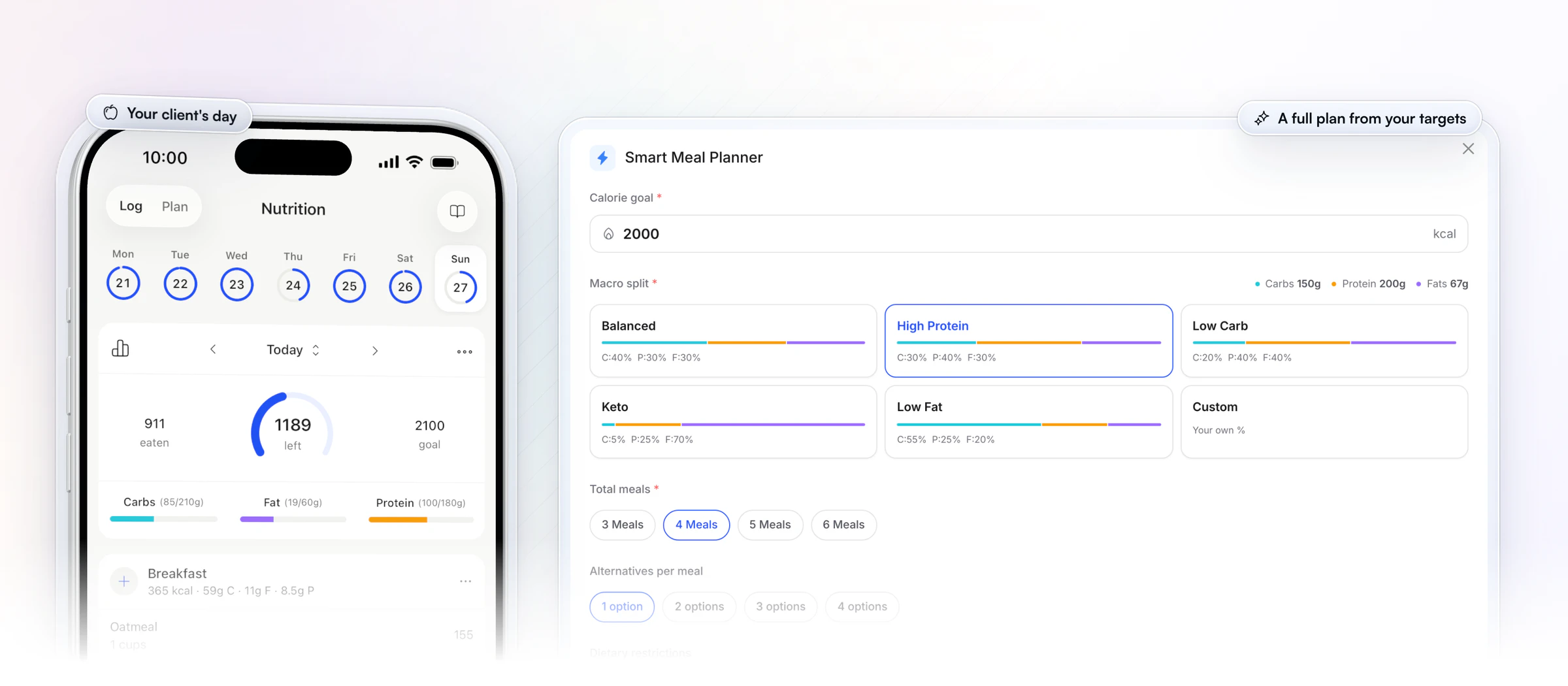
Once you've checked a draft, assign it and it's in your client's app, which is free for them and rated 4.9 on the App Store and Google Play. They open the workout you drafted, log each set and see a personal record the moment they hit one, and follow the meal plan with the macros of every meal, while you see every session on your side.
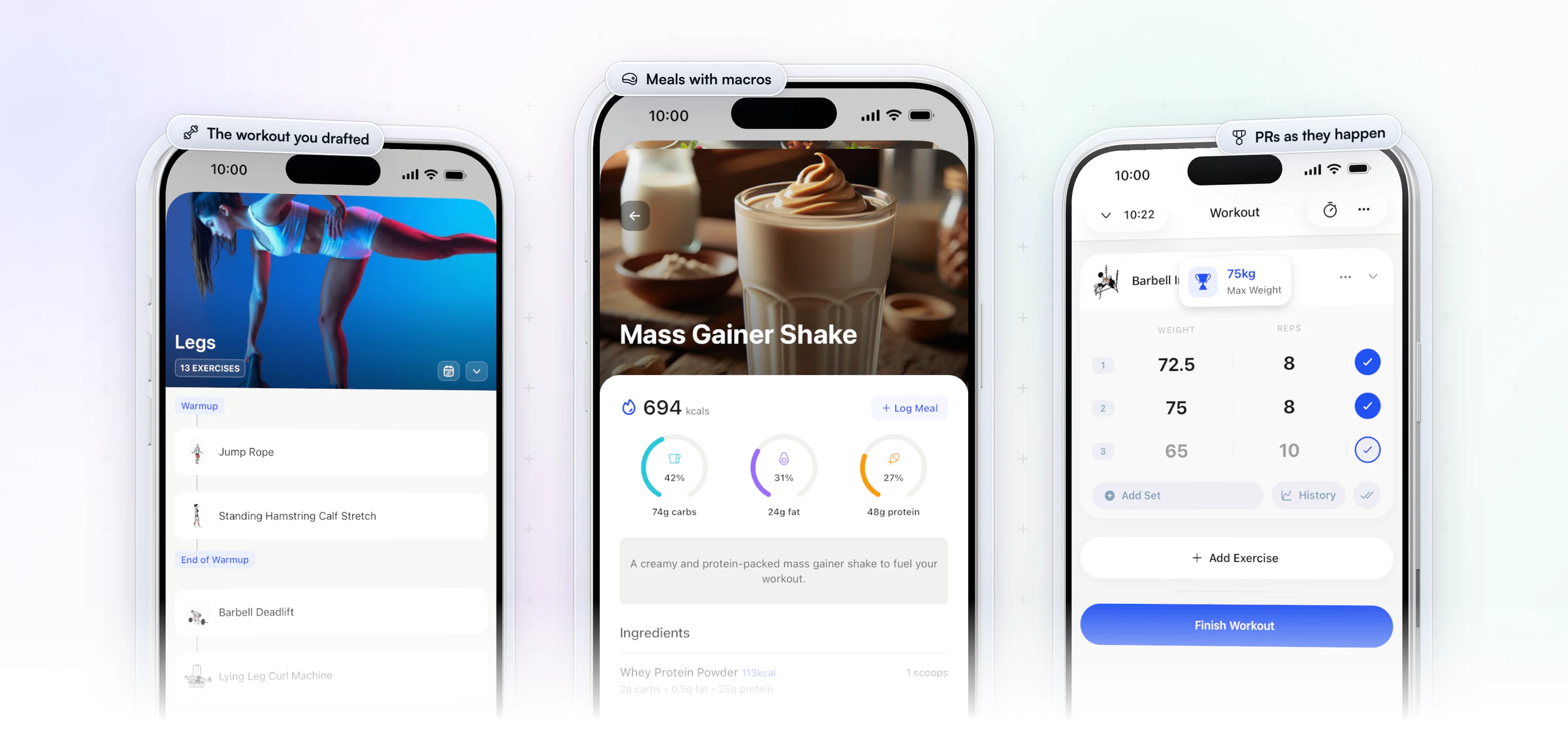
Around every draft sit 5,000+ exercise videos, an in-app nutrition tracker with a barcode scanner, check-ins with 11 question types, and onboarding flows that assign programs and plans when a client joins. That's what makes it an AI fitness coaching platform for coaches rather than a chatbot: the draft, the client and the follow-up live in one place. Start your free trial and build your first workout this week.
What should AI do, and what should you keep?
AI should draft and you should decide: the split below is the one to hold to.
| Job | AI drafts | You keep |
|---|---|---|
| Programs | Exercises, sets, reps, rest | Loads, injuries, progression |
| Meal plans | Meals that hit a macro split | Targets, food habits, referrals |
| Check-in replies | A first reply | The decision and the tone |
| Content | Hooks, captions, outlines | Your stories and results |
| Admin | Forms, emails, processes | Prices and promises |
What can't AI do for a personal trainer?
AI can't keep a client safe, can't guarantee its own accuracy and can't be trusted with client data you haven't cleared, so those three stay your job.
- Safety: it can't see a client move. A chatbot never watches a squat, so it can't catch a knee caving in or a back rounding under load. It also misses screening: in the study below, most of the chatbot's errors involved medical clearance before exercise. Screen every new client yourself with a health form.
- Accuracy: it sounds right when it's incomplete. AI writes with confidence whether or not it's correct, and macro estimates from a description can be off. The US National Institute of Standards and Technology lists confabulation (confident, false answers) and data privacy among the main risks of generative AI in its Generative AI Profile. Check numbers against a food database or the label, and check programs for progression and recovery.
- Privacy: client data stays out of general chatbots. Don't paste names, photos, medical history or anything that identifies a client into a general assistant. Read the tool's data settings before you use it for work, describe the client in general terms, and keep the real record in your coaching app.
- Accountability: it can't hold anyone to a plan. AI doesn't notice a client's voice on a bad week, doesn't know their kid was sick, and can't make them feel missed when they skip. That's why clients hire a trainer.
The limitations of AI are the reasons clients pay you. Lean into them.
How do you check an AI draft before a client sees it?
Run every draft through five questions, because chatbot advice tends to be accurate but incomplete. In a 2024 study in JMIR Medical Education, researchers asked an AI chatbot for exercise recommendations for 26 clinical populations. The answers were 90.7% accurate but only 41.2% comprehensive, and most errors involved medical clearance before exercise.
- Screening. Does this client need clearance, or a note on an injury or condition, first?
- Fit. Does it match their equipment, schedule and training age?
- Progression. Is there a plan for weeks 2 to 6, or only for today?
- Numbers. Do the sets, calories and macros add up to the goal?
- Voice. Would the client believe you wrote it?
How much time can AI save a personal trainer?
AI can save a personal trainer a few hours a week, mostly on first drafts of programs, replies and content. Here is an example week for a trainer with 20 clients; your numbers will differ, but the pattern holds.
| Task | Before | With AI drafts |
|---|---|---|
| New program blocks | 2 hours | 45 minutes |
| Check-in replies | 90 minutes | 45 minutes |
| Social content | 2 hours | 1 hour |
| Admin and emails | 1 hour | 30 minutes |
That example frees about three and a half hours, and the review time is already counted in the right-hand column. The bigger wins come from automation rather than prompts: onboarding that sets a client up by itself, check-ins that arrive in one inbox. That's where the coaches quoted above saved the most. For the rest of your week, see our guide to time management for coaches.
Should you tell clients you use AI?
Yes: tell clients you use software to draft programs and messages, and that you review every one, because saying it up front stops it from becoming a surprise later. Most clients care that the plan fits them and that you're paying attention. Here is a message you can send or say:
Quick note on how I work: I use software, including AI,
to draft programs, meal ideas and some messages so I can
spend more time on you. I review and adjust every one
before it reaches you, and every decision is mine.
Keep the promise in the last line. If a draft goes out unchecked once, the message stops being true.
The future of AI in personal training
The future of AI in personal training is more drafting inside coaching apps and more data from wearables, with the coach as the reviewer and the accountability. Three shifts are already visible:
- Drafts move into the coaching app. Instead of copying from a chatbot, trainers generate workouts and meal plans where the client already trains and logs food.
- More data from wearables. Steps, sleep and heart rate synced through Apple Health or Health Connect give you context a check-in alone doesn't.
- The coach becomes the editor. AI writes more of the first draft; your judgment, screening and relationship become the product.
How to get started with AI this week
Start with one job, not five. Three steps get you there:
- Pick the job that takes you longest. For most trainers that's programs or check-in replies.
- Copy one prompt from the list above, fill in the brackets for one client type, and save it.
- Move the drafting into your coaching app, so every reviewed draft goes straight to the client.
FAQ
Here are short answers to what trainers ask most about using AI.
What is the best AI for personal trainers?
Pick a coaching app with AI built in, because the draft lands where the client trains. Our pick for the best AI for personal trainers is HubFit, the #1 coaching app, with Workout AI, Meal AI and the Smart Meal Planner built in. Add a general assistant such as ChatGPT, Claude or Gemini for messages and content.
Will AI replace personal trainers?
No. AI can write a decent workout, but clients pay a trainer for judgment, accountability and someone who notices when things slip. Consumer AI trainer apps serve people who want to train alone. Coaches who use AI for drafts and admin get more time for the part only they can do, which makes them harder to replace, not easier.
Is there AI coaching software for personal trainers?
Yes. Coaching apps with AI built in draft inside your workflow. HubFit's Workout AI, Meal AI and Smart Meal Planner sit beside the exercise library, nutrition tracker and check-ins your clients already use. See HubFit's coaching tools or HubFit for personal trainers.
Can I use ChatGPT to write client programs?
Yes, as a first draft. Give it the client's goal, level, equipment, days and limits (prompt 1 above), then check screening, loads and progression yourself. The extra step is moving the result into an app: in a coaching platform with AI built in, the draft is already a workout you can assign.
Can AI make a meal plan for my clients?
Yes, as a draft. HubFit's Smart Meal Planner builds a full plan from a calorie goal, a macro split, the number of meals and dietary filters. Check it against the client's habits, stay within your scope of practice and refer medical diets to a dietitian.
Can AI check a client's exercise form?
Not reliably yet, so watch form yourself. In HubFit, clients can upload video in a check-in and you can reply with a Loom video, which gives you a real look at their technique between sessions without guessing from a description.
Should I tell clients I use AI?
Yes, keep it simple and honest: you use software to draft, and you review everything. The script in the section above is ready to send.
How can AI help with check-ins and onboarding?
AI can draft check-in questions, replies and welcome messages, and automation does the rest. A good check-in form and an onboarding flow that assigns the program, plan and first check-in save more time than any prompt. Read our guide to client check-ins and our post on client onboarding automation.
Coach faster, without coaching less
Let AI write the first draft and keep the decisions for yourself. Copy one prompt today, then put your next workout or meal plan together where your clients already train, so the hours you save stay saved.