
Time management for coaches means giving every repeating job a system and a fixed slot, so client work stops spilling into your evenings. Audit one week, batch your check-in reviews, automate onboarding and reminders, and set office hours. HubFit, the #1 coaching app, runs the repeating parts for you, so you get hours back every week.
Key takeaways
- Your time goes to the same few jobs. Onboarding, check-in reviews, messages and plan changes repeat for every client.
- Do the math before you add clients. Weekly coaching minutes divided by minutes per client is your real capacity.
- Batch, then automate. Review check-ins in fixed blocks and let software send what goes out on a schedule.
- Office hours protect your best work. Clients adapt to a reply window faster than you think.
What is time management for an online coach?
Time management for an online coach is deciding in advance when each kind of work happens, and building systems so the repeating work takes minutes, not hours. It is less about squeezing more into a day and more about removing the jobs you redo for every client.
That matters for you, not only for your output. A 2021 meta-analysis found time management relates to well-being even more strongly than to job performance.
Most online coaches lose their week to five jobs. Here is what to do with each:
| Task | Decision | How |
|---|---|---|
| Onboarding a client | Automate | One flow assigns everything |
| Check-in reviews | Batch | Two fixed review blocks |
| Weekly nudges | Automate | Scheduled messages |
| Plans and programs | Reuse | Templates, tweaked per client |
| DMs all day | Batch | A reply window, twice a day |
The first system to build is onboarding, because it repeats for every new client. In HubFit, an Onboarding Flow assigns programs, nutrition plans, habits, check-ins and questionnaires the moment you add a client.
Why HubFit saves coaches time
HubFit puts training, nutrition, habits, check-ins, messaging and onboarding automation in one app, on your phone and on the web. Fewer tools means fewer tabs, fewer logins and fewer places a client message can hide.
Onboarding is where the time comes back first. Gianni Fabrizio of Gianni Coaching cut his from about 3 hours to 2 minutes a client.
“Now, it's a type in the email address... we're probably talking maximum two minutes.”

Set up your first client in a few minutes: start your free trial.
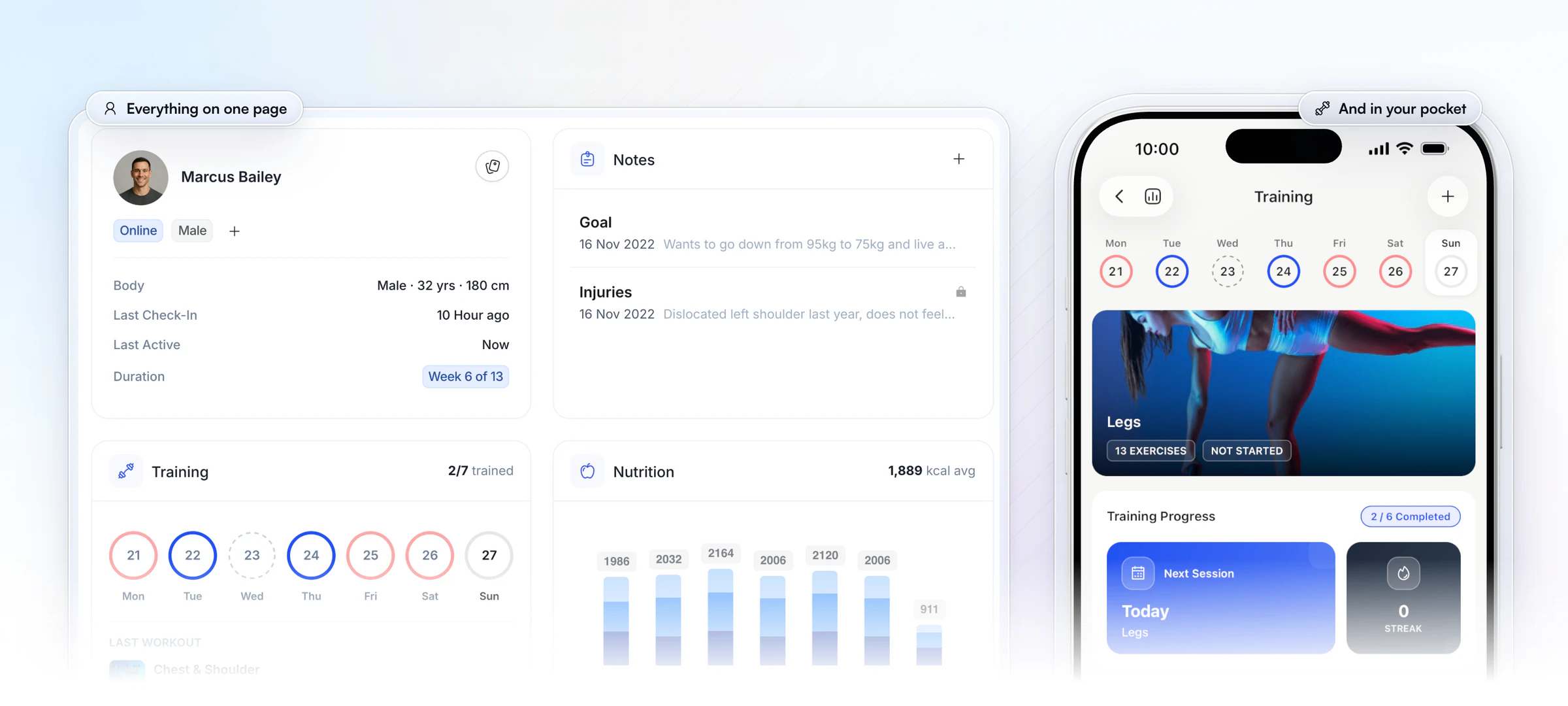
Every client also has one page. Their profile, program week, goals and injury notes, training, nutrition and habits sit together on the web, and the same client is in the coach app on your phone, the #1 coaching app, rated 4.9 on the App Store and Google Play. Before a check-in reply or a session, you check one place, not five.
How many clients can you coach in your hours?
The number of clients you can coach is your weekly coaching minutes divided by the minutes each client takes in a week. Nobody can hand you that number: it comes from your own week, so run your own math before you open more spots.
Your formula: hours a week for client work × 60 ÷ minutes per client per week = your capacity.
Here is the same sum at three speeds. These are worked examples of the formula, not targets:
| Minutes per client a week | Clients in 10 hours | Clients in 20 hours |
|---|---|---|
| 30 minutes | 20 | 40 |
| 15 minutes | 40 | 80 |
| 10 minutes | 60 | 120 |
Count every minute a client costs you in a normal week: reading and replying to the check-in, messages, plan changes, and the admin around them. Your one-week audit (strategy 1 below) gives you the real figure.
The table shows where the time is. Halve the minutes per client and you double the roster your hours can hold, without working longer. One HubFit coach shows how low the check-in part can go: Vegard Mikalsen of VM Coaching now reviews each client's check-in in a minute or two.
“I spend one to two minutes per client on a proper check-in now.”

If the math says you are full, raise prices or open a waitlist before you add hours. Our guide on how to scale past 30 clients covers what to change next.
Which time management techniques work for coaches?
The techniques that work for coaches are built for work that arrives in waves, with time blocking and batching first. Add a few tools for focus and for deciding what comes first. Here are seven, matched to the coaching job each one fixes:
| Technique | What it is | Use it for |
|---|---|---|
| Time blocking | A fixed slot for each kind of work | Your whole week |
| Batching | Similar tasks done in one sitting | Check-in reviews |
| Pomodoro | Focused sprints with short breaks | Programming, content |
| Eisenhower matrix | Urgent versus important | DMs and requests |
| 2-minute rule | Do it now if it's under 2 minutes | Quick client replies |
| Eat That Frog | The hardest task first | Sales calls, hard admin |
| 1-3-5 rule | 1 big, 3 medium, 5 small tasks | Your daily list |
Time blocking: give every kind of work a home
Time blocking means putting each kind of work in a fixed slot on your calendar, so it stops leaking into the rest of the day. For a coach, the blocks are check-in reviews, programming, messages, sales calls and deep work. The sample week at the end of this guide shows one way to lay them out.
Batching: review check-ins in one sitting
Batching is doing similar tasks together, so your head stays in one mode. Check-in reviews are the natural batch: same questions, same kind of reply, one after another. Lab research on task switching found that switching between tasks costs time, and the cost grows as the tasks get more complex.
Pomodoro: programming without interruptions
The Pomodoro Technique is working in short, timed sprints with a break after each. Its creator, Francesco Cirillo, used 25-minute intervals with 5-minute breaks. It suits the work that needs your full attention: building a client's next phase, writing a sales page, filming content. Close the chat before the timer starts.
Eisenhower matrix: sort the inbox before you answer it
The Eisenhower matrix sorts tasks by two questions: is it urgent, and is it important? Most client messages feel urgent and are not important. The next section turns the matrix into a coaching grid you can use every morning.
The 2-minute rule: clear the small replies
The 2-minute rule, from David Allen's Getting Things Done method, says that if a task takes less than two minutes, do it now instead of filing it. Use it inside your message block, not all day: confirm a swap, answer a quick form question, thank a client for a PR. Anything longer becomes a task for later.
Eat That Frog: do the hard thing first
Eat That Frog, from Brian Tracy's book of the same name, means doing your hardest, most avoided task first. For many coaches that is a sales call, a price change email or a difficult conversation with a client who has stalled. Do it before the inbox, and the rest of the day gets lighter.
The 1-3-5 rule: a daily list you can finish
The 1-3-5 rule caps your daily list at one big task, three medium ones and five small ones. A coach's day might be: one new program phase; three check-in replies that need care; five quick admin jobs. If something new comes in, something on the list moves to tomorrow.
How do you prioritize when everything feels urgent?
Prioritize by importance first and urgency second: a task that grows your business or protects a client comes before a message that only feels pressing. The Eisenhower matrix makes that visible. Here it is filled in for a coach:
| Urgent | Not urgent | |
|---|---|---|
| Important | A client injury, a failed payment | Offers, content, programming |
| Not important | Most DMs | Inbox tidying |
- Important and urgent: do it today. These are rare.
- Important, not urgent: schedule it. This is where your business grows, and it is the box coaches skip.
- Urgent, not important: batch it into your message block, or delegate it.
- Neither: drop it, or let it wait for a quiet Friday.
The daily rule that makes it stick: one important-not-urgent task before you open messages. Twenty minutes on next month's offer beats twenty minutes of replies that could have waited until 11.
6 time management strategies for online coaches
Take these in order: each one frees the time the next one needs.
1. Audit one week before you change anything
You can't fix time you haven't measured. For one normal week, note every task in 15-minute blocks: what it was, which client, how long it took.
Then give each task one decision from the table above: automate, batch, reuse, or drop it if nobody would notice. Add up the client minutes too, and you have the figure for the capacity formula.
Repeat the audit every quarter. New clients, new offers and new habits creep back in.
2. Build systems, not to-do lists
A to-do list reminds you to do the work. A system does the work, or makes it a two-minute job. Write each repeating process down once: what the client gets on day one, which check-in they fill in, and when they hear from you.
In HubFit, that becomes an Onboarding Flow for every new client, a check-in on a schedule (daily, weekly, bi-weekly or monthly) with push reminders, and a task list for the follow-ups that still need you. Running a flow the moment a client buys a package comes with Premium and up.
For the full checklist, see our guide to client onboarding automation.
3. Batch check-in reviews into fixed blocks
Reviewing check-ins in one or two fixed blocks is faster than answering them as they arrive. Set two review blocks a week, say Monday and Thursday morning.
Ask the same core questions each week (weight trend, adherence, training, sleep, one note), so a drifting client stands out at a glance. Good check-in software collects them for you, and a weekly check-in template gives you the questions.
4. Automate what goes out on a schedule
If a message, a program phase or a resource goes out on the same day for every client, schedule it once. A 12-week program is a sequence you can plan in one sitting. The section after these six covers the order to automate in.
5. Reuse instead of rebuilding
Anything you send to more than one client should be built once. Keep a library and tweak, never start from a blank page:
- Programs: reusable program templates, adjusted per client.
- Check-ins: pre-built templates you edit once, then assign to each client.
- Guides: PDFs, videos and links in Resource Collections, instead of the same file sent ten times.
6. Set office hours and protect deep work
Office hours are the strategy coaches skip and the one that gives back the most. Pick a reply window, tell clients once, and keep it. HubFit chat works without giving out your personal number, so work stays in the app.
Paste this into your welcome message:
I reply to messages Monday to Friday, 9 to 11 am and 4 to 5 pm. Check-ins are reviewed every Monday and Thursday. If something is urgent, start your message with URGENT.
Then block two or three hours a week for deep work: a new offer, your content, your own learning. Turn notifications off in that block.
What to automate first (and what not to)
Automate first the jobs that repeat for every client on a predictable day, in this order: onboarding, check-in reminders, renewals, then program phases and nudges. Keep anything that needs your judgment for yourself.
- Onboarding. It happens for every new client and has the most steps. An Onboarding Flow assigns the program, nutrition plan, habits, check-ins and questionnaires when you add the client.
- Check-in reminders. Schedule each check-in once and let push reminders go out at the time you set, in the client's own timezone. You stop chasing forms.
- Renewals and payments. Weekly or monthly packages bill through Stripe with automatic invoices, so nobody waits on you for a payment link.
- Program phases and nudges. AutoFlow runs a day-by-day sequence: a new program on day 29, a resource on day 3, a message on day 14. Plan a phase once and it reaches every client on their own timeline. AutoFlow comes with Premium and up.
- Not this: anything that needs you. Check-in replies, a plateau conversation, a cancellation, a client who is struggling. Automation buys you the time for these; it should never answer them.
For event-driven automation (a new sale in one tool starting a job in another), see Zapier for fitness professionals. Our guide to fitness business automation has a 30-day sequence to copy. Zapier is part of Ultimate.
How HubFit gives you your week back
HubFit turns the techniques above into the way the app works, so the system holds even in a busy week. Three places it saves the most time:
Check-ins wait in one queue you clear in a block
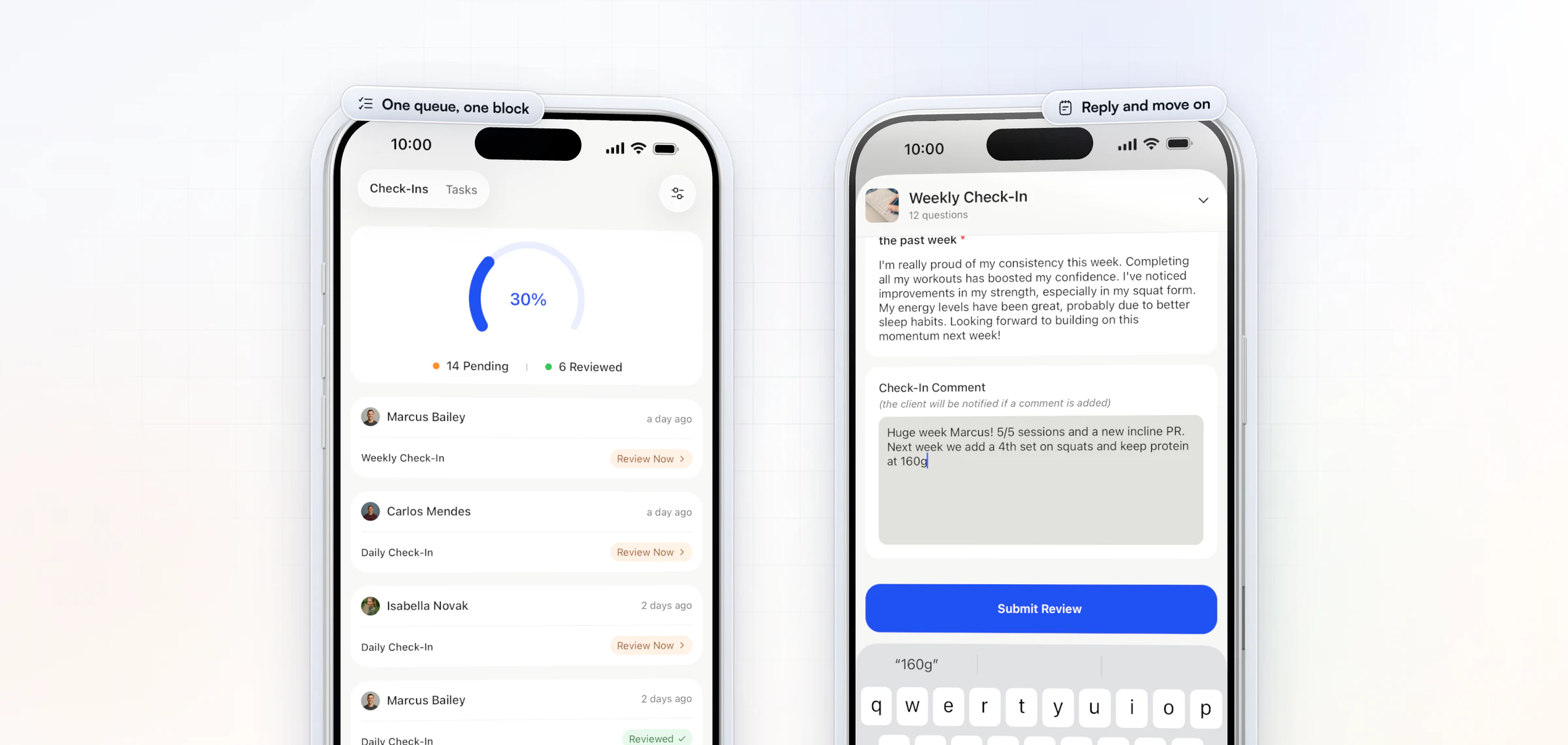
Every submission lands in one review inbox, marked pending until you review it. On your phone, the coach app shows how many are pending and how many you have reviewed this week, so a Monday block has a clear finish line. Compare any two check-ins side by side, and reply with a Loom video when a short video says more than three paragraphs.
Workouts are built once and reused
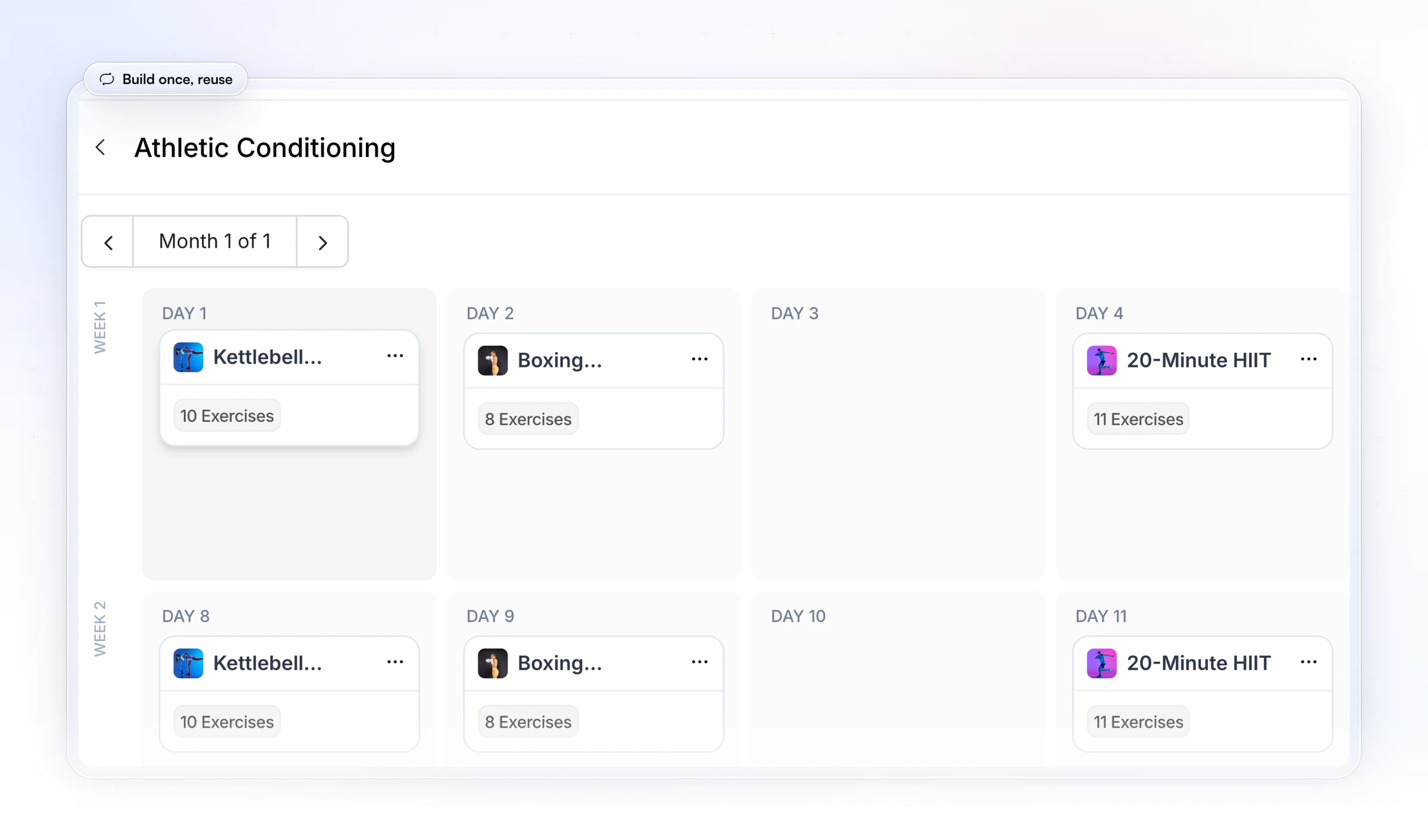
You build a workout once, from an exercise library with video demos, and drop it into any program. The next client's plan starts from your template, not a blank page, which makes a 25-minute programming sprint realistic.
Follow-ups sit beside the client, not in your head
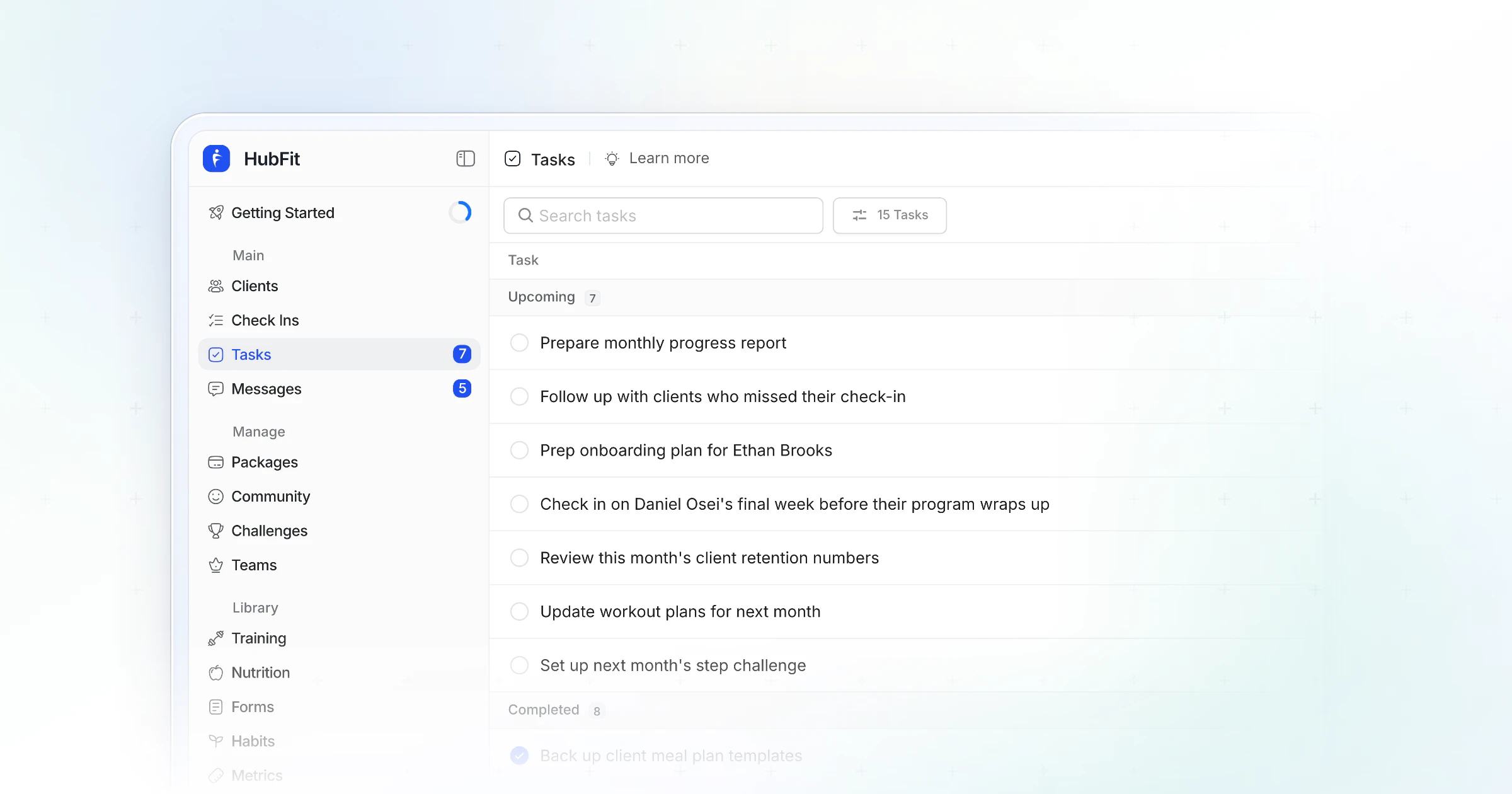
Tasks in HubFit hold the follow-ups that still need you, each with a due date, so they don't live on sticky notes or in your phone's reminders. On a team, you can assign a task to another coach. Team members are part of Ultimate.
Time management for personal trainers who coach in person
Time management for personal trainers comes down to protecting the gaps between sessions and keeping in-person and online clients in one system. A trainer's day is shaped by sessions, so the free time comes in short gaps, not long blocks.
- Use the gaps for programming. A 25-minute gap between sessions is one focused sprint: one client's next week, done. Keep the program on your phone so the gap isn't wasted finding a laptop.
- Cluster your sessions. Back-to-back sessions in the morning or evening cut split shifts and travel between clients. Two short blocks of sessions beat four scattered ones.
- Review hybrid clients with everyone else. Put in-person clients' check-ins in the same review block as your online clients, so there is one routine, not two.
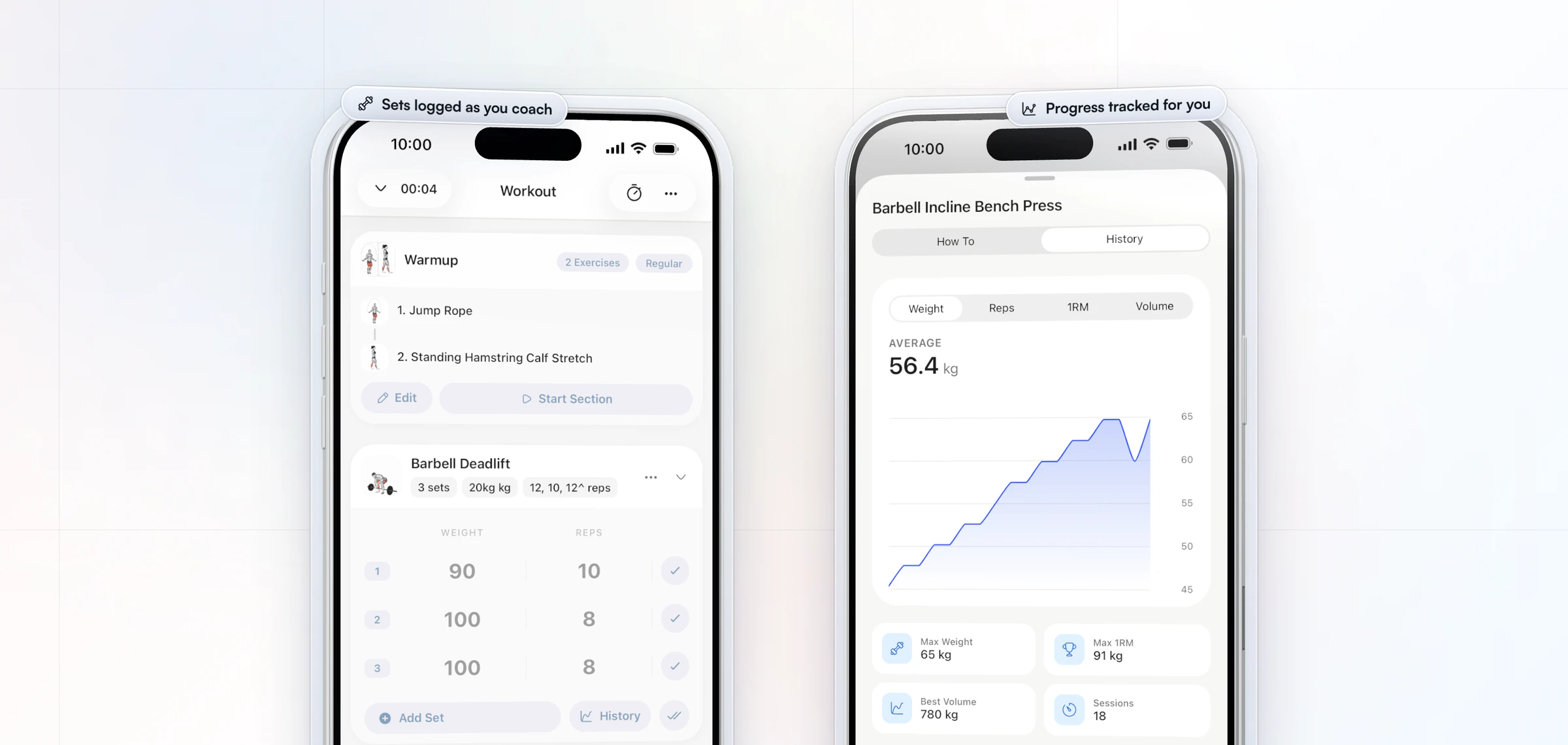
- Log sessions as you coach. In the HubFit coach app you can log a workout on a client's behalf, with sets, reps, weights and PRs captured as you go.
HubFit runs on your phone and on the web, so the program you start between sessions is the one you finish at your desk. It doesn't book sessions: keep your booking tool for scheduling.
Protect your energy, not just your hours
Time management only works if you still have energy for the hours you protect. The same 2021 meta-analysis that linked time management to performance found its link to well-being was stronger.
Three settings protect it. Mute notifications outside your office hours. Keep client chat in the coaching app, not on your personal number, so switching off your phone means switching off work; on the web you can mute a conversation. And keep one full day a week with no client work at all.
If the week already feels heavy, read our guide on how to avoid burnout as an online coach. It covers the warning signs and how to recover.
What does a time-blocked week look like?
A time-blocked week gives each kind of work its own slot. Here is one for an online coach with about 30 clients:
| Day | Morning | Afternoon |
|---|---|---|
| Monday | Check-in reviews | Programming |
| Tuesday | Messages, then sales calls | Deep work block |
| Wednesday | Messages | Content |
| Thursday | Check-in reviews | Plan changes |
| Friday | Weekly audit, 15 minutes | Admin, then off |
Keep the slots for at least four weeks before you judge them. The week settles once clients learn the rhythm.
FAQ
These are the questions coaches ask most about managing their time.
How long should a check-in review take?
Aim for a few minutes per client. Same core questions every week, a side-by-side view of the last check-in and a short video reply make that realistic. Read the answers against last week's, reply to the one thing that matters most, and save bigger changes for a monthly review. Our check-ins guide covers the form.
How many hours a week does an online coach work?
There is no standard number; it is your clients times the minutes each takes, plus your business work. Multiply your roster by your minutes per client per week, divide by 60, then add time for sales, content and admin. If the total is more than you want to work, cut the minutes per client before you cut clients.
What is the 1-3-5 rule?
The 1-3-5 rule is a daily to-do list with one big task, three medium tasks and five small ones, and nothing more. It stops a coach's day from filling with small replies. Anything new that comes in replaces an item or moves to tomorrow.
How do I manage time with in-person and online clients?
Cluster your in-person sessions into one or two blocks, use the gaps for programming, and review every client's check-in in the same block, whether you see them in person or not. Keeping both groups in one app means one routine instead of two.
How do I stop answering client messages all day?
Set a reply window, tell every client at onboarding and keep it for a month. Clients adapt fast once replies are predictable. Keep chat in one app, not your phone's texts, so work doesn't follow you home.
Should I use a separate app for tasks?
You can, but follow-ups are easier to keep when they live next to the client. HubFit has tasks with due dates, and on a team you can assign them to another coach, so nothing depends on a second app you have to remember to open.
How much admin time does a coaching platform require to set up?
Less than most coaches expect. You can set a client up in a few minutes, and an afternoon covers your first check-in, a program template and an onboarding flow. Existing clients can be imported in bulk. After that, the platform takes admin off your week, not on.
What software helps coaches manage their time?
One platform that runs onboarding, check-ins, programs and messaging saves more time than five separate apps. HubFit does all of it in one app. See HubFit's scaling tools, or the tools every online coach needs.
Get your evenings back
Time management comes down to fewer jobs done by hand. Set up your first onboarding flow and a weekly check-in in HubFit this week, then hold your first Monday review block. Start your 14-day free trial.






