
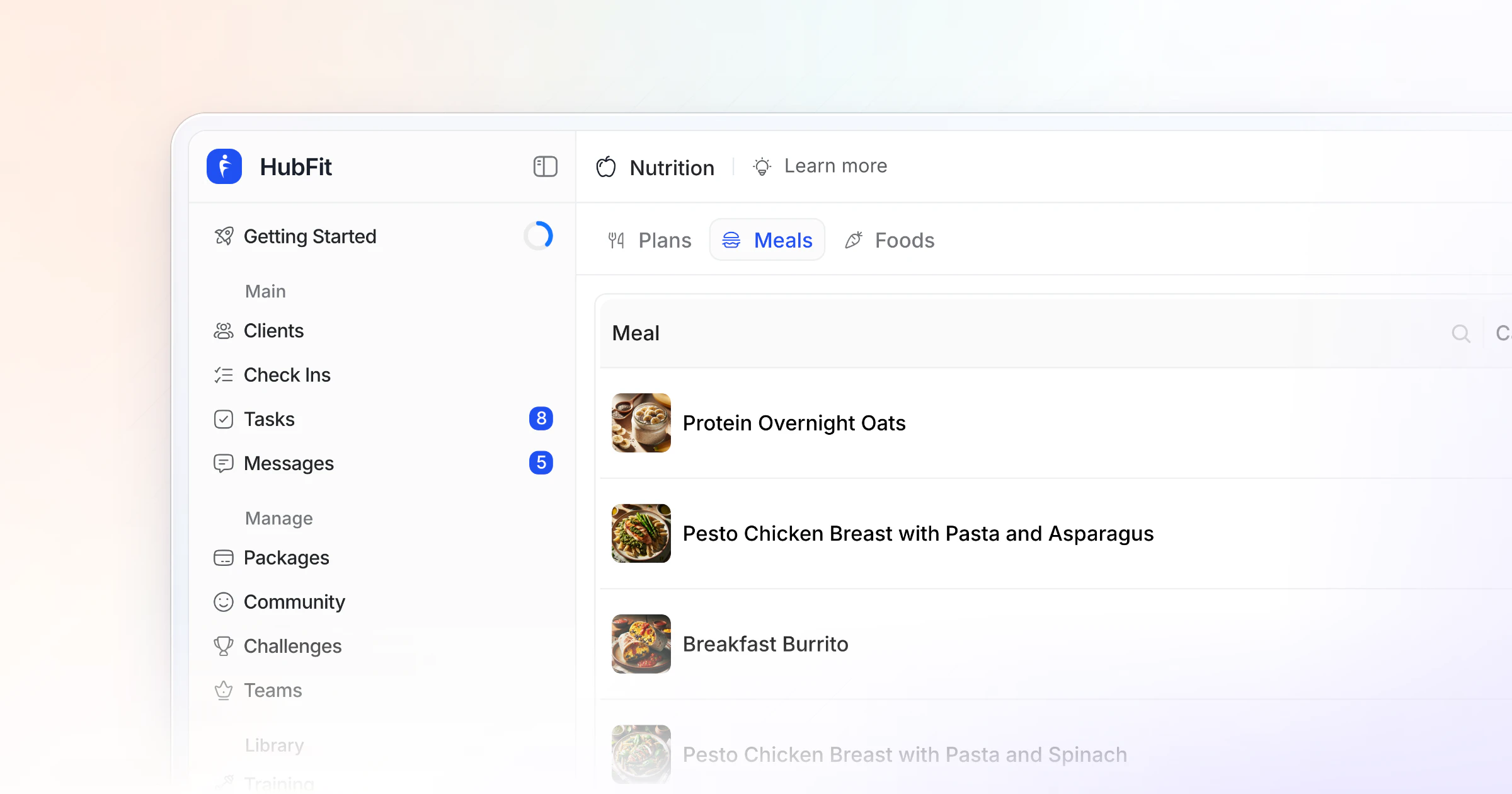
This free meal plan template gives a client one week on one page: targets, a weekly grid, two options per meal with macros, swaps and a grocery list. Copy the tables into Google Sheets below. To send it as a plan your client logs against, build it in HubFit, where every meal holds its options and the client logs food in the same app.
Key takeaways
- A good meal plan template starts with the client's targets, not the menu. Every meal is built to hit them.
- Give two options for each meal. A client who can choose is a client who sticks to it.
- Split protein evenly: 20 to 40 grams a meal, every 3 to 4 hours, is the ISSN's guide for people who train.
- Personalized meal plans are for qualified coaches. Without a nutrition credential, share general templates and refer out.
The free meal plan template (copy it into Google Sheets)
A meal plan template is a reusable layout that holds a client's targets, meals, options and shopping list in one place. You fill it in once per client instead of writing every plan from scratch. Ours has six parts, filled in below for one example client so you can see how they fit together. Press Copy template, paste it into Google Sheets or Excel and replace the example with your client's numbers: it stays a free, editable grid you can save as a master copy.
Copy the whole template, then paste it into Google Sheets, Excel or Google Docs.
1. Client targets
The targets block comes first because every meal below is built to hit it. Use separate columns for training days and rest days if your client eats differently on each. Our guide on how to calculate macros works the numbers out step by step.
| Client targets | Training day | Rest day |
|---|---|---|
| Calories (kcal) | 2,000 | 1,800 |
| Protein (g) | 160 | 160 |
| Carbs (g) | 185 | 135 |
| Fat (g) | 70 | 70 |
| Meals per day | 4 | 4 |
| Water (cups) | 10 | 8 |
| Focus this week | Protein at every meal | A walk after dinner |
2. Weekly meal plan
The weekly meal plan template is the grid your client looks at every day. Write the meal name in each cell and point to the option in part 3. Add a Snack column and a Prep note column in your sheet if the client needs them.
| Day | Breakfast | Lunch | Dinner |
|---|---|---|---|
| Monday | Greek yogurt bowl | Chicken and rice bowl | Salmon, potatoes, green beans |
| Tuesday | Overnight oats | Leftover salmon and potatoes | Turkey chili (cook a double batch) |
| Wednesday | Greek yogurt bowl | Leftover turkey chili | Chicken stir-fry with rice |
| Thursday | Overnight oats | Leftover chicken stir-fry | Easy night: eggs on toast, salad |
| Friday | Greek yogurt bowl | Chicken and rice bowl | Meal out: grilled protein and a side |
| Saturday | Eggs, toast and fruit | Tuna wrap | Lean beef burgers, potato wedges |
| Sunday | Protein pancakes | Burger patty salad | Turkey chili from the freezer |
3. Meal options with macros
This is the macro meal plan template: each meal slot gets two options that land on roughly the same numbers, so the client can pick either one and stay on target. The first table names the options; the second holds the numbers both options aim for.
| Meal | Option A | Option B | kcal |
|---|---|---|---|
| Breakfast | Chocolate banana mass shake | Greek yogurt bowl with oats and berries | 551 |
| Lunch | Salmon pesto pasta | Chicken and rice bowl | 527 |
| Snack | Cottage cheese and banana bowl | Protein shake and an apple | 328 |
| Dinner | Miso-glazed chicken, brown rice | Turkey chili with rice | 550 |
| Meal | Protein (g) | Carbs (g) | Fat (g) |
|---|---|---|---|
| Breakfast | 42 | 66 | 14 |
| Lunch | 39 | 43 | 23 |
| Snack | 23 | 33 | 12 |
| Dinner | 56 | 42 | 18 |
| Day total | 160 | 184 | 67 |
4. Swaps
Swaps keep the plan alive when the fridge is empty. List like-for-like swaps: protein for protein, carb for carb.
| If you're out of | Swap for |
|---|---|
| Chicken breast | Turkey breast, white fish, firm tofu |
| Greek yogurt | Cottage cheese, skyr |
| Rice | Potatoes, quinoa, couscous |
| Oats | Whole-grain toast, cereal with milk |
| Olive oil | Avocado, a small handful of nuts |
| Eating out | Grilled protein, vegetables, a carb |
5. Grocery list
The grocery list turns the plan into one shopping trip. Fill it from the weekly grid, by store section.
| Section | Items | Quantity |
|---|---|---|
| Protein | Chicken breast, salmon, ground turkey, lean beef, canned tuna | 1 kg, 2 fillets, 500 g, 500 g, 2 cans |
| Carbs and grains | Rice, oats, potatoes, wraps, whole-grain bread | 1 bag each, 1 kg potatoes |
| Fruit and vegetables | Berries, bananas, green beans, peppers, stir-fry mix, salad leaves, onions | Enough for 7 days |
| Dairy and eggs | Greek yogurt, cottage cheese, milk, eggs | 1 large tub, 2 tubs, 1 carton, 12 eggs |
| Fats, sauces and extras | Olive oil, canned beans and tomatoes, spices | For the chili and stir-fry |
6. Daily food log
The food log template (or food diary template) is what the client fills in. It shows you what actually happened, which is what you coach at the next check-in. Teach clients to read nutrition labels so the amounts they write down are right.
| Meal | What I ate | Amount | Hunger before (1 to 5) |
|---|---|---|---|
| Breakfast | Greek yogurt bowl | 250 g yogurt, 40 g oats, berries | 4 |
| Lunch | Chicken and rice bowl | 150 g chicken, 1 cup rice | 3 |
| Snack | Cottage cheese with fruit | 200 g, 1 banana | 2 |
| Dinner | Salmon, potatoes, green beans | 150 g salmon, 250 g potatoes | 4 |
What should a meal plan template include?
A meal plan template should include the client's targets, the meals for each day, options for each meal, swaps, a grocery list and a way to log what they ate. Most printable templates stop at the weekly grid. That works for planning family dinners. It does not work for a client with a protein target.
| Part | What it does for the client | What it does for you |
|---|---|---|
| Client targets | Shows what "on plan" means | One place to change numbers |
| Weekly grid | No decisions at 7 pm | The whole week at a glance |
| Meal options | Choice without going off plan | Fewer "can I swap this?" messages |
| Swaps | Survives a missed grocery run | The plan doesn't need rewriting |
| Grocery list | One trip, less waste | Proof the plan is realistic |
| Food log | A record of what happened | The data for your next change |
Example: a full week filled in
Here is the template filled in for one week, as our example of how the parts fit together. It uses two options for breakfast on repeat, cooks dinner in batches so lunch is often last night's leftovers, and plans one easy night and one meal out.
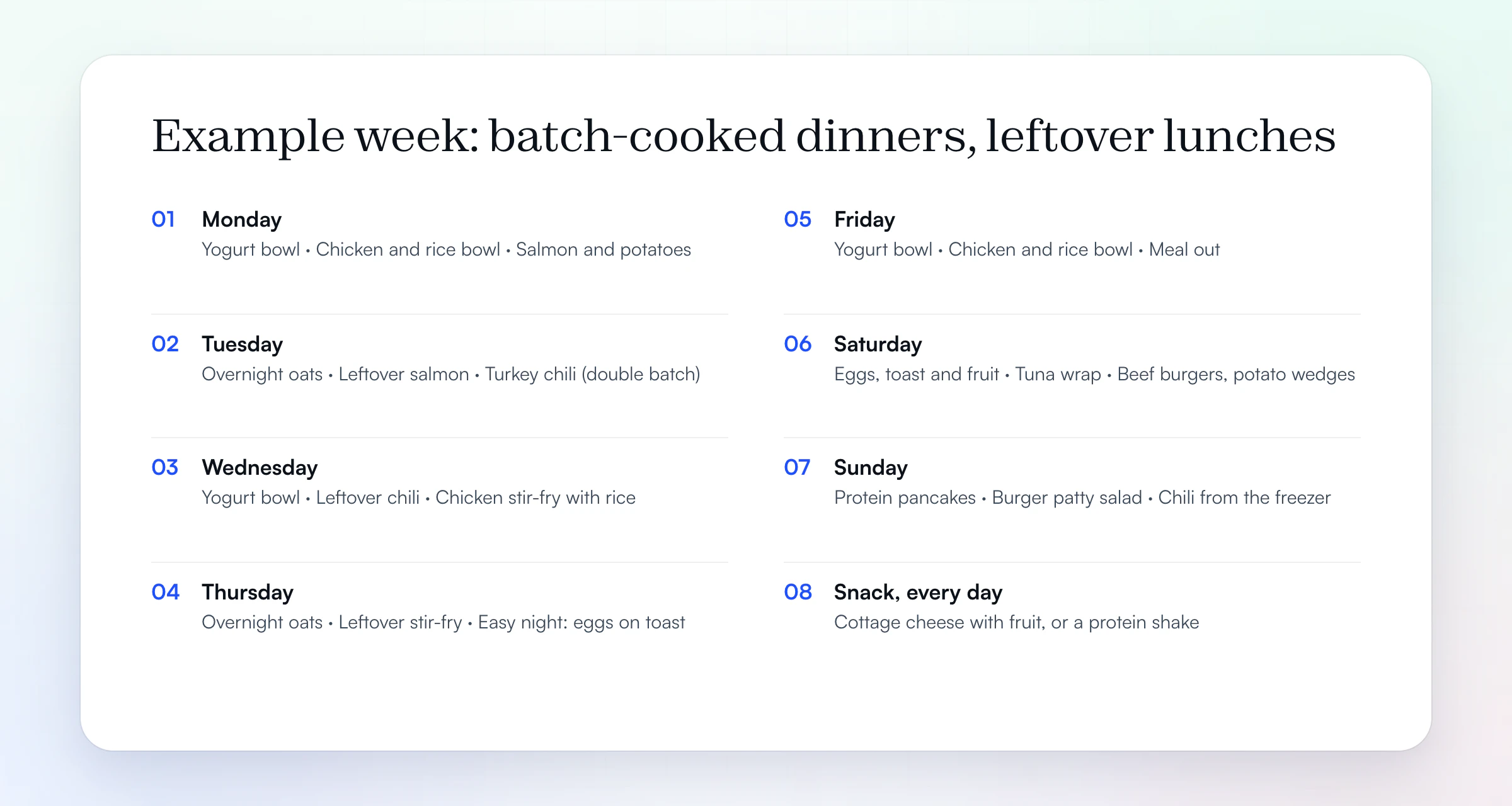
That week is the grid in part 2 above, and its shopping is the list in part 5. The snack every day is the client's pick of two: cottage cheese with fruit, or a protein shake. Breakfast and lunch repeat on purpose; most people eat the same few breakfasts anyway, and variety lives in dinner.
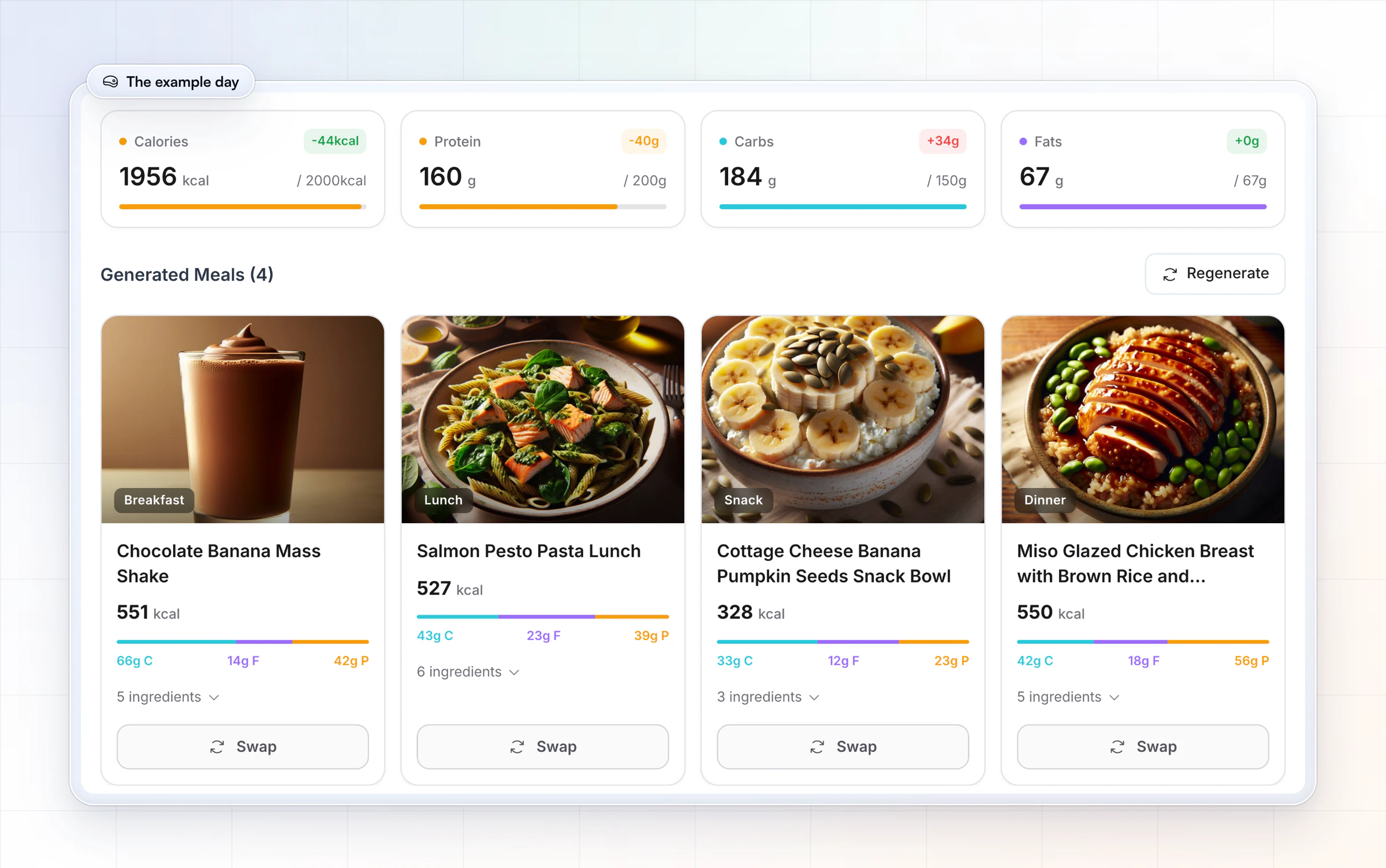
A filled-in example: one day at about 2,000 calories
Part 3 above is one real day: Option A in each meal comes from the High Protein plan HubFit's Smart Meal Planner generated for a 2,000-calorie goal with four meals: 1,956 kcal, 160 g protein, 184 g carbs and 67 g fat.
Three things to notice. The total lands 44 kcal under the goal, which is close enough; nobody hits a target to the gram. Protein lands on the 160 g target in part 1, though the High Protein preset itself aims higher, at 200 g; swap one meal for a higher-protein option if your client wants to close that gap. And protein sits between 23 and 56 grams a meal, so the snack is the light one. If your client trains in the morning, you might move the shake to after the session.
How do you fill in a meal plan template for a client?
To fill in a meal plan template, set the targets, pick the number of meals, split protein across them and choose two options per meal. Swaps and the grocery list come last.
- Set the targets. Calories, protein, carbs and fat for training and rest days, if your credential allows it (see the scope section below).
- Pick the number of meals. Three to five suits most clients. Match it to their day, not to a rule.
- Split the protein. Spread it evenly across the meals (see the worked example below).
- Choose two options per meal. Start from meals the client already eats and likes. Adjust portions to fit the numbers. Our recipe book template helps you keep those meals in one place.
- Plan the meal prep. Mark the meals that can be cooked in a batch on Sunday, and plan leftovers on purpose: Monday's dinner is Tuesday's lunch.
- Add swaps and the grocery list. Build the list from the weekly grid so nothing is missing.
- Send it and review it. Look at the food log at the next check-in and change one thing at a time.
Worked example: protein per meal
Here is a worked example for a client who weighs 75 kg (165 lb) and trains four times a week. The International Society of Sports Nutrition's position stand on protein (2017) puts most people who exercise at 1.4 to 2.0 g of protein per kg a day. It suggests 0.25 g per kg, or 20 to 40 g, per meal, spread every 3 to 4 hours.
| Step | Math | Result |
|---|---|---|
| Daily protein | 75 kg × 1.6 g | 120 g a day |
| Per meal, 4 meals | 120 g ÷ 4 | 30 g a meal |
| ISSN dose per meal | 75 kg × 0.25 g | about 19 g |
| Check | 30 g is within 20 to 40 g | Fits |
So each meal in part 3 needs about 30 g of protein. That one number makes the options easy to build: start each option from a protein portion that delivers about 30 g, then add carbs and fat to fit. The calorie and carb targets come from a qualified assessment of the client. Without a nutrition credential, use this math to teach the general guideline, not as a prescription.
Free meal plan template variations
The same six parts cover every common variation; what changes is which parts you lean on. Use the one that matches how your client eats.
- Printable weekly: the weekly grid, the swaps and the grocery list on one page. Print it from Google Sheets for the fridge.
- Monthly (4 weeks): a two-week rotation run twice. Fill the weekly grid twice, keep one grocery list for every two weeks. Most clients don't need 120 new recipes; they need eight meals they like, on repeat.
- Meal prep or batch cooking: mark two or three dinners for a double batch and write the leftovers into the next day's lunch, as in the example week.
- Family: one dinner for everyone, with the client's portion and a side for their protein. Keep breakfast and lunch personal.
- High-protein: build every option from a 30 to 40 g protein portion first, then add carbs and fat. The High Protein day above is one example.
- Vegetarian: protein from eggs, Greek yogurt, cottage cheese, tofu, tempeh, lentils and beans. List the swaps for each so the grid survives a busy week.
Which meal plan template style fits your client?
The right template style depends on how much structure the client wants and how much they will track. Use this table to pick one, then use only the parts of the template that style needs.
| Template style | Best for | What the client gets | Parts to use |
|---|---|---|---|
| Set menu with options | Beginners, busy meal preppers | Exact meals, 2 options each | All six |
| Macros by meal | Guidance, own food choices | Targets per meal | Targets, part 3, food log |
| Total macros | Experienced trackers | One set of daily numbers | Targets, food log |
| Plate method | Clients who won't weigh food | A balanced plate each meal | Grid, swaps, grocery list |
| Two-week rotation | Clients who get bored | 14 days, then repeat | Grid twice, grocery list |
Can a personal trainer give a client a meal plan?
A personal trainer can share general nutrition guidance and sample templates, but an individualized meal plan is outside a trainer's scope of practice unless they hold the qualification for it. The American Council on Exercise's guidance on nutrition scope of practice lists individualized meal planning, nutrition assessment and specific intake recommendations as things fitness professionals should not do without a license, and tells trainers to check their state's laws first.
In practice:
- Without a nutrition credential: share this template as a general guide, teach the client to fill in their own meals, and coach the habits (logging, protein at each meal, the grocery list).
- With a nutrition credential: fill in the targets and the meals for each client, within what your credential and your local law allow.
- Medical conditions, pregnancy or disordered eating: refer to a registered dietitian or the client's doctor.
How HubFit turns this template into a plan clients follow
Clients follow a plan when it lives where they log their food. A sheet works for a few clients; past a handful, the plan sits in a file, the eating happens in another app, and you chase screenshots. In HubFit, each part of this template is a part of the app. Macro targets, meal plans and the tracker are on every plan.
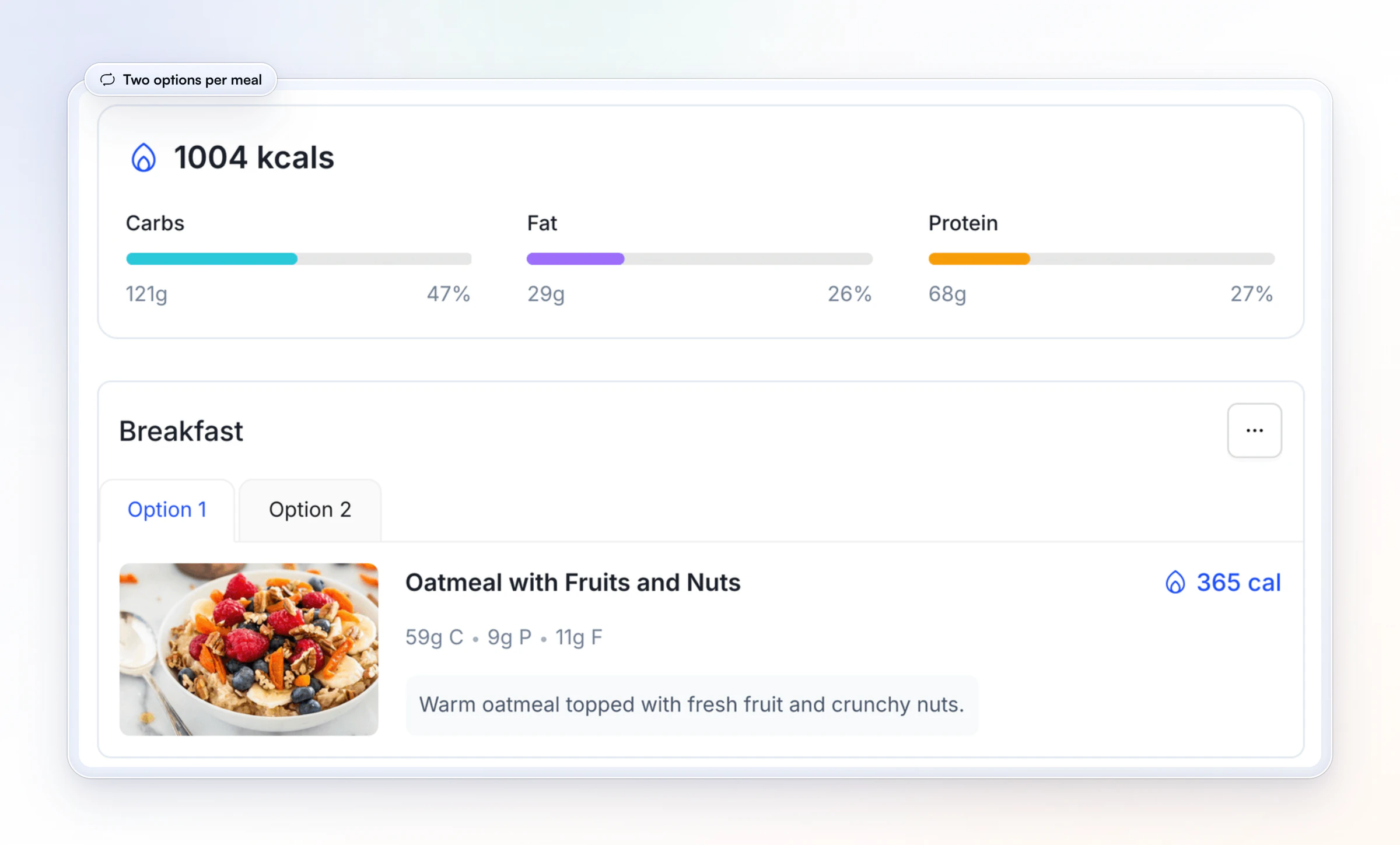
- Two options per meal, built in. A meal plan holds up to 10 meal blocks with up to 4 options each, so part 3 becomes tabs the client picks from.Below, a Rest Day Meal on a client's profile: 1,004 kcal, with Option 1 and Option 2 for breakfast.
- Targets per meal, if you coach with macros. A Macros by Meal plan gives each meal slot its own protein, carb and fat targets: the second table in part 3, in the client's app.
- A first draft in seconds. On Premium and above, the Smart Meal Planner builds a full plan from a calorie goal, a macro split (Balanced, High Protein, Low Carb, Keto, Low Fat or Custom), 3 to 6 meals and dietary filters, and you swap or regenerate any meal in one tap. Meals come from your own library or the 5,000+ recipe library with dietary filters.
- Build once, reuse for every client. Plans you build sit in your Nutrition library, and you add one to a client from that library, then edit it on their profile.Onboarding Flows can assign the nutrition plan, habits and check-ins when a client joins.
- The food log happens in the same app. The client sees the plan on the Plan tab and logs on the Log tab, with a barcode scanner that works with any barcode in any country.So part 6 fills itself in, and you read the week before the check-in instead of chasing screenshots. Pair it with the right questions to ask in a nutrition check-in.
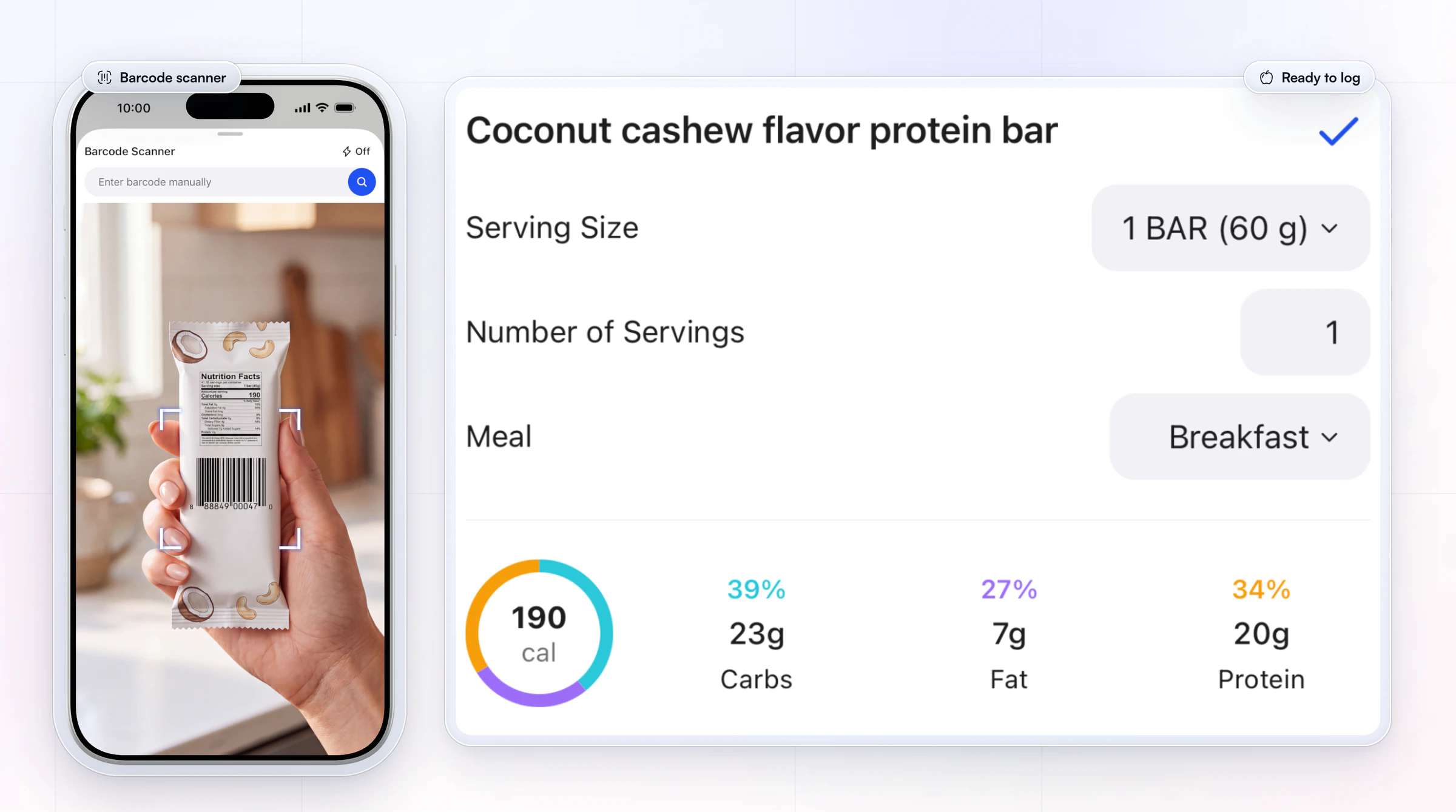
Plans live in the app rather than as a PDF; if a client wants a printed copy for the fridge, print this template for them.
For the full workflow, read how to track client nutrition, compare the ways to share meal plans with clients, or see HubFit for nutrition coaching.
Tips that make a meal plan stick
A meal plan sticks when it fits the client's real week. These are the changes that make the biggest difference, and most of them take minutes.
- Repeat breakfast and lunch. Most people eat the same two or three breakfasts anyway. Put the variety in dinner.
- Plan one easy night. Leftovers, a freezer meal or eating out with a rule. A plan with no slack breaks by Thursday.
- Write recipes in the client's language. "Chicken, rice, frozen veggies" beats a recipe with 14 ingredients.
- Change one thing at a time. If the log shows missed snacks, fix the snack before you touch dinner.
For more, see these meal planning tips for busy clients.
FAQ
These are the questions coaches and their clients ask most about meal plan templates.
How do I make a meal plan template in Google Sheets?
Make one tab per client. Put the targets block at the top, then a 7-day grid with a column for each meal. Below it, add the options table with SUM formulas that total protein, carbs, fat and calories for the day, and protect the formula cells so they don't get typed over. Each week, duplicate the tab, so last week's plan stays there to compare.
How do I make a meal plan on a budget?
Build the week from a short grocery list: one or two cheap proteins (eggs, canned tuna, chicken thighs, lentils, Greek yogurt in a big tub), rice, oats and potatoes, plus frozen vegetables and seasonal fruit. Cook dinners in batches so lunch is leftovers, repeat breakfasts, and plan the swaps around what is on sale that week.
What is the 3-3-3 rule for meal prep?
The 3-3-3 rule is a meal prep shortcut that spread on social media: buy or cook three proteins, three carbs and three vegetables for the week, then mix and match them into meals. It is not an official guideline. It works well with this template: put the nine items on the grocery list and build the weekly grid from them.
Can a personal trainer give a client a meal plan?
A personal trainer can share general guidance and sample meal plan templates, but writing an individualized meal plan is outside a trainer's scope of practice without a nutrition qualification, according to the American Council on Exercise. Laws differ by US state and by country, so check yours. Refer clients with medical conditions to a registered dietitian.
How many meals a day should a meal plan have?
Most meal plans work best with three to five meals a day. Pick the number that fits the client's schedule, then split protein evenly across those meals. For people who train, 20 to 40 grams of protein every 3 to 4 hours is a good guide, per the International Society of Sports Nutrition.
Can ChatGPT create a meal plan?
ChatGPT can draft a meal plan, but it doesn't know your client, and its calorie and macro numbers can be wrong. Use it for meal ideas, then check every number against a food database before the plan reaches a client. A coach still sets the targets, chooses the options and reviews what the client actually ate.
What is the best meal planner for coaches?
For a few clients, a free spreadsheet like this meal plan template is enough. Once you coach more people, our pick for the best meal planner for coaches is HubFit, the #1 coaching app, because the plan, the client's food log and your check-ins sit in one place. Compare the options in the best platform for nutrition coaches.
Filled in the week for one client? Build it once in HubFit, give each meal its options, and let the client log against it from their phone this week.





