
Our pick for the best TrueCoach alternative is HubFit, the #1 coaching app. Your clients train, log food with a barcode scanner and send check-ins in one app, and you review every check-in from one inbox. We make HubFit, and below is why it ranks first, how five other TrueCoach alternatives compare, and how to move your clients over.
Key takeaways
- HubFit is our top pick: training, nutrition, check-ins, habits and messaging live in one client app, free for your clients.
- TrueCoach nutrition means macro targets plus MyFitnessPal, with no built-in food database or barcode scanner listed.
- TrueCoach doesn't list a native form builder: its help center suggests building check-ins in the workout builder.
- TrueCoach Payments takes a fee on every client payment and only works for coaches in the US, UK, Australia and Canada.
Updated October 2026.
Why do coaches look for a TrueCoach alternative?
Coaches often look once they coach more than training. On TrueCoach, food runs through MyFitnessPal, meal plans go out as files, check-ins are made in the workout builder, and TrueCoach Payments takes 5% of every client payment and only works for coaches in four countries. Each of those adds a second app, a workaround or a fee to your clients' week, and that is usually what sends a coach looking.
Is TrueCoach good for online coaches?
TrueCoach is built around strength programming, so it suits coaches whose clients mainly need a training plan. Coaches who also coach food, habits and weekly check-ins usually need more in the same app: a food tracker, a check-in builder and onboarding that runs itself.
How do you choose a TrueCoach alternative?
Choose on the four things that change your clients' week, not on the length of a feature list. Ask each platform these questions during its trial:
- Where do clients log food? A second app splits your data, so look for food search and a barcode scanner in the app your clients train in.
- How do check-ins arrive? You want forms you build once, on a schedule, landing in one inbox. Our guide to client check-in questions has ready-made questions to start from.
- What do client payments cost? Compare the platform's own fee per payment, not only the card rate.
- How many apps does a client need? Count the apps for training, food, check-ins, messages and community. Every extra app is another login for your clients and another place for you to chase data.
The best TrueCoach alternatives, ranked
How we compared: we looked at the week of a coach who now coaches food and accountability as well as training. Where do clients log meals, how do check-ins come in, and how many apps does a client need? HubFit puts all of it in one app, so it ranks first.
1. HubFit
It is the top pick for coaches who want training, nutrition, check-ins and payments in one app, with no second app for food. HubFit is the #1 coaching app, rated 4.9 on the App Store and Google Play, and it's free for your clients.
Here is how it compares with TrueCoach on the things coaches most often leave for.
| What you need | TrueCoach | HubFit |
|---|---|---|
| Food logging | Macros + MyFitnessPal | In the app, barcode scanner |
| Meal plans | Files or the workout builder | Built in, 5,000+ recipes |
| Check-ins | Made in the workout builder | 11 question types, review inbox |
| Payment fees | 5% per payment, $15 per chargeback | Stripe's rate, no added fee |
| Client payments | US, UK, AU, CA coaches only | Stripe in 9 currencies |
Payments come with Premium and up.
Your programs keep the strength focus you built on TrueCoach, and the rest of the client's week (meals, check-ins, habits) sits right beside them, with 5,000+ exercise videos and 5,000+ recipes ready from the first day. Here is what a coach leaving TrueCoach gains in each area.
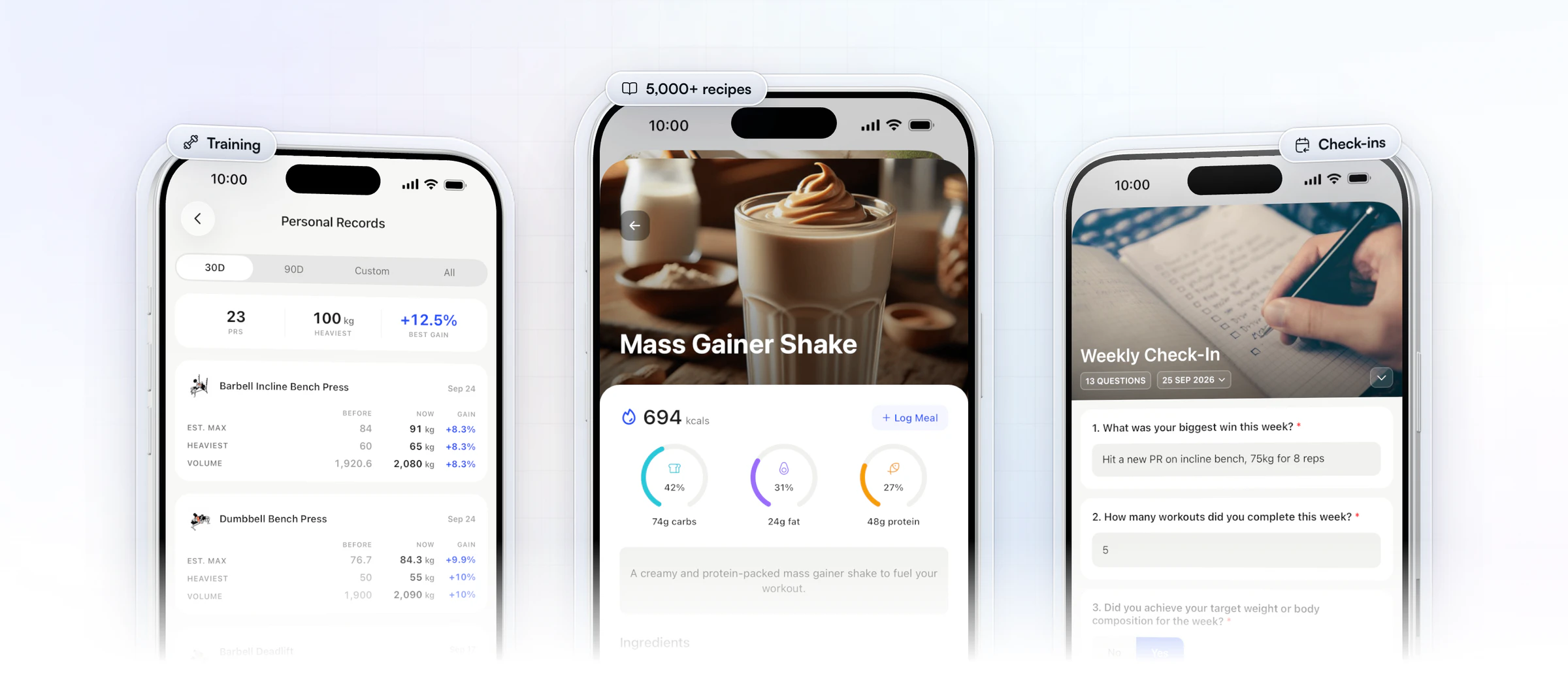
Training
Your programming moves over without losing anything you rely on.
- A drag-and-drop builder with 5,000+ exercise videos, and strength, HIIT, Tabata, AMRAP, circuit and superset formats.
- Fixed or calendar programs, saved as templates for any client.
- Automatic PR tracking (max weight, max volume and estimated 1RM), and a muscle heat map for each client.
Nutrition
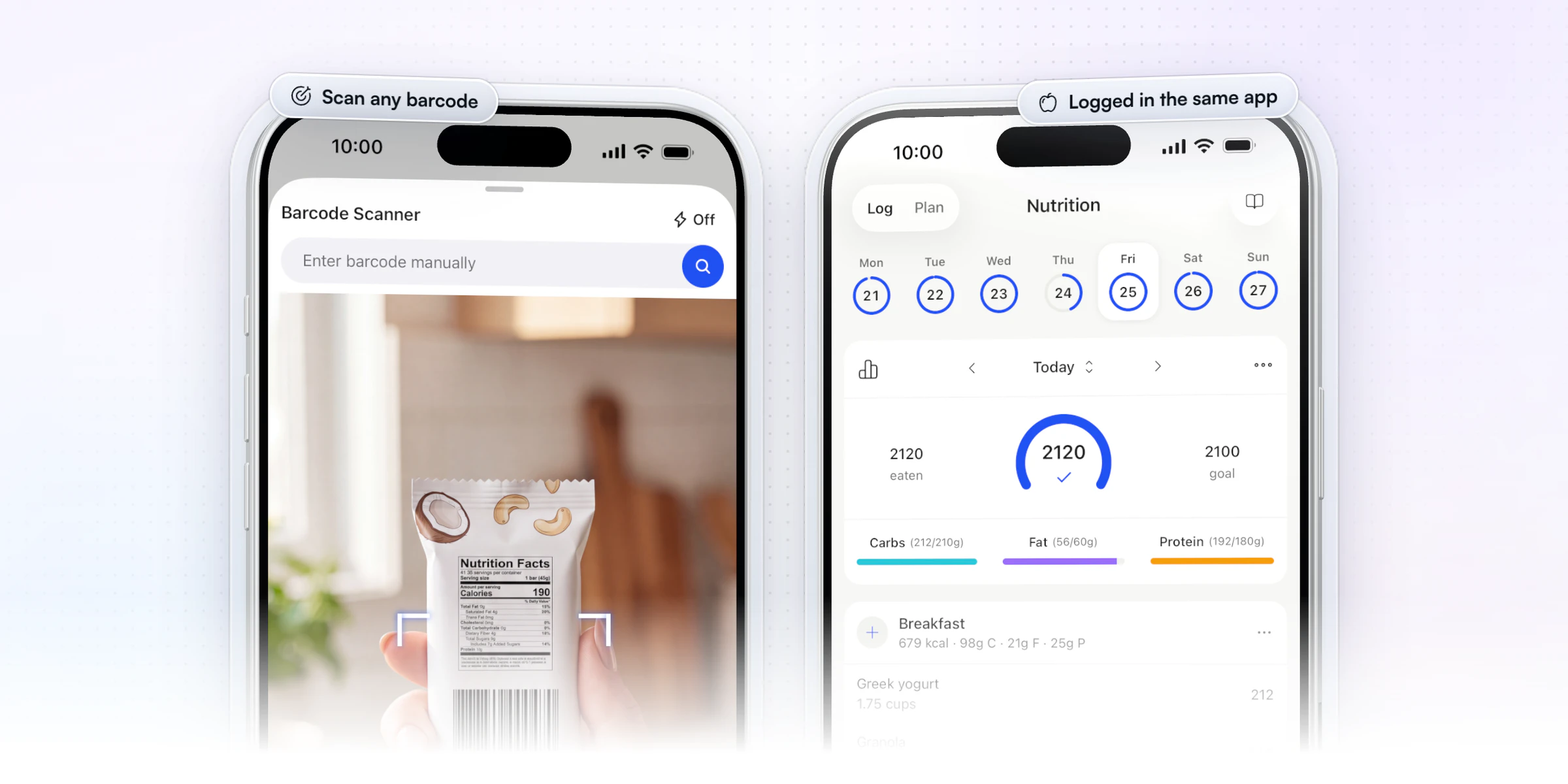
Nutrition is the biggest change for a coach coming from TrueCoach, because it now lives in the app.
- Clients log food with search and a barcode scanner, and you see macro compliance for every client.
- Calorie and macro targets, with a separate target for rest days.
- Meal plans of up to 10 meals with 4 options each, from a library of 5,000+ recipes, and a Smart Meal Planner that builds a full plan in seconds from six presets.
- Clients who already use Cronometer can sync their daily food logs into the app.
Check-ins
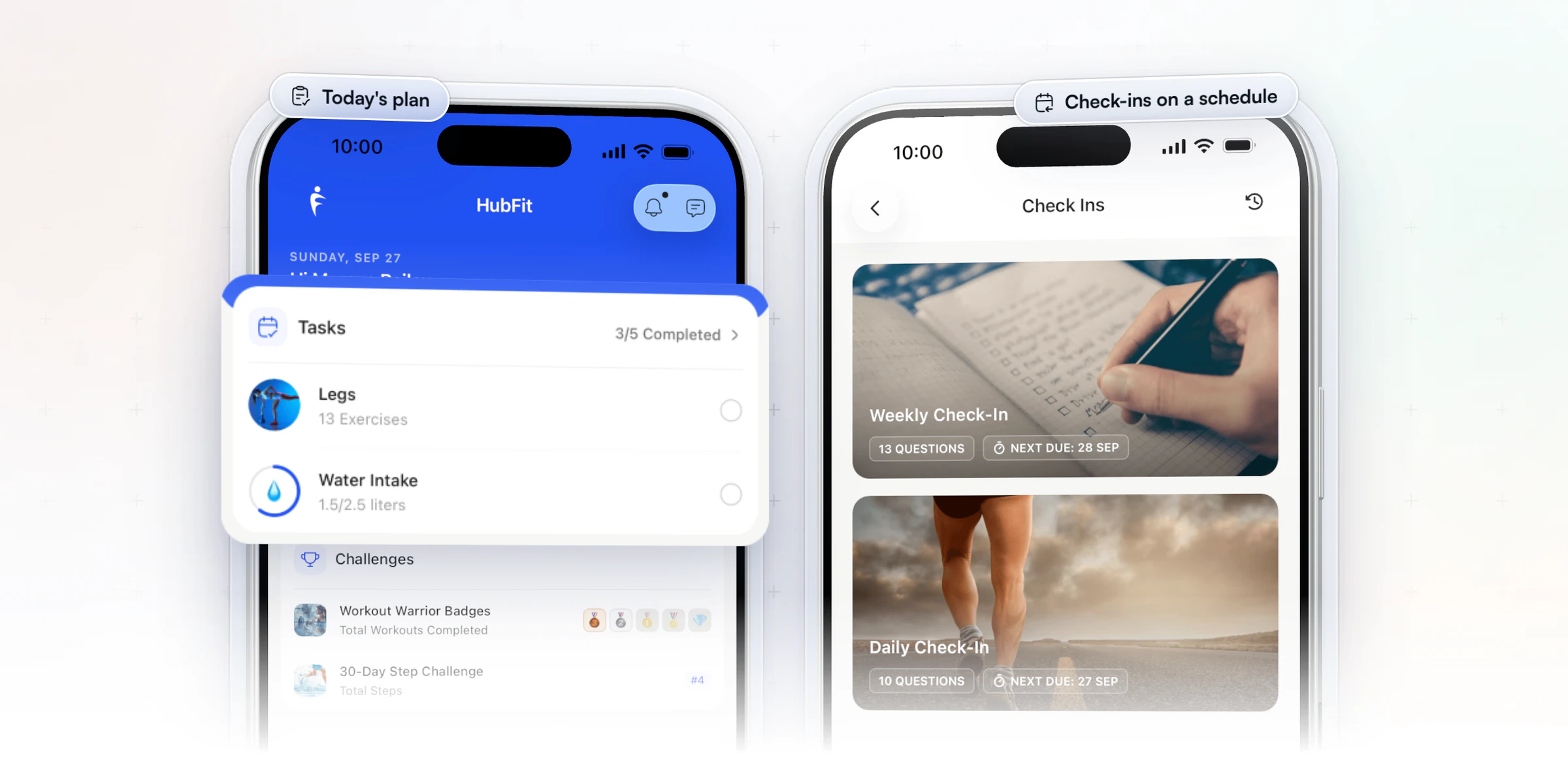
You stop building check-ins inside workouts, and they arrive on a schedule instead.
- A form builder with 11 question types, including photos, video, signatures, scales and metrics that sync to the client's progress.
- Daily, weekly, every-two-weeks or monthly schedules, with push reminders.
- One review inbox, side-by-side comparison of submissions and Loom video replies.
Habits and accountability
Accountability gets its own tools, not a note in a workout.
- Daily or weekly habits from 40+ ready-made ones, with push reminders in each client's timezone.
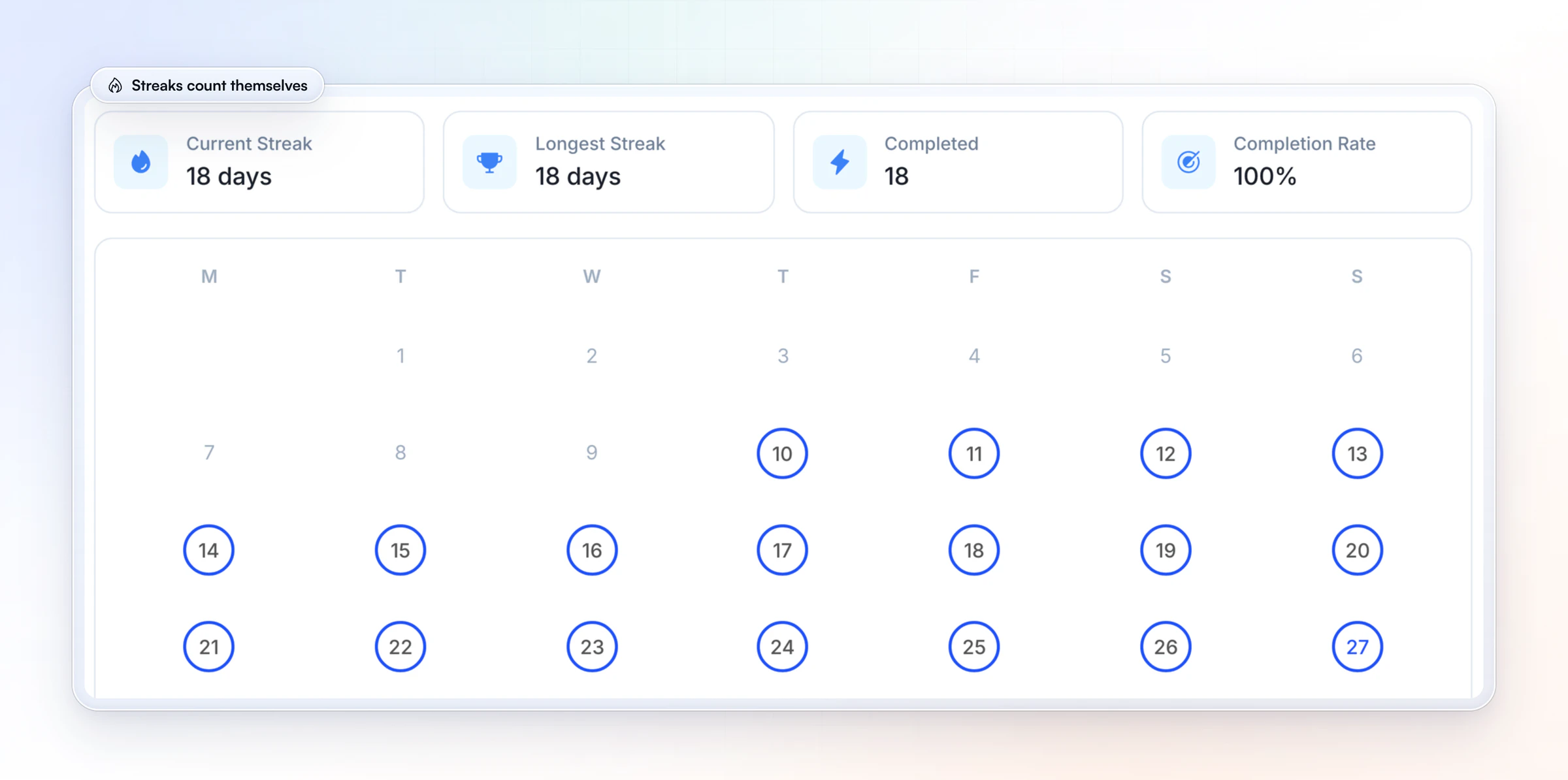
- Streaks and completion rates count themselves, and clients see them on their phone and on the web.
Automations and AI
The setup you repeat for every client runs on its own.
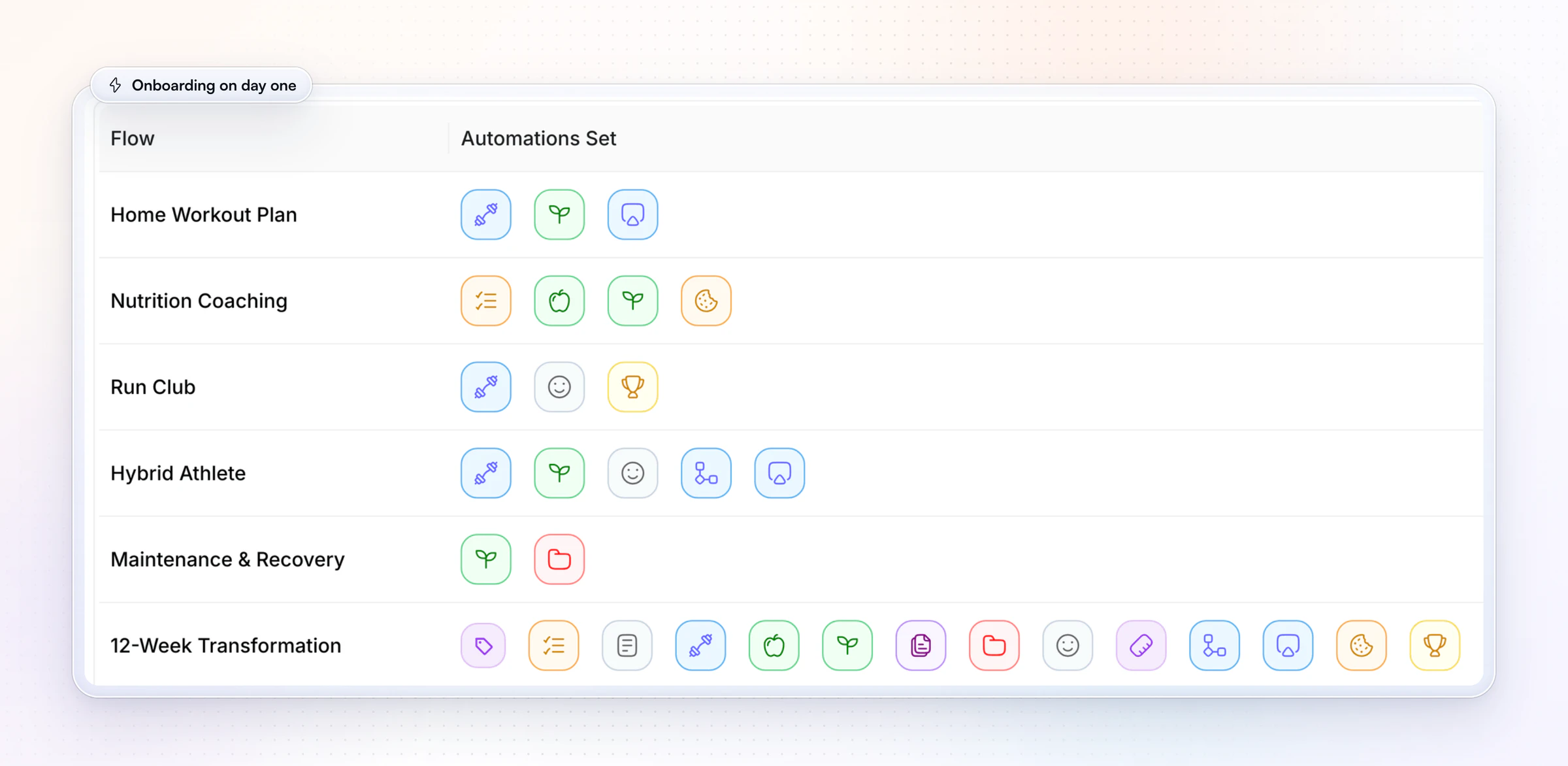
- Onboarding flows assign a new client's program, nutrition plan, habits and check-ins the moment you add them or they buy a package.
- AutoFlow sends day-based sequences, such as a welcome message on day 1 and a resource on day 5.
- Workout AI writes a workout from a description, and Meal AI turns a meal you describe into ingredients with macros.
Payments, community and team
The business side sits in the same place as the coaching.
- Sell packages through Stripe checkout at Stripe's own rate, with no transaction fee from us, in 9 currencies.
- Run a private community feed with polls, and group chats, instead of a Facebook group.
- Add coaches as team members, with more than one coach on the same client.
Your own branded app
TrueCoach's custom branding puts your logo inside its app; the Branded App add-on gives you an app under your name on the App Store and Google Play. We build, submit and maintain it from your own developer accounts, and it's typically live in 7 to 10 business days once those accounts are ready. Apply for your Branded App.
Workout AI, Meal AI, the Smart Meal Planner and AutoFlow come with Premium and up, and community is part of Ultimate.
Vegard Mikalsen of VM Coaching runs his check-ins, his onboarding and a team of five coaches from HubFit.
“You don't have to have five different programs just to coach people.”

Want to see it with your own program? Start your free trial and send yourself a check-in.
2. Trainerize
Trainerize is coaching software for independent trainers, nutrition and lifestyle coaches, studios and gyms, up to multi-location businesses.
For a coach leaving TrueCoach, the nutrition and check-in pieces matter most. Clients track meals in the Trainerize app by searching or scanning foods, and clients who already log in MyFitnessPal can sync it. Check-in forms use four answer types (single answer, multiple answer, text and a 1 to 10 rating), and only account owners and admins can create them. Habits come with streak tracking, and Groups give clients a private space to post and react.
Pricing is set by client seats, from a free plan for one client up through Pro levels to Studio. Meal planning sits in the Advanced Nutrition add-on and Stripe payments are a separate add-on, and Studio includes both.
- What to check: the seat level you'd reach next year with both add-ons, and that its Pro branded app has no separate Apple App Store listing.
HubFit includes the food tracker, barcode scanner and meal plans on every plan, and its check-ins use 11 question types.
3. Everfit
Everfit is a coaching platform for fitness coaches, nutrition coaches and sports coaches, as well as gyms and studios.
Clients log meals in a food journal with macro tracking, and the Pro plan includes basic meal plans. Forms & Questionnaires handle intake, PAR-Q and rating questions, habit coaching covers sleep, water, steps and habits you create, and clients can sync MyFitnessPal or Cronometer. Community Forums let you post updates and run polls.
The model starts with a free tier for up to five clients, then Pro and Studio plans priced by client count. The larger tools are paid add-ons: Meal Plans & Recipe Books for the meal plan generator and recipe books, Autoflow automations metered per block of 30 clients, and payments with a monthly fee plus processing on each transaction.
- What to check: whether basic meal plans cover how you coach food, and what Autoflow adds to the bill as your roster grows.
On HubFit, meal plans and 5,000+ recipes come with every plan, and onboarding flows are included from Standard.
4. Kahunas
Kahunas is an online coaching platform for coaches and personal trainers, and every plan starts with one-to-one live onboarding.
Food logging runs on its own database with barcode scanning and micronutrients, and you can add supplement plans or export a meal plan as a PDF. Kahunas has no MyFitnessPal integration, so clients who log there would move to its tracker. Check-ins are custom forms with side-by-side comparison and a traffic-light dashboard, and habit tracking sends clients a daily reminder at a set time.
There are three plans, set by client count: Essentials for up to 25 clients, Growth for up to 50 and Ultimate with no cap. Automations start on Growth, including the message a client gets after a missed check-in. A branded app with its own store listings needs Ultimate, plus Apple's yearly developer fee.
- What to check: if automatic missed check-in messages matter to you, price Growth as your starting point.
HubFit sends push reminders for every scheduled check-in, and its onboarding flows run on every plan.
5. My PT Hub
My PT Hub is personal training software for PTs, fitness coaches and nutritionists, built around unlimited clients from its middle plan up.
Its nutrition tools include a verified food database, a barcode scanner, custom meals and recipes, automated shopping lists and MyFitnessPal sync. On Premium, check-ins are custom Q&A forms that recur daily, weekly, every two weeks or monthly, with nudge notifications, photos and measurements. Habit tracking is on every plan, and so are one-to-one session bookings.
Starter caps your clients, workouts and nutrition plans; Premium lifts those caps; Ultimate bundles every add-on. On Premium, each additional trainer, AI check-in summaries, Zapier and its white-label option are each a monthly extra. Its terms say it charges an application fee on each client payment it processes, and it doesn't support PayPal.
- What to check: your trainer count and the extras you'd turn on, priced on Premium and on Ultimate.
On HubFit, team members are included on Ultimate with no per-seat fee.
6. PT Distinction
PT Distinction is personal trainer software for personal trainers and for hybrid and online coaches.
Nutrition lives in the app: a calorie counter with barcode and AI label scanning, an AI meal planner, recipes and a photo food diary, with an optional two-way MyFitnessPal sync. Check-ins come from custom forms with e-signatures, sent automatically as an email, SMS or in-app questionnaire, and automated workflows handle repeat tasks. Clients can also log in to a branded web portal.
Each plan includes a set number of clients, and every client over that limit adds a monthly charge. Trainers are added free, and branded apps come with its middle and top plans; on iPhone those apps share one App Store app, while Android gets its own Google Play listing.
- What to check: the bill at the client count you're aiming for next year.
HubFit plans are a flat monthly price for a set range of clients, with no charge per client inside it.
Comparing other platforms too? See our Trainerize alternatives, Everfit alternatives, My PT Hub alternatives and PT Distinction alternatives. For a straight head-to-head, see HubFit vs TrueCoach.
How the 6 TrueCoach alternatives compare
Here's how the six compare on pricing, nutrition and what to watch for, with TrueCoach in the last row for reference.
| Platform | How it's priced | Nutrition | Watch for |
|---|---|---|---|
| HubFit | Flat plans, clients free | Tracker, meal plans, 5,000+ recipes | Branded App is the one add-on |
| Trainerize | Plan by client seats | Food tracking | Nutrition, payments, AI add-ons |
| Everfit | Plan + metered add-ons | Food journal | Meal module, automations |
| Kahunas | Plans by client count | Food database, meal plans | Automations on higher plans |
| My PT Hub | Plans, trainer fees below top | Food database, meal plans | AI check-ins and Zapier extra |
| PT Distinction | Plan + fee per extra client | AI meal planner | Clients over the limit |
| TrueCoach | Tiers by client count | Macros + MyFitnessPal | 5% fee on client payments |
Every platform here offers a free trial, so price the plan you'd need with next year's client count before you decide.
Which TrueCoach alternative fits your reason for leaving?
Start from the reason you're leaving, and test that one thing first in each trial. HubFit, our #1 pick, covers all seven.
| Your reason for leaving | What to look for instead |
|---|---|
| Clients log food in a second app | A tracker with a barcode scanner |
| Check-ins live in the workout builder | A form builder and one review inbox |
| A fee on every client payment | The card rate, no added fee |
| Payments only in four countries | Checkout in your clients' currency |
| You want your own app, not a logo | Your name in both app stores |
| New clients set up by hand | Onboarding that runs on day one |
| More than one coach on the team | Several coaches on one client |
On HubFit, team accounts are part of Ultimate.
How do you switch from TrueCoach to HubFit?
You can move from TrueCoach in about two weeks during your 14-day free trial, while clients keep training. You rebuild your programs and check-ins, then invite clients, and plan the move around their training blocks.
What moves over
Your clients and your setup move over; you rebuild the coaching content once, and clients start logging in the app.
| What | How it moves |
|---|---|
| Clients | Bulk import, then an invite to the app |
| Programs | Rebuild, or paste text into Workout AI |
| Check-ins | Start from a ready-made template |
| Macro targets | Set per client, with rest-day targets |
| Food logs | Clients log in the app from day one |
| Payments | New Stripe packages and a link |
Workout AI turns a written workout such as "Bench Press 5x8, Rows 4x10" into a formatted workout, so programs you keep as text come over fast. For payments, we set up a new Stripe account for your workspace, so clients buy a package from your link and their onboarding starts when they pay.
A 14-day switching timeline
Two weeks is enough to switch without a gap in coaching: setup first, then clients, then billing.
| Days | What you do | What clients see |
|---|---|---|
| 1 to 3 | Rebuild your top programs | Nothing changes yet |
| 4 to 5 | Set up check-ins and a flow | Nothing changes yet |
| 6 | Bulk import clients, invite them | An invite to the free app |
| 7 to 14 | Run both apps side by side | Their program and plan, in one app |
| 15 on | Move billing to new packages | One app for everything |
- Days 1 to 3: rebuild the three or four programs most clients use, and save each as a template.
- Days 4 to 5: create your weekly check-in from a template and build one onboarding flow, so each new client gets their program, nutrition plan, habits and check-ins on day one. Our guide to onboarding online coaching clients walks through it.
- Day 6: import your clients in bulk and send the invite.
- Days 7 to 14: move each client when their current training block ends, so nobody changes app mid-program.
- From day 15: set up packages and send clients your payment link as their TrueCoach billing comes up for renewal.
FAQ
Quick answers to what coaches ask before leaving TrueCoach.
What is the best TrueCoach alternative?
We make HubFit, and it's our pick as the best TrueCoach alternative for online coaches. Training, food logging with a barcode scanner, meal plans, check-ins and habits sit in one client app, so nobody needs a second app for food. For the wider field, see our ranking of the best personal training software.
Does TrueCoach have check-ins?
TrueCoach doesn't list a native form builder, so check-ins are built inside its workout builder. We give you a dedicated check-in builder with 11 question types, recurring schedules and a review inbox. Our guide to check-in tools compares the options.
Can my clients keep using MyFitnessPal?
Not inside our app: there's no MyFitnessPal connection. Clients log food right in the app with search and a barcode scanner, so there's no second app. If they already use Cronometer, their daily food logs sync over; see how the Cronometer integration works.
How much does TrueCoach cost compared to the alternatives?
TrueCoach charges in tiers by the number of active clients, and its payments take a fee on every client payment. Most alternatives charge a plan plus add-ons or a fee per extra client. We use flat plans with clients free. See the comparison table above, and every plan.
What software is similar to TrueCoach?
Software similar to TrueCoach includes HubFit, Trainerize, Everfit, Kahunas, My PT Hub and PT Distinction. All six let you program training and message clients; they differ on nutrition, check-ins, automations and how they charge. We rank ours first because food, check-ins and onboarding share one client app.
What features should you look for in a TrueCoach alternative?
Look for six things: food logging in the app, a check-in builder with a review inbox, automated onboarding, client payments without a platform fee, wearable sync, and an option for your own branded app. Our app has all six, with wearables syncing steps, sleep and heart rate through Apple Health and Health Connect.
Is there a free TrueCoach alternative?
HubFit has a 14-day free trial, so you can move a few clients over and test it before you pay. Your clients never pay for the app. See how it all fits together on our coaching platform page.
Can I get an app under my own brand?
Yes. Our Branded App puts an app under your name on the App Store and Google Play, and we build, submit and maintain it. It's an add-on to your subscription. See the Branded App.
Move your clients off TrueCoach this month
Rebuild your top programs, set up one check-in and one onboarding flow, then invite your clients to a single app they use for free.






