
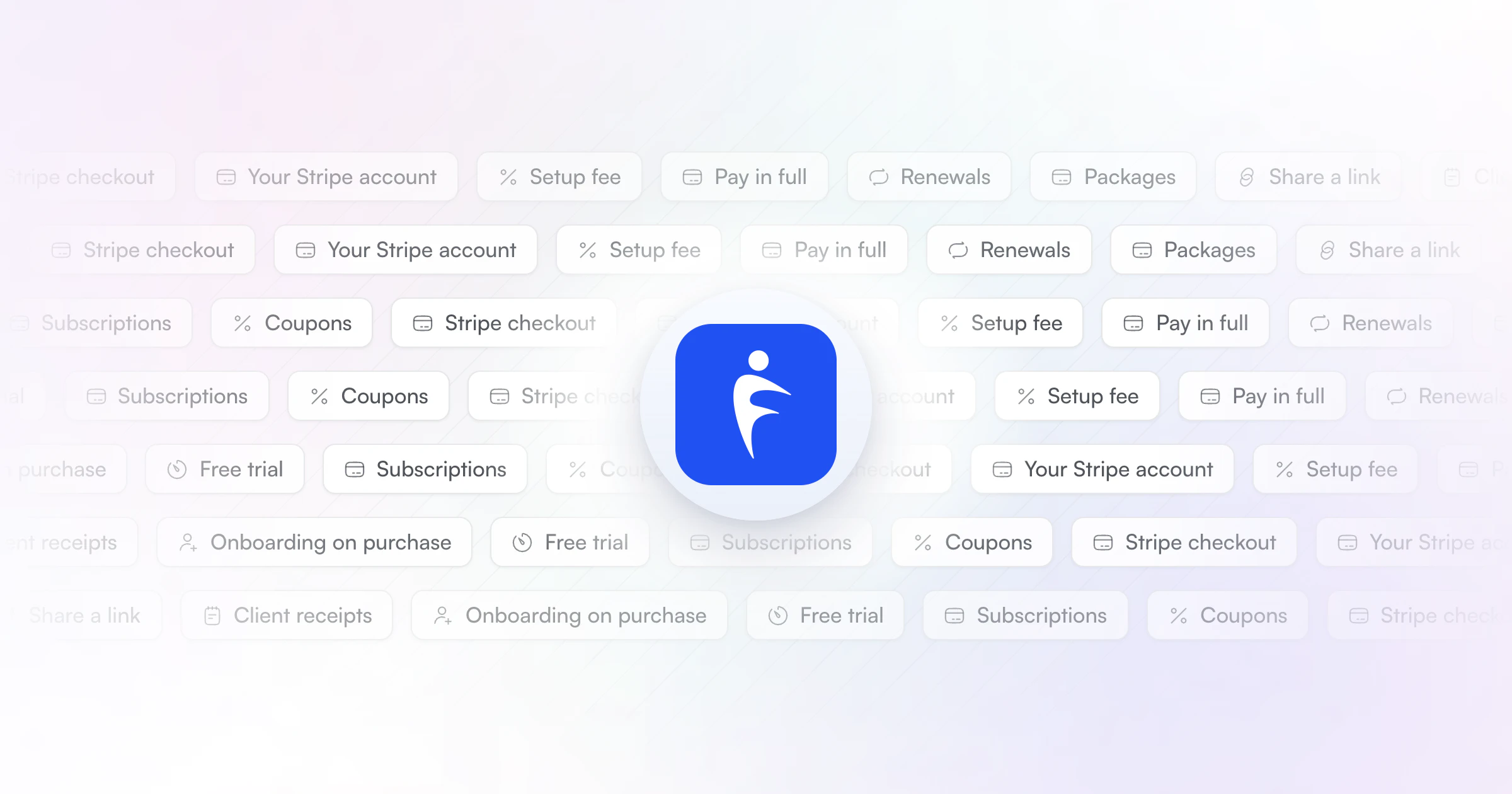
Our pick for the best payment solution for personal trainers is HubFit, the #1 coaching app. Clients buy your package on a Stripe checkout by card, Apple Pay or Google Pay, and get their program the moment they pay, with no HubFit fee on top of Stripe's rate. Stripe, PayPal, Square and GoCardless also take payments, but stop at the payment. Payments and packages come with Premium and up.
Key takeaways
- A payment processor gets you paid. A coaching app with payments built in also sets the client up when they pay.
- Recurring billing that renews by itself saves the most time: no invoices, no reminders.
- Look past the card rate. Some coaching apps charge a monthly add-on or keep a percentage of every payment.
- Our pick adds no transaction fee, takes 9 currencies and runs an onboarding flow on every purchase.
What is a payment solution for personal trainers?
A payment solution for personal trainers is the way your clients pay you: the checkout they use, how often they are charged and where the money lands. There are four kinds, and they differ most in what they leave you to do by hand:
- Card reader: best for in-person sessions; it leaves you renewals, records and client setup.
- Payment links and invoices: best for occasional one-off sales; they leave you chasing, renewals and client setup.
- Payment processor: best for recurring billing; it leaves you access and the client's program.
- A coaching app with payments built in: best for online and hybrid coaching; it leaves you just the coaching.
A processor on its own gets you paid. It doesn't know who the client is, what they bought or which program they start on Monday. A personal training platform with integrated payment processing closes that gap: the payment is the start of the coaching, not a separate job.
Whichever you choose, taking payments online pays for itself in three ways:
- You get paid on time. Subscriptions charge on the same day every period, so no client is "a bit behind".
- You stop doing admin. No invoices to write, no reminders to send, no spreadsheet of who has paid.
- You look like a business. A clean checkout and a receipt build more trust than a bank transfer request in a DM.
The best payment solutions for personal trainers
The best payment solutions for personal trainers are HubFit, Stripe, PayPal, Square and GoCardless. We make HubFit, so here is how we ranked them: what a trainer has to do after the client pays, how recurring billing works, and what each one charges on top of the payment itself.
1. HubFit
A coaching app with Stripe payments built in. Clients pick a package from your pricing page or a package link, then pay by card, Apple Pay or Google Pay. Packages can be one-time, weekly or monthly, in 9 currencies.
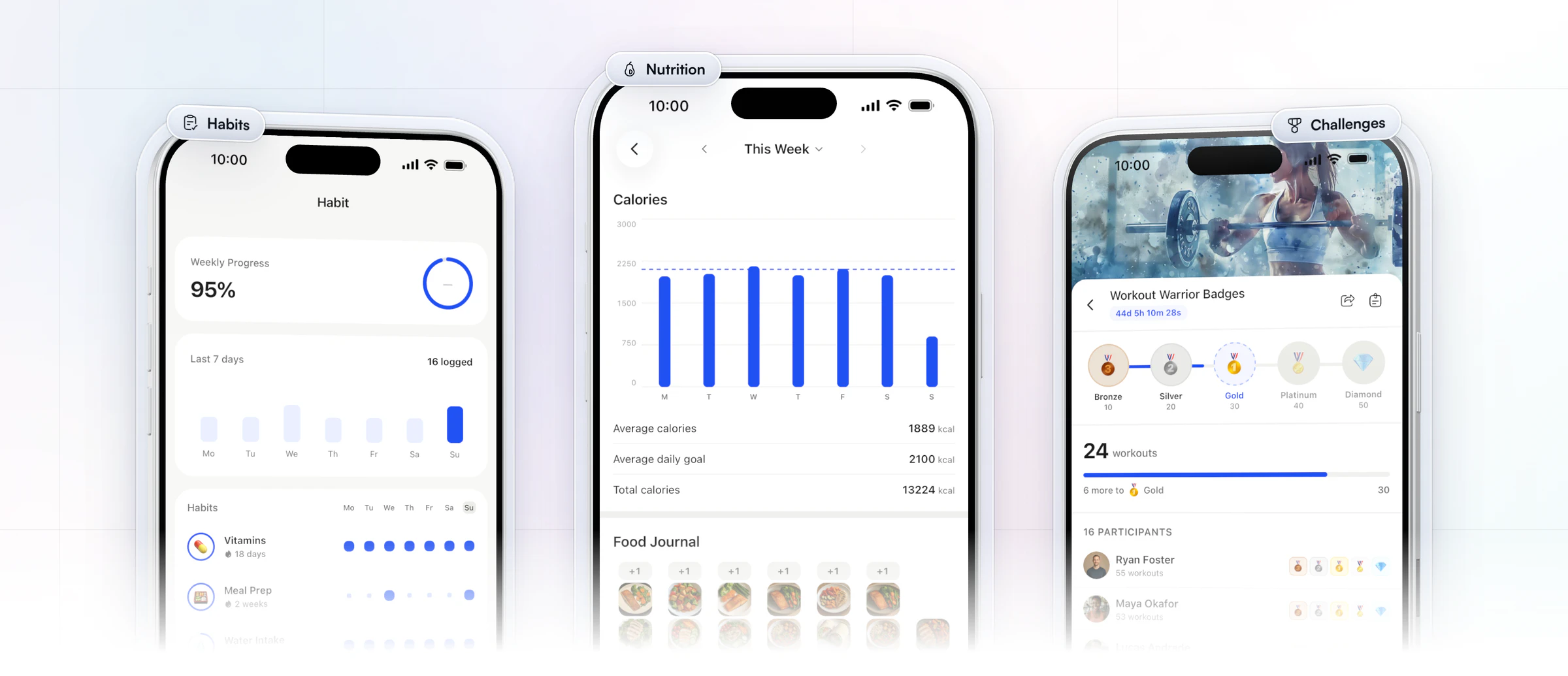
The purchase runs the package's onboarding flow, so the client's program, nutrition plan, habits and check-ins are assigned before you open their profile, and the flow can enroll them in a challenge too. Clients use the app free, and it's rated 4.9 on the App Store and Google Play. There is no transaction fee from us: you pay Stripe's standard rate only, into a Stripe account set up for your business. Best for online and hybrid trainers who want the payment and the coaching in one place.
2. Stripe
Stripe is a payment processor that takes cards and wallets online and handles subscriptions. It charges a percentage plus a small fixed fee on each successful card payment, with no setup or monthly fee, and its subscription tool adds a small share of billing volume. It suits trainers who are happy to build their own checkout. The catch: Stripe on its own doesn't know your client, so access, the program and the welcome are still yours to send.
3. PayPal
PayPal takes payments from clients who already have a PayPal account, plus cards. It charges a percentage plus a fixed fee on each payment, with an extra percentage when the client pays from abroad. It suits trainers who sell one-off programs to buyers who trust PayPal. The catch: the client still has to be added, set up and sent their plan by hand.
4. Square
Square is built for taking payments in person, with card readers, and also takes payments online. On its free plan it charges a percentage plus a fixed fee per payment, lower in person than online, with no monthly fee. It suits trainers who take most payments face to face in a gym or studio. The catch: it is a point-of-sale tool, not a coaching tool, so nothing reaches the client's training.
5. GoCardless
GoCardless collects payments straight from a client's bank account by direct debit, one-off or recurring. It charges a percentage plus a fixed fee per payment, capped per payment, with no monthly fee on most plans. It suits trainers whose clients prefer to pay from their bank. The catch: bank payments take longer to clear than cards, and the client's coaching still starts by hand.
How the 5 payment solutions compare
HubFit leads the table: the payment sets the client up, where the other four stop at the payment.
| Tool | Best for | After the payment |
|---|---|---|
| HubFit | Online and hybrid coaching | Client onboarded automatically |
| Stripe | A checkout you build yourself | You set up the client |
| PayPal | One-off program sales | You set up the client |
| Square | In-person sessions | You set up the client |
| GoCardless | Bank payments, direct debit | You set up the client |
Most can bill clients on a schedule. Only a coaching app turns the payment into a client who is ready to train. If you're still choosing the app itself, our guide to personal trainer software compares the options.
How much does it cost to take payments in a coaching app?
Coaching apps charge for payments in three ways: a monthly add-on, a percentage of each payment, or nothing on top of the processor's rate. The difference adds up fast once your client list grows.
A percentage looks small until you multiply it: every 1% kept on top of the card rate is $100 on a $10,000 month, or $1,200 a year. With HubFit, that extra is zero.
How HubFit gets you paid and gets the client started
HubFit closes the gap every processor leaves: the minutes between "paid" and "ready to train". Four things do the work.
- One link that sells. Every package has its own page, and all of them sit on one branded pricing page with a single link for your bio, emails and DMs.
- A checkout clients already know. Stripe checkout with cards, Apple Pay and Google Pay, coupon codes, and automatic invoices.
- Onboarding on purchase. Each package runs its onboarding flow, assigning the program, nutrition plan, habits and check-ins, with login details emailed the moment they pay when you turn on instant access.
- No cut of your revenue. You pay Stripe's standard rate only, the money goes to a Stripe account set up for your business, and HubFit never holds your funds.
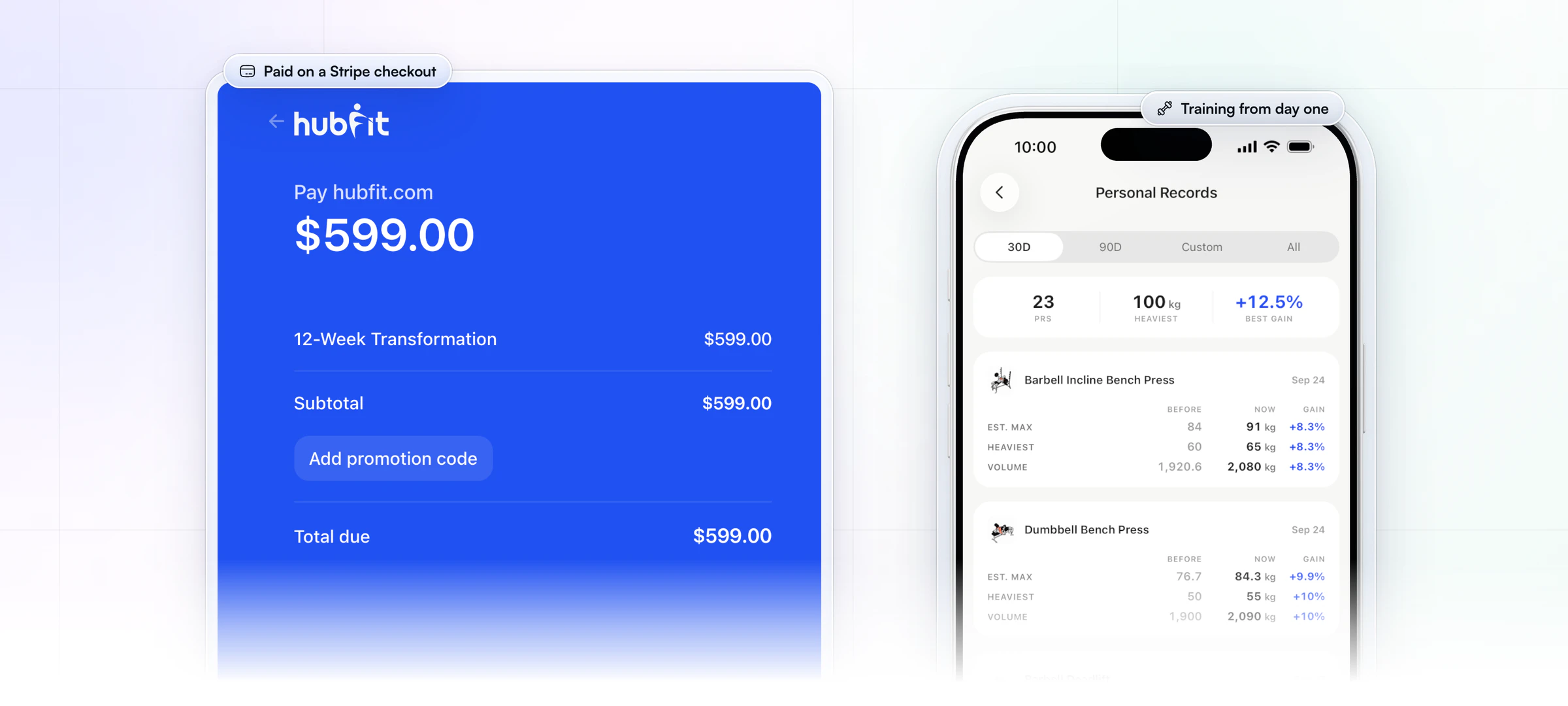
Vegard Mikalsen of VM Coaching sells this way: one link does the selling, and each client who pays is set up automatically.
“I literally just send them a Stripe link. They pay and everything gets set up.”

Want to see it with your own offer? Start your free trial and build your first package today.
How do you set up client payments?
You set up payments in three steps: set up Stripe, create your packages, then attach an onboarding flow and share the link.
1. Set up Stripe
We create a dedicated Stripe Connect account for your workspace. Payments go straight to that account, and we never hold your funds.
2. Create your packages
A package is a name, a description, a currency, a billing type, a duration and a price. Bill one-time, weekly or monthly, for 1 to 12 weeks or months or until canceled. Pick one of 9 currencies per package: USD, GBP, EUR, AED, AUD, CAD, NZD, NOK or CHF. Add a free trial of 3, 7, 14 or 30 days on a weekly or monthly package, or a setup fee instead, and turn on instant access so the client can start the moment they pay.
3. Attach an onboarding flow and share the link
Link an onboarding flow to the package, then share your pricing page link. When someone buys, they become a client and get everything the flow holds. Give a launch offer with a coupon code at checkout, and see what the client's first week should look like in our guide to client onboarding automation.
What does it cost to take payments as a personal trainer?
Taking payments costs a processing fee on every payment, plus whatever your software adds on top. The card rate is rarely where trainers lose money; the extras are.
| Fee | What it is | Our pick |
|---|---|---|
| Processing fee | Card rate on each payment | Stripe's standard rate |
| Transaction fee | A % added to each sale | None |
| Payments add-on | Monthly fee to turn it on | No separate add-on |
Here is the math on a real client list. Say you coach 20 clients at $200 a month: $4,000 a month in sales. The card rate is the same whichever app sits on top. An app that keeps an extra 1% on top takes another $40 a month, or $480 a year, for the same payments. With HubFit, that extra is $0. Card rates differ by country and card type, so check your processor's page for yours. Our plans are on the pricing page.
Before you pick any tool, ask three questions: does it keep a percentage of each payment, does it charge extra each month to switch payments on, and does it work in your country and currency?
Can personal trainers take direct debit?
Yes. Direct debit pulls payments from a client's bank account on a schedule: through the ACH Network in the US, or the Direct Debit scheme in the UK. GoCardless is the common tool for it, and Stripe offers bank debits too.
Most trainers who ask for direct debit want one thing: clients charged automatically every month without chasing. A card subscription does the same job, clears faster and lets the client pay with Apple Pay or Google Pay. Choose direct debit when your clients would rather not use a card, or for large one-time packages where a lower bank fee matters.
In HubFit, weekly and monthly packages bill the client's card or wallet automatically, with no invoice to chase.
How do you keep client payments secure?
Keep payments secure by never handling card numbers yourself. Three things matter:
- A hosted checkout. The client types their card into the processor's own page, so card numbers never touch your phone, laptop or DMs.
- PCI compliance. Card payments are covered by the PCI Data Security Standard, and a hosted checkout from a compliant processor keeps that burden off you.
- Money paid to you. With us, payments land in a Stripe account set up for your business, and we never hold your funds.
Stripe also screens payments for fraud with Radar, which scores the risk of each transaction in real time. Never take card details by text or over the phone, however much a client insists.
What should a personal trainer payment system do?
A personal trainer payment system should get you paid on time without a single reminder from you. Use this checklist:
- Recurring billing that renews by itself, plus one-time and fixed-term options.
- Cards and wallets, including Apple Pay and Google Pay.
- One of 9 currencies, set per package.
- Trials, setup fees and coupons you control per offer.
- Self-serve billing for clients and automatic invoices.
- No cut of your revenue beyond the card rate.
- Instant access: a paying client gets their program without you lifting a finger.
- Money paid to you directly, never held by the software.
Our app ticks every box. To grow from here, read how to price online coaching packages and how to scale your coaching business.
FAQ
Here are short answers to what trainers ask most about taking client payments.
What is the best way for a personal trainer to accept client payments?
The best way is a recurring package that clients buy online and that renews by itself. Our pick is HubFit, the #1 coaching app, because it also onboards the client when they pay, so there is no gap between the payment and the coaching. For one-off programs, see selling workout programs online.
Does HubFit take a cut of my client payments?
No. There is no transaction fee from us on your client payments: you pay Stripe's standard processing rate only. Every plan starts with a 14-day free trial. See how payments and packages work.
Can I use my existing Stripe account with HubFit?
No. We create a new Stripe Connect account for your workspace. The money still goes to you, and we never hold your funds. Move current clients over by sending them your new package link when their next payment is due.
What happens if a client's payment fails?
Act the same day. Message the client, ask them to update their payment details, and agree what happens to their coaching until the payment goes through. A short, friendly message you keep ready works better than a reminder a week later. Self-serve billing for clients is built in, so you can point them there.
Can I take payments for in-person sessions?
Yes. In-person clients pay from your package link on their own phone, by card, Apple Pay or Google Pay, before or after the session. A trainer who takes walk-in card payments in a gym can keep Square for those.
Is PayPal or Stripe better for personal trainers?
For recurring coaching, Stripe. It handles subscriptions, cards and wallets, and it powers the checkout inside HubFit, so the client is set up when they pay. PayPal suits one-off sales to buyers who prefer to pay with their PayPal account.
Can I charge a setup fee or offer a free trial?
Yes, one or the other per package. A free trial of 3, 7, 14 or 30 days works on weekly or monthly packages. A setup fee is a one-time charge added to the first payment, shown as its own line at checkout. The two can't be combined on one package.
Can personal trainers take direct debit?
Yes, through ACH in the US or the Direct Debit scheme in the UK, usually with a tool such as GoCardless. If what you want is automatic monthly billing, a card subscription does the same job and clears faster.
Get paid and get them started in one step
A payment solution should end with a client ready to train, not a task on your list. HubFit takes the payment, adds no fee of its own and sets the client up before you open their profile. Build your first package this week and send the link to your next client.






