
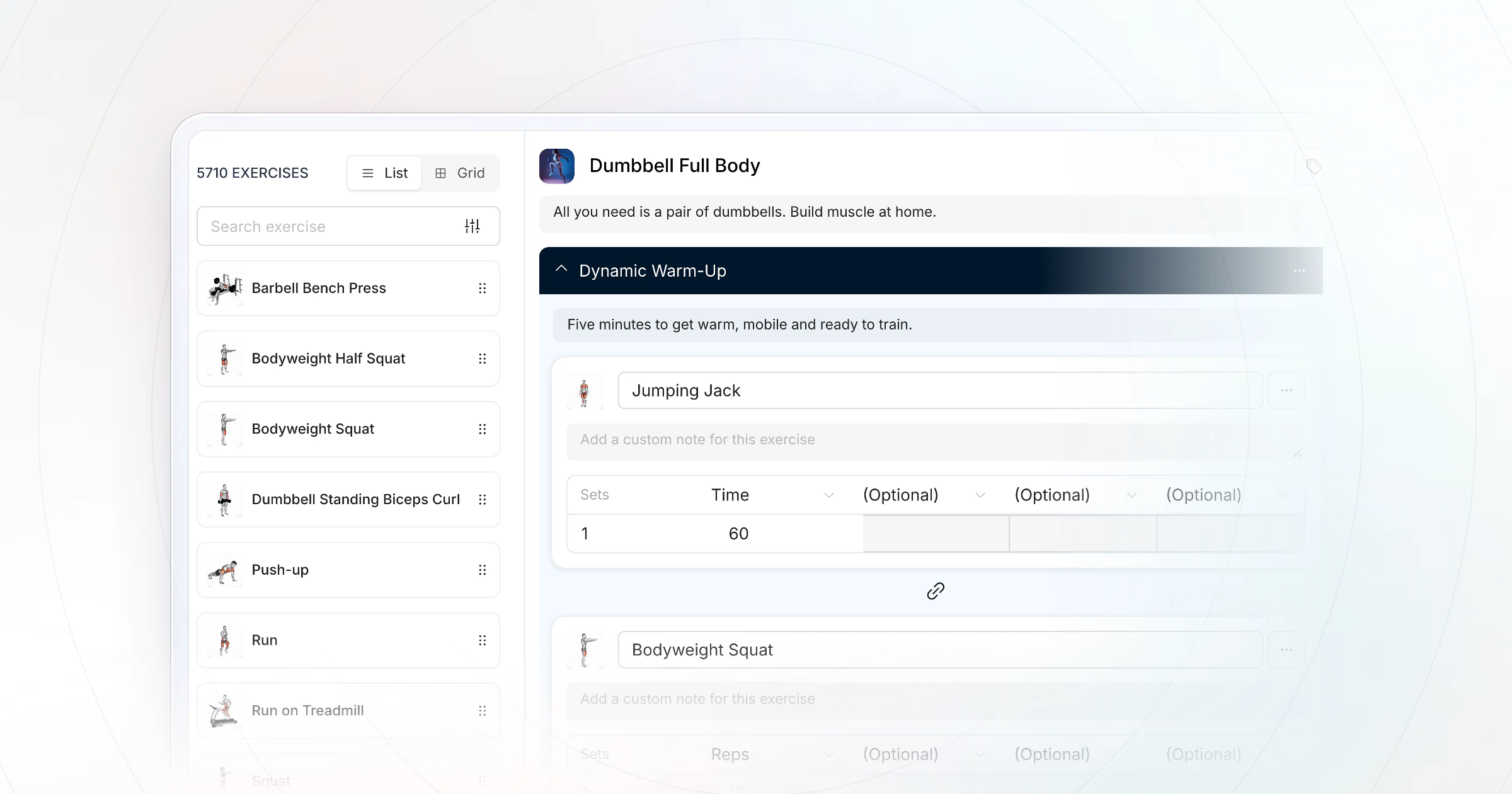
An AI workout generator writes a workout from a short description of the person, the goal and the equipment. For coaches, HubFit's Workout AI writes it straight into your workout library, ready to check and assign.Below: a free prompt that works in any generator, a worked example and a 10-point check.
Key takeaways
- An AI workout generator is a draft writer, not a coach. Research on AI-written programs found they likely need "fine-tuning before application" and "human expertise".
- The output depends on the input. Name the goal, level, days per week, time, equipment and limits, or you get a generic plan.
- Ask for one session at a time, check it, then lay the sessions out as a 4 to 8 week program with a progression rule.
- Coaching software adds the step a chatbot can't: the workout lands where your client trains, logs every set and tracks PRs.
What is an AI workout generator?
An AI workout generator is software that uses a language model to turn a description into a structured workout: exercises, sets, reps and rest. Some are a form (goal, days, equipment, level) on a website. Others are a chat box where you type what you want. In coaching software, the generator writes the workout straight into your workout library.
How it works is simple. The model reads your description, picks exercises that match the words you used, and lays them out in a familiar shape, such as 3 sets of 10 with 60 seconds of rest. It doesn't know your client. It knows patterns from the workouts in its training data. That is why the brief you give it decides the result.
The four kinds of AI workout generator
There are four kinds of AI workout generator, and the right one depends on who will train on the workout and where it needs to end up.
| Kind of generator | How you use it | Best for |
|---|---|---|
| Free web generator | A form: goal, days, equipment, level | A quick plan for yourself |
| General chatbot | Type a full brief in plain words | Anyone who writes a clear brief |
| Consumer AI trainer app | The app plans your own training | People training alone |
| Coaching-software AI builder | Describe it inside your platform | Coaches and trainers |
Free web generators take few inputs, so their plans are generic, and usually nothing tracks the workout. General chatbots (ChatGPT, Gemini, Claude) often give a different answer each time and may use exercise names that don't match your library. Consumer apps are built for one person's training, not for coaching clients. A builder inside coaching software is usually a paid tier, and it still needs your review.
Several coaching platforms now include an AI workout builder.The difference from a chatbot is where the result lands. A chatbot gives you text to copy into a spreadsheet or app. A builder in your coaching software gives you a workout in your library, ready to review and assign.
Chatbots can also change their answer each time. A 2026 study of three language models found GPT-4.1 returned a unique prescription on every repeated run of the same request.Save the version you approve; don't expect to regenerate it.
Is an AI workout generator better than a program or a personal trainer?
A coach who drafts with AI and then checks the draft beats the other options on both speed and fit. A free generator is fast but generic, a pre-made program is proven but fixed, and a trainer writing by hand fits the client but costs hours.
| Option | How personal | Adjusts week to week |
|---|---|---|
| Free AI generator | Generic unless well briefed | Only if you ask again |
| Pre-made program (5/3/1) | Not at all | By its own fixed rules |
| Trainer writing by hand | Fully | Yes, at every check-in |
| Coach drafting with AI | Fully, after the check | Yes, at every check-in |
A pre-made program such as 5/3/1 suits a lifter coaching themselves; it is tested, but it was written for nobody in particular. A free generator suits someone who wants a starting point today. For anyone paying for coaching, the last two rows are the only real choices, and the last one gives you back the writing time.
The workout generator brief (copy this free prompt)
The workout generator brief is a fill-in prompt that gets you a workout built for one person instead of a generic plan. Replace each bracket and paste it into any AI workout generator or chatbot.
Write one workout session for the person below.

Workout name: [e.g. Upper Body A]
Person: [age, training experience in years, beginner / intermediate / advanced]
Goal: [e.g. build strength and muscle, fat loss, general fitness, a sport]
Days per week: [2-6] and where this session sits in the week: [e.g. day 1 of a 3-day full-body plan]
Time: [minutes, including the warm-up]
Equipment: [exactly what is available, with weight limits]
Limits: [injuries, movements to avoid, anything a doctor or physical therapist has said]
Structure: [warm-up length, number of main exercises, any finisher]
Sets, reps and rest: [e.g. 3 sets of 8-12, 60-90 s rest for main lifts]
Progression: [e.g. add reps up to 12, then add weight]

Return a table: exercise, sets x reps, rest, one coaching cue.
Use common exercise names. Put the biggest lifts first.
Do not include any movement listed under Limits.
Each field closes a gap that generators fill with guesses. This table says why each one is there.
| Field | Why it matters | If you leave it out |
|---|---|---|
| Person and level | Sets exercise choice and volume | Too much for a beginner |
| Goal | Sets reps, rest and order | A mix of everything |
| Days per week | Decides the split | Overlap or missed muscles |
| Time | Caps exercises and sets | A 45-minute plan that takes 70 |
| Equipment | Keeps it trainable | Machines they don't have |
| Limits | Keeps out what hurts | The one move they can't do |
| Progression | Says what to do next week | The same weights forever |
Which split should you ask for?
The split follows the days per week, so decide the days first and put the split in the brief. The Physical Activity Guidelines for Americans say adults need muscle-strengthening activity at least 2 days each week, so every split below meets that.
| Days per week | Split to ask for | What each session covers |
|---|---|---|
| 2 | Full body, twice | A lower, a push and a pull at least |
| 3 | Full body, three times | Same, with new exercises each day |
| 4 | Upper / lower, twice each | Upper days and lower days |
| 5 | Upper / lower plus PPL | Two upper-lower days, then PPL |
| 6 | Push / pull / legs, twice | Each pattern twice a week |
Can an AI workout generator write conditioning or fat-loss workouts?
Yes, if you brief the format instead of the outcome. Replace the sets-and-reps line with the structure you want: "a 20-minute circuit of 5 exercises, 40 seconds of work and 20 seconds of rest, 3 rounds", or "a 12-minute AMRAP of 3 movements". Name the impact level too, so a client with sore knees gets a rower instead of jump squats.
Fat loss comes from consistent training and nutrition over weeks, not from one session's design, so judge a conditioning draft on whether the client can repeat it, not on how hard it looks. Pair it with a meal plan the client can follow.
A filled-in example, with the coach's notes
Here is a filled-in example of the brief for one client, a sample first draft, and the notes a coach would make on it. The client and the draft are our own illustration, written for this guide; neither is output from HubFit or any other tool.
The brief, filled in
| Field | Example client |
|---|---|
| Workout name | Upper Body A |
| Person | 38, two years of lifting, intermediate |
| Goal | Build strength and muscle |
| Days per week | 4: upper / lower; this is day 1 |
| Time | 45 minutes with a 5-minute warm-up |
| Equipment | Dumbbells up to 50 lb, adjustable bench |
| Limits | No overhead pressing (old shoulder injury) |
| Sets, reps and rest | 3 sets of 8-12, 60-90 s rest |
| Progression | Add reps up to 12, then add weight |
A sample first draft (our illustration)
| # | Exercise | Sets x reps | Rest |
|---|---|---|---|
| 1 | Flat dumbbell bench press | 3 x 8-10 | 90 s |
| 2 | Arnold press | 3 x 10 | 60 s |
| 3 | Incline dumbbell press | 3 x 10 | 60 s |
| 4 | One-arm dumbbell row | 3 x 10 each side | 60 s |
| 5 | Dumbbell lateral raise | 3 x 12-15 | 45 s |
| 6 | Dumbbell skull crusher | 3 x 12 | 45 s |
The coach's notes
- The Arnold press is an overhead press. The draft broke the one limit the brief named. Swap it for a chest-supported dumbbell row.
- Three presses and one pull. With the swap there are two rows, so the session balances.
- No progression rule. Add it under the table: when every set reaches 12 reps, add 5 lb next session.
- No cues. The brief asked for one cue per exercise; add them, because the client trains alone.
- The time works. 18 working sets at about 45 seconds of work plus the rest come to roughly 32 minutes. With the warm-up, that is about 37 of the 45.
Three of the five notes are things the brief asked for and the draft ignored. That is normal, and it is why the check below is not optional.
How do you check an AI-generated workout?
Check an AI-generated workout against the person, not against how polished it looks. Run these 10 checks on every draft before it goes to a client.
| Check | What to look for |
|---|---|
| 1. Goal | Reps, rest and order match the goal |
| 2. Limits | No banned movement, under any name |
| 3. Equipment | Every exercise fits what they have |
| 4. Time | Sets x (work + rest) + warm-up fits |
| 5. Balance | Push and pull, upper and lower, even |
| 6. Volume | Sets per muscle suit the level |
| 7. Order | Big compound lifts first |
| 8. Progression | A clear rule for next week |
| 9. Exercise names | Real exercises, ideally with a video |
| 10. Readable | Rest, cues and swaps they can follow |
Is an AI workout plan safe for beginners and clients with injuries?
An AI workout plan is only as safe as the person who checks it. Most generators don't screen anyone for health problems, so screen first with your intake process, then put every limit into the brief and check it again in the draft.
For beginners, ask for fewer exercises, simpler movements and a slower progression than the generator offers by default. For anyone with an injury or a medical condition, the limits come from their doctor or physical therapist, not from the AI.
Can AI write a full program, not just one workout?
AI writes a full program best one checked session at a time, laid out across 4 to 8 weeks with a progression rule and a lighter week you decide. Asking for a whole 12-week program in one go gets you the generic plans the research below describes.
- Brief the block first. Weeks (4 to 8), days per week, the split, the progression rule and which week is a deload.
- Generate session by session. "Same client, day 2 of 4, lower body", checked with the 10 points each time.
- Lay out the weeks. Put the checked sessions into the program and change one variable a week: reps, then load.
- Review at the end of the block. Look at the logged weights and decide what the next block changes.
In HubFit, the checked workouts go into a fixed or calendar program, and the periodization planner (the Periodise Planner button) lets you compare and edit exercises across several workouts side by side in a spreadsheet view.For the theory and a 12-week example, read our guide to periodization.
What does the research say about AI-written programs?
Research says AI can write a draft training program, but the draft likely needs an expert before anyone uses it. In a study in Biology of Sport, Washif and colleagues asked ChatGPT (GPT-3.5 and GPT-4) to write 12-week resistance training programs and compared them with established guidelines.
The programs "likely require additional fine-tuning before application", and they were "objectively similar regardless of sex", a sign of how little they were tailored to the person. The authors' conclusion fits every AI workout generator: ChatGPT "may serve as a complementary tool" for writing a draft program, but "likely requires human expertise" to get the most out of the program.
So can an AI workout generator replace a personal trainer? Not on that evidence. It replaces the blank page. The coaching is still the screening, the choices, the check and the adjustments week to week.
How HubFit turns an AI draft into a client's program
HubFit closes the gap a chatbot leaves: the draft is written where you coach, checked where you build, and tracked where your client trains. Workout AI comes with Premium and up.
1. Workout AI writes the brief into your library
Open Training, then Workouts, click Add Workout and switch to the HubFit AI tab.Enter the workout name, paste the rest of the brief into the description (exercise count, sets, reps, muscle focus, difficulty and rest periods) and click Create Workout.The tab has a Try Sample button and example prompts such as "Create a 45-minute upper body workout".
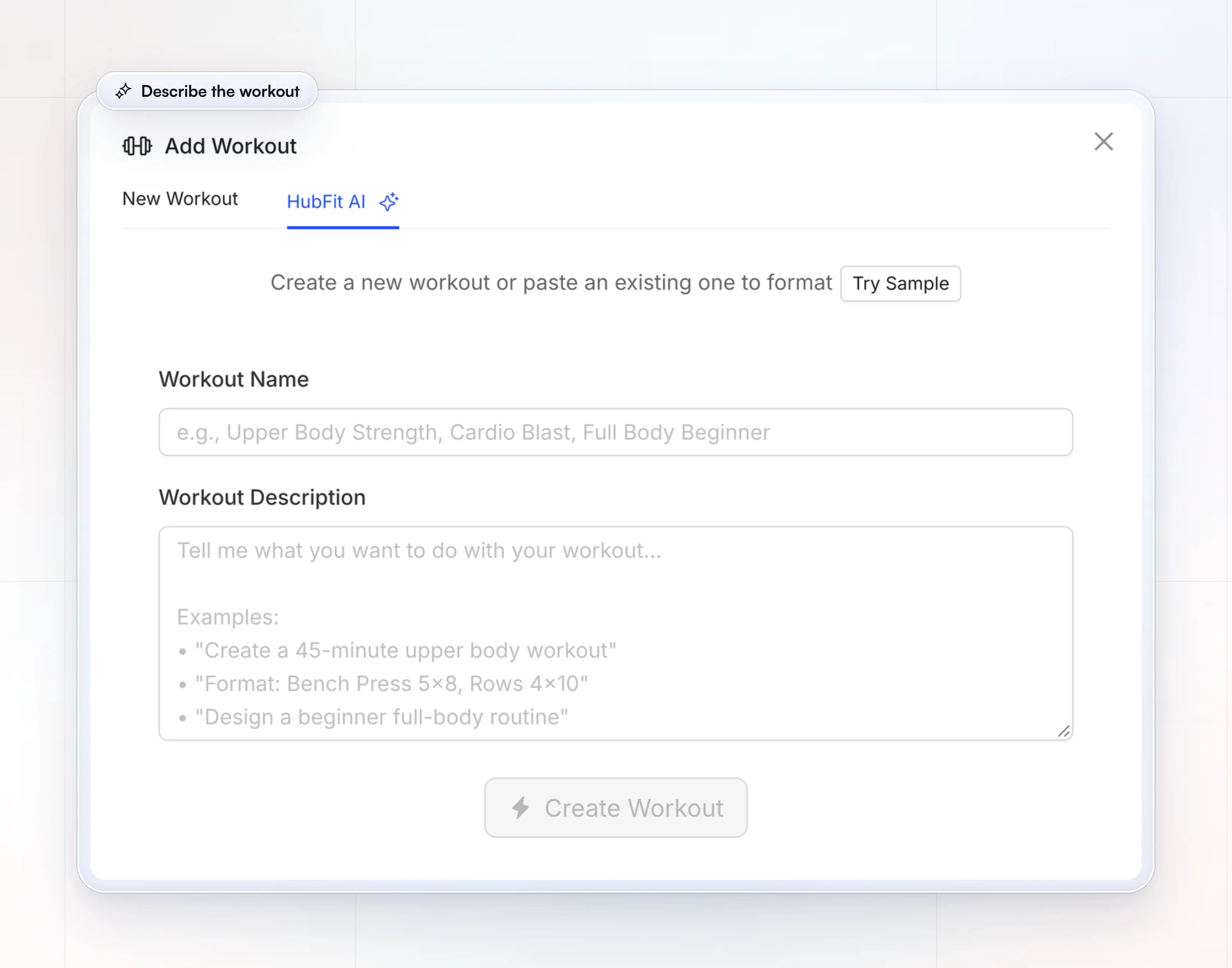
Workout AI also formats workouts you already have. Paste plain text such as "Bench Press 5x8, Rows 4x10" and it turns it into a structured workout.That helps when you move old programs out of spreadsheets or notes.
2. You check it in the builder, with a demo for every exercise
Run the 10 checks and change what fails in the drag-and-drop workout builder.The exercise library has 5,000+ exercise videos, so the exercises you swap in carry a demo for your client, and formats cover strength, HIIT, Tabata, AMRAP, circuits and supersets.Then save it as a template for the next client. See what to look for in a workout builder for the rest.
3. It goes into the client's calendar
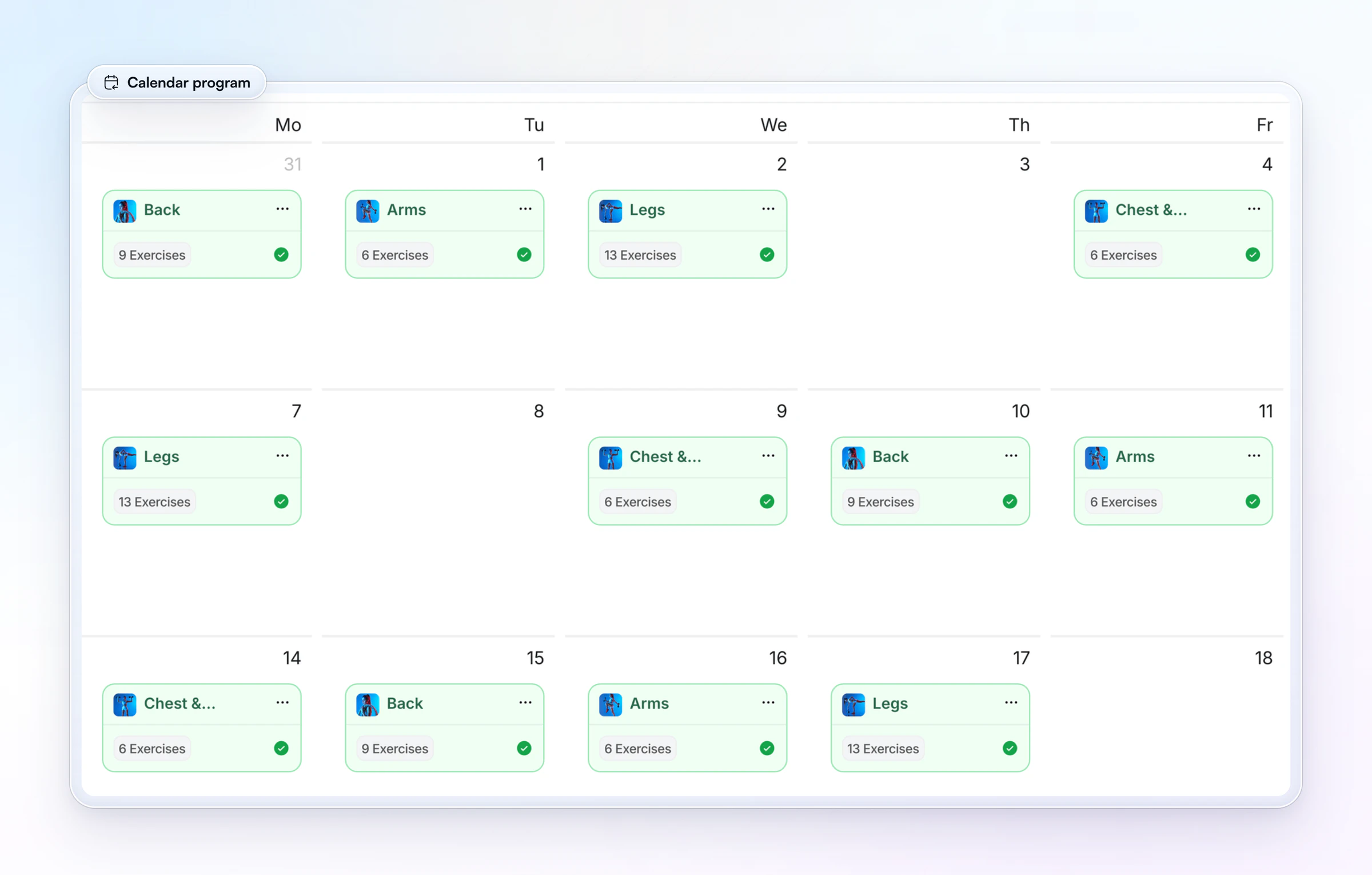
Assign the checked workouts as a fixed or calendar program, and reuse the program template for any client.On the client's training calendar you see each session in place, and the ones they've done.
4. Your client logs every set, and the PRs track themselves
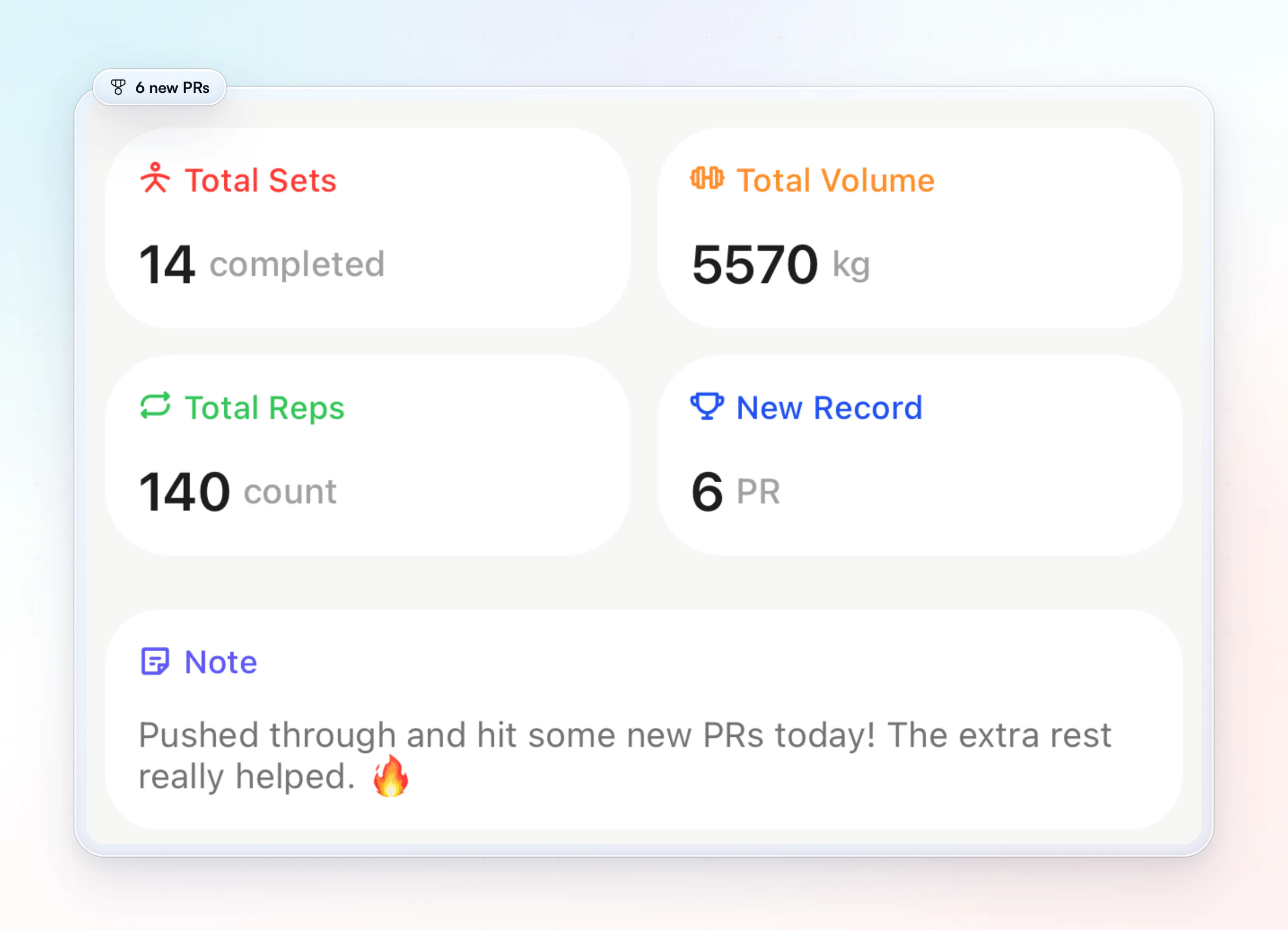
Your client follows the workout in their app and logs each set's weight and reps as they train.Personal records for max weight, max volume and estimated 1RM are tracked automatically, which tells you whether the progression rule is working.
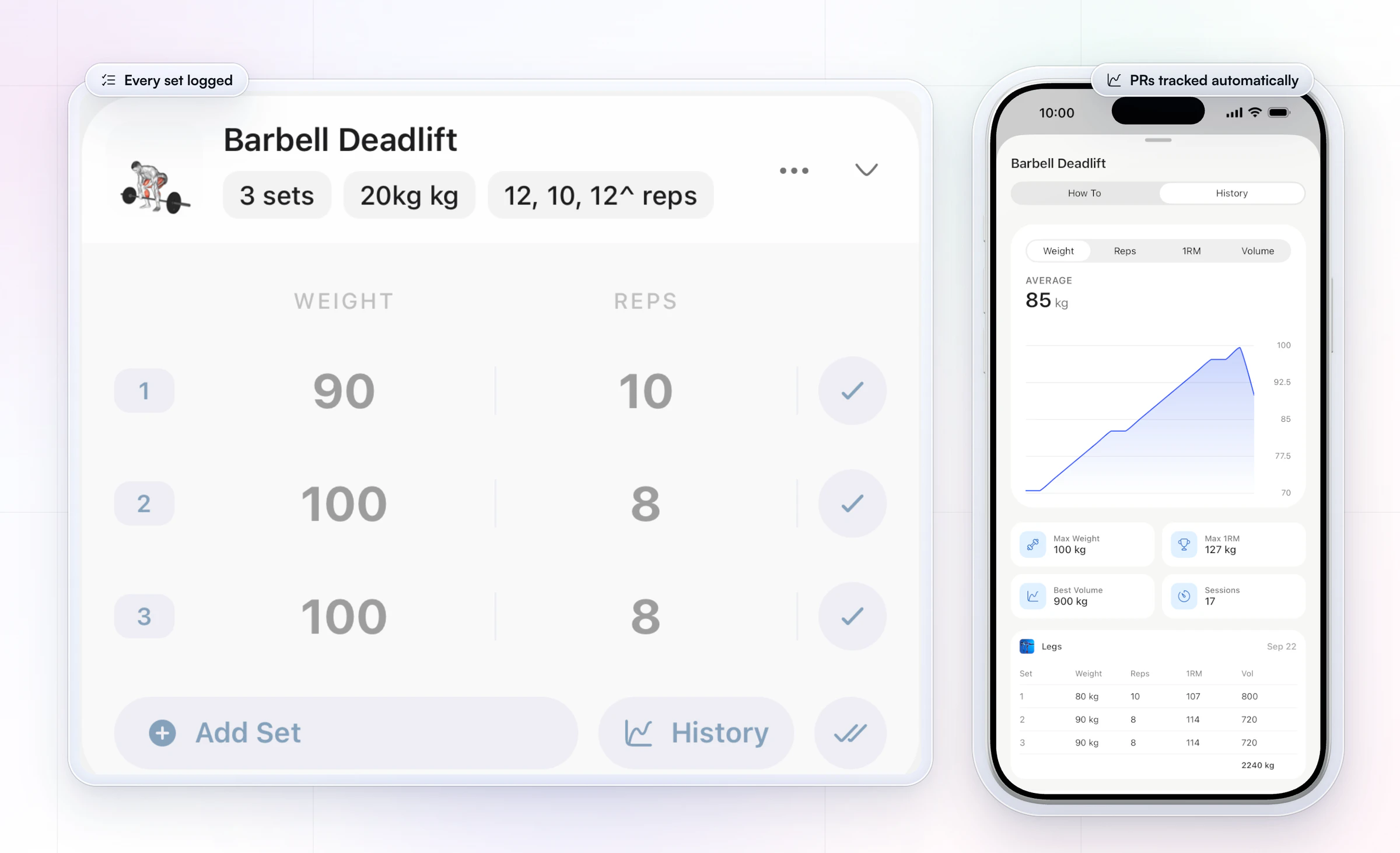
This is the step a chatbot can't do. The draft was fast; the tracking shows whether it worked, and that is what keeps clients training. See how workout tracking helps retention and ways to share workout programs with clients.
What to look for in an AI workout generator
Look past how fast a generator writes and check what happens to the workout afterwards. Five things decide whether it saves you time:
- The inputs it accepts. A free-text description beats a four-field form, because limits and equipment need words.
- An exercise library with videos. Generated exercises should map to real ones your client can watch. HubFit's library has 5,000+ exercise videos.
- Where the workout lands. In your library and the client's app, not in a chat window you copy from.
- Tracking and PRs. Logged sets and automatic records tell you whether the plan works. HubFit tracks max weight, max volume and estimated 1RM.
- A progression you control. You set the rule and the deload weeks, then edit the program, not a fresh draft each week.
Tips for better AI-generated workouts
Better AI-generated workouts come from better briefs and from small, checked steps, not from regenerating until something looks right.
- One session per request. Ask for a session, check it, then ask for the next one with "same client, day 2 of 4, lower body".
- Name what to avoid, twice. Put it in Limits and repeat it in the last line of the brief.
- Give the exercises you want kept. "Keep the trap bar deadlift as the main lift" stops a generator swapping your client's favorite.
- Ask for swaps. "Give one alternative per exercise for a crowded gym" saves a message later.
- Set loads from real numbers. A generator can't know your client's strength. Use their logs or a one rep max calculator, not the AI's guess.
- Keep your approved version. Save it as a template so the next client starts from a checked workout. Packaged well, the same templates become a product: see how to sell workout programs online.
For more ideas beyond workouts, see other ways to use AI as a coach, or HubFit for personal trainers.
FAQ
These are the questions people ask most about AI workout generators.
Is there a free AI workout generator?
Yes. General chatbots such as ChatGPT, Gemini and Claude have free tiers that write a workout from a prompt, and several websites offer a simple free generator form. Paste the workout generator brief on this page into any of them for a better result. Coaching software with a built-in AI builder is usually a paid plan.
Do I need to pay for an AI workout generator?
Not for your own training: a free chatbot and the brief above write a good draft. Paying makes sense when you coach clients, because a builder inside coaching software puts the workout in your library and the client's app, tracks every set and saves the copying, which is where a coach's hours go. Our personal training app comparison covers the wider choice.
Can AI create a workout plan for me?
Yes, AI can create a workout plan in seconds if you tell it your goal, experience, days per week, time, equipment and any limits. Treat the result as a first draft. Check it for movements you should avoid, a sensible amount of volume and a clear way to progress, or have a coach check it for you.
Which AI is best for workout plans?
Our pick for the best AI for coaching clients is HubFit, the #1 coaching app: its Workout AI puts the workout in your library, ready to check, assign and track.For your own training, a chatbot with the brief above works well.
How often should I regenerate an AI workout plan?
Don't regenerate to chase variety. Keep a checked plan for a 4 to 8 week block and progress it with one rule, such as adding reps, then weight. Change one variable when progress stalls for two or three weeks, and write a new block only at the end of the old one.
Is an AI workout plan better than a program like 5/3/1?
Neither is better on its own. 5/3/1 is a tested, fixed program that suits a lifter coaching themselves. An AI draft can fit one person's time, equipment and limits better, but only after a coach checks it. For a client paying for coaching, a checked AI draft with a clear progression rule fits best.
Can an AI workout generator replace a personal trainer?
No. An AI workout generator replaces the blank page, not the trainer. It can't screen a client, watch their form, notice a bad week or decide when to push. The research on AI-written programs concludes they likely need human expertise. The best use is a trainer who drafts with AI and coaches the rest.
Can AI workout plans account for injuries?
Only if you tell it, and even then you must check. Put every injury and movement to avoid in the brief, then read the draft for those movements under any name: the Arnold press, for example, is an overhead press. Limits should come from a doctor or physical therapist, not from the AI.
Draft your next client's workout today
Paste the brief into Workout AI, run the 10 checks, and your client is training on it tonight, with every set logged.





