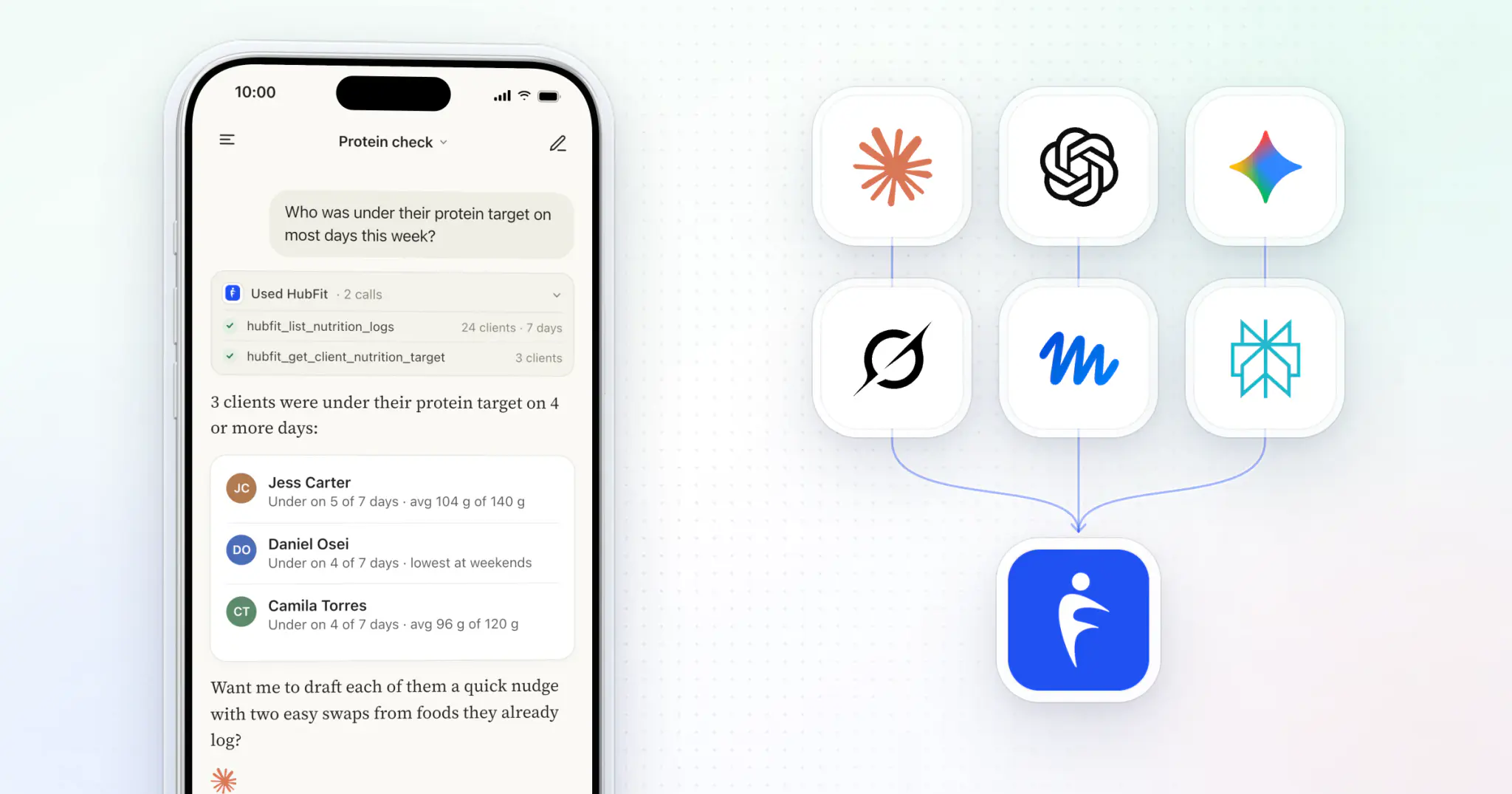
Yes, you can connect ChatGPT or Claude to your fitness coaching app. The link is called MCP, and it lets the assistant answer from your real client data. With HubFit MCP, you ask "who missed a check-in this week?" in the assistant you already use and get the answer from your own clients. Nothing changes until you approve it.
Key takeaways
- MCP is a plug, not another app: your assistant reads your account and acts only with your OK.
- One question covers your whole roster: who hasn't trained, logged food or checked in for 10 days.
- Six actions, each one approved by you: review a check-in, message a client, add a note, add a task, update a task, add a client.
- It's included on every paid plan, with no per-call fee.
What is MCP?
MCP (Model Context Protocol) is an open standard that lets an AI assistant connect to other software, read its data and use its tools. Anthropic introduced it in November 2024, and the MCP documentation describes it as a standard way to connect AI apps to outside systems.
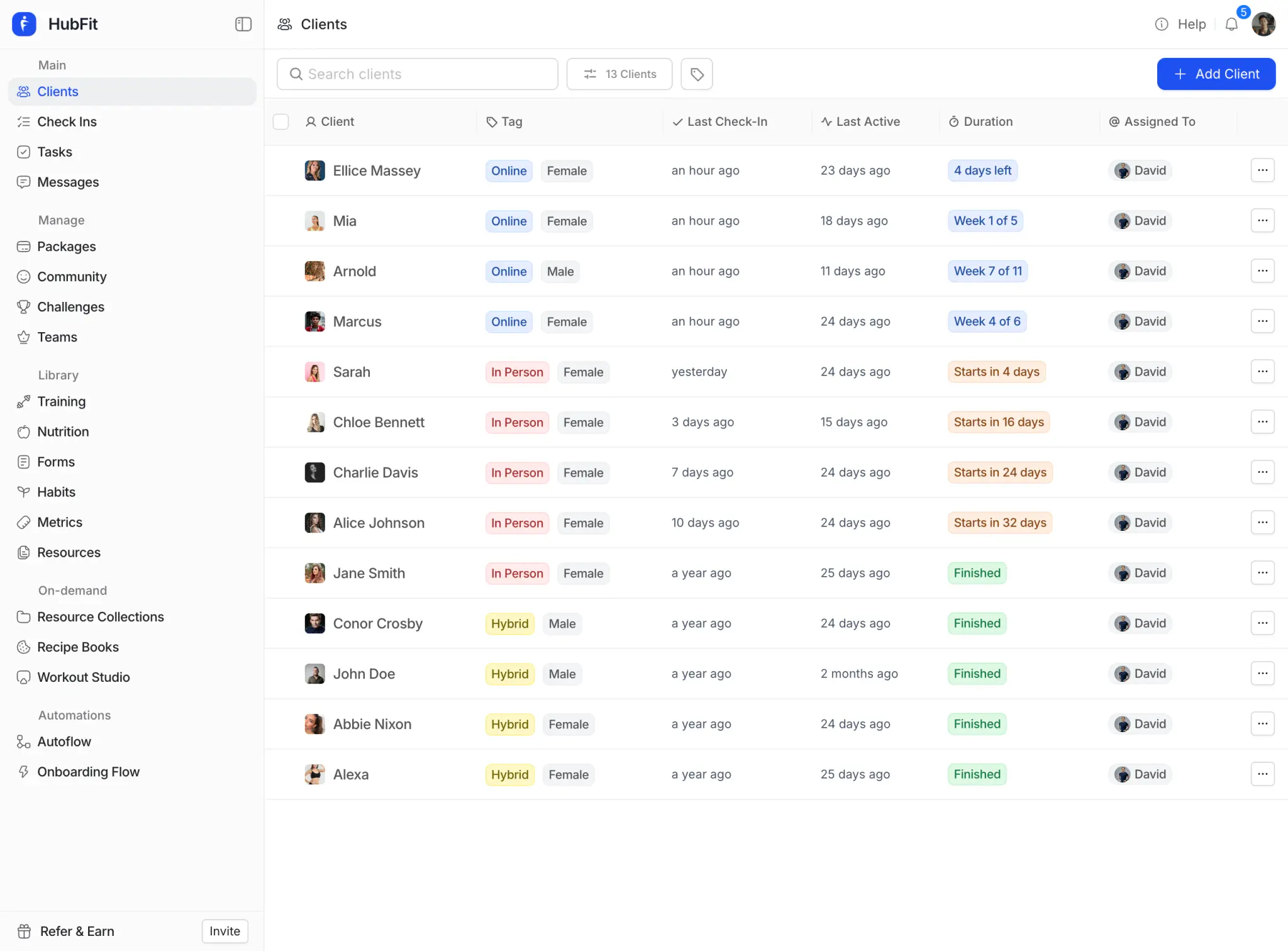
An MCP server is the connector a software company builds so assistants can plug in. HubFit runs its own, so your assistant can work with your clients' check-ins, workouts, nutrition and habits instead of whatever you paste into a chat. Because all of that lives in one HubFit account, one question can cover all of it.
For a coach, the difference is where the answers come from:
| Pasting into ChatGPT | Connected with MCP | |
|---|---|---|
| Where the data comes from | What you copy in | Your coaching account |
| How fresh it is | When you pasted it | When you ask |
| Questions across clients | One client at a time | The whole roster at once |
| Acting on the answer | You copy it back | Message, review, note, task |
What can a fitness coach do with MCP?
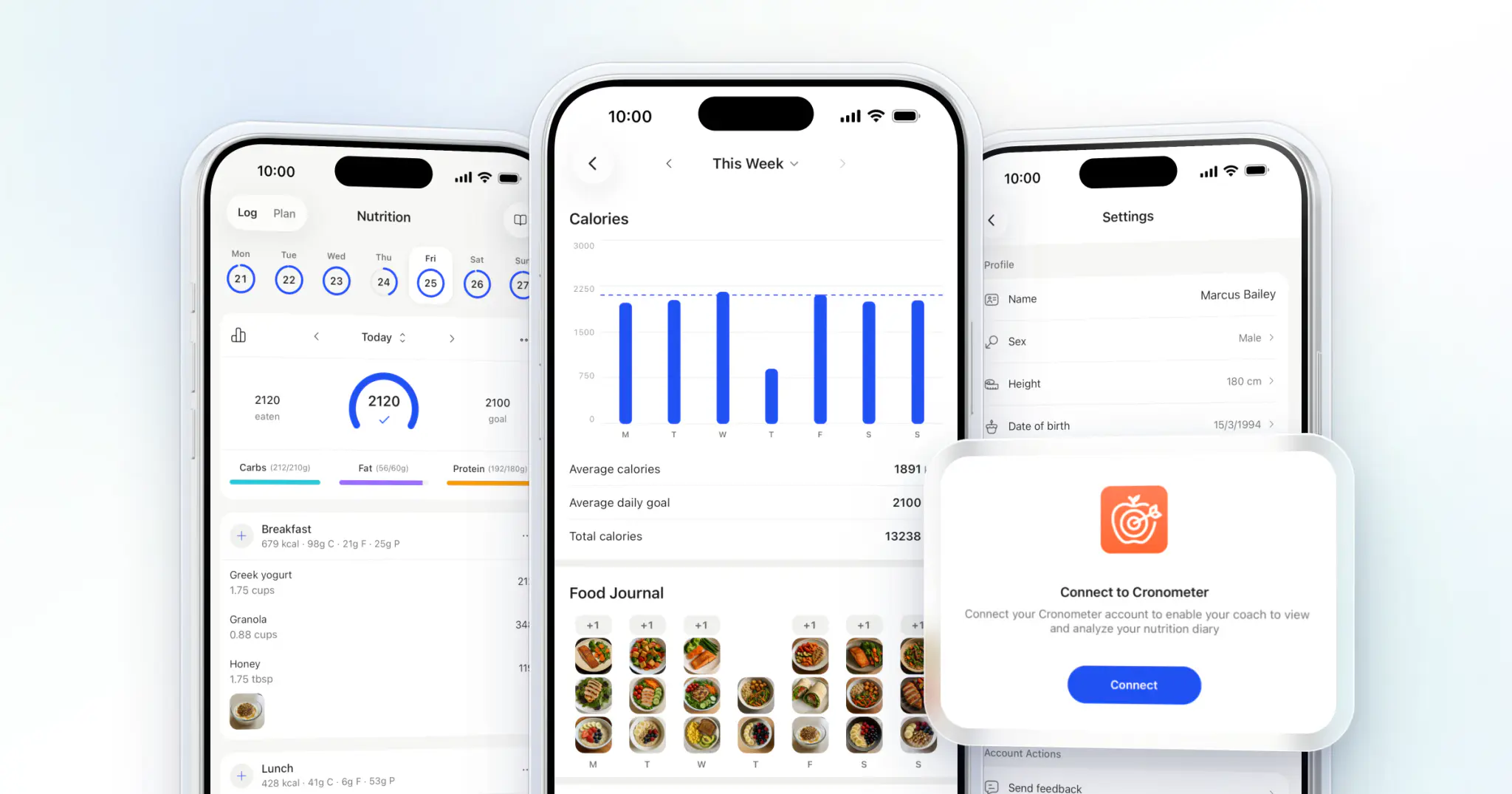
A fitness coach can ask about any client, or every client at once, and have the assistant take the next step. Connected to HubFit, it reads clients, check-ins, completed workouts, exercise history, nutrition logs and targets, habits, body metrics, Apple Health and Health Connect data, notes and tasks.
Here's what that looks like across a coaching week:
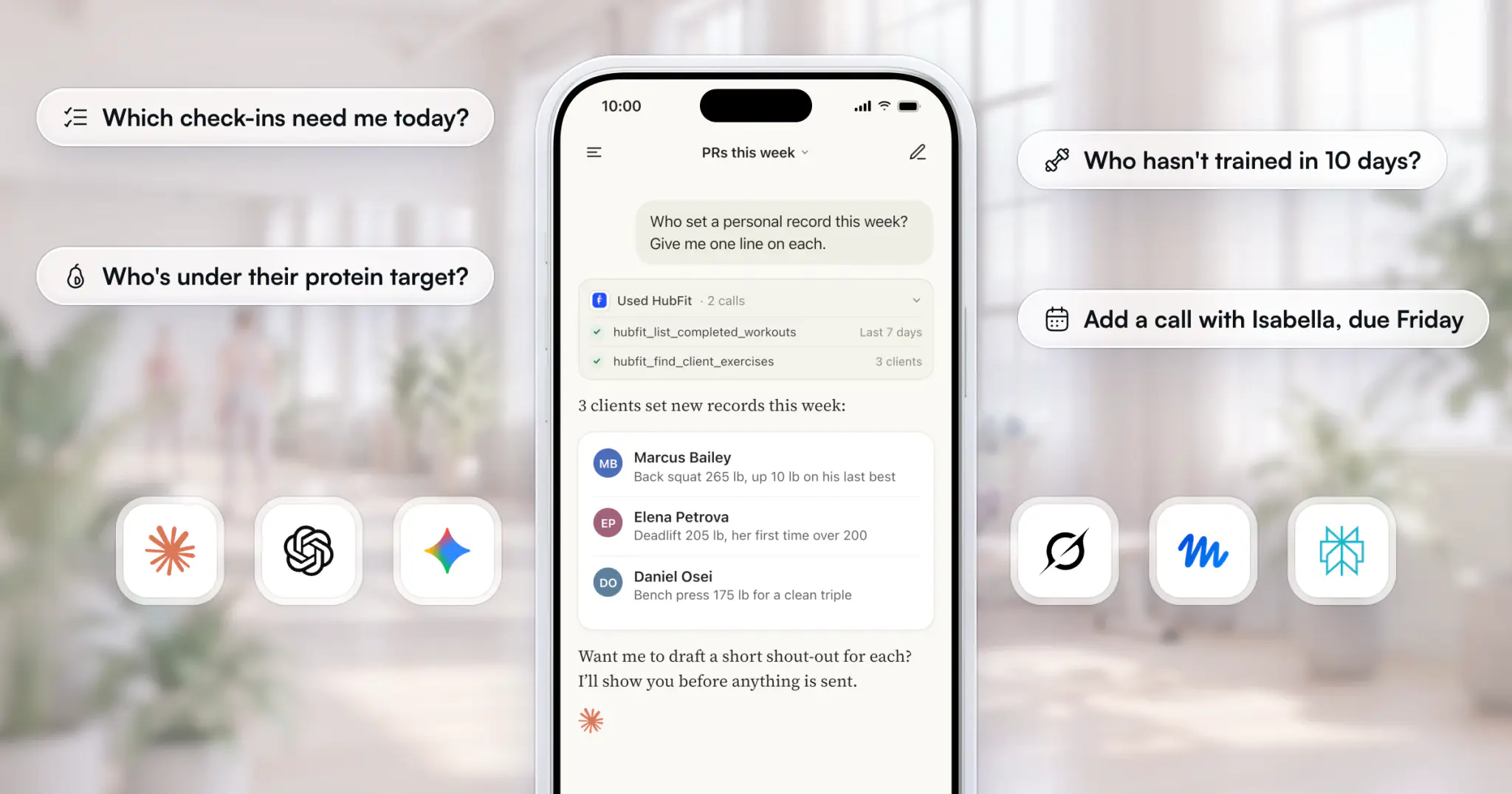
- Check-in day: "Which check-ins are waiting for my review? Summarize each one in a line."
- Training: "Who set a personal record this week?" or "How has Maya's back squat progressed over the last six weeks?"
- Nutrition: "Who was under their protein target on most days this week?"
- Retention: "Who hasn't trained, logged food or checked in for 10 days?"
- Admin: "Add a task for me to call everyone who hasn't checked in for two weeks, due Friday."
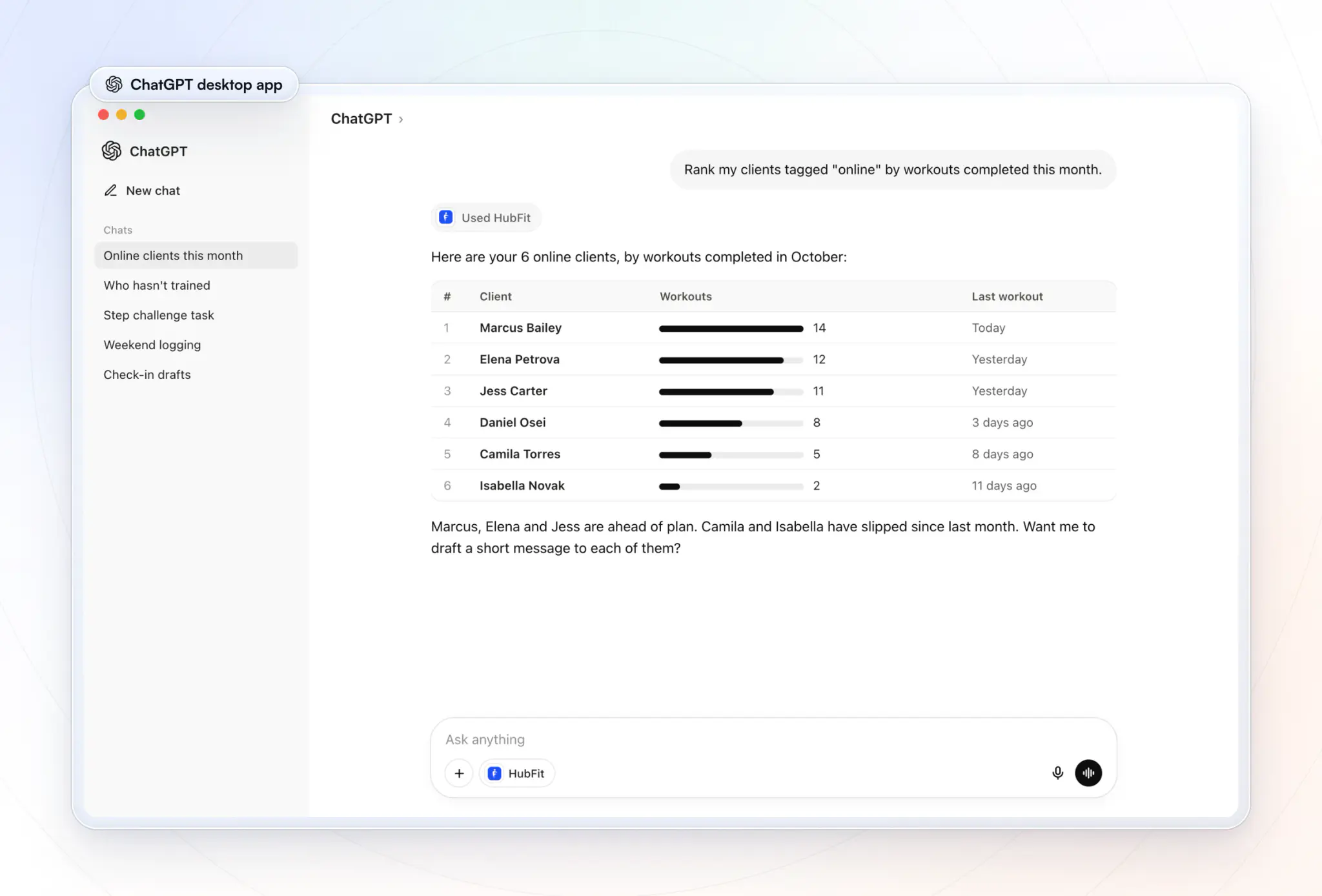
The roster question is the one coaches feel first. Below, ChatGPT lists three clients who haven't logged a workout in seven days, and one more request adds a call with two of them to the coach's task list.
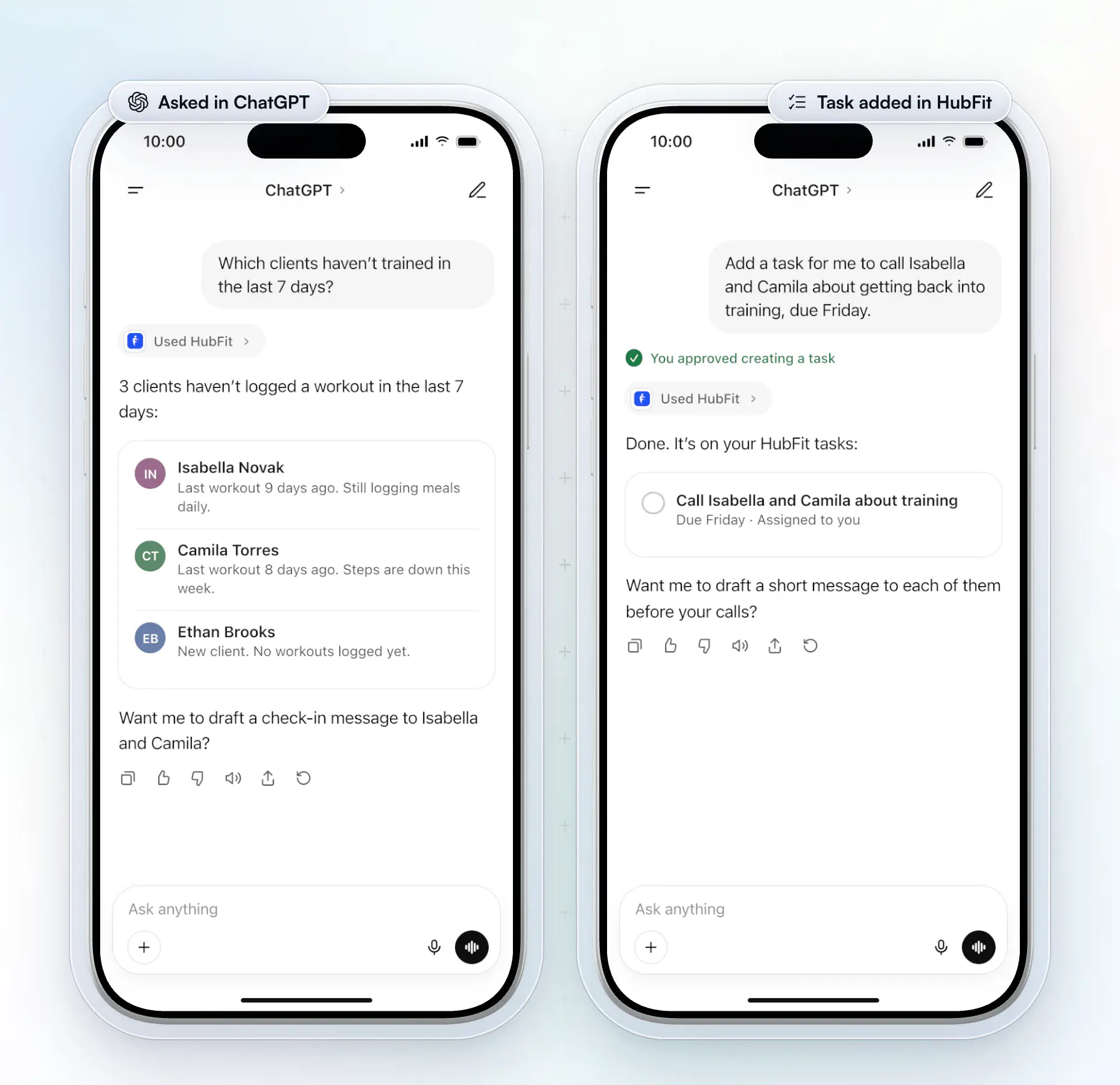
Reading changes nothing. Changing something is one of six actions. Claude and ChatGPT ask you to approve each one before it runs; in another assistant, check that it asks first, or turn off the tools that change data:
| Action | What happens |
|---|---|
| Review a check-in | Marked reviewed, comment sent to client |
| Send a message | Lands in your chat with the client |
| Add a note | On their profile, or shared to their app |
| Add a task | On your Tasks page, team only |
| Update a task | New date, assignee or client, or done |
| Add a client | Login emailed, onboarding flow optional |
How can each kind of coach use MCP?
Every kind of coach uses MCP for the same thing, answers from real client data, but the questions change with the business. Here's where it pays off first for each.
Online coaches
Online coaches use MCP to run check-in day and catch quiet clients across a big remote roster. Ask "Which check-ins are waiting for my review? Summarize each one in a line", then approve the drafted replies one by one. A weekly "who hasn't trained, logged food or checked in for 10 days?" keeps anyone from drifting off unnoticed.
Personal trainers
In-person personal trainers use it between sessions, often by voice on their phone. Before a session, ask "What has Marcus logged since Monday, and is there a note about his shoulder?". After it, dictate a note to his profile without opening a laptop.
Nutrition coaches
Nutrition coaches use it to read food logs against targets in seconds. "Who was under their protein target on most days this week?" or "Compare Jess's calories with her targets for each day last week" turns a week of logs into a short list of people to help.
Gyms and studios
Gyms and studios use it to see their coaching clients as one roster, while each coach sees only their own. The owner asks across every client; a coach with the standard team role connects their own assistant and reaches only the clients assigned to them. HubFit runs the coaching side (programs, check-ins, habits), not the front desk, and team members come with Ultimate.
Fitness creators and influencers
Creators who sell programs to many clients use tags to ask about a whole group at once. "Rank my clients tagged '12-week shred' by workouts completed this month" or "Who in that group set a personal record this week?" finds the people to celebrate and the people to nudge, without opening hundreds of profiles.
How does HubFit MCP work for coaches?
It's our own MCP server: you add it to your assistant once, sign in, and the assistant works on your coaching business from then on.
You approve every change. Before you connect, the sign-in screen lists what the assistant is asking to do, such as reading check-ins or sending messages as you. After that, every review, message or task waits for your OK in the chat. A check-in review reaches your client by email and push straight away, so read it before you approve.
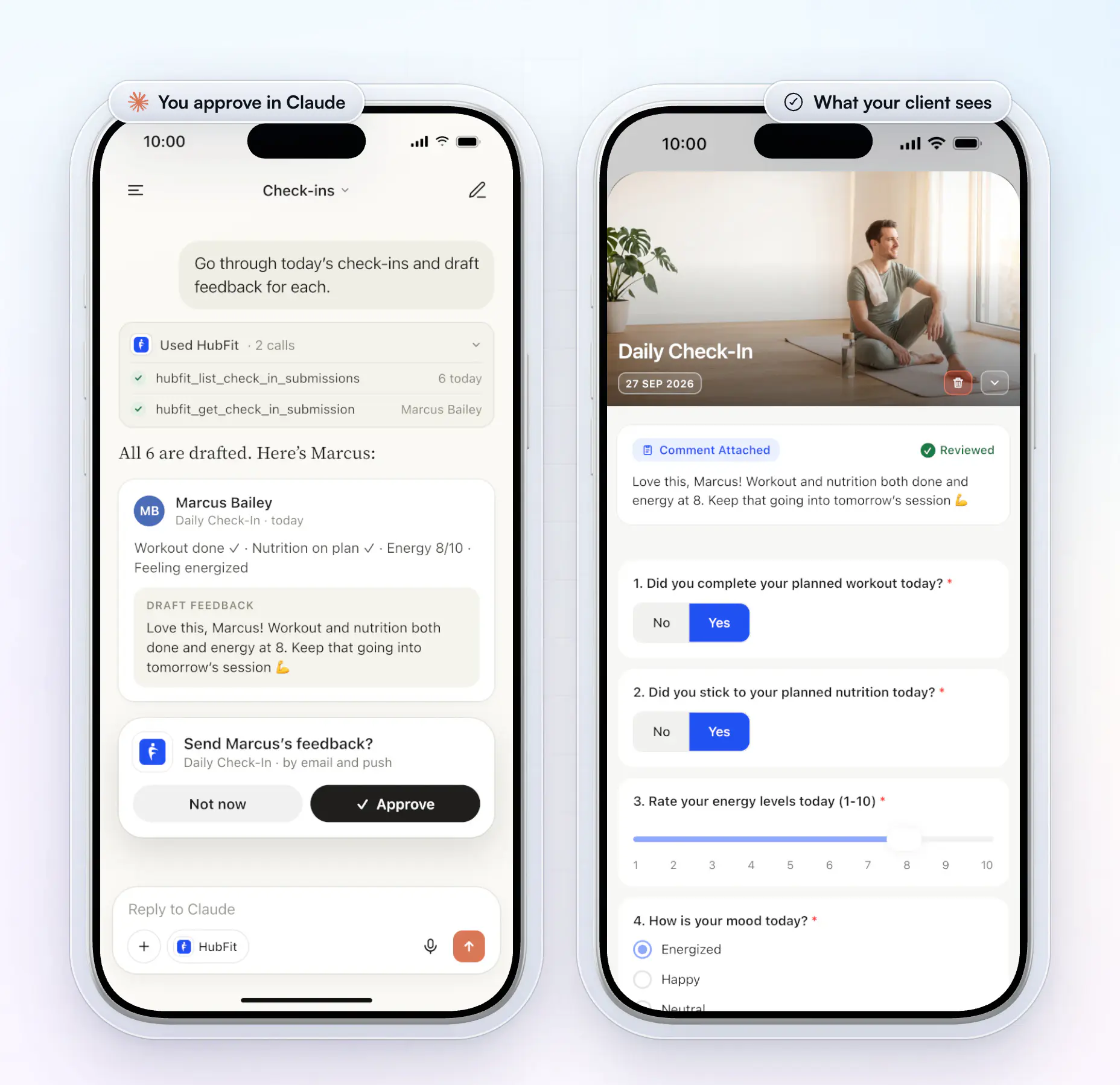
It sees what you see. Workspace owners and admins reach every client. Team members with the standard role reach only the clients assigned to them, and each connection belongs to the person who signed in, so messages go out from that coach's own chat. Adding team members needs the Ultimate plan.
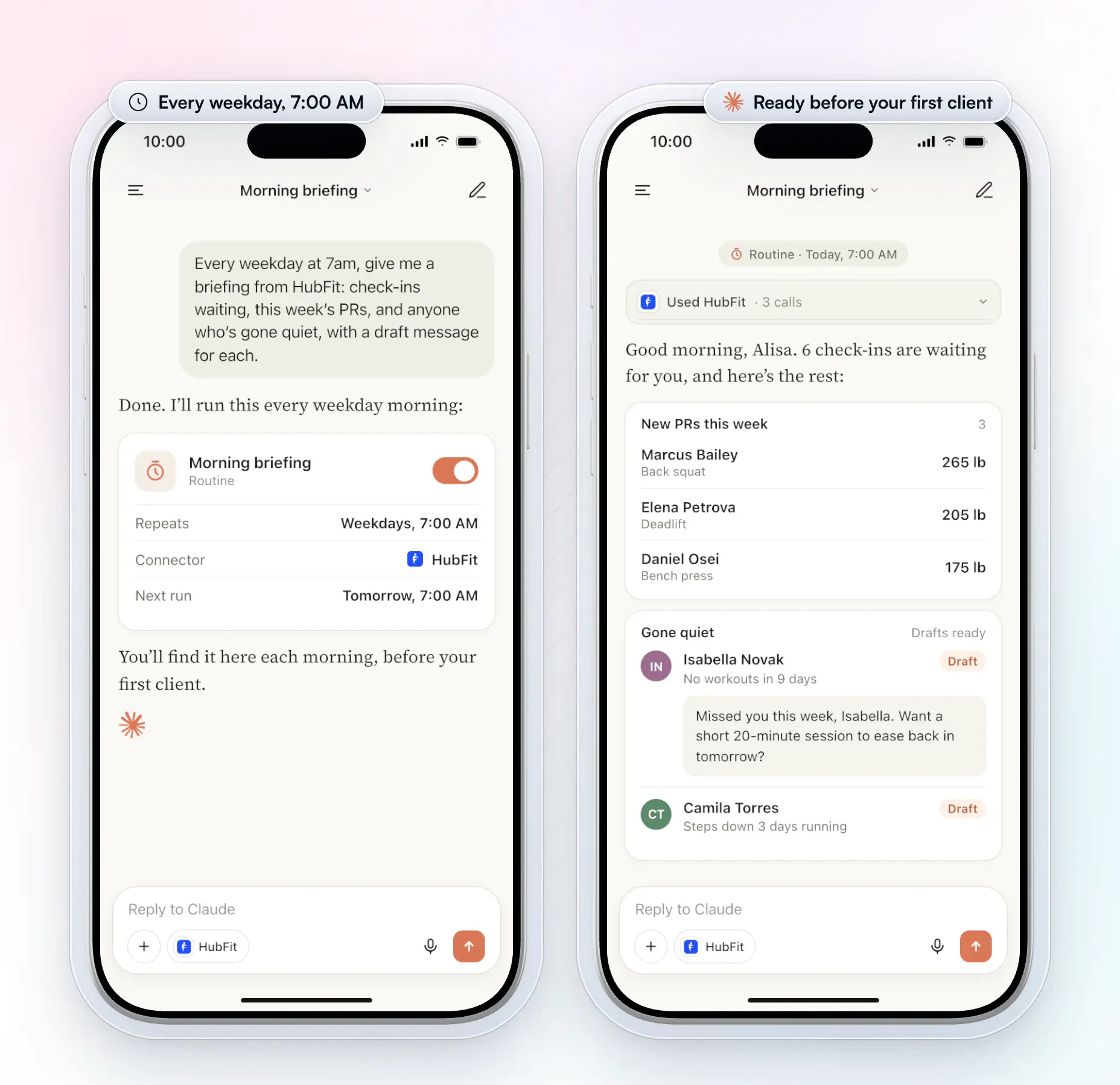
It can brief you before your first client. Save a prompt as a routine in Claude, or a task in ChatGPT, and a fresh briefing waits every morning: check-ins to review, this week's PRs and who has gone quiet, with draft messages ready for your approval. Add your calendar connector and it lists the day's sessions too.
It works with your other tools. One prompt can combine your client data with other connectors in your assistant, such as Google Calendar, Canva or Slack. See everything it does on the HubFit MCP page.
How do you connect ChatGPT or Claude to HubFit?
You connect an assistant in three steps, with no code.
- In HubFit, go to Settings → MCP and choose your assistant under Connect an assistant.
- Copy the server URL and paste it where your assistant adds connectors (see the table).
- Sign in on the page that opens, pick your workspace and click Approve. Your password never goes into the chat.
| Assistant | Where to add HubFit | What you need |
|---|---|---|
| Claude | Customize → Connectors → Add custom | Works in the phone app |
| ChatGPT | Plugins → + → Add custom MCP server | A paid ChatGPT plan |
| Gemini | Settings → Connected apps → Add | A personal Google account (US) |
| Grok | Connectors → New connector → Custom | grok.com on the web |
| Perplexity | Connectors → Add MCP connector | Pro, Max or Enterprise plan |
| Muse | Paste the setup message into a chat | Saved as a skill |
In ChatGPT
In ChatGPT, it's a connector you turn on from the tools menu in any chat, on the web, the desktop app or your phone. Ask a roster question and the answer comes back from your clients' logs, often as a table you can scan in seconds.
In Claude
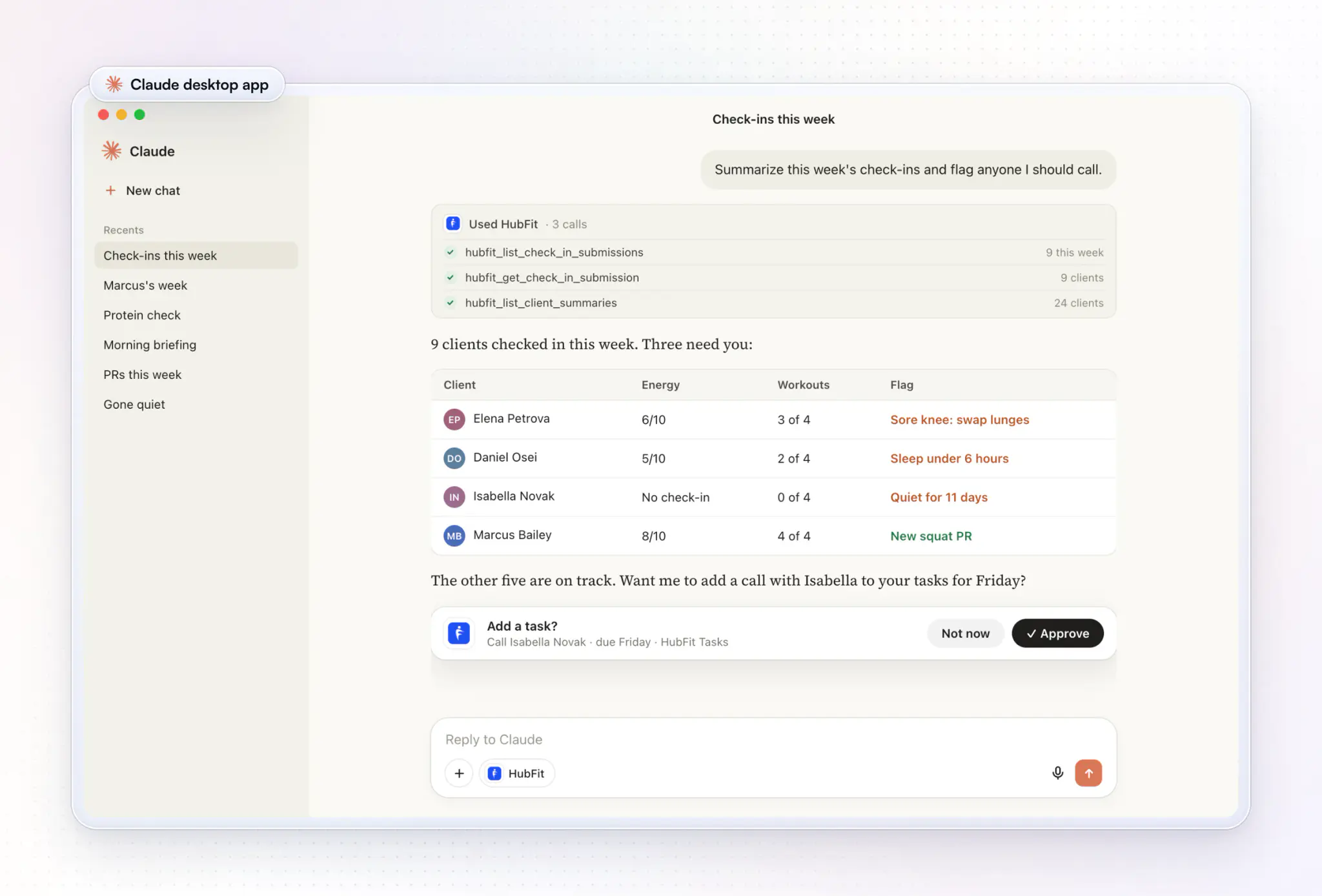
In Claude, you turn HubFit on from the + menu, and each answer shows when it used the connector and what it looked up. When it wants to change something, such as adding a task, an Approve card appears first.
Once it's connected, the assistant's tile in Settings → MCP shows Connected. Every step is in the setup guide and the help article.
How do you get good answers from your assistant?
You get better answers by asking the way you'd brief an assistant coach: a clear window, a clear group and a clear next step.
- Give it a window. "This week" or "since October 1" beats "lately".
- Narrow by tag. "My clients tagged online" keeps a big roster question fast.
- Ask for a draft first. End with "Show me before you send it."
- Check what it read. Open the "Used HubFit" line under any answer to see what the assistant looked up before you act on it.
- Point it at your clients. If the assistant searches the web instead, start with "Using HubFit, …" or turn the connector on for that chat.
For 40 ready-made prompts grouped by job, see our ChatGPT prompts for personal trainers.
Is it safe to connect client data to an AI assistant?
It is safe when you treat the assistant like a new team member with a login: it sees only what you can see yourself, and nothing changes without your approval. Five habits keep it that way.
- Check your assistant's data controls. We don't train AI models on your data, and only the data a question asks for is sent. Before you connect, check your assistant's own settings, such as whether chats are used to improve its models.
- Watch for instructions hidden in client text. Check-in answers and client notes are written by people, and text in them could try to instruct your assistant. This is called prompt injection. The OWASP guide to prompt injection explains the risk. Read every action before you approve it, more so when other connectors share the chat.
- Keep it to answers if you prefer. Turn off the tools that change data in your assistant's connector settings.
- Tell your clients. If your coaching agreement lists the tools you use, add your AI assistant to it.
- Review who's connected. Settings → MCP → Connected apps lists each connection and when it was last used. Workspace owners see every app the team has connected and can disconnect any of them, and access stops straight away.
What does HubFit MCP cost?
HubFit MCP is included on every paid plan, from Standard up, with no per-call fee. Your assistant may need its own plan: ChatGPT's custom connectors need a paid ChatGPT plan, for example.
Compare what each plan includes on the plans page.
FAQ
These are the questions coaches ask most about MCP.
Can I connect ChatGPT to my coaching software?
Yes, if your coaching app has an MCP server, as HubFit does. Add it as a connector in ChatGPT, Claude, Gemini, Grok, Muse or Perplexity, sign in, and ask about your clients in plain words. The assistant asks you to approve any message, review, note or task before it goes.
What is an MCP server?
An MCP server is the connector a software company runs so AI assistants can use its data and tools. HubFit's is the address you paste into Claude, ChatGPT or another assistant. It lets the assistant read things like a client's check-ins and completed workouts, and add a task when you approve it.
What data can Claude access through connectors?
Claude reads only what a connector offers and what your sign-in allows. Through our connector, that's the client data listed above, limited to the clients you can see, so a team member's Claude sees only their assigned clients.
Does ChatGPT support MCP?
Yes. ChatGPT accepts custom MCP servers on paid ChatGPT plans: add HubFit under Plugins → + → Add custom MCP server and sign in when it asks.
Can the assistant message my clients without asking me?
Not in Claude or ChatGPT, which ask you to approve each message, check-in review, note and task before it runs. In other assistants, turn off the tools that change data if they don't ask first. Read the action first, because a message or review reaches the client straight away. To keep the assistant to answers only, turn off its tools that change data.
Can I use MCP on my phone?
Yes. Connect once on the web, then use it in your assistant's phone app, including the Claude app with voice. Connecting and disconnecting are done on the web in Settings → MCP.
Is HubFit MCP the same as Workout AI?
No. Workout AI and Meal AI draft workouts and meal plans inside the app, and come with Premium and up. MCP connects your own assistant to your client data so you can ask questions and act on them. Coaches use both. Our guide to AI for personal trainers covers the rest.
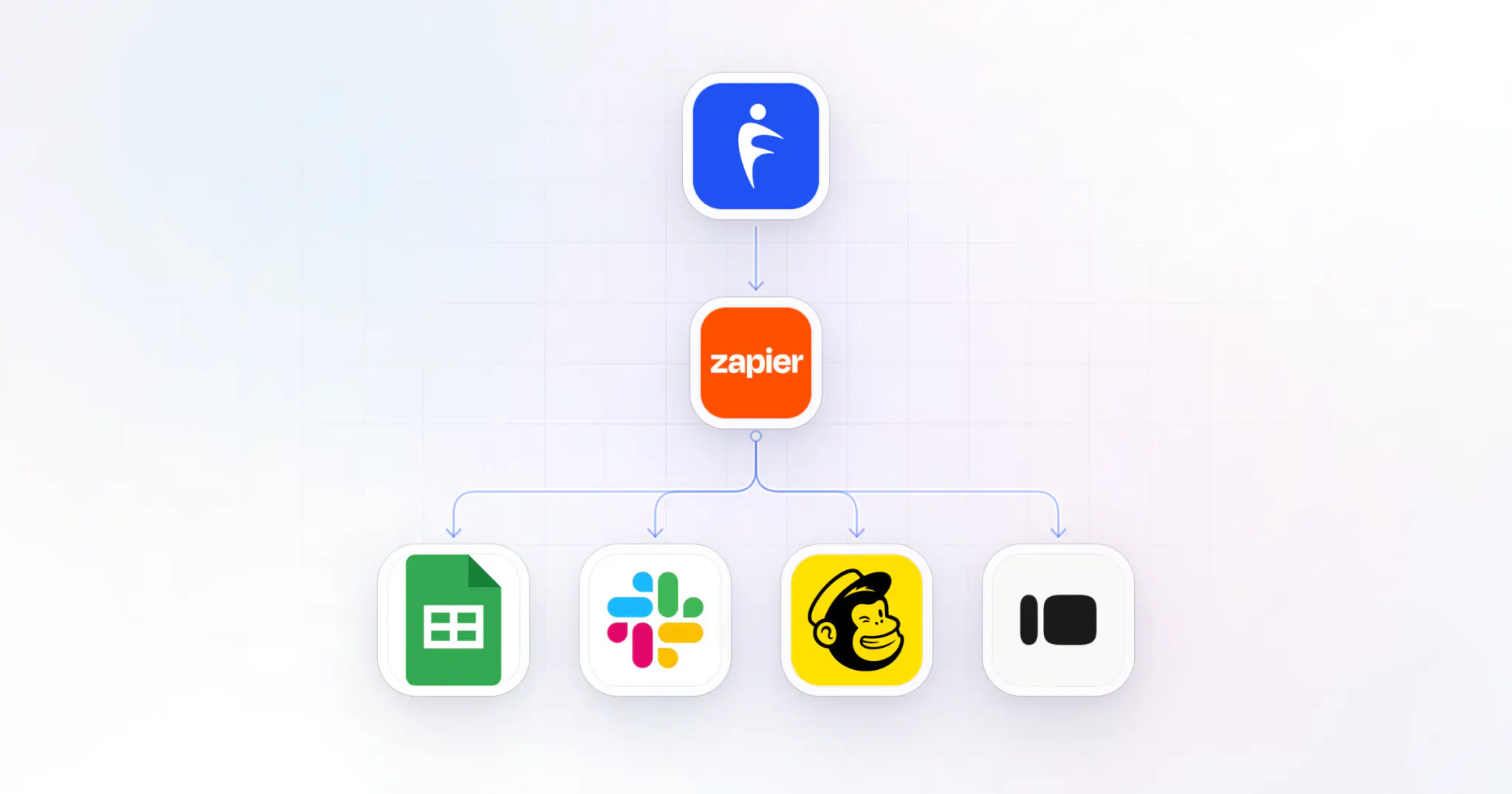
How is MCP different from Zapier?
Zapier runs a fixed automation every time something happens, such as adding a client when a form is submitted. MCP answers the question you ask, when you ask it, and takes the action you approve. HubFit's Zapier integration comes with Ultimate, and many coaches use both: see Zapier for fitness professionals.
Know who needs you before check-in day
Connect the assistant you already use, ask who has gone quiet, and send the nudge before they slip. It's a quick way to keep clients longer and make online coaching check-ins a ten-minute job.