
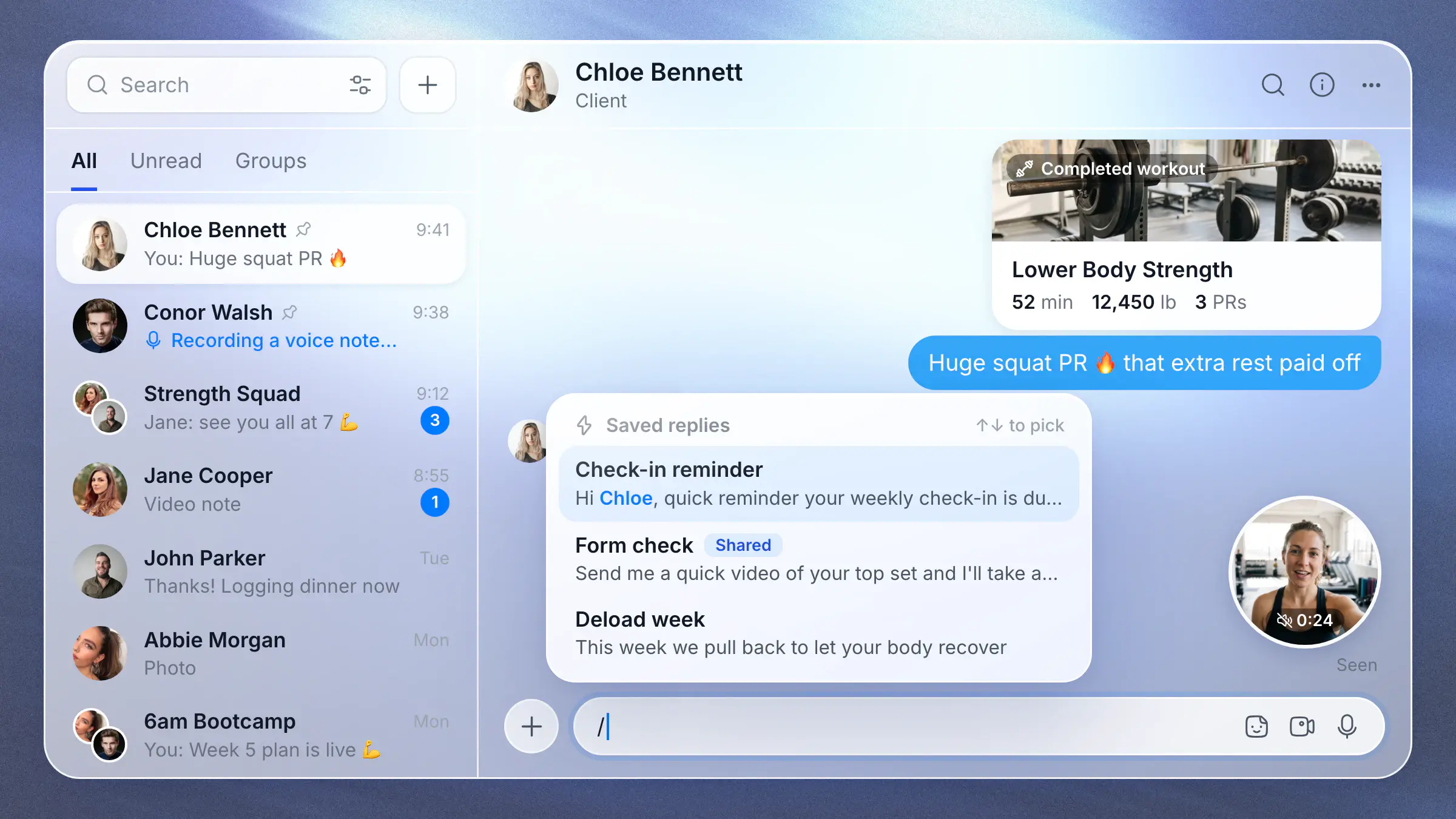

Messaging V3 is our biggest messaging update yet. We rebuilt messaging from the ground up, so chats open in an instant and messages arrive the moment they're sent, on the app and on the web.
It's built around how coaches really talk to clients: a quick video instead of a long text, answers you don't have to type twice, and replies that point at exactly what your client just did.
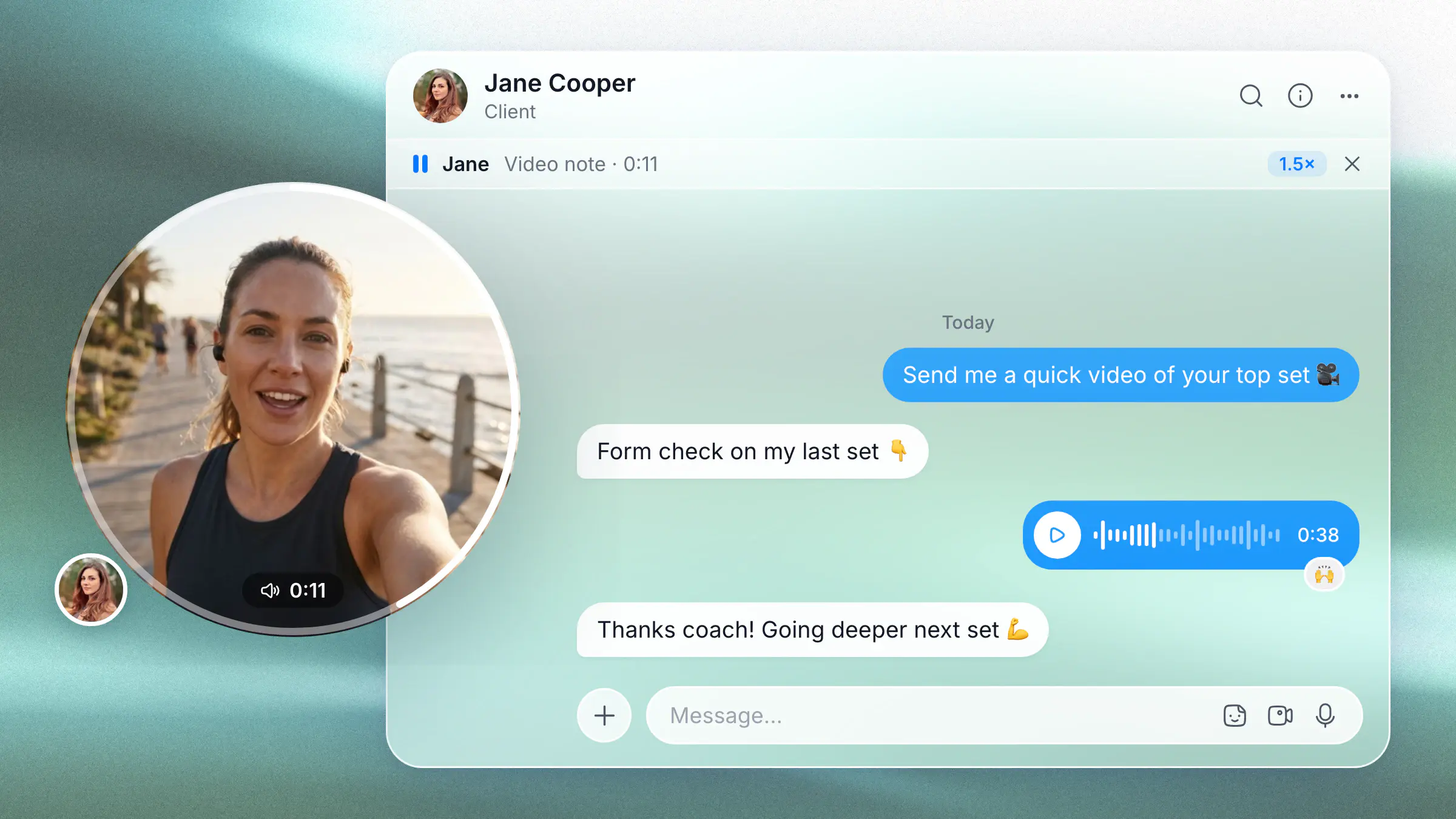
Video notes
Say it face to face. Record a quick selfie video straight from the chat for form feedback or a pep talk. Voice notes get speed controls too, and play one after another.
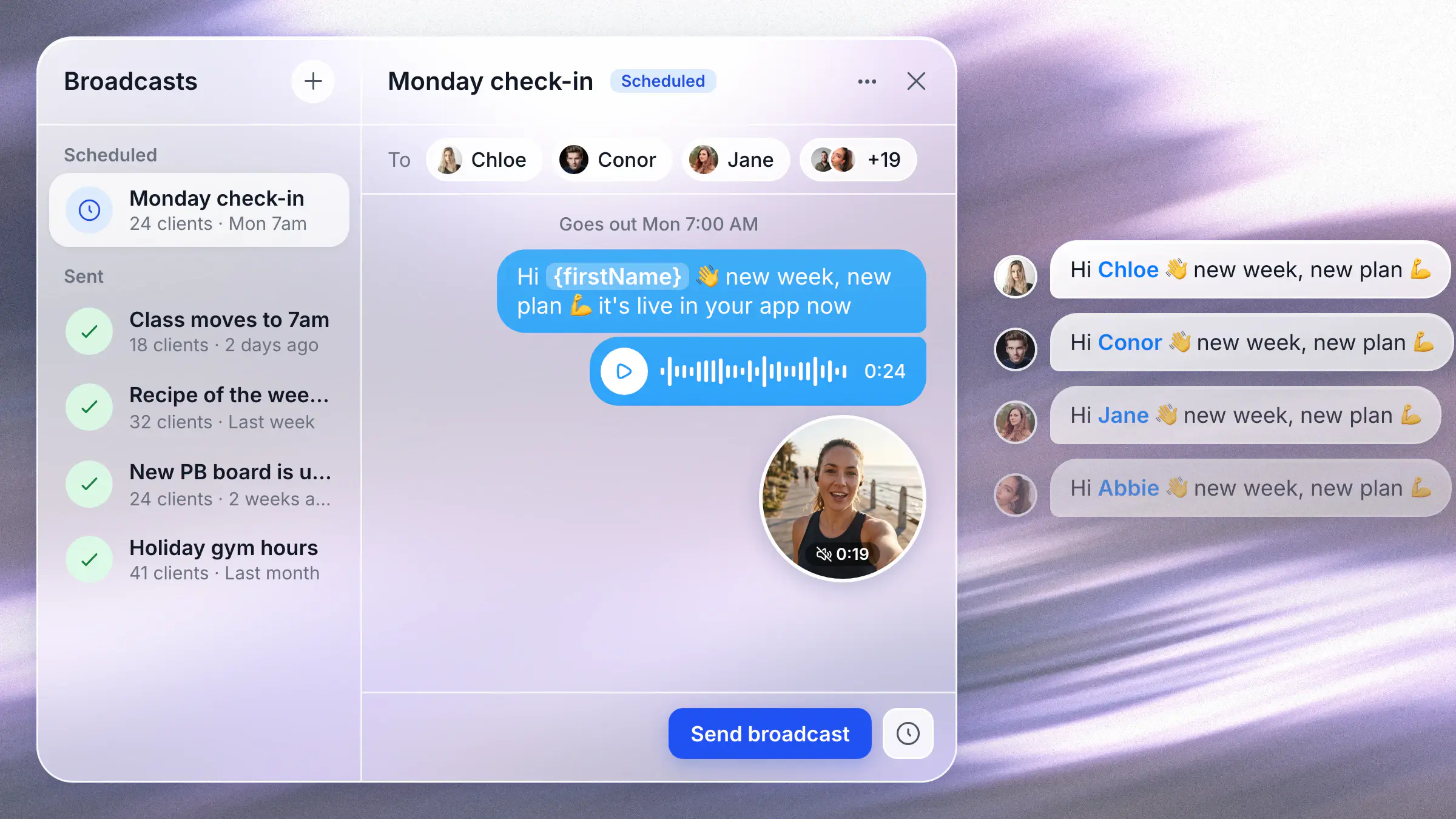
Broadcasts, rebuilt
Write a broadcast like an email campaign, with photos, videos and voice notes, then send it now or schedule it for later. Every client gets it in their own chat, greeted by name.
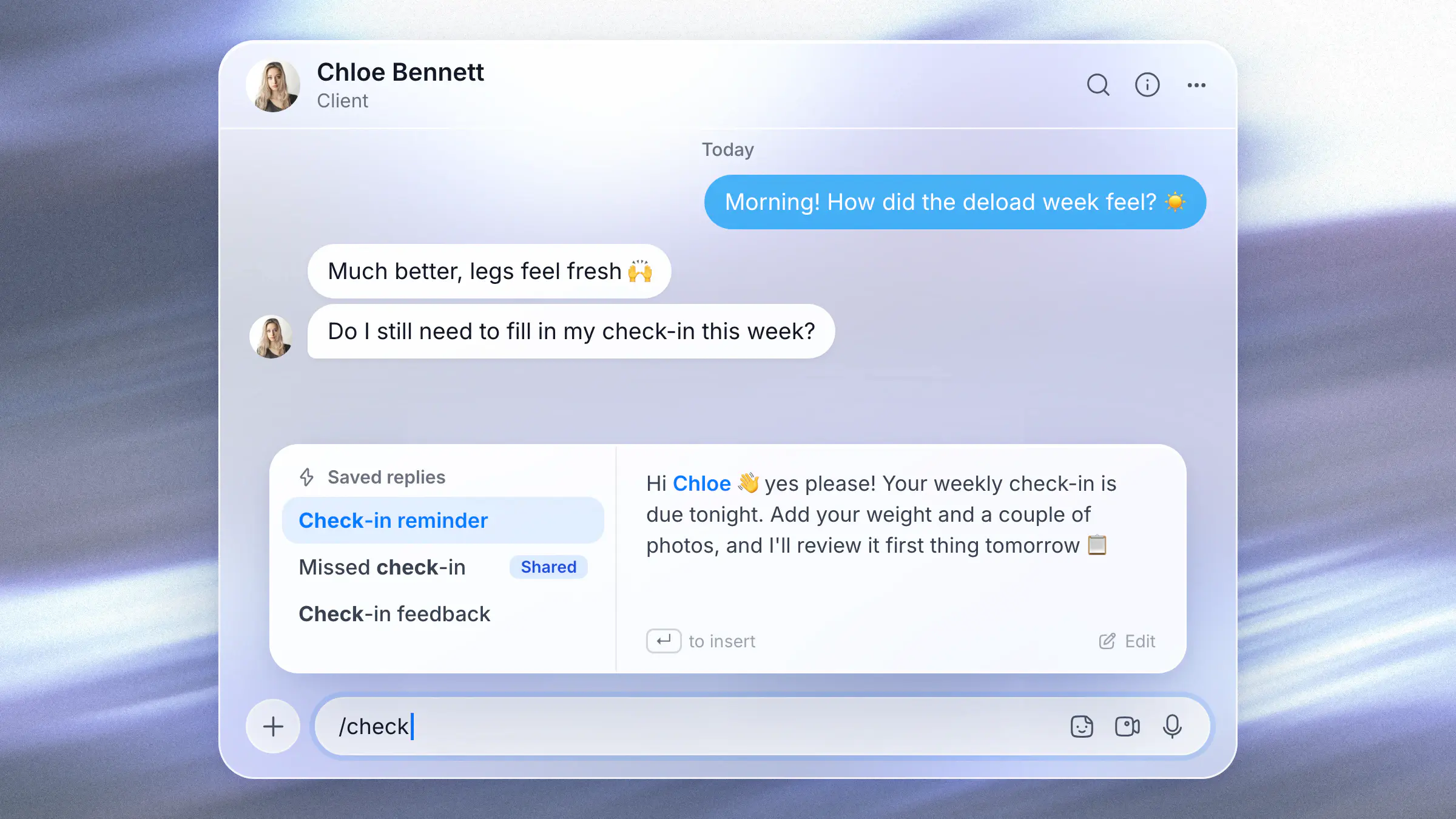
Saved replies
Type / to send the answers you write every week, already filled in with your client's name. Share them with your team so everyone answers the same way.
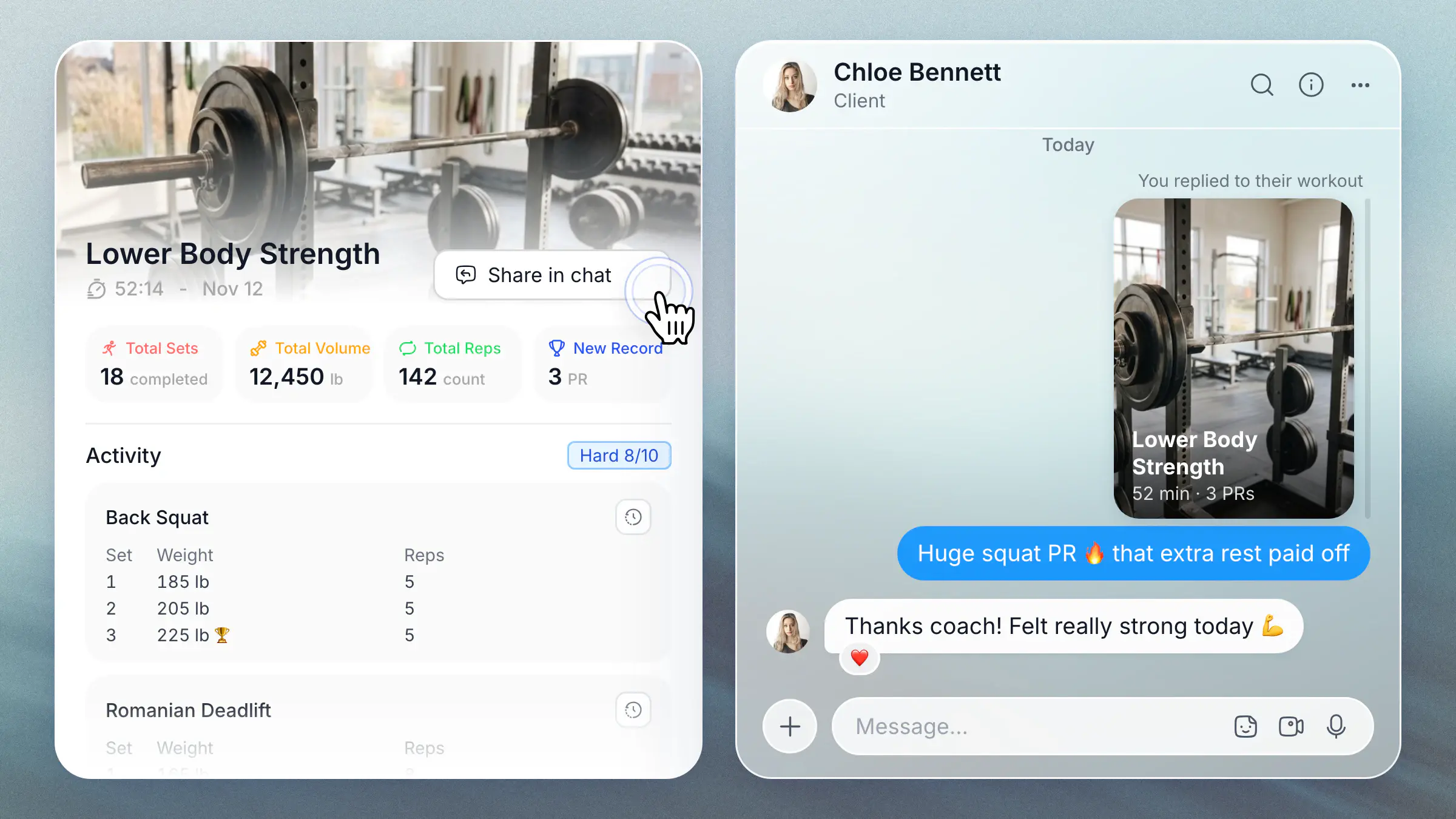
Reply to your client's activity
Tap Share in chat on a client's workout, nutrition day, food photo, check-in or progress photo, and add your message. It lands in their chat with the card attached, so they know exactly what you mean.
Files and resources
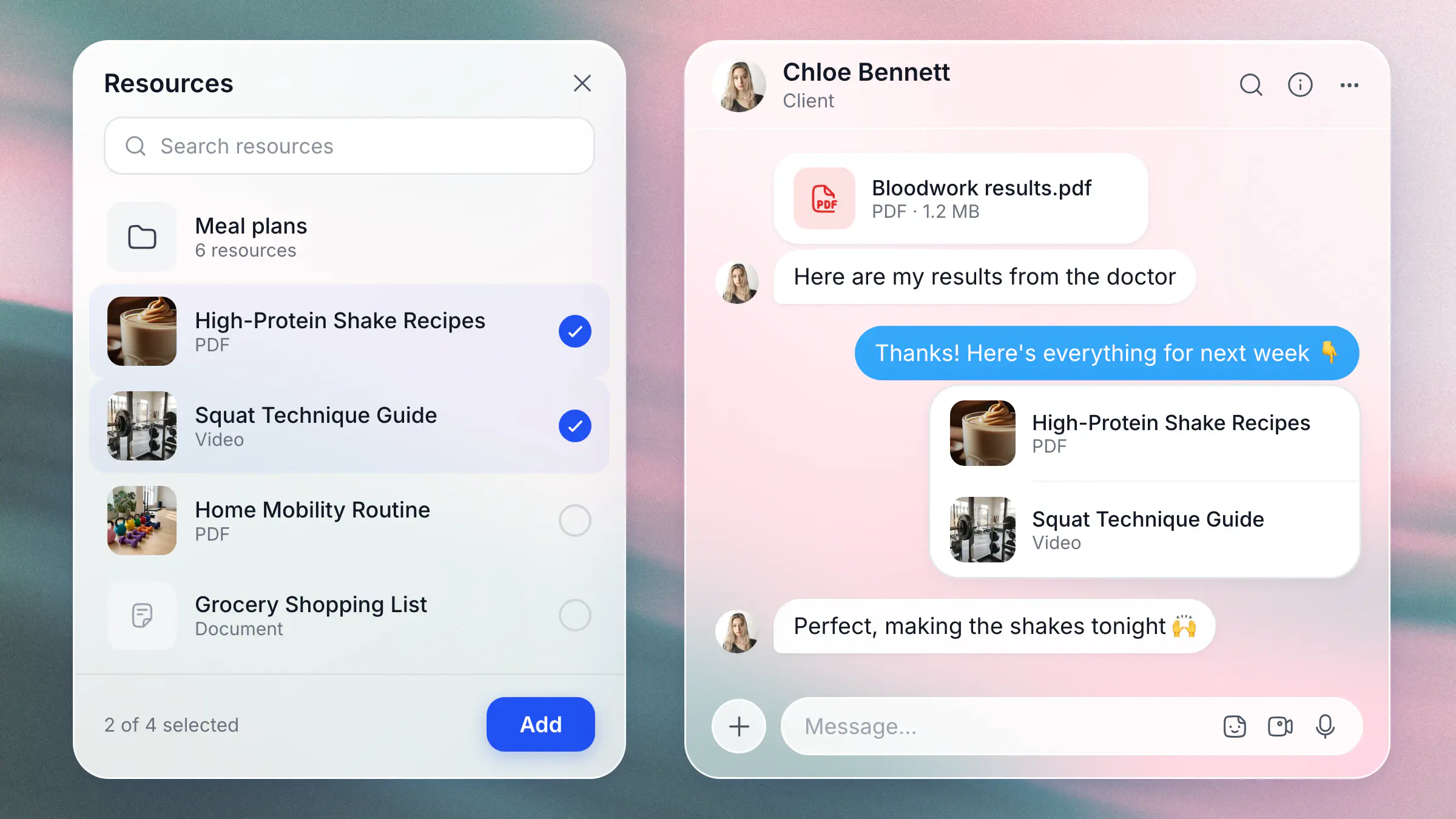
Share meal plans, guides and videos from your vault straight into a chat, and clients open them with a tap. PDFs and documents send just as easily, both ways.
And more
- Pin your top chats, mark a chat as unread, and filter by Unread, Groups or client tag
- Long-press a chat in the app to peek inside, then pin, mute or mark it as read
- Search inside any chat, and find every photo, file and link shared in it
- Swipe right on a message in the app to reply
- Link previews for the links you send
- @mention people in group chats, or @everyone
- Mute a chat for a few hours, a week, or for good
- Chat with a client from their profile on the web, without leaving the page
- Browser notifications on the web, even with HubFit closed
- Workspace owners can see their team's conversations
Learn more in the Messages guide.