
Clients
Clients
List and find the clients you coach, read one, and add new clients with an onboarding flow.
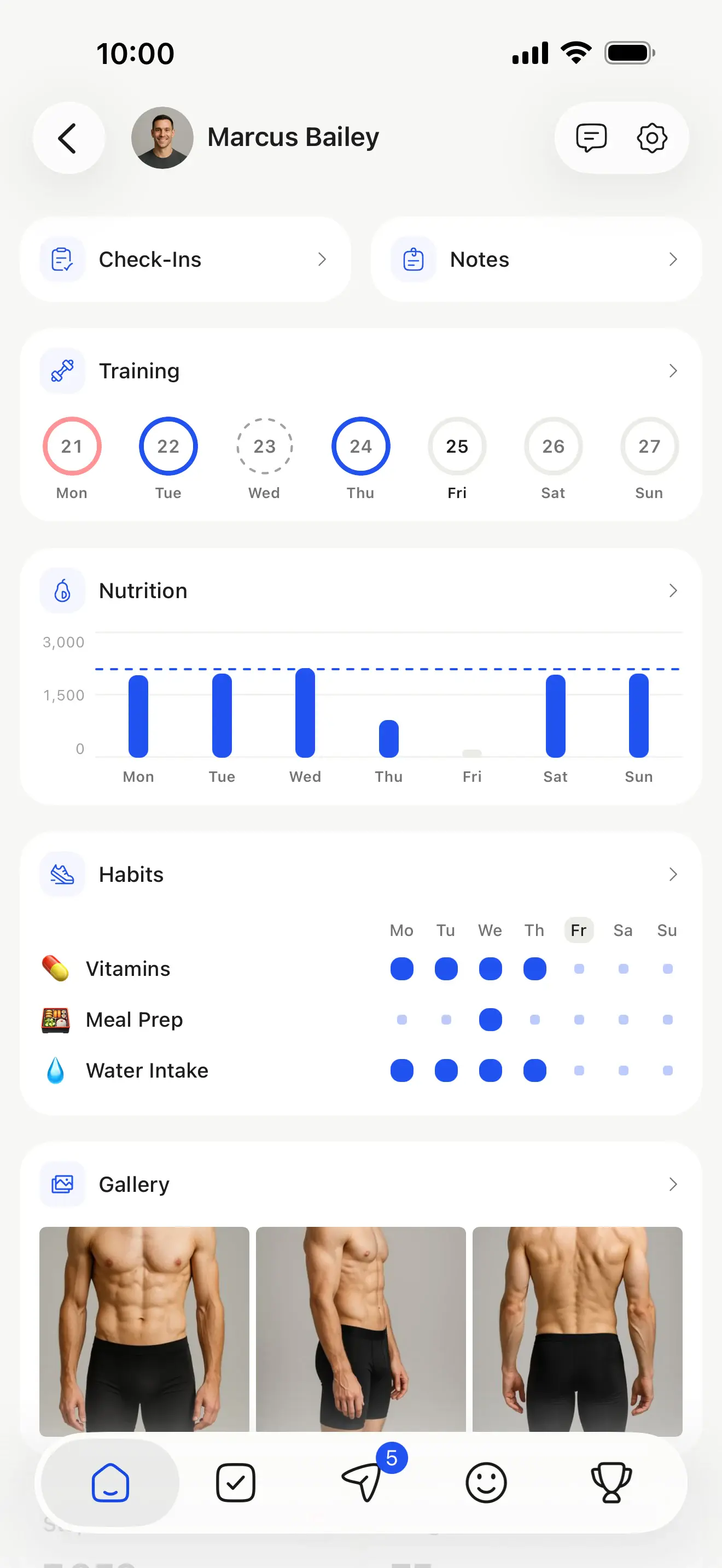
A client is someone you coach in HubFit. Creating one adds them to your workspace, as adding a client in the app does, and can email them their login details and run an onboarding flow for them.
Team members with the Standard role only reach the clients assigned to them. Deleted clients are never returned. Archived clients appear in the list when you ask for them with status, and asking for anything else about one answers 409 client_archived until you unarchive them in HubFit.
Attributes
- idstring
Its unique ID.
- namestring
- emailstring
- statusenum
archivedclients only appear in the client list: unarchive them in HubFit to read anything else of theirs.Known valuesactivearchived - Known values
malefemale Always in centimetres.
preferredUnits.lengthis how the client prefers to see it.- timezonestring
IANA time zone, e.g.
Europe/London. Dates on the client (dateOfBirth,coachingPeriod) are calendar dates in this time zone. - preferredUnitsobject
The units the client prefers to see measurements in. Values in the API are always metric (e.g.
heightCm); convert with these when showing them to the client. The dates the coach set for this client's coaching (Set Duration in the app), inclusive.
nullif the coach hasn't set them.When the client last used the app.
nullif they never have.- createdAttimestamp
When it was created.
{
  "id": "6ad6af41d3199442d31b2743",
  "name": "Jordan Miller",
  "email": "jordan.miller@example.com",
  "status": "active",
  "tags": [
    {
      "id": "6ad6afe58cebe1e48cea4ee3",
      "name": "Online coaching"
    }
  ],
  "dateOfBirth": "1991-04-18",
  "sex": "male",
  "heightCm": 178,
  "timezone": "America/New_York",
  "preferredUnits": {
    "weight": "lb",
    "length": "inch"
  },
  "coachingPeriod": {
    "startDate": "2026-03-02",
    "endDate": "2027-03-01"
  },
  "lastCheckInAt": "2026-10-26T14:32:05.000Z",
  "lastActiveAt": "2026-10-27T07:42:10.000Z",
  "createdAt": "2026-03-02T15:04:11.000Z"
}https://api.hubfit.com/v1/clientsClients you can reach, newest first. Team members with the Standard role only see their assigned clients. Deleted clients are never listed, and archived ones only when you ask for them with status. Requires clients:read.
Query parameters
- searchstring
Case-insensitive match on part of a name or email.
- emailstring
Only the client with exactly this email, ignoring case. Use it to find one specific client;
searchalso matches partial emails. - tagIdstring
Only clients with this tag. An id from
GET /tags. - statusenum
active(the default) for current clients,archivedfor archived ones,allfor both. An archived client is only ever listed: anything else about them answers409 client_archiveduntil you unarchive them in HubFit.One ofactivearchivedallDefaultactive - limitinteger
How many results to return, from 1 to 100.
Default25 - cursorstring
The
nextCursorfrom the previous page.
Returns
A page of clients.
curl -G https://api.hubfit.com/v1/clients \
  -H "Authorization: Bearer $HUBFIT_API_KEY" \
  -d search=jordan
const response = await fetch("https://api.hubfit.com/v1/clients?search=jordan", {
headers: {
Authorization: `Bearer ${process.env.HUBFIT_API_KEY}`,
},
});
const { data, nextCursor } = await response.json();import os
import requests
response = requests.get(
"https://api.hubfit.com/v1/clients",
headers={"Authorization": f"Bearer {os.environ['HUBFIT_API_KEY']}"},
params={
"search": "jordan",
},
)
page = response.json()
data, next_cursor = page["data"], page["nextCursor"]{
"data": [
{
"id": "6ad6af41d3199442d31b2743",
"name": "Jordan Miller",
"email": "jordan.miller@example.com",
"status": "active",
"tags": [
{
"id": "6ad6afe58cebe1e48cea4ee3",
"name": "Online coaching"
}
],
"dateOfBirth": "1991-04-18",
"sex": "male",
"heightCm": 178,
"timezone": "America/New_York",
"preferredUnits": {
"weight": "lb",
"length": "inch"
},
"coachingPeriod": {
"startDate": "2026-03-02",
"endDate": "2027-03-01"
},
"lastCheckInAt": "2026-10-26T14:32:05.000Z",
"lastActiveAt": "2026-10-27T07:42:10.000Z",
"createdAt": "2026-03-02T15:04:11.000Z"
}
],
"nextCursor": "eyJpZCI6IjZhZDZhZjNmMjljNTk3ZjE1In0",
"totalCount": 48
}https://api.hubfit.com/v1/clientsAdds a client to your workspace, exactly as adding one in the app does: it counts toward your plan's client limit, and a team member who adds a client is assigned to them. With sendLoginInstructions (the default), the client is emailed their login instructions straight away.
A client's email is unique within your workspace, so adding an email that's already a client returns 409 client_exists (with the existing clientId when you can reach that client) instead of a second client. That makes retries safe even without an Idempotency-Key. If the existing client is archived and you can reach them, it's 409 client_archived instead: unarchive them in HubFit.
With onboardingFlowId, the flow runs for the new client once they're added, as adding a client with a flow does in the app: they get its programs, nutrition plans, check-ins, habits, metrics and the rest, and its team members are assigned them. A flow that isn't your workspace's is a 404, and no client is added. A client that already exists (409) gets nothing. Requires clients:create.
Headers
- Idempotency-Keystring
Any unique string, such as a UUID, up to 255 characters. Retrying with the same key within 24 hours returns the first response instead of repeating the write. See Idempotency.
Body parameters
The client's full name. Can't contain
@.- sendLoginInstructionsboolean
Email the client their login instructions now.
Defaulttrue - onboardingFlowIdstring
An onboarding flow to run for the new client, by an
idfromGET /onboarding-flows.
Returns
The new client.
curl -X POST https://api.hubfit.com/v1/clients \
  -H "Authorization: Bearer $HUBFIT_API_KEY" \
  -H "Idempotency-Key: $(uuidgen)" \
  -H "Content-Type: application/json" \
  -d '{
    "name": "Jordan Miller",
    "email": "jordan.miller@example.com",
    "sendLoginInstructions": true,
    "onboardingFlowId": "6ad6affacef0fafbcef28df8"
  }'
const response = await fetch("https://api.hubfit.com/v1/clients", {
method: "POST",
headers: {
Authorization: `Bearer ${process.env.HUBFIT_API_KEY}`,
"Content-Type": "application/json",
"Idempotency-Key": crypto.randomUUID(),
},
body: JSON.stringify({
name: "Jordan Miller",
email: "jordan.miller@example.com",
sendLoginInstructions: true,
onboardingFlowId: "6ad6affacef0fafbcef28df8",
}),
});
const { data } = await response.json();import os
import uuid
import requests
response = requests.post(
"https://api.hubfit.com/v1/clients",
headers={"Authorization": f"Bearer {os.environ['HUBFIT_API_KEY']}", "Idempotency-Key": str(uuid.uuid4())},
json={
"name": "Jordan Miller",
"email": "jordan.miller@example.com",
"sendLoginInstructions": True,
"onboardingFlowId": "6ad6affacef0fafbcef28df8",
},
)
data = response.json()["data"]{
"data": {
"id": "6ad6af41d3199442d31b2743",
"name": "Jordan Miller",
"email": "jordan.miller@example.com",
"status": "active",
"tags": [
{
"id": "6ad6afe58cebe1e48cea4ee3",
"name": "Online coaching"
}
],
"dateOfBirth": "1991-04-18",
"sex": "male",
"heightCm": 178,
"timezone": "America/New_York",
"preferredUnits": {
"weight": "lb",
"length": "inch"
},
"coachingPeriod": {
"startDate": "2026-03-02",
"endDate": "2027-03-01"
},
"lastCheckInAt": "2026-10-26T14:32:05.000Z",
"lastActiveAt": "2026-10-27T07:42:10.000Z",
"createdAt": "2026-03-02T15:04:11.000Z"
}
}https://api.hubfit.com/v1/clients/{clientId}One client, the same object the list returns. Requires clients:read.
curl https://api.hubfit.com/v1/clients/6ad6af41d3199442d31b2743 \
  -H "Authorization: Bearer $HUBFIT_API_KEY"
const response = await fetch("https://api.hubfit.com/v1/clients/6ad6af41d3199442d31b2743", {
headers: {
Authorization: `Bearer ${process.env.HUBFIT_API_KEY}`,
},
});
const { data } = await response.json();import os
import requests
response = requests.get(
"https://api.hubfit.com/v1/clients/6ad6af41d3199442d31b2743",
headers={"Authorization": f"Bearer {os.environ['HUBFIT_API_KEY']}"},
)
data = response.json()["data"]{
"data": {
"id": "6ad6af41d3199442d31b2743",
"name": "Jordan Miller",
"email": "jordan.miller@example.com",
"status": "active",
"tags": [
{
"id": "6ad6afe58cebe1e48cea4ee3",
"name": "Online coaching"
}
],
"dateOfBirth": "1991-04-18",
"sex": "male",
"heightCm": 178,
"timezone": "America/New_York",
"preferredUnits": {
"weight": "lb",
"length": "inch"
},
"coachingPeriod": {
"startDate": "2026-03-02",
"endDate": "2027-03-01"
},
"lastCheckInAt": "2026-10-26T14:32:05.000Z",
"lastActiveAt": "2026-10-27T07:42:10.000Z",
"createdAt": "2026-03-02T15:04:11.000Z"
}
}Subscribe a webhook endpoint to hear about these as they happen, instead of polling. An event carries the record's id and its clientId, not the record: fetch it with your key. See Webhooks.
- client.createdA client was added.