

Introduction
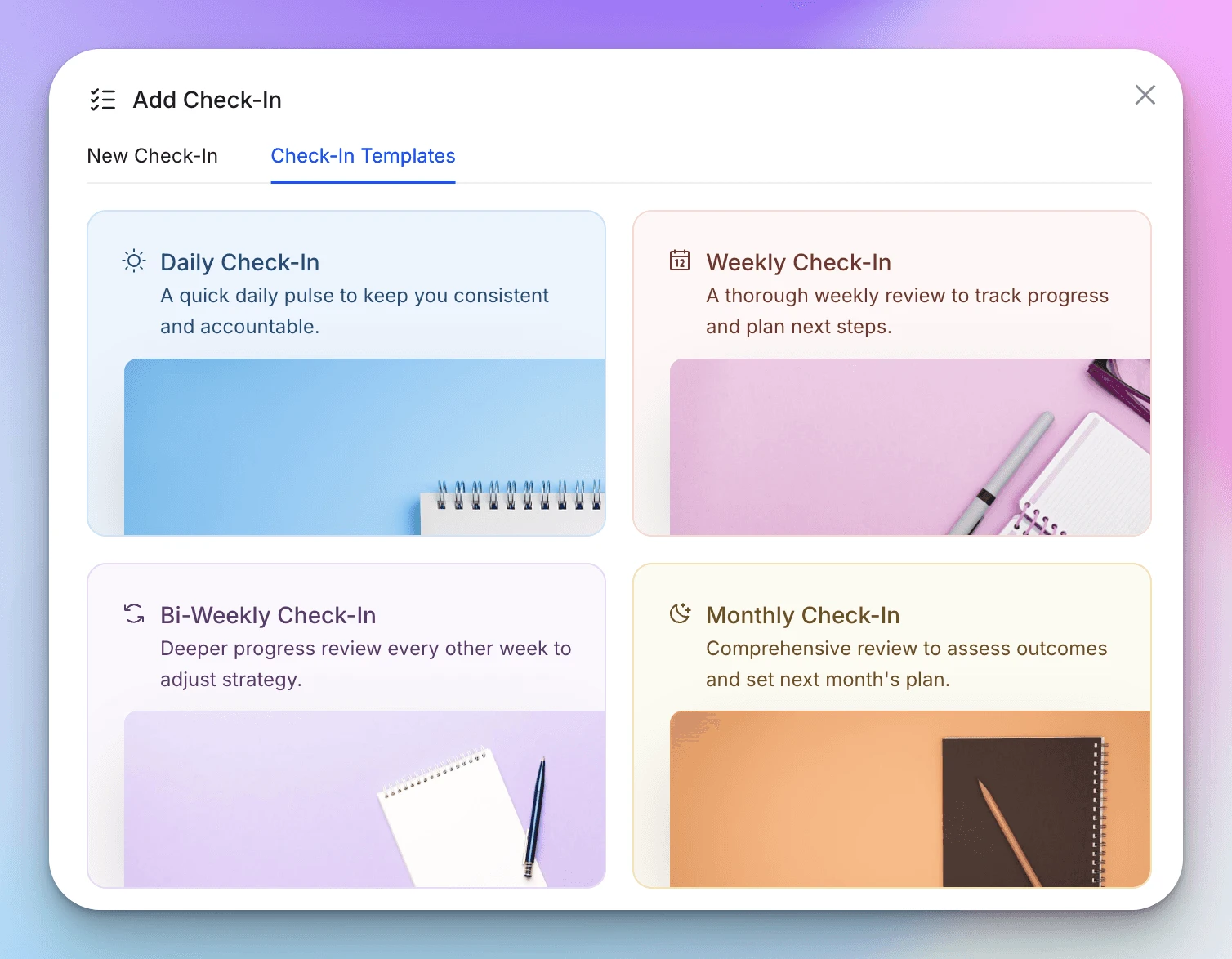
The Weekly Check-In is the industry standard for scalable online coaching. It gives your clients enough autonomy to live their lives while providing you with enough data to make meaningful adjustments to their programming.
The goal of a weekly check-in isn't just to gather data, it is to spark reflection. It forces the client to look back on their last 7 days, celebrate wins, and own up to their slip-ups.
Below is a comprehensive 12-point weekly check-in template. It blends quantitative metrics (weight, steps) with qualitative reflection to give you a 360-degree view of their week.
In this article
- 1. What was your biggest win this week?
- 2. How many workouts did you complete this week?
- 3. Did you follow your nutrition plan at least 80% this week?
- 4. Rate your overall progress this week (1-10)
- 5. Upload your weekly progress photos
- 6. What was your weight at the end of this week?
- 7. What was your average step count this week?
- 8. On average, how many hours of sleep did you get per night?
- 9. Which area improved the most this week?
- 10. Share video of workouts you'd like reviewed
- 11. Reflect on your overall progress and feelings about the past week
- 12. What should we prioritize next week?
The Ultimate Weekly Check-In Form Template
1. What was your biggest win this week?
Format: Open Text
Why ask this: Start with positivity. Whether they hit a PR or simply said "no" to office cake, forcing them to identify a win builds self-efficacy and keeps motivation high.
2. How many workouts did you complete this week?
Format: Number Input
Why ask this: A simple compliance check. If the plan called for 4 and they did 2, you know immediately that the conversation needs to be about schedule management, not exercise selection.
3. Did you follow your nutrition plan at least 80% this week?
Format: Yes/No
Why ask this: Perfection is the enemy of progress. The "80% rule" is a great psychological benchmark that encourages consistency over perfectionism. It helps clients avoid the "all-or-nothing" mentality.
4. Rate your overall progress this week (1-10)
Format: Scale (1–10)
Why ask this: This is their subjective assessment. If they rate their progress a 3/10 but their weight is down and strength is up, you have a gap in perception vs. reality that you need to coach through.
5. Upload your weekly progress photos
Format: Media Upload (Front, Side, Back)
Why ask this: Weekly photos provide a consistent visual timeline. Ensure they take these in similar lighting and at the same time of day (usually Friday or Saturday morning) for accurate comparison.
6. What was your weight at the end of this week?
Format: Metric Input (kg/lbs)
Why ask this: While weight fluctuates, a weekly weigh-in (or an average of the week's weights) helps you track the overall trend line without obsessing over spikes.
7. What was your average step count this week?
Format: Metric Input (Steps)
Why ask this: NEAT (Non-Exercise Activity Thermogenesis) is a huge driver of fat loss. If weight loss stalls but steps dropped by 2,000 this week, you have your answer immediately.
8. On average, how many hours of sleep did you get per night?
Format: Number Input
Why ask this: Recovery dictates performance. If a client is stalling on lifts or feeling high cravings, poor sleep is often the hidden culprit.
9. Which area improved the most this week?
Format: Multiple Choice (e.g. Strength, Energy, Mindset, Physique, Sleep)
Why ask this: This helps the client see progress in areas other than the scale. Maybe they didn't lose weight, but their energy skyrocketed, which is a win worth highlighting.
10. Share video of workouts you'd like reviewed
Format: Media Upload
Why ask this: Form checks are vital for online coaching safety. It proves you are actually watching their movement and not just copy-pasting spreadsheets.
11. Reflect on your overall progress and feelings about the past week
Format: Open Text
Why ask this: This is the "brain dump" section. It allows the client to vent about stressors, explain why they missed a workout, or elaborate on how they are feeling mentally.
12. What should we prioritize next week?
Format: Open Text
Why ask this: Buy-in. When clients participate in setting the goal for the next week (e.g. "I want to focus on hitting my protein goal"), they are far more likely to achieve it.
Use This Template Instantly
You don't need to build this from scratch. If you are using HubFit, we have pre-loaded this exact structure into the HubFit Template Library. You can import it to your account with one click and assign it to your clients immediately.
Here is what this form looks like for your clients inside the HubFit app
How You Can Use HubFit for Your Check-Ins
Managing weekly check-ins for a full roster of clients can take all Sunday if you aren't careful. Digging through emails for progress photos and cross-referencing spreadsheets for step counts is inefficient.
This is where HubFit simplifies this entire process for you and your clients.
HubFit is designed specifically for online coaches to automate and organize the entire check-in process. Instead of chasing clients for updates, HubFit’s Powerful Check-In System handles the heavy lifting.
1. Automate the Schedule
With HubFit, you can set check-ins to appear weekly (e.g. every Saturday). The task appears on their dashboard automatically.
-
Smart Reminders: Automatic notifications nudge your clients to complete their form, so you don't have to play "bad cop."
-
Reusability: Build this 12-point template once and assign it to every client on your roster with a single click.
2. Auto-Syncing Metrics
When your client enters their "Average Steps" or "Weight" in the weekly form, HubFit doesn't just leave it in a text box.
-
Graphing: The system automatically pulls these numbers into the client's progress graphs.
-
Gallery Sync: Progress photos uploaded in the check-in are automatically organized by date in the client's photo gallery, keeping your phone storage clean.
3. Compare Weeks Instantly
HubFit’s Compare Check-Ins feature is crucial for weekly analysis. You can open this week's check-in side-by-side with last week's (or one from 3 months ago). This allows you to instantly see:
-
Did their weight drop compared to last week?
-
Are their energy levels trending up or down?
-
Visually compare physique changes with the slider tool.
4. Review Check-Ins
HubFit has a fully fledged check-in review system. You can clearly see which check-ins are "Pending" and which are "Reviewed." You can review a check-in and leave a comment, and your clients will be notified that the check-in has been reviewed.
HuFit Check-in Feature Overview
Conclusion
The Weekly Check-In is the heartbeat of the coach-client relationship. It is the designated time to celebrate wins, course-correct, and set the intention for the week ahead.
By asking the right questions, covering everything from sleep to mindset, you ensure your clients are supported holistically. By using HubFit to manage these check-ins, you ensure your business is scalable, professional, and efficient.